
1. Introduction
The LUXPRO LP385 is a versatile, rechargeable palm light designed for various applications. It features a bright 500-lumen LED light, an integrated power bank for charging other devices, and a magnetic base for hands-free use. Its durable, water-resistant construction ensures reliability in diverse environments.

2. Package Contents
Verify that all items are present in your package:
- LUXPRO LP385 Rechargeable Palm Light
- USB Charging Cable
3. Setup and Initial Charging
3.1 Charging the Device
Before first use, fully charge your LP385 palm light. The device includes a built-in rechargeable Lithium-Ion battery. A full charge typically takes approximately 6 hours.
- Locate the USB charging port on the LP385.
- Connect the included USB charging cable to the LP385's charging port.
- Plug the other end of the USB cable into a compatible USB power source (e.g., wall adapter, computer USB port).
- The charging indicator light will illuminate to show the charging status.
- Once fully charged, disconnect the cable.
4. Operating Instructions
4.1 Power On/Off and Brightness Modes
The LP385 features multiple brightness settings. To operate the light:
- Press the power button once to turn the light on to its High brightness mode (500 lumens).
- Press the power button a second time to switch to Low brightness mode (250 lumens).
- Press the power button a third time to turn the light off.


4.2 Using the Power Bank Feature
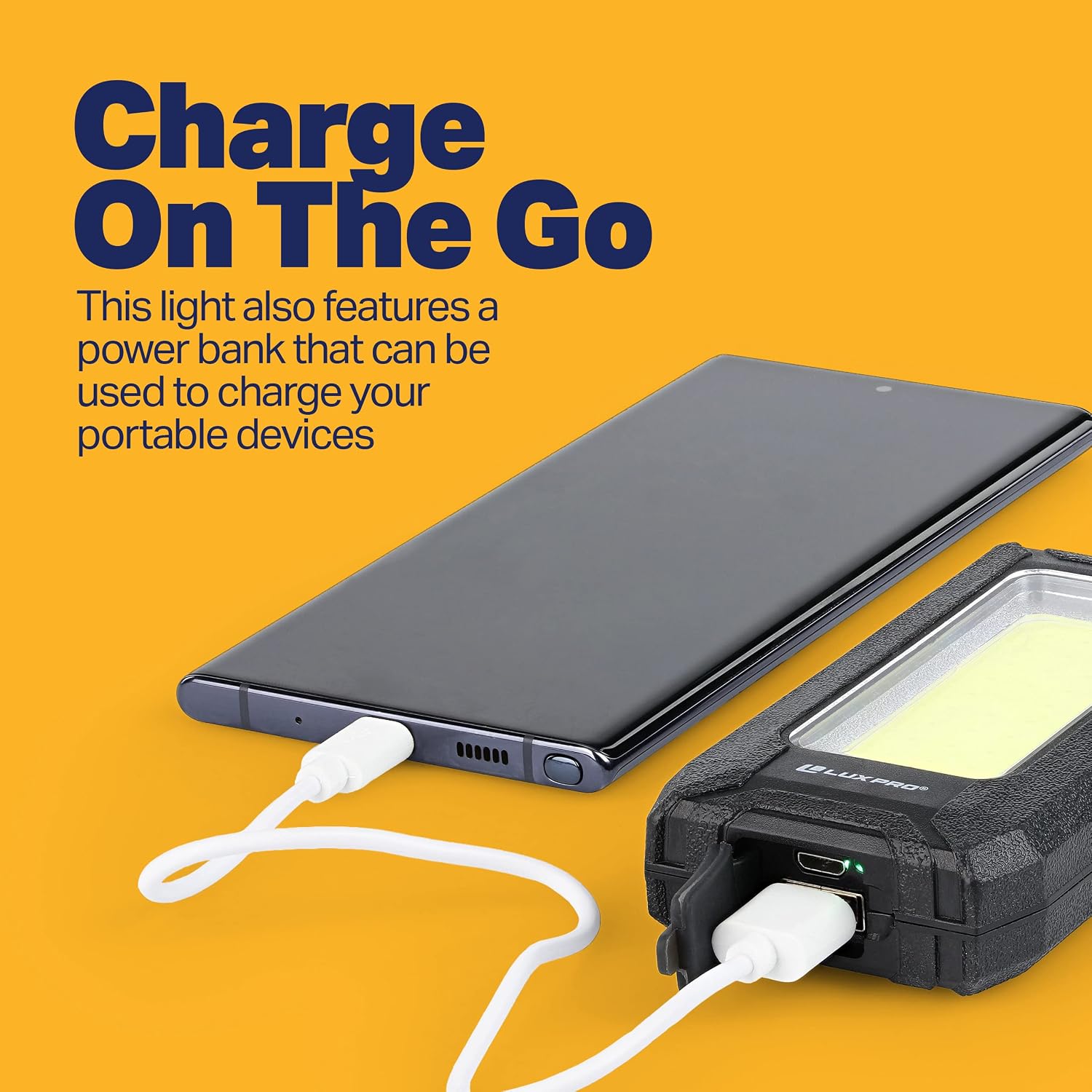
The LP385 can also serve as a portable power bank to charge other electronic devices.
- Ensure the LP385 has sufficient charge.
- Connect your electronic device (e.g., smartphone, tablet) to the LP385's USB output port using your device's charging cable.
- The LP385 will begin charging your device.
4.3 Magnetic Attachment
The LP385 features a strong magnetic back, allowing for convenient, hands-free placement on metal surfaces.
- Simply place the back of the LP385 onto any ferrous metal surface.
- Ensure the light is securely attached before releasing it.

5. Maintenance
5.1 Cleaning
To maintain the performance and appearance of your LP385:
- Wipe the exterior with a soft, damp cloth.
- Do not use abrasive cleaners or solvents, as these may damage the rubberized finish.
- Ensure the charging port cover is securely closed to maintain water resistance.
5.2 Battery Care
To prolong battery life:
- Avoid fully discharging the battery frequently.
- Store the device in a cool, dry place when not in use for extended periods.
- Recharge the battery periodically if stored for a long time to prevent deep discharge.
6. Troubleshooting
If you encounter issues with your LP385, consider the following:
- Light not turning on: Ensure the battery is charged. Connect the device to a power source using the USB cable and allow it to charge for at least 30 minutes before attempting to turn it on again.
- Device not charging: Verify that the USB cable is securely connected to both the LP385 and the power source. Try a different USB cable or power source.
- Power bank not charging other devices: Ensure the LP385 has sufficient charge. Check the connection between the LP385 and the device you are trying to charge.
If problems persist, refer to the warranty information for further assistance.
7. Product Specifications
| Feature | Specification |
|---|---|
| Model Number | LP385 |
| Brightness (High) | 500 Lumens |
| Brightness (Low) | 250 Lumens |
| Run Time (High) | 4 Hours |
| Run Time (Low) | 8 Hours |
| Beam Distance (High) | 28 Meters |
| Beam Distance (Low) | 20 Meters |
| Water Resistance | IPX4 (Water Resistant) |
| Battery Type | Rechargeable Lithium-Ion (1 included) |
| Charging Time | Approximately 6 hours |
| Dimensions | 4.5 x 2.5 x 1.5 inches |
| Weight | 7 ounces |
| Material | Plastic with Rubberized Finish |
| Special Features | Portable, Rechargeable, Power Bank, Magnetic Base |

8. Warranty and Customer Support
8.1 Warranty Information
The LUXPRO LP385 comes with a 90-day limited warranty against manufacturer's defects. This warranty covers defects in materials and workmanship under normal use. It does not cover damage caused by misuse, accidents, unauthorized modifications, or normal wear and tear.
Please retain your proof of purchase for warranty claims.
8.2 Customer Support
For technical assistance, warranty claims, or general inquiries, please contact your retailer or visit the official LUXPRO website for support resources.
You can find more information about LUXPRO products and support at the LUXPRO Brand Store.