
1. Introduction
This manual provides comprehensive instructions for the ARCANITE ARKIPC1080W 1080P WiFi Indoor IP Camera. This device is designed for home surveillance, offering features such as live video streaming, pan-tilt control, motion detection, night vision, and two-way audio. Please read this manual thoroughly before operating the camera to ensure proper setup and functionality.
2. Package Contents
Verify that all items are present in your package:
- ARCANITE ARKIPC1080W WiFi IP Camera
- 1M USB Cable (1)
- Mounting Screws (2)
- Pin (1) (Likely for reset button)
Note: A USB wall charger/adapter and a MicroSD card are not included and must be purchased separately if needed.

3. Setup Guide
3.1 Powering the Camera
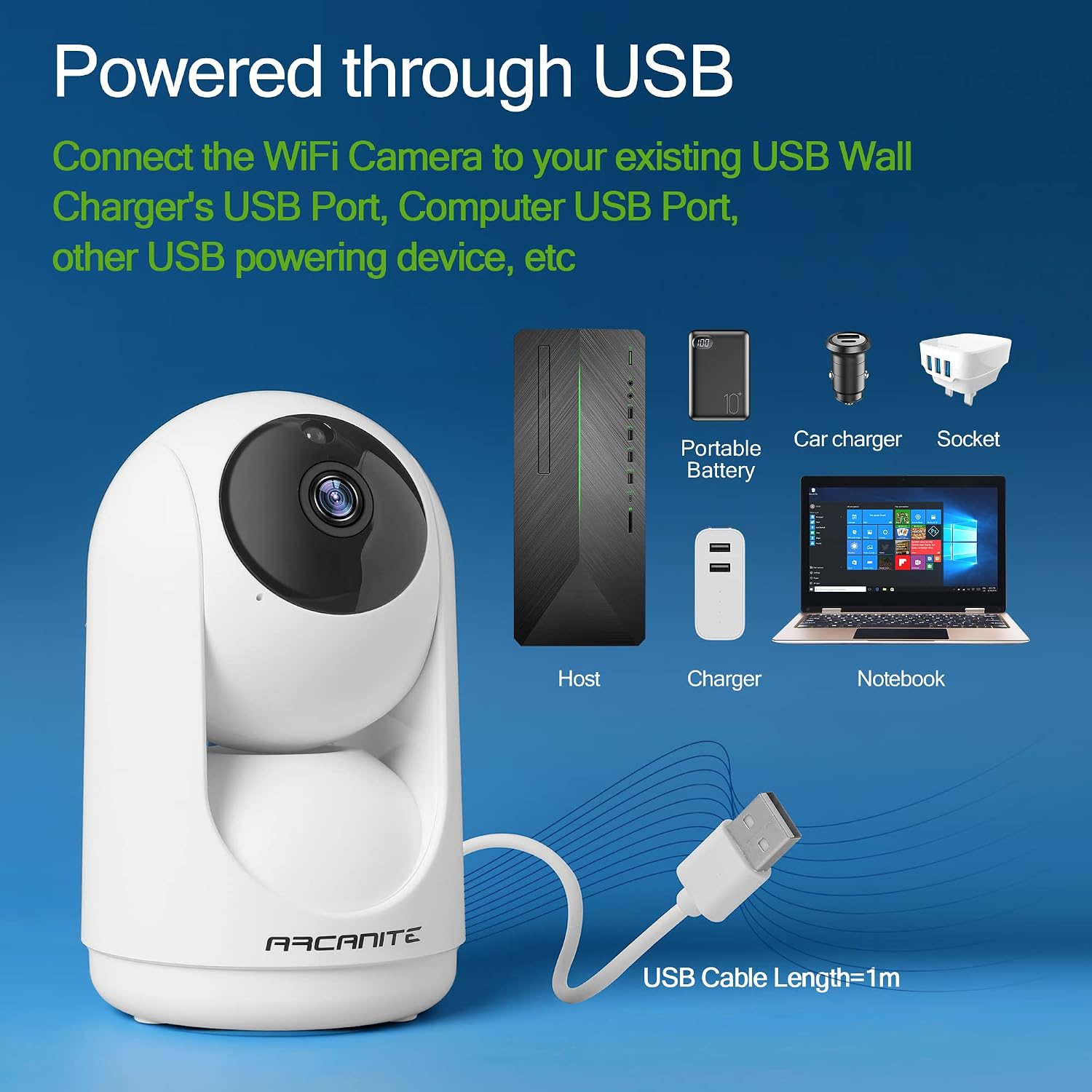
- Connect the provided 1M USB cable to the camera's power input port.
- Connect the other end of the USB cable to a compatible USB power source (e.g., a USB wall charger, computer USB port, or portable battery). The camera requires a 5V power supply.
- Ensure the camera powers on. An indicator light should illuminate.
3.2 App Installation and Pairing
- Download the official ARCANITE surveillance application from your smartphone's app store (iOS or Android). Search for "ARCANITE" or refer to the QR code in the quick start guide (if provided).
- Register for an account or log in if you already have one.
- Follow the in-app instructions to add a new device. This typically involves scanning a QR code on the camera or connecting to the camera's temporary Wi-Fi hotspot.
- Connect the camera to your home 2.4GHz Wi-Fi network. (Most IP cameras only support 2.4GHz Wi-Fi)
- Once successfully paired, the camera's live feed should appear in the app.
3.3 MicroSD Card Installation (Optional)
For local video storage, install a MicroSD card (up to 128GB, not included).
- Locate the MicroSD card slot on the camera. This is typically near the reset button.
- Gently insert the MicroSD card into the slot until it clicks into place. Ensure the correct orientation.
- Format the MicroSD card via the camera settings in the mobile application for optimal performance.
4. Operating Instructions
4.1 Live View and Pan-Tilt Control
Access the live video feed through the ARCANITE app. Use the on-screen controls to remotely adjust the camera's viewing angle.
- Pan: Rotate the camera horizontally up to 355 degrees.
- Tilt: Adjust the camera vertically up to 180 degrees.

4.2 Motion Detection and Tracking
The camera can detect movement and automatically track subjects within its field of view. Configure motion detection settings in the app.
- Enable/disable motion detection.
- Adjust sensitivity levels.
- Set up alert notifications to your smartphone.
- Activate automatic tracking to follow detected movement.

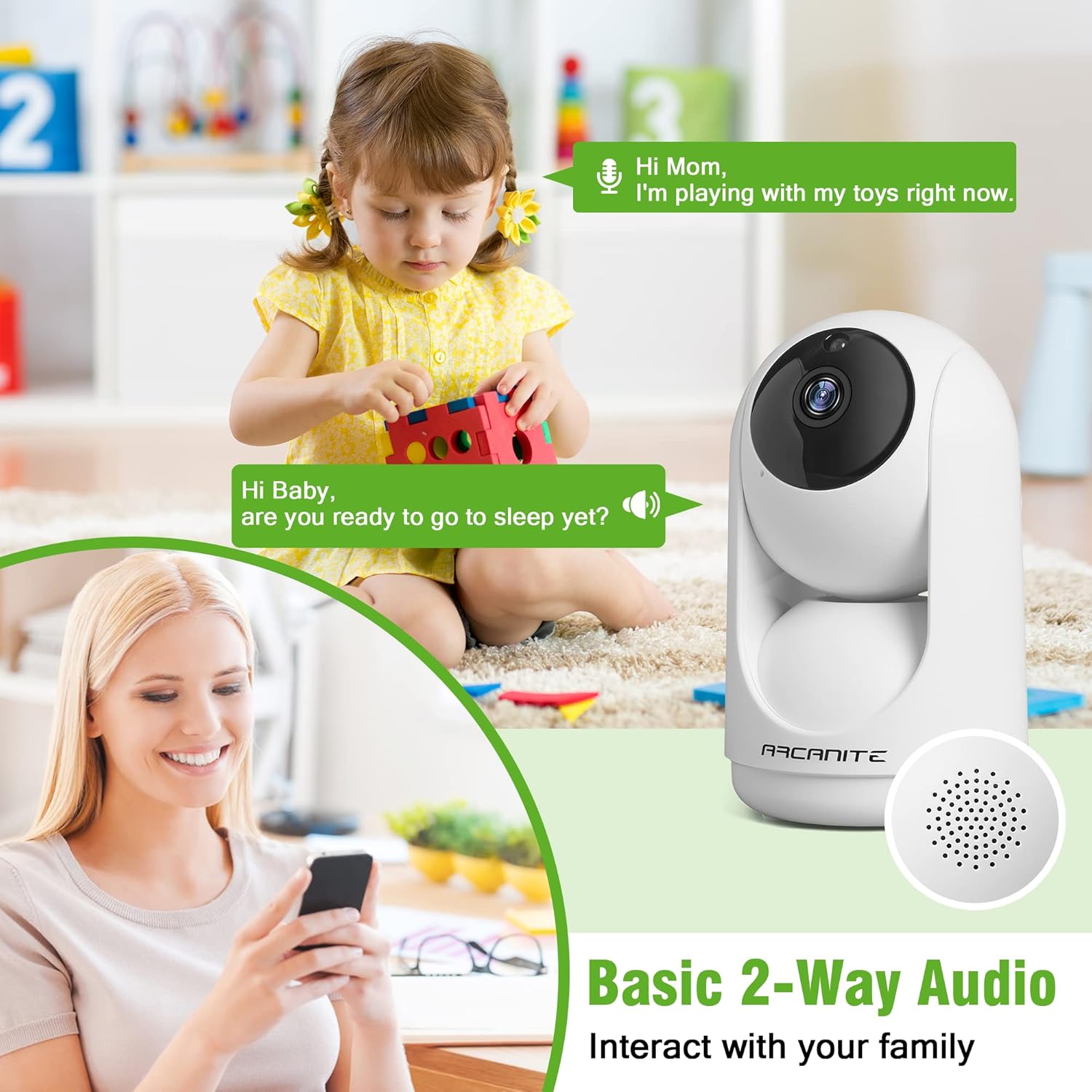
4.3 Two-Way Audio
Utilize the built-in microphone and speaker for two-way communication.
- Tap the microphone icon in the app to speak through the camera.
- Listen to audio from the camera's environment through your smartphone.
4.4 Night Vision
The camera automatically switches to HD night vision mode in low-light conditions, providing clear video surveillance 24/7.

5. Maintenance
- Cleaning: Use a soft, dry cloth to clean the camera lens and body. Avoid abrasive cleaners or solvents.
- Firmware Updates: Regularly check the ARCANITE app for available firmware updates to ensure optimal performance and security.
- MicroSD Card Management: If using a MicroSD card, periodically review and delete old recordings to free up space, or configure loop recording in the app.
- Placement: Ensure the camera is placed in a stable location, away from direct sunlight, heat sources, and moisture.
6. Troubleshooting
| Problem | Solution |
|---|---|
| Camera not powering on. | Ensure the USB cable is securely connected to both the camera and a working USB power source. Try a different USB cable or power adapter. |
| Cannot connect to Wi-Fi. |
|
| No live video feed. | Check your internet connection. Ensure the camera is powered on and connected to Wi-Fi. Restart the app. |
| Motion detection alerts not received. |
|
| Two-way audio not working. | Ensure your phone's microphone and speaker permissions are granted to the ARCANITE app. Check volume settings on both your phone and within the app. |
7. Specifications
| Feature | Detail |
|---|---|
| Model Number | ARKIPC1080W |
| Video Resolution | 1080p (1920 x 1080 Pixels) |
| Connectivity | Wi-Fi (2.4GHz only) |
| Pan Angle | 355 Degrees Horizontal |
| Tilt Angle | 180 Degrees Vertical |
| Special Features | Motion Detection, PTZ Technology, Night Vision, Two-Way Audio |
| Storage | MicroSD Card (up to 128GB, not included) |
| Power Source | USB Powered (5V) |
| Material | Plastic |
| Dimensions (L x W x H) | 13 x 9.8 x 12 centimeters |
| Usage Environment | Indoor |
| Compatible Devices | Smartphone (iOS/Android) |