
Liectroux C30B
Liectroux C30B Robot Vacuum Cleaner User Manual
Model: C30B
1. Important Safety Information
Please read this manual carefully before using the Liectroux C30B Robot Vacuum Cleaner and retain it for future reference. Always follow basic safety precautions to reduce the risk of fire, electric shock, and injury.
- This appliance can be used by children aged from 8 years and above and persons with reduced physical, sensory or mental capabilities or lack of experience and knowledge if they have been given supervision or instruction concerning use of the appliance in a safe way and understand the hazards involved.
- Cleaning and user maintenance shall not be made by children without supervision.
- Only use the original power adapter provided by the manufacturer.
- Do not use the robot in wet environments or near water.
- Ensure the robot is placed on a stable surface to prevent falls.
- Keep hair, loose clothing, fingers, and all parts of the body away from openings and moving parts.
- Do not operate the robot in areas with open flames or explosive materials.
- Unplug the charging dock when not in use for extended periods.
2. Package Contents
Verify that all items are included in your package:
- Main body x1
- Charging station x1
- Remote controller x1 (Batteries not included)
- AC adapter x1
- Dust bin x1
- Electric water tank x1
- Cleaning brush x1
- Extra side Brush x2
- Extra HEPA filter x1
- Extra mop x1
- User manual x1

Image: Liectroux C30B Robot Vacuum Cleaner with its included accessories, including the main unit, charging station, remote control, dustbin, and water tank.
3. Product Overview
The Liectroux C30B is a versatile robot vacuum cleaner designed for efficient cleaning of various floor types. It features smart dynamic navigation, strong suction, and wet mopping capabilities.
Key Features:
- Smart Dynamic Navigation: Advanced mapping technology for systematic cleaning paths.
- 5000Pa Strong Suction: Powerful cleaning for dust, debris, and pet hair.
- Wet Mopping Function: Equipped with an electric water tank for simultaneous sweeping and mopping.
- WiFi App Control: Control the robot remotely via a smartphone app.
- Voice Assistant Compatibility: Works with Amazon Alexa and Google Assistant.
- Slim Design: 7.4cm height allows cleaning under furniture.
- Anti-Collision & Anti-Fall Sensors: Infrared sensors prevent collisions and falls from stairs.
- Threshold Climbing: Capable of climbing obstacles up to 1.5cm/2cm.
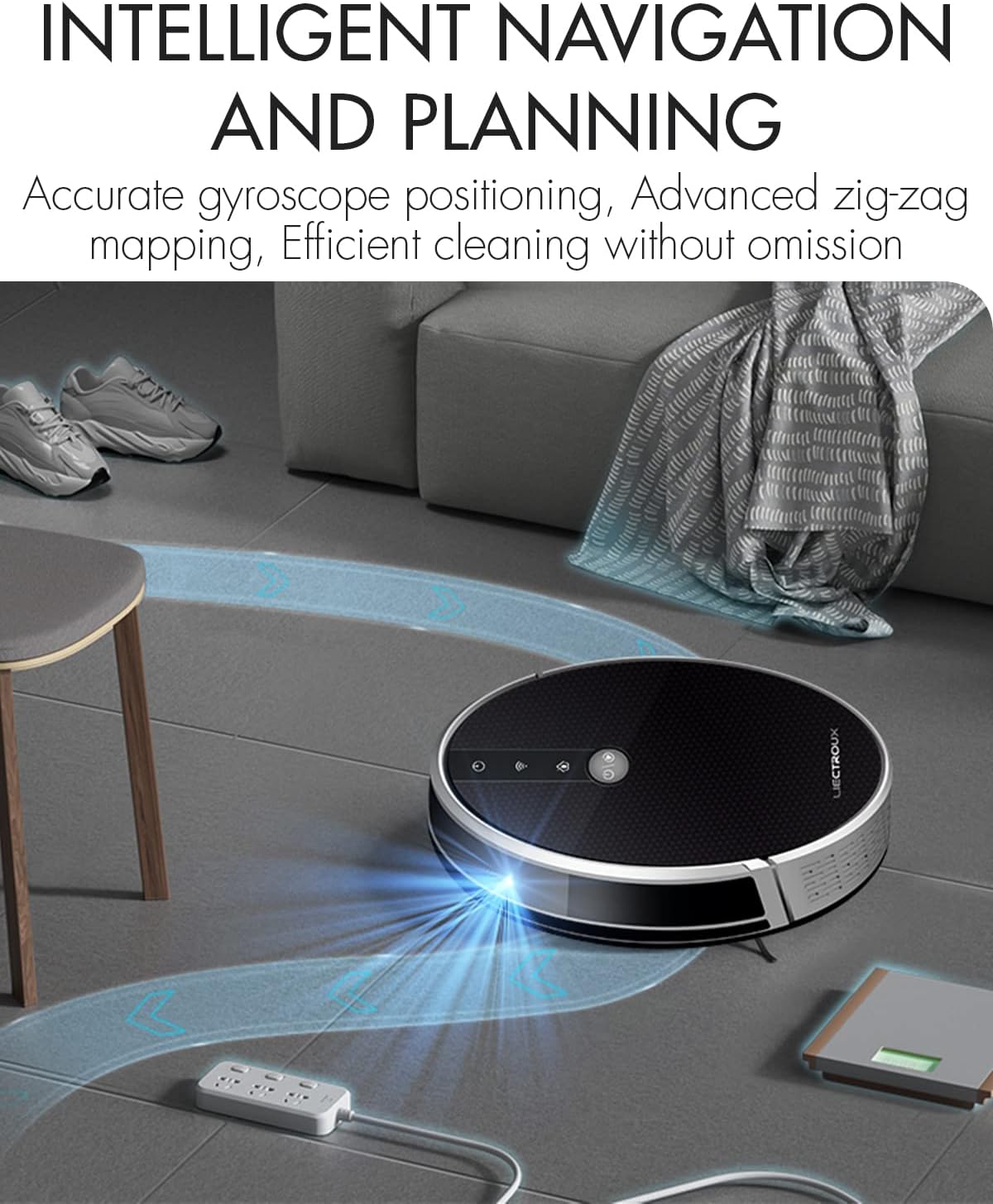
Image: The robot vacuum cleaner navigating a room, illustrating its intelligent mapping and planning capabilities with blue lines indicating its path.
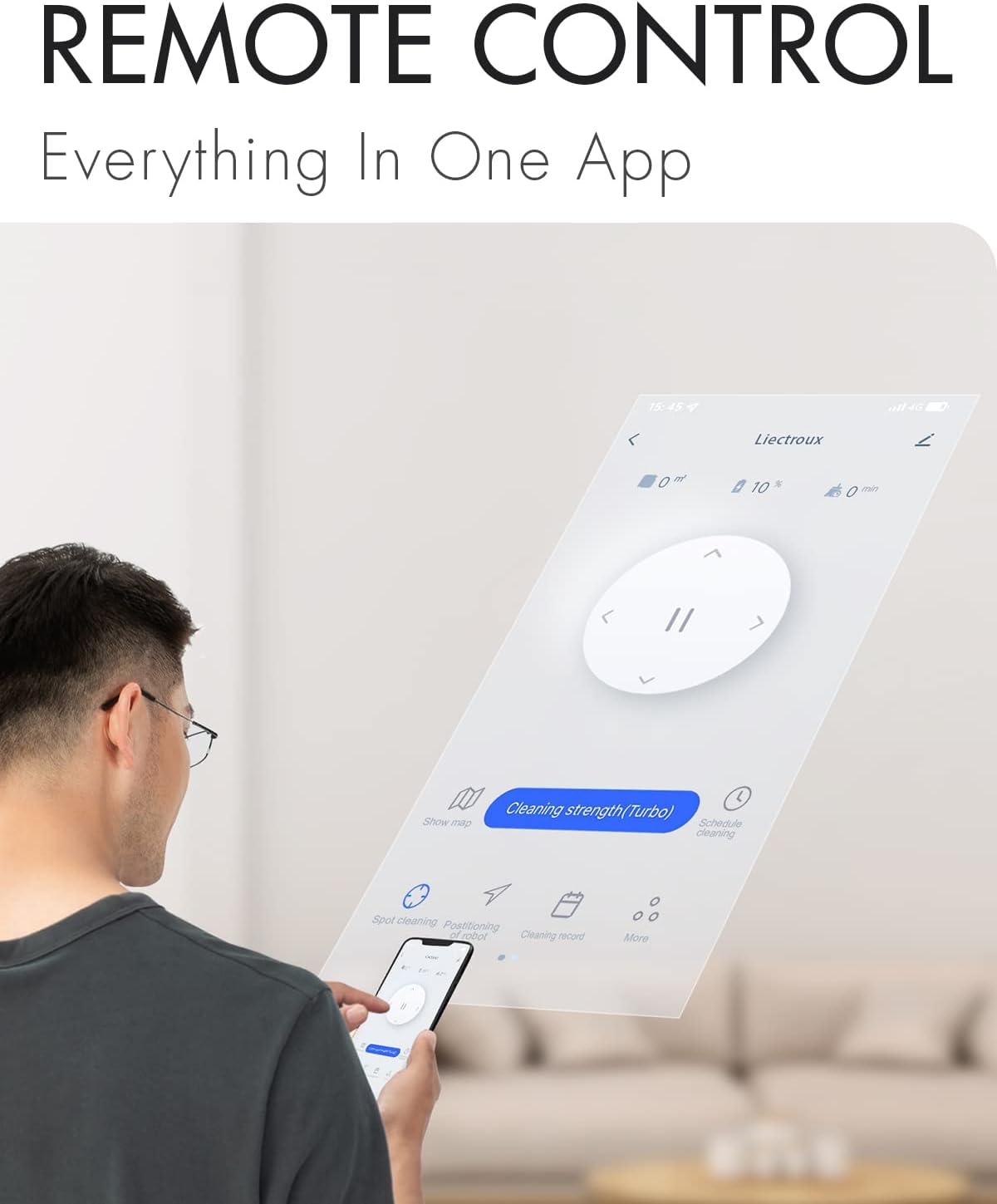
Image: The slim 7.4cm body of the robot vacuum cleaner allows it to easily clean under low-lying furniture like sofas.
4. Setup
4.1 Charging Dock Placement
Place the charging dock against a wall in an open, uncluttered area. Ensure there is at least 0.5 meters (1.6 feet) of clear space on both sides and 1.5 meters (4.9 feet) in front of the dock for optimal navigation.
4.2 Initial Charging
Connect the AC adapter to the charging dock and plug it into a power outlet. Place the robot onto the charging dock, ensuring the charging contacts align. The robot will begin charging automatically. For first use, fully charge the robot for at least 6 hours.
4.3 Side Brush Installation
Attach the side brushes to the corresponding posts on the bottom of the robot until they click into place. Ensure the left (L) and right (R) brushes are installed correctly.
4.4 Dustbin and Water Tank Installation
The Liectroux C30B features a 2-in-1 dustbin and water tank system. To install the water tank for mopping, fill it with clean water (up to 350ml) and attach the mop cloth. Slide the combined unit into the designated slot at the rear of the robot until it locks securely.
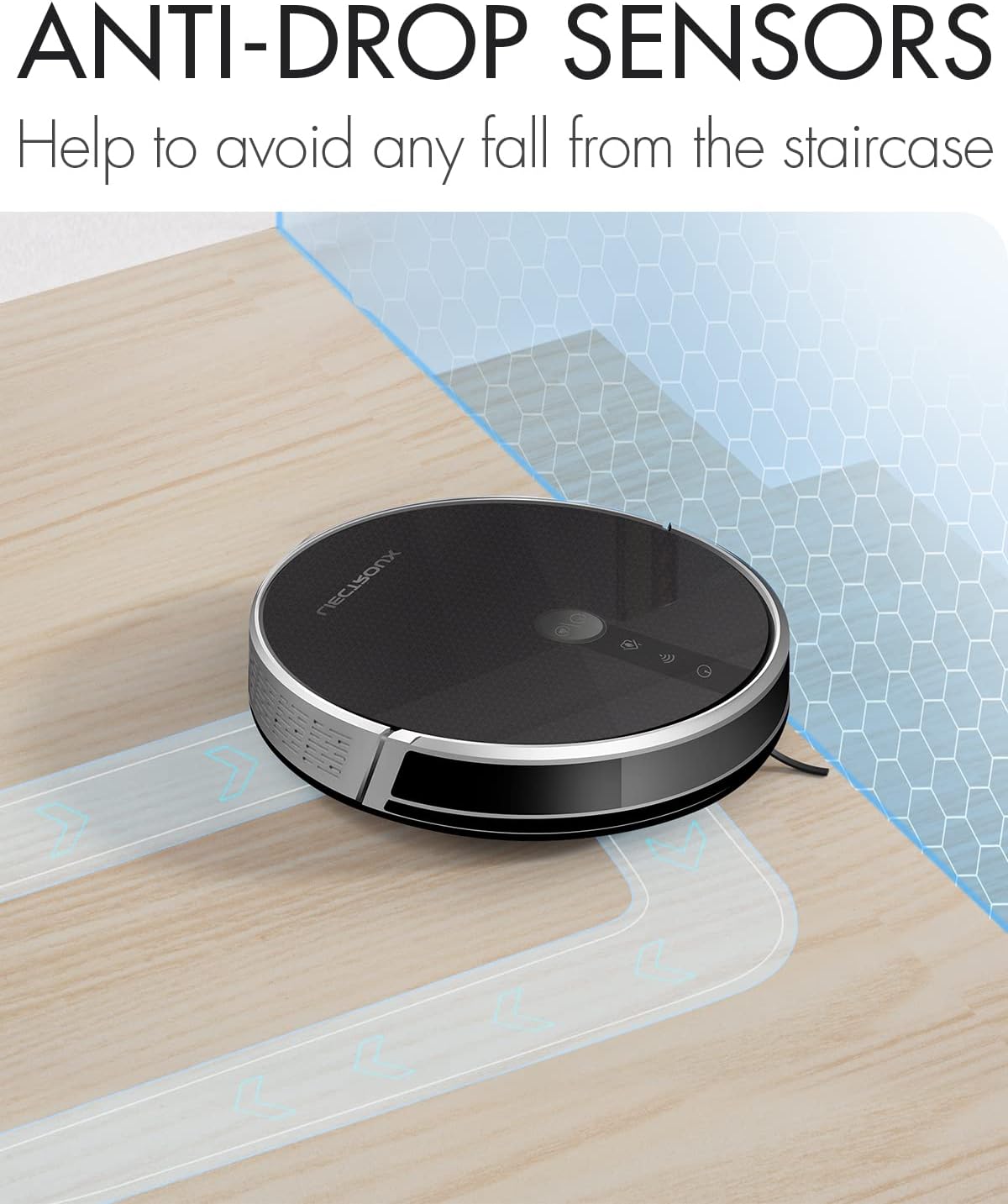
Image: The robot vacuum cleaner demonstrating its 2-in-1 dustbin and water tank, showing how it sweeps and mopps simultaneously.

Image: A visual representation showing the interchangeable dustbin and water tank components of the robot vacuum.
4.5 App and Voice Assistant Connection
Download the Liectroux app from your smartphone's app store. Follow the in-app instructions to connect your robot to your home WiFi network. Once connected, you can link the robot to Amazon Alexa or Google Assistant for voice control.

Image: A user interacting with the Liectroux smartphone application to control the robot vacuum cleaner, highlighting the remote control capabilities.
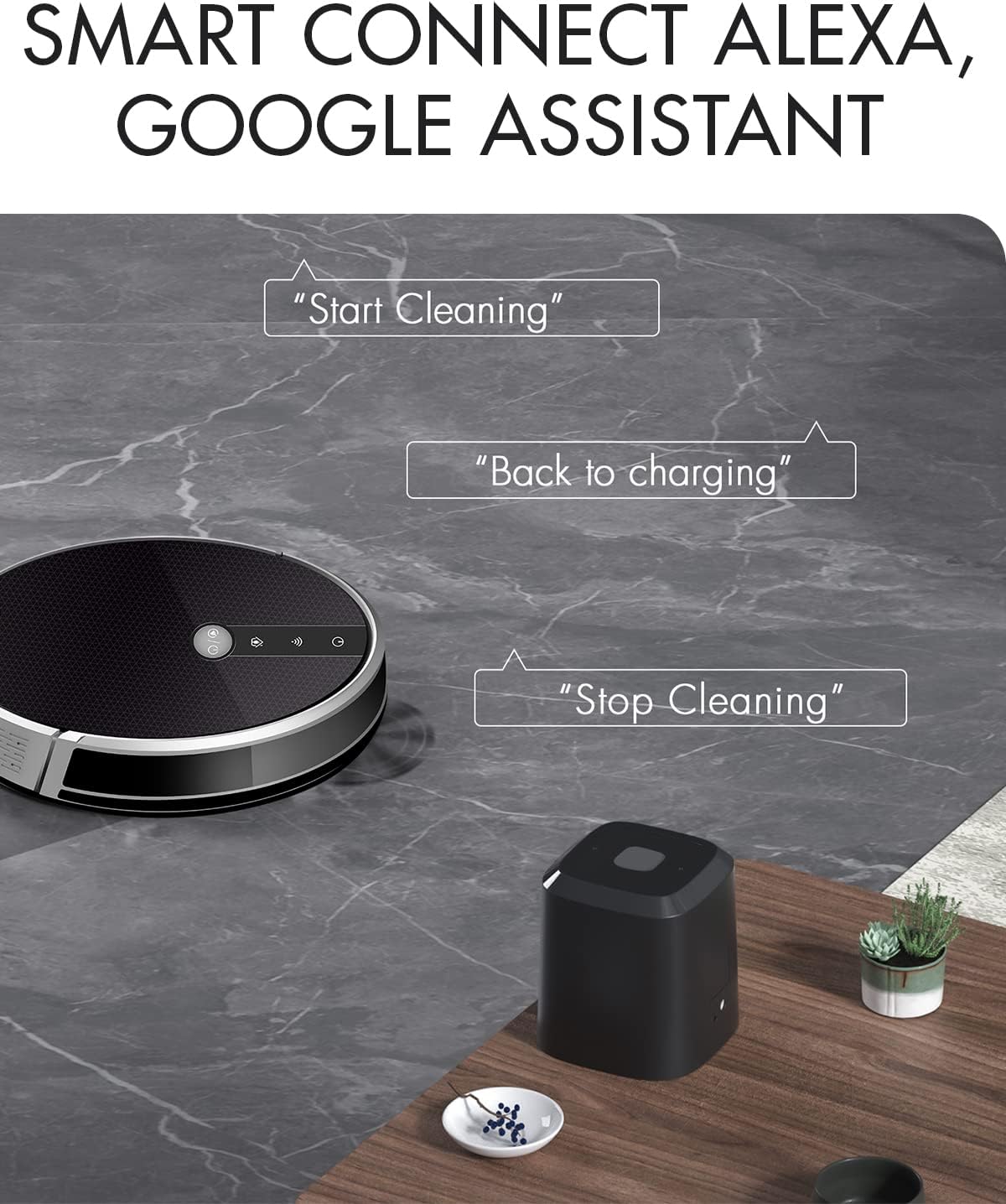
Image: The robot vacuum cleaner positioned near a smart speaker, illustrating its compatibility with voice assistants like Alexa and Google Assistant for commands such as "Start Cleaning" or "Back to charging."
5. Operating Instructions
5.1 Power On/Off
Press and hold the power button on the robot or use the app/remote control to power on or off the device.
5.2 Cleaning Modes
The Liectroux C30B offers multiple cleaning modes to suit different needs:
- Auto Cleaning (Zigzag): The robot cleans in a systematic zigzag pattern to cover the entire area efficiently.
- Spot Cleaning: For concentrated dirty areas, the robot will clean in a spiral pattern.
- Edge Cleaning: The robot cleans along walls and furniture edges.
- Wet Mopping: When the water tank is installed, the robot will sweep and mop simultaneously.
- Supplementary Cleaning: For areas that might have been missed.

Image: A collage showing the robot vacuum's various cleaning modes, including Zigzag Cleaning Path, Fixed Point Cleaning Mode, and U Turn Along the Wall, alongside the new app interface and connection to Alexa.
5.3 Scheduling
Use the Liectroux app to set cleaning schedules for specific times and days. The robot will automatically start cleaning at the programmed times.
5.4 Suction Adjustment
The suction power can be adjusted via the app to suit different cleaning needs and floor types. The C30B features a powerful 5000Pa suction.

Image: An animated illustration depicting the powerful suction mechanism of the robot vacuum, showing debris being pulled into the dustbin.
5.5 Obstacle Navigation
The robot is designed to climb thresholds up to 1.5cm (or 2cm as per feature bullets) and features anti-collision and anti-fall sensors to navigate around furniture and avoid stairs.

Image: The robot vacuum cleaner demonstrating its ability to climb over a small threshold, highlighting its resilient wheels.

Image: The robot vacuum cleaner positioned near a staircase, illustrating its anti-drop sensors that prevent it from falling.
5.6 Automatic Recharging
When the battery level is low (less than 20%), the robot will automatically return to its charging dock to recharge.
5.7 Official Product Video
Video: An official product video demonstrating the Liectroux C30B Robot Vacuum Cleaner's features, including intelligent navigation, various cleaning modes (spot, edge), anti-winding design, climbing ability, anti-collision, water tank installation, and anti-falling sensors. The video also highlights its 5000Pa suction power and quiet operation.
6. Maintenance
Regular maintenance ensures optimal performance and extends the lifespan of your Liectroux C30B.
6.1 Emptying the Dustbin
After each cleaning cycle, or when the dustbin is full, remove it from the robot and empty its contents into a trash can. Rinse the dustbin with water if necessary, but ensure it is completely dry before re-installing.
6.2 Cleaning Brushes
- Main Brush: Remove the main brush cover and lift out the main brush. Use the cleaning tool to remove any hair or debris tangled around the brush.
- Side Brushes: Periodically check the side brushes for tangled hair or debris. Remove them if necessary and clean. Replace worn or damaged side brushes.
6.3 Cleaning Filters
Tap the HEPA filter to remove loose dirt. For a deeper clean, the filter can be gently brushed. Do not wash the HEPA filter with water. Replace the HEPA filter every 3-6 months, or more frequently depending on usage.
6.4 Cleaning Sensors
Wipe the anti-drop sensors and anti-collision sensors on the robot's underside and front bumper with a clean, dry cloth. Keep them free of dust and debris to ensure proper navigation.
6.5 Water Tank and Mop Cloth Maintenance
After mopping, empty any remaining water from the water tank. Remove and wash the mop cloth. Allow both the water tank and mop cloth to air dry completely before storing or re-installing.
7. Troubleshooting
If you encounter issues with your Liectroux C30B, refer to the following common problems and solutions:
| Problem | Possible Cause | Solution |
|---|---|---|
| Robot does not power on | Low battery; Power button not pressed correctly | Charge the robot; Press and hold the power button for a few seconds |
| Robot cannot find charging dock | Charging dock obstructed; Dock not powered on | Ensure clear space around dock; Check power connection to dock |
| Poor cleaning performance | Dustbin full; Brushes tangled; Filter clogged | Empty dustbin; Clean main and side brushes; Clean/replace filter |
| Robot gets stuck frequently | Too many obstacles; Sensors dirty | Clear obstacles from cleaning path; Clean all sensors |
| App connection issues | Incorrect WiFi password; Router too far | Re-enter WiFi password; Move robot closer to router; Restart router/robot |
If the problem persists, please contact Liectroux customer support.
8. Specifications
| Feature | Specification |
|---|---|
| Brand | Liectroux |
| Model Name | C30B |
| Special Feature | Self-Propelled, Vacuums, Cordless, HEPA Filtration |
| Filter Type | Cloth |
| Battery Life | 100 minutes |
| Voltage | 14.4 Volts |
| Capacity (Dustbin) | 0.6 Liters |
| Power Source | Battery Powered |
| Batteries Included | Yes (1 Lithium Ion battery) |
| Control Method | App |
| Compatible Devices | Smartphones, Amazon Echo |
| Form Factor | Robotic |
| Product Dimensions | 12.99 x 12.99 x 2.91 inches |
| Item Weight | 4.4 pounds |
| Manufacturer | Liectroux |
| Date First Available | September 14, 2021 |
9. Warranty and Support
Liectroux provides a standard manufacturer's warranty for the C30B Robot Vacuum Cleaner. Please refer to the warranty card included in your package for specific terms and conditions.
For technical support, troubleshooting assistance, or warranty claims, please contact Liectroux customer service through their official website or the contact information provided in your product documentation.
You can also visit the Liectroux Store on Amazon for more information and product updates.
Related documentsC30B


Ask a question about this manual
Ask about setup, troubleshooting, compatibility, parts, safety, or missing instructions. Manuals+ will review the question and use this page’s manual context to help answer it.