
1. Introduction
Thank you for choosing the Casaottima ODK 66-inch L-Shaped Gaming Desk. This manual provides essential information for the safe assembly, operation, and maintenance of your new desk. This L-shaped desk is designed to maximize your workspace, offering ample room for working, studying, or gaming. It features a movable monitor stand, a flexible iron hook, and a switchable storage bag to enhance functionality and organization.
2. Safety Information
- Always follow the assembly instructions carefully to ensure proper and safe setup.
- Be cautious when adjusting the leg height to maintain desk stability. Ensure all leg pads are evenly adjusted on a flat surface.
- Do not overload the desk or monitor stand beyond their intended weight capacity.
- Keep small parts and packaging materials away from children to prevent choking hazards.
- Regularly check all screws and connections to ensure they remain tight and secure.
3. Package Contents
Before beginning assembly, verify that all components listed below are present and undamaged. If any parts are missing or damaged, please contact customer support.
- Desktop Panels (L-shaped sections)
- Desk Frame Components (legs, support bars)
- Monitor Stand
- Switchable Storage Bag
- Iron Headphone Hook
- Adjustable Leg Pads
- Hardware Pack (screws, bolts, nuts, washers)
- Assembly Tools (e.g., Allen wrench)
4. Assembly Instructions
Assembly is designed to be straightforward, typically taking around 30 minutes. All necessary tools are included.
- Unpack and Identify Parts: Carefully remove all components from the packaging. Lay them out on a clean, soft surface to prevent scratches. Refer to the included parts list to identify each piece.
- Assemble the Frame: Connect the main frame components using the provided hardware. Ensure all connections are finger-tight at first.
- Attach Desktop Panels: Secure the L-shaped desktop panels to the assembled frame. Once all panels are in place, gradually tighten all screws on the frame and desktop until secure. Do not overtighten.
- Install Monitor Stand: Place the monitor stand on the desired section of the desktop. The monitor stand is movable and can be positioned according to your preference.
- Attach Storage Bag and Headphone Hook: The iron hook can be installed on either the left or right side of the desk frame, based on your usage habits. Attach the switchable storage bag to the desk as desired.
- Adjust Leg Pads: Once the desk is fully assembled and in its final position, adjust the leg pads at the bottom of each leg to ensure the desk is level and stable on your floor.

Image: Desk Dimensions. This diagram illustrates the overall dimensions of the L-shaped desk, including the length of each side (65.7 inches and 47.2 inches), depth (18.1 inches), and height (29.4 inches), along with the monitor stand dimensions.
5. Operating the Desk Features
5.1 Monitor Stand
The monitor stand is designed to elevate your screen to an ergonomic viewing height, reducing neck and eye strain. It is not fixed and can be moved freely along the desktop to suit your preferred setup.
5.2 Switchable Storage Bag
The fabric storage bag provides convenient access to small items, documents, or accessories. It can be attached to either side of the desk, allowing you to customize your storage solution based on your needs and desk orientation.
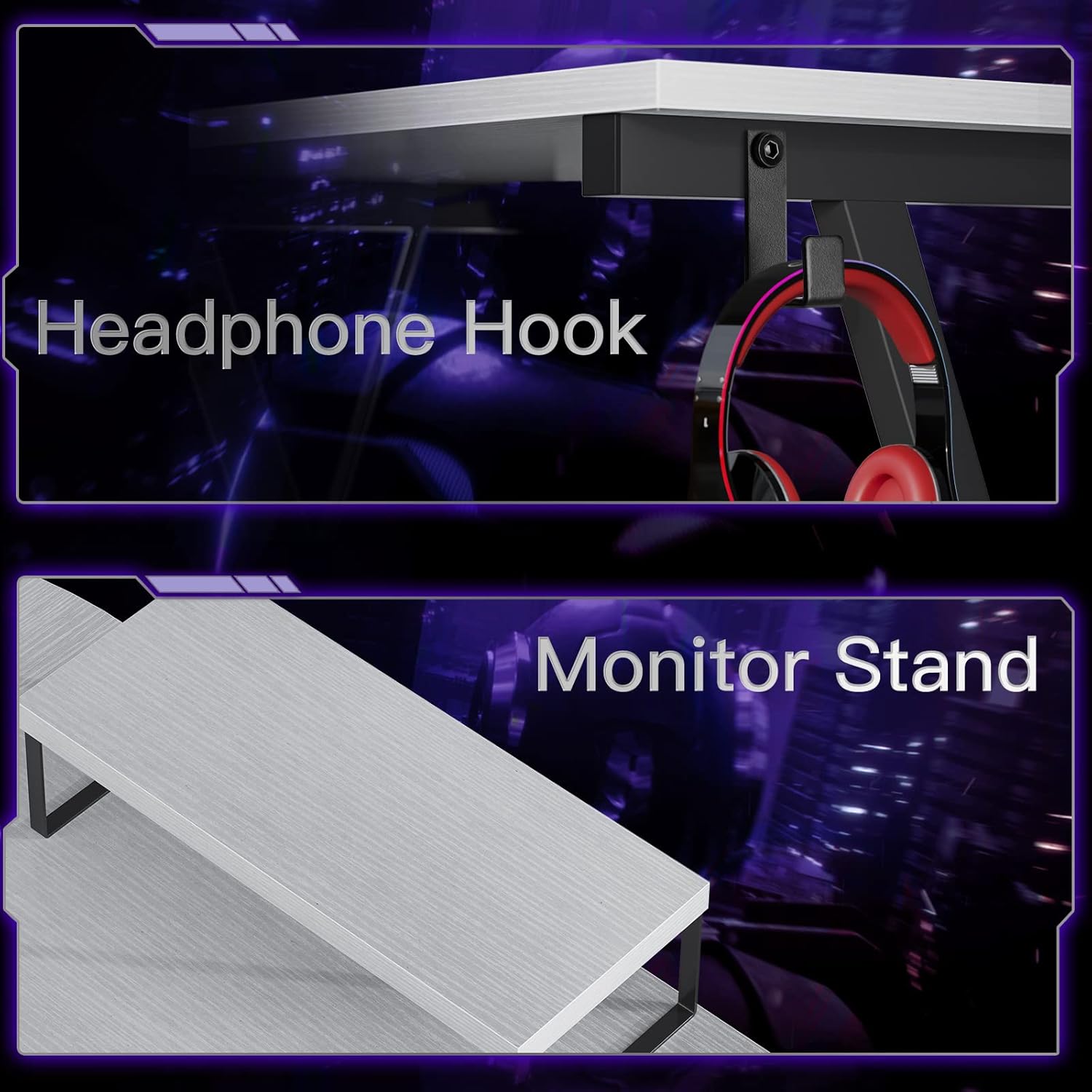
Image: Switchable Storage Bag. This image shows the fabric storage bag attached to the side of the desk, organizing various small items like notebooks, sunglasses, and office supplies.
5.3 Iron Headphone Hook
The sturdy iron hook provides a dedicated spot to hang your headphones, keeping them off the desktop and easily accessible. It can be installed on either the left or right side of the desk frame.

Image: Key Features. This composite image highlights three important features: the floating monitor shelf for ergonomic viewing, the iron hook for hanging headphones, and the adjustable leg pads for ensuring desk stability on uneven surfaces.
6. Maintenance and Care
- Cleaning: Wipe the desk surfaces with a soft, damp cloth. Avoid using harsh chemicals or abrasive cleaners, which can damage the finish.
- Spills: Clean up spills immediately to prevent staining or damage to the desktop material.
- Regular Checks: Periodically inspect all screws and connections to ensure they are tight. Re-tighten if necessary to maintain stability and structural integrity.
- Avoid Extreme Conditions: Do not expose the desk to direct sunlight for prolonged periods or to extreme temperature changes, as this may cause warping or discoloration.
7. Troubleshooting
- Desk Wobbles: Ensure the desk is placed on a flat, even surface. Adjust the leg pads at the bottom of each leg until the desk is stable. Double-check that all assembly screws are securely tightened.
- Difficulty Assembling: Review the assembly instructions carefully, paying close attention to the orientation of each part. If issues persist, contact customer support for assistance.
- Missing or Damaged Parts: If you find any parts missing or damaged upon opening the package, do not proceed with assembly. Contact customer support immediately for replacement parts.
8. Specifications
| Feature | Detail |
|---|---|
| Brand | ODK (Manufacturer: Casaottima) |
| Shape | L-Shape |
| Desk Design | Computer Desk |
| Product Dimensions (D x W x H) | 47"D x 66"W x 30.4"H |
| Color | White |
| Style | Modern |
| Base Material | Engineered Wood |
| Top Material Type | Wood |
| Finish Type | Powder Coated |
| Special Feature | Adjustable (Leg Pads, Monitor Stand) |
| Included Components | Monitor Stand, Headphone Hook, Storage Bag, Assembly Tools |
| Item Weight | 39 Pounds |
| Required Assembly | Yes |
9. Warranty and Customer Support
Warranty: This Casaottima ODK L-Shaped Gaming Desk comes with a 3-year warranty from the date of purchase, covering manufacturing defects and material flaws under normal use. Please retain your proof of purchase for warranty claims.
Customer Support: Our dedicated after-sale team is available to assist you with any questions, concerns, or issues you may encounter. For support, please refer to the contact information provided with your purchase or visit the official Casaottima website.


