
Introduction
This user manual provides detailed instructions for the installation, operation, and maintenance of your ANRAN WiFi Outdoor Security Camera B1 White. Please read this manual thoroughly before using the product to ensure proper functionality and safety. Keep this manual for future reference.
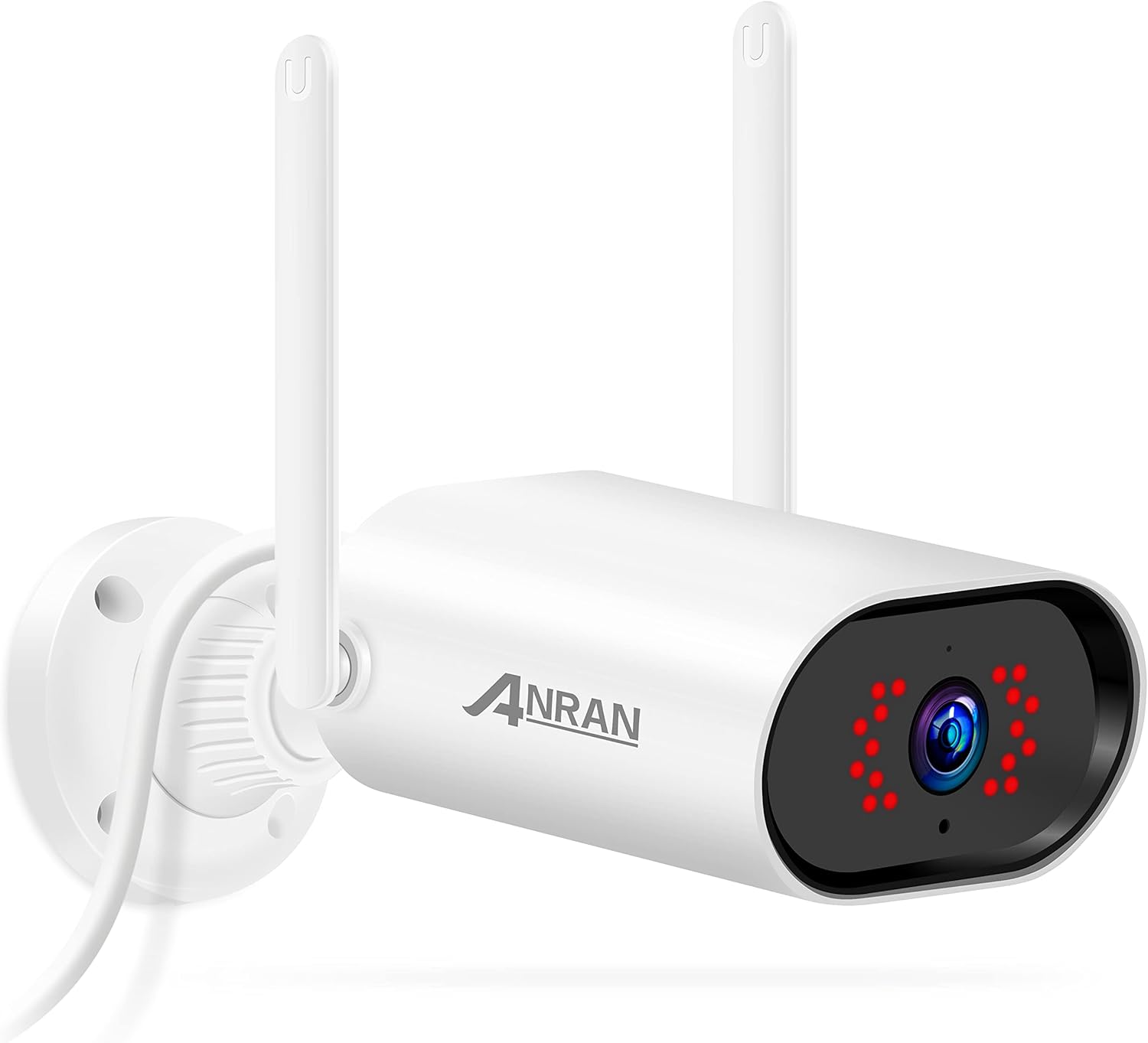
Package Contents
Before installation, please verify that all items listed below are included in your package:
- ANRAN WiFi Outdoor Security Camera B1 White
- Power Adapter
- Mounting Screws and Wall Plugs
- Mounting Base
- User Manual (this document)

Setup Guide
Step 1: Download the CloudEdge App
Search for and download the 'CloudEdge' app from your mobile device's app store (App Store for iOS or Google Play Store for Android). Ensure you download the correct application.

Step 2: Power On and Connect to Wi-Fi
Plug in the camera using the provided power adapter. The camera supports 2.4G WiFi networks only. Place the camera and your phone close to your Wi-Fi router for the best signal during the initial setup process. Follow the in-app instructions to connect the camera to your Wi-Fi network. This typically involves scanning a QR code displayed on your phone screen with the camera lens.
Step 3: Complete Setup and View
Once connected, the app will guide you through naming your camera and completing the setup. You can then view the live feed and access various features from anywhere using the CloudEdge app.
Video: Initial Setup Process
This video demonstrates the step-by-step process of setting up the ANRAN B01 camera using the CloudEdge application, including app download, power connection, and Wi-Fi pairing via QR code scan.
Operating Instructions
Two-Way Audio
The camera features a built-in microphone and speaker, enabling two-way communication. You can speak to visitors or deter intruders directly through the CloudEdge app from your smartphone.

Night Vision
Equipped with powerful infrared LEDs, the camera provides clear night vision up to 80 feet, ensuring continuous monitoring even in complete darkness. The camera automatically switches between day and night modes.

Motion Detection and Alerts
The camera features customizable motion detection zones and adjustable sensitivity. When motion is detected, you will receive instant alerts on your smartphone, allowing you to view live footage or recorded events immediately.

Storage Options
The camera supports both local storage via a Micro SD card (up to 128GB, not included) for 24/7 continuous recording, and optional cloud storage for secure, encrypted data backup. A 7-day free trial for cloud storage may be available.

Video: Key Features Overview
This video highlights the main features of the ANRAN B01 WiFi Home Security Camera, including two-way audio, night vision, and motion detection capabilities.
Maintenance
Weather Resistance
The ANRAN B1 White camera is rated IP66 waterproof, designed to withstand various outdoor weather conditions, including rain and snow. This ensures reliable operation year-round.

Cleaning and Care
To maintain optimal performance, periodically clean the camera lens and housing with a soft, damp cloth. Avoid using harsh chemicals or abrasive materials that could damage the camera's surface or lens. Ensure the power is disconnected before cleaning.
Troubleshooting
| Problem | Possible Solution |
|---|---|
| Camera not connecting to Wi-Fi | Ensure your Wi-Fi is 2.4GHz. Check Wi-Fi password. Move camera closer to router. Reset camera and try again. |
| No live view or video playback | Check internet connection. Ensure camera is powered on. Verify SD card is inserted correctly (if applicable). Check cloud storage subscription status. |
| Motion alerts not received | Check app notification settings on your phone. Ensure motion detection is enabled in the app. Adjust motion sensitivity and detection zones. |
| Two-way audio not working | Ensure microphone and speaker permissions are granted to the app. Check volume settings on your phone and in the app. |
| Poor image quality | Clean the camera lens. Ensure sufficient lighting. Check Wi-Fi signal strength for stable streaming. |
Specifications
| Feature | Detail |
|---|---|
| Video Capture Resolution | 1080p |
| Connectivity Technology | Wired (for power), Wi-Fi (for data) |
| Wireless Communication Technology | Wi-Fi (2.4G only) |
| Indoor/Outdoor Usage | Outdoor |
| International Protection Rating | IP66 |
| Night Vision Range | 80 Feet |
| Alert Type | Motion Only |
| Storage | Micro SD (up to 128GB), Cloud Storage (optional) |
| Power Source | Corded Electric |
| Color | B1 White |
Warranty and Support
For warranty information and technical support, please refer to the official ANRAN website or contact their customer service. A comprehensive User Manual in PDF format is also available for download, which may contain additional details not covered in this condensed guide.
You can access the PDF user manual here.
ANRAN provides US-based support via phone and email to assist with any product-related inquiries or issues.


