
1. Introduction
Thank you for purchasing the Beastron Upgraded Remote Controlled Outlet. This device allows you to wirelessly control your appliances and lights with ease, enhancing convenience and energy efficiency in your home or office. Please read this manual thoroughly before use to ensure proper installation and operation.

Image 1.1: The Beastron remote controlled outlet and its accompanying remote control unit.
2. Product Features
- Wireless Control: Remotely turn on/off appliances and lights from up to 100 feet away.
- Expandable System: Learning functions allow pairing multiple outlets with one remote or multiple remotes with one outlet.
- Strong RF Signal: Operates through doors and walls without interference.
- Energy Saving: Helps eliminate standby power consumption, reducing electricity bills.
- Power Outage Memory: Outlets remain off after a power outage to conserve energy.
- Versatile Use: Suitable for various electronic devices including lights, air conditioners, heaters, audio systems, and holiday decorations.

Image 2.1: Visual representation of key features including 100 feet range, plug and play, energy conservation, convenience, and smart home integration.
3. Package Contents
- 1 x Beastron Remote Controlled Outlet
- 1 x Remote Control
- 1 x Lithium Polymer Battery (pre-installed in remote)
- 1 x User Manual (this document)
4. Setup and Pairing
4.1 Initial Setup
- Unpack the remote controlled outlet and the remote control from the packaging.
- Ensure the battery is correctly installed in the remote control. The battery is typically pre-installed.
- Plug the Beastron Remote Controlled Outlet into a standard wall outlet. The indicator light on the outlet may flash briefly.
4.2 Pairing the Remote Control with the Outlet
The outlet and remote are typically pre-paired from the factory. If they are not responding or if you wish to pair additional remotes/outlets, follow these steps:
- Plug the Beastron Remote Controlled Outlet into a wall socket.
- Locate the pairing button on the outlet. This is usually the red button on the front.
- Press and hold the pairing button on the outlet until its indicator light begins to flash. This indicates it is in pairing mode.
- While the outlet's light is flashing, press any ON or OFF button on the remote control.
- The outlet's indicator light will stop flashing and remain solid for a moment, then turn off, confirming successful pairing.
- Test the connection by pressing the ON/OFF buttons on the remote.

Image 4.1: Illustration of the pairing button on the outlet and the remote control, with instructions to hold the button until it flashes and then press a remote button.
5. Operating Instructions
- Plug the appliance or device you wish to control into the Beastron Remote Controlled Outlet.
- Ensure the appliance's power switch is set to the ON position if it has one, so it can receive power from the outlet.
- Use the "ON" button on the remote control to turn on the connected appliance.
- Use the "OFF" button on the remote control to turn off the connected appliance.

Image 5.1: The remote control being used to operate devices connected to the Beastron outlets in a home environment, demonstrating "Plug and Play" functionality.

Image 5.2: Depiction of the 100-foot RF range, showing the remote controlling outlets through walls and across distances within a house.

Image 5.3: Examples of common applications for the remote controlled outlet, including holiday decorations, indoor lighting, fans, and outdoor lighting.
6. Maintenance
- Keep the outlet and remote control clean by wiping with a dry, soft cloth.
- Do not expose the devices to excessive moisture, heat, or direct sunlight.
- If the remote control's range decreases or it becomes unresponsive, replace the Lithium Polymer battery.
- Ensure the outlet is unplugged from the wall before cleaning or performing any maintenance.
7. Troubleshooting
| Problem | Possible Cause | Solution |
|---|---|---|
| Outlet does not respond to remote. |
|
|
| Reduced remote control range. |
|
|
| Outlet indicator light not working. |
|
|
8. Specifications
| Attribute | Value |
|---|---|
| Model Number | 850016082398 |
| Product Dimensions | 4 x 3.5 x 2.4 inches |
| Item Weight | 5.29 ounces |
| Material | Copper |
| Total Power Outlets | 1 |
| Remote Battery Type | 1 Lithium Polymer battery (included) |
| RF Range | Up to 100 feet (line of sight) |
| Color | White |
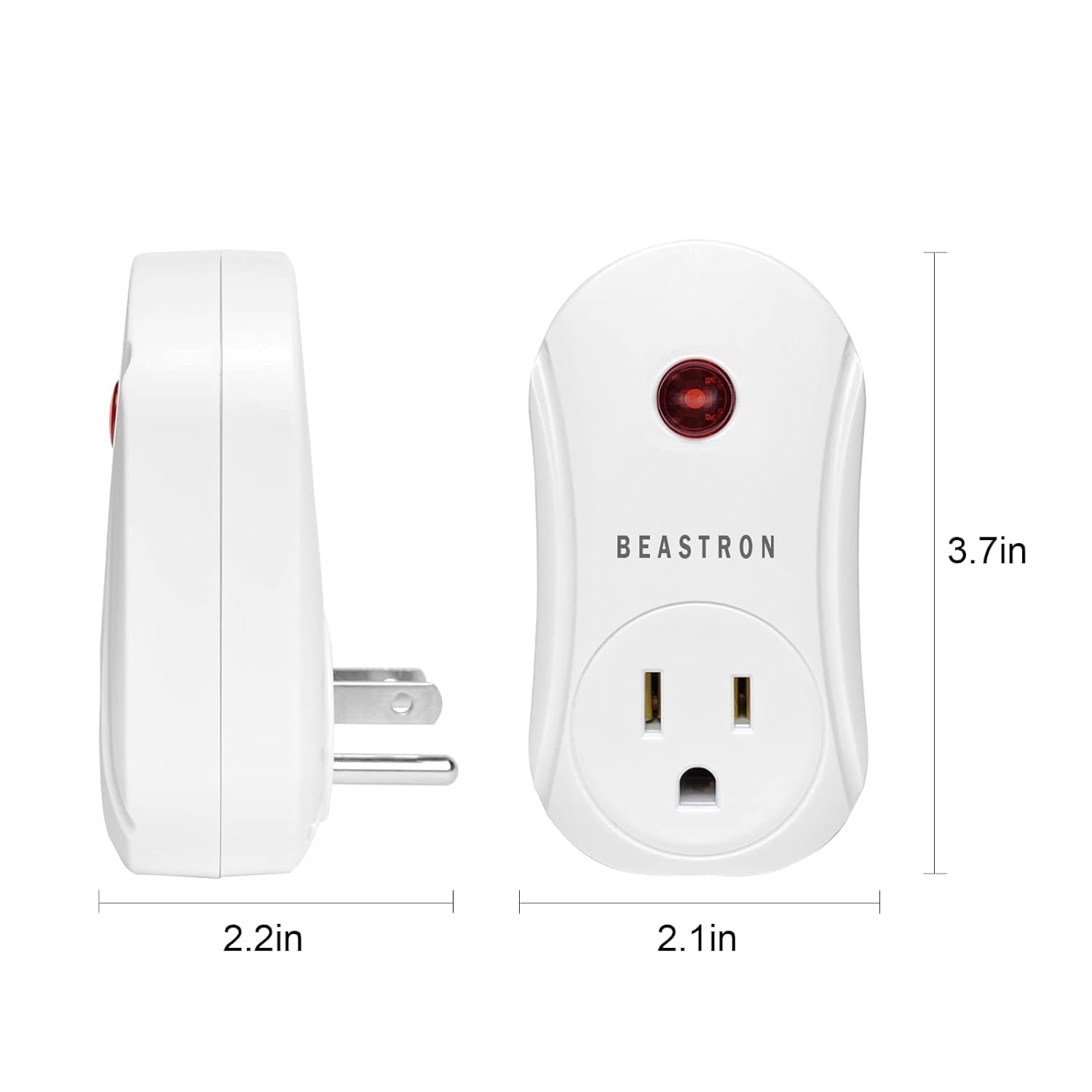
Image 8.1: Detailed dimensions of the Beastron remote controlled outlet, showing its compact size.
9. Warranty and Support
Beastron products are designed for reliability and performance. For specific warranty information, please refer to the product packaging or contact Beastron customer support directly. If you encounter any issues or have questions not covered in this manual, please reach out to the manufacturer for assistance.
For the most up-to-date support information, please visit the official Beastron website or contact their customer service department.