
Introduction
Welcome to the user manual for your Techmade 4-in-1 Gaming Kit. This kit provides essential peripherals for an enhanced gaming experience, including a keyboard, mouse, headset, and mouse pad. This manual will guide you through the setup, operation, maintenance, and troubleshooting of your new gaming kit.
Product Overview
The Techmade 4-in-1 Gaming Kit includes the following components:
- Gaming Keyboard: A traditional layout keyboard with function keys and a numeric pad, designed for comfortable and quiet typing.
- Gaming Mouse: Features multi-color LED lights and 6 programmable buttons for precise control.
- Gaming Headset: Provides immersive audio and includes a microphone for in-game communication.
- Gaming Mouse Pad: A soft surface designed for enhanced mouse precision and comfort during extended gaming sessions.

Image: The complete Techmade 4-in-1 Gaming Kit, featuring the keyboard, mouse, headset, and mouse pad.
Setup Guide
Follow these steps to connect your Techmade 4-in-1 Gaming Kit to your PC or laptop:
- Connect the Keyboard: Locate an available USB port on your computer. Plug the USB connector of the gaming keyboard into the USB port. The keyboard should be recognized automatically by your operating system.
- Connect the Mouse: Locate another available USB port on your computer. Plug the USB connector of the gaming mouse into the USB port. The mouse should be recognized automatically, and its LED lights may illuminate.
- Connect the Headset: The headset uses a standard 3.5mm audio jack. Plug the headset's 3.5mm connector into the audio output (headphone) jack on your computer. If your computer has separate microphone and headphone jacks, you may need a Y-splitter (not included) or use the combined jack if available. Ensure your computer's audio settings are configured to use the connected headset.
- Position the Mouse Pad: Place the gaming mouse pad on a flat, stable surface next to your keyboard. Ensure there is enough space for comfortable mouse movement.
Your Techmade 4-in-1 Gaming Kit is now ready for use.
Operating Instructions
Keyboard Usage

Image: The Techmade Gaming Keyboard with highlighted gaming keys.
The Techmade Gaming Keyboard features a standard QWERTY layout with a numeric pad and dedicated function keys (F1-F12). Its design allows for comfortable and quiet typing, suitable for both gaming and general use. The keyboard may feature single-color backlighting for improved visibility in low-light conditions.
Mouse Usage

Image: The Techmade Gaming Mouse with multi-color LED lights.
The gaming mouse is equipped with optical movement detection technology and 6 buttons for precise control. It features multi-color LED lights that enhance the aesthetic of your gaming setup. The additional buttons can be used for various in-game actions or customized through your operating system's mouse settings.
Headset Usage
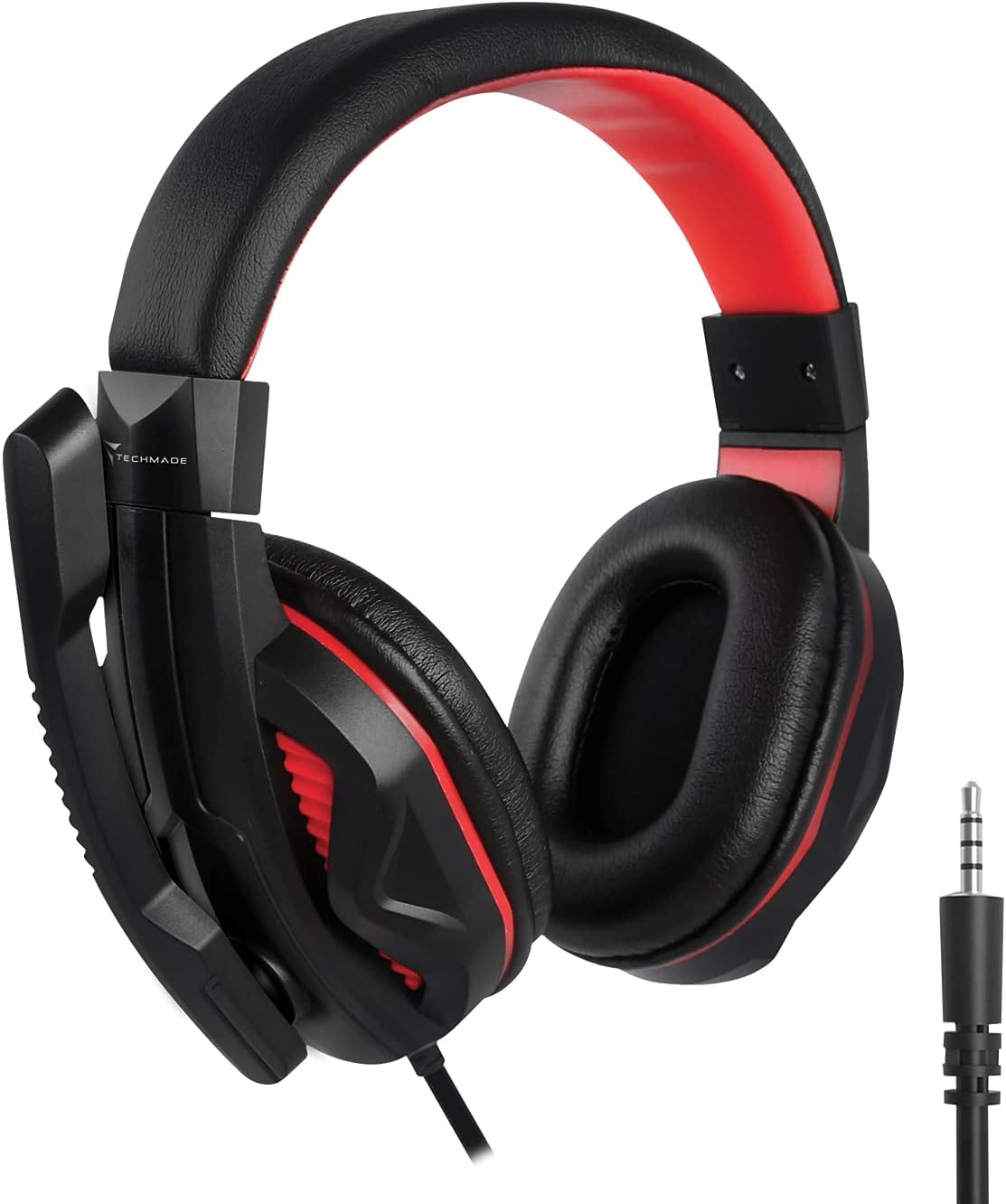
Image: The Techmade Gaming Headset with an adjustable microphone.
The gaming headset provides enveloping audio, immersing you in your games. It includes an integrated microphone, allowing for clear communication with teammates during multiplayer sessions. Adjust the headset for a comfortable fit and position the microphone appropriately for optimal voice capture.
Mouse Pad Usage

Image: The Techmade Gaming Mouse Pad.
The soft gaming mouse pad is designed to provide a smooth and consistent surface for your mouse, enhancing tracking accuracy and comfort during long gaming sessions. Its dimensions are optimized for typical gaming movements.
Care and Maintenance
To ensure the longevity and optimal performance of your Techmade Gaming Kit, follow these maintenance guidelines:
- Cleaning: Use a soft, dry cloth to wipe down the keyboard, mouse, and headset. For stubborn dirt, a slightly damp cloth with mild soap can be used, but ensure no liquid enters the devices.
- Avoid Liquids: Keep all components away from liquids to prevent damage.
- Storage: When not in use, store the kit in a clean, dry environment.
- Cable Management: Avoid sharp bends or kinks in the cables to prevent internal wire damage.
Troubleshooting
If you encounter issues with your Techmade 4-in-1 Gaming Kit, refer to the following troubleshooting steps:
| Issue | Possible Solution |
|---|---|
| Keyboard/Mouse not responding |
|
| Headset audio not working |
|
| Microphone not working |
|
| Mouse LED lights not working |
|
Technical Specifications
| Feature | Specification |
|---|---|
| Brand | Techmade |
| Color | Multicolored |
| Connectivity Technology | USB |
| Compatible Devices | PC, Laptop |
| Operating System | All major operating systems |
| Special Features | Gaming pads, Multi-color LED lights |
| Keyboard Description | Standard QWERTY keyboard |
| Keyboard Backlight | Single color |
| Mouse Movement Detection | Optical |
| Recommended Use | Gaming |
| Item Weight | 1.41 Kilograms |
| Country of Origin | China |
Warranty and Support
For warranty information and customer support, please refer to the documentation included with your product packaging or visit the official Techmade website. Keep your proof of purchase for any warranty claims.