
1. Introduction
Thank you for choosing the elesories S7-ECO White Noise Machine. This device is designed to provide a tranquil environment by masking disruptive noises and offering a selection of soothing sounds to promote better sleep, relaxation, and privacy. Please read this manual thoroughly before use to ensure proper operation and to maximize your experience.
2. Safety Information
- Do not use this device near water or in excessively humid environments.
- This product is not a toy. Keep out of reach of children unless under adult supervision.
- Prolonged exposure to high volumes may cause hearing damage. Adjust volume to a comfortable level.
- Use only the provided power cable and adapter.
- Do not attempt to disassemble or repair the device yourself. Contact customer support for assistance.
3. Package Contents
Please check the package for the following items:
- elesories S7-ECO White Noise Machine
- 4.9ft Type-C Power Cable
- 5V/1A Power Adapter
- User Manual (this document)
4. Product Overview
The elesories S7-ECO is a compact and versatile sound machine designed for various environments, including nurseries, bedrooms, and offices. It features a user-friendly interface with clearly marked buttons for easy control.
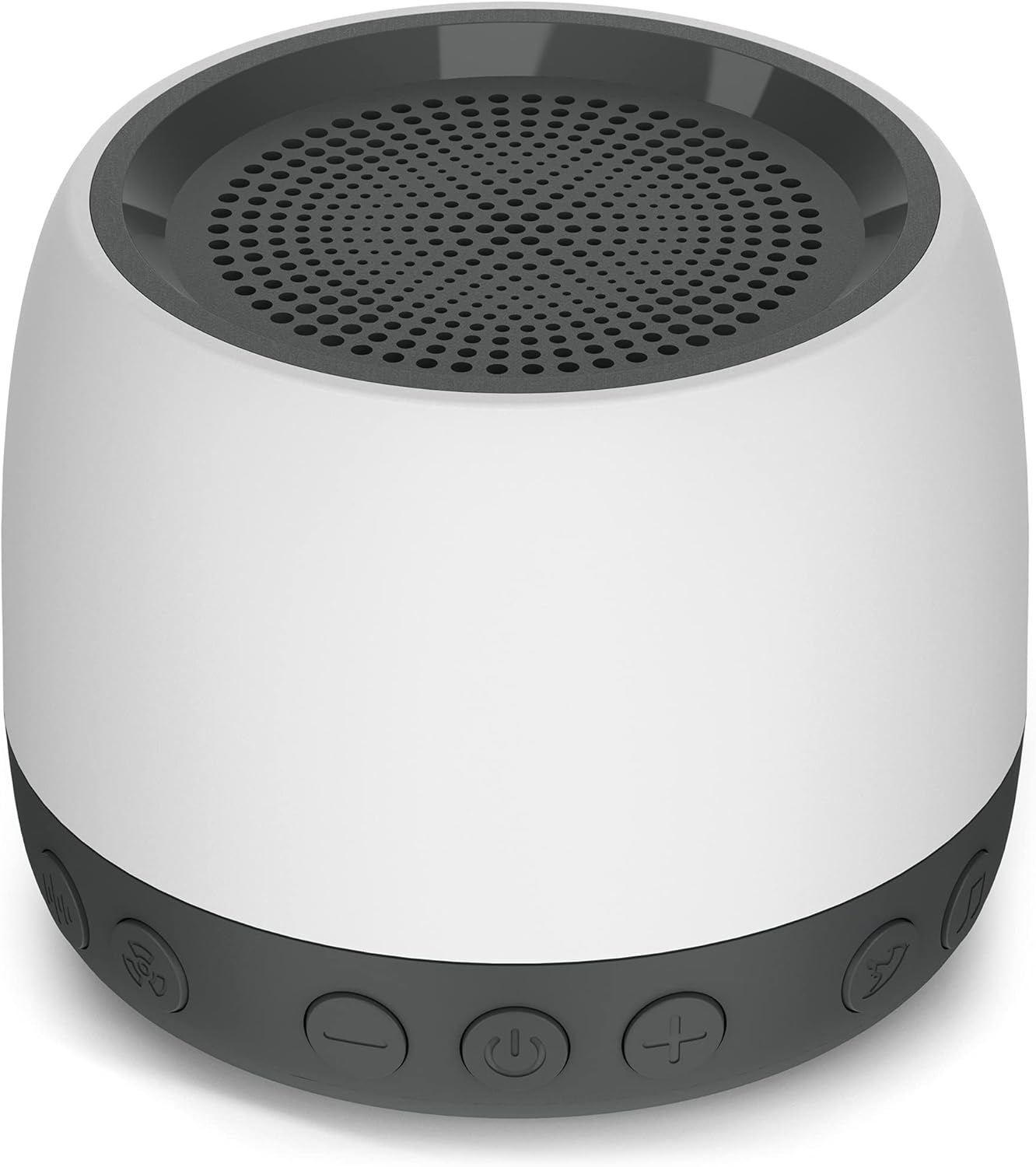
Image 4.1: Front view of the elesories S7-ECO White Noise Machine, showcasing its compact design and speaker grille.
4.1. Controls and Functions
The device features intuitive buttons located on its base for easy access to all functions.

Image 4.2: Detailed diagram illustrating the function of each button on the elesories S7-ECO White Noise Machine, including power, volume, sound selection, and timer settings.
- Power Button (⑁): Tap to turn the device on or off.
- Volume Down Button (-): Tap to decrease volume. Long press to continuously decrease volume.
- Volume Up Button (+): Tap to increase volume. Long press to continuously increase volume.
- Sound Selection Button (Music Note Icon): Tap to cycle through sound categories.
- Timer Button (Clock Icon): Tap to set the auto shut-off timer.
4.2. Sound Library
The S7-ECO offers 13 non-looping, high-fidelity sounds across various categories:

Image 4.3: Visual representation of the 13 distinct sound options, categorized into White Noise, Fan Sounds, Nature Sounds, and Unique Sounds.
- White Noise (3 sounds): Gray, Brown, Pink
- Fan Sounds (3 sounds): Attic Fan, Box Fan, Industrial Fan
- Nature Sounds (4 sounds): Rain, Thunderstorm, Surf, Summer Night
- Unique Sounds (3 sounds): Shushing, Brahms' Lullaby, Rock-a-bye Baby
4.3. Multifunctional Speaker Capability
The S7-ECO can also function as a speaker, allowing you to connect your phone or other devices to play additional audio content.

Image 4.4: The elesories S7-ECO positioned next to a smartphone, illustrating its capability to connect and play music, expanding its utility beyond just white noise.
5. Setup
- Unpack the elesories S7-ECO White Noise Machine and all accessories from its packaging.
- Connect the Type-C power cable to the port on the back of the device.
- Plug the 5V/1A power adapter into a standard electrical outlet.
- Place the device on a stable, flat surface away from water or heat sources.
6. Operating Instructions
6.1. Power On/Off
- To turn on: Tap the Power Button (⑁). The device will power on and resume the last used sound and volume settings due to its memory function.
- To turn off: Tap the Power Button (⑁) again.
6.2. Sound Selection
- Tap the Sound Selection Button (Music Note Icon) to cycle through the 13 available sounds.
- The device will play each sound briefly as you cycle through them. Stop tapping when you reach your desired sound.
6.3. Volume Adjustment
- To increase volume: Tap the Volume Up Button (+). For continuous increase, long press the button.
- To decrease volume: Tap the Volume Down Button (-). For continuous decrease, long press the button.
- The S7-ECO offers a wide range of volume adjustments from 45dB(A) to 110dB(A).
6.4. Timer Settings
The device features an auto shut-off timer for convenience.
- Tap the Timer Button (Clock Icon) to cycle through the available timer options: 0.5 hours, 1 hour, 2 hours, 8 hours, 10 hours, or continuous play.
- The device will automatically turn off after the selected duration. If no timer is set, it will play continuously until manually turned off.
6.5. Memory Function
The S7-ECO is equipped with a memory function that remembers your last used sound, volume level, and timer setting. When you power on the device, it will automatically resume these settings.
7. Maintenance
- Ensure the device is powered off and unplugged before cleaning.
- Wipe the exterior of the device with a soft, dry cloth.
- Do not use liquid cleaners, aerosols, or abrasive cleaning agents.
- Keep the speaker grille free from dust and debris. Use a soft brush if necessary.
8. Troubleshooting
| Problem | Possible Cause | Solution |
|---|---|---|
| Device does not power on. | Not properly connected to power. | Ensure the power cable is securely connected to the device and the adapter is plugged into a working electrical outlet. |
| No sound. | Volume is too low or muted. | Increase the volume using the Volume Up (+) button. |
| Sound quality is poor or distorted. | Volume too high; device placed on an unstable surface. | Decrease the volume. Ensure the device is on a flat, stable surface. |
| Timer function not working as expected. | Incorrect timer setting selected. | Tap the Timer Button (Clock Icon) to cycle through and select the desired auto shut-off duration. |
9. Specifications
| Feature | Detail |
|---|---|
| Model Name | S7-ECO |
| Item Model Number | LKWE-S7-ECO |
| Brand | elesories |
| Color | White |
| Product Dimensions | 3.82 x 3.82 x 3.03 inches |
| Item Weight | 7.76 ounces |
| Material | Acrylonitrile Butadiene Styrene (ABS) |
| Power Source | Corded Electric |
| Manufacturer | Xiaoyi |
| Sound Options | 13 Non-Looping Sounds (White Noise, Fan, Nature, Unique) |
| Volume Range | 45dB(A) - 110dB(A) |
| Timer Options | 0.5, 1, 2, 8, 10 hours, Continuous |
10. Warranty and Support
The elesories S7-ECO White Noise Machine comes with a 30-day return guarantee and a 2-year warranty from the date of purchase. For warranty claims, technical support, or any inquiries, please contact elesories customer service through the retailer where the product was purchased or visit the official elesories website.
