
1. Introduction
This manual provides detailed instructions for the assembly, operation, and maintenance of your Sauder Steel River Industrial Desktop Hutch, Model 427850. Please read all instructions carefully before beginning assembly and retain this manual for future reference.
The Sauder Steel River Industrial Desktop Hutch is designed to attach to a compatible computer desk (Sauder Computer Desk Model 427581) to create an organized workspace. It features adjustable shelving and wire mesh elements for versatile storage and display.
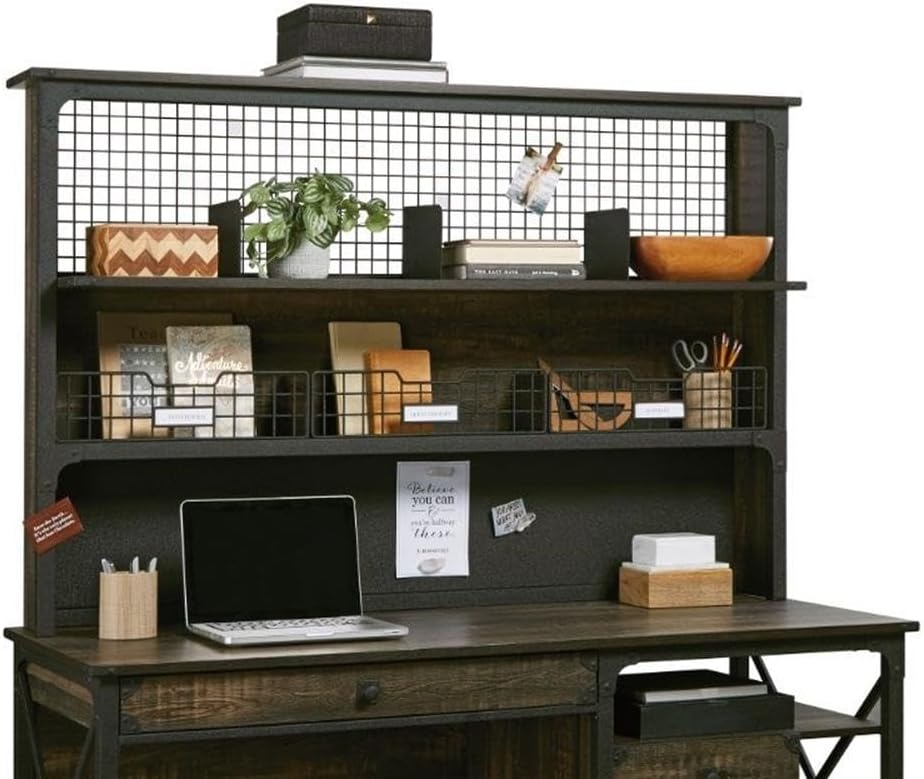
Image 1.1: Front view of the Sauder Steel River Industrial Desktop Hutch, showcasing its industrial design and storage compartments.
2. Safety Information
- This product meets BIFMA standard x5.5 for safety, durability, and structural performance.
- Always follow assembly instructions precisely to ensure structural integrity.
- The hutch weighs approximately 70.4 pounds (31.9 kg). Exercise caution when lifting or moving. It is recommended to have assistance during these tasks.
- Do not overload shelves. Distribute weight evenly to prevent tipping or damage.
- Keep small parts and hardware away from children during assembly.
3. Setup and Assembly
Assembly is required for this product. Please ensure you have all necessary tools and components before beginning. A hand screwdriver is typically sufficient, but some users may find a drill helpful for certain connections.
3.1 Unpacking and Inventory
- Carefully unpack all components from the packaging.
- Refer to the included parts list (not provided in this manual) to verify all pieces and hardware are present. Contact Sauder customer support immediately if any parts are missing or damaged.
- Lay out all components on a clean, soft surface to prevent scratches.
3.2 Assembly Instructions
Follow the step-by-step instructions provided in your product's specific assembly guide. Pay close attention to diagrams and part numbers. Ensure all screws are tightened securely, but do not overtighten.
Important Note: This hutch is designed to attach to Sauder Computer Desk Model 427581. Ensure proper alignment and secure attachment to the desk for stability.

Image 3.1: The hutch shown attached to a compatible computer desk, illustrating its intended use and scale within a workspace.

Image 3.2: Dimensional diagram of the hutch, providing measurements for the overall unit and individual compartments.
4. Operating and Features
The Sauder Steel River Industrial Desktop Hutch offers various features to enhance your workspace organization:
- Upper Shelf with Adjustable Dividers: The large upper shelf includes three adjustable dividers, allowing you to customize storage space for binders, books, or decorative items.
- Wire Mesh Back: The wire mesh back panel can be used for hanging notes, reminders, or small accessories.
- Lower Cubbyhole Storage: A lower section provides divided cubbyhole storage with a wire mesh front and integrated ID tags, ideal for organizing mail, documents, or office supplies.
- Cable Management: The design incorporates features for routing cables, helping to maintain a tidy desk surface.

Image 4.1: Detailed view of the upper shelf, demonstrating the adjustable dividers and how they can be used to organize different items.

Image 4.2: Close-up of the lower storage area, highlighting the divided cubbyholes, wire mesh front, and ID tag holders for organization.
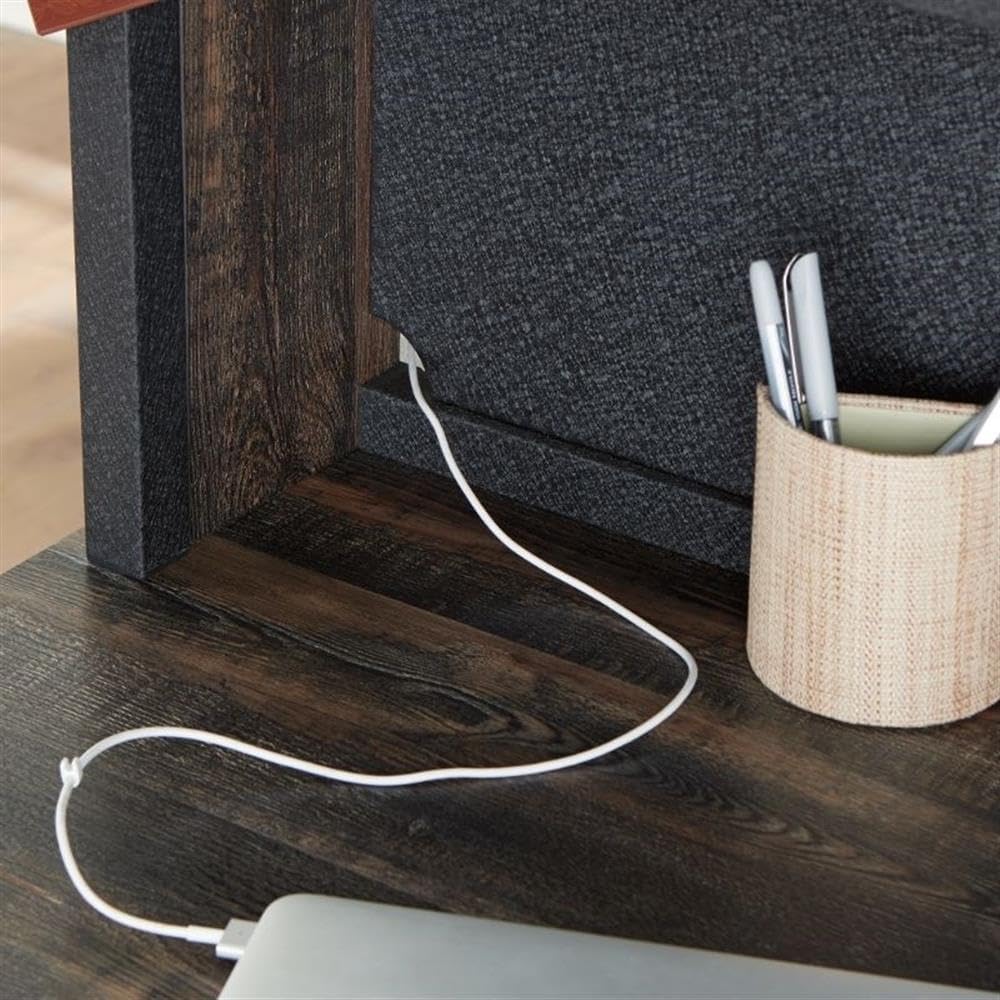
Image 4.3: View of a cable pass-through, illustrating how cords can be managed to keep the workspace neat.
5. Maintenance
To maintain the appearance and longevity of your hutch, follow these care instructions:
- Cleaning: Wipe surfaces with a dry cloth. Avoid abrasive cleaners or harsh chemicals, which can damage the finish.
- Spills: Promptly clean any spills with a dry cloth to prevent staining or water damage.
- Inspection: Periodically check all hardware connections to ensure they remain tight. Retighten if necessary.
6. Troubleshooting
If you encounter any issues with your Sauder Steel River Industrial Desktop Hutch, consider the following:
- Stability Issues: Ensure the hutch is securely attached to the compatible desk (Model 427581) and all assembly hardware is tightened. Verify the hutch is placed on a level surface.
- Missing or Damaged Parts: If you discover missing or damaged components during unpacking or assembly, do not proceed with assembly. Contact Sauder customer support for assistance.
For issues not covered here, please refer to the support section for contact information.
7. Specifications
| Brand | Sauder |
| Model Name | Steel River |
| Model Number | 427850 |
| UPC | 042666083799 |
| Color | Carbon Oak Finish |
| Style | Industrial |
| Dimensions (L x W x H) | 60.079" x 11.575" x 38.504" (152.6 cm x 29.4 cm x 97.8 cm) |
| Item Weight | 70.4 Pounds (31.9 kg) |
| Base Material | Metal |
| Finish Type | Polished, Powder Coated, Steel |
| Special Feature | Adjustable Dividers |
| Number of Shelves | 2 (main shelves) |
| Required Assembly | Yes |
8. Warranty
This product is covered by a Limited Warranty. For specific details regarding warranty coverage, terms, and conditions, please refer to the warranty documentation included with your purchase or contact Sauder customer support directly.
9. Support
For further assistance, questions, or to report missing/damaged parts, please contact the manufacturer:
- Manufacturer: Sauder Woodworking Co.
- Website: www.sauder.com (Please visit the official website for current contact information, FAQs, and support resources.)


