
1. Product Overview
The Philips LED Emergency Luminaire LEDR1W5 is designed to provide reliable illumination during power outages. Featuring high-life LED technology and a rechargeable battery, it offers up to 90 minutes of emergency lighting. Its flexible and adjustable spotlights ensure excellent light distribution, providing high brightness cool white lighting (6,500 Kelvin) with a 2-watt consumption.
Key features include:
- Double-head emergency light design.
- Rechargeable NiCd battery providing up to 90 minutes of operation.
- LED indicator for charge status and a button for manual performance checks.
- Suitable for wall or ceiling installation.
- Operates on 120-277V with a luminous flux of 220 lumens.

2. Important Safety Instructions
Please read and follow all safety instructions carefully before installing or operating this product. Keep this manual for future reference.
- WARNING: Risk of electric shock. Disconnect power before installation or servicing.
- Installation should be performed by a qualified electrician in accordance with national and local electrical codes.
- Do not use outdoors. This luminaire is designed for indoor use only.
- Ensure the supply voltage is compatible with the luminaire's requirements (120-277V).
- Do not mount near gas or electric heaters.
- Do not allow power supply cords to touch hot surfaces.
- The battery is rechargeable and included. Do not attempt to replace the battery with an unapproved type.
- Operating ambient temperature range: 0°C to 40°C (32°F to 104°F).
3. Package Contents
Verify that all components are present and undamaged before proceeding with installation.
- Philips LED Emergency Luminaire LEDR1W5
- Rechargeable NiCd Battery (pre-installed or separate)
- Mounting Hardware (screws, anchors)
- Light Dimmer (as listed in product specifications, though its function with this emergency light is typically for testing)
4. Installation Guide
4.1 Mounting Options
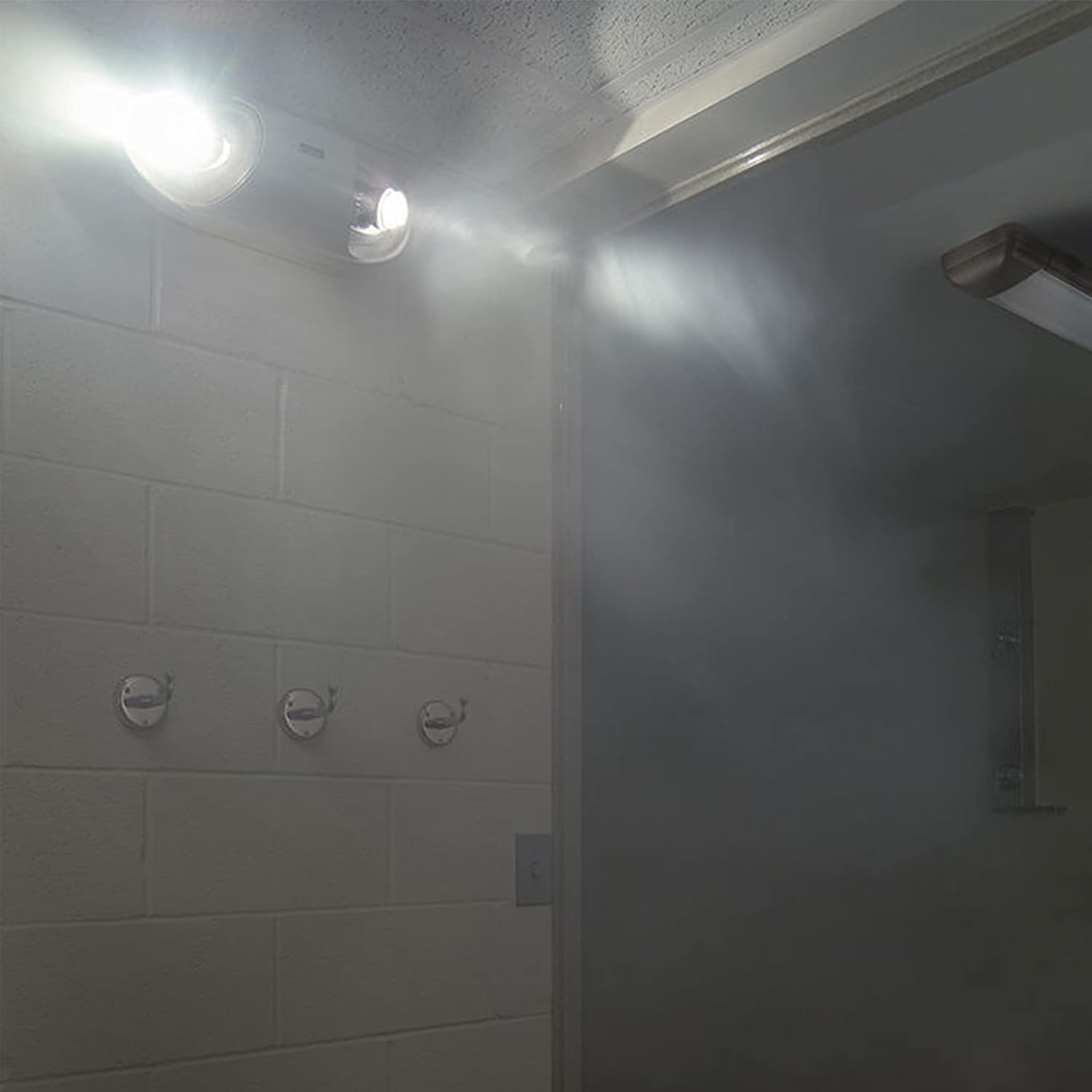
The Philips LEDR1W5 emergency luminaire is designed for versatile installation on either walls or ceilings. Choose a location that provides optimal light coverage for emergency egress paths.
4.2 Wiring
Connect the luminaire to a non-switched 120-277V AC power supply. Ensure all wiring connections are secure and comply with local electrical codes. The luminaire will automatically charge its internal battery when connected to power.
4.3 Battery Installation (if not pre-installed)
If the battery is not pre-installed, carefully connect it to the designated battery connector inside the luminaire housing. Ensure correct polarity. After installation, allow the unit to charge for at least 24 hours before its first operational test to ensure full battery capacity.

5. Operation
5.1 Automatic Operation
Once properly installed and connected to a continuous power supply, the Philips LEDR1W5 luminaire will automatically activate its LED lights when the main power supply is interrupted. It will provide emergency lighting for up to 90 minutes on a fully charged battery.
5.2 Manual Test
A push button is provided on the unit for manual performance checks. Press and hold this button to simulate a power outage. The LED lights should illuminate, indicating that the battery and lighting circuit are functional. Release the button to return to charging mode.
5.3 Charge Status Indicator
The luminaire features an LED indicator that displays the battery's charge status. A green light typically indicates that the battery is charging and fully charged. Refer to the specific labeling on your unit for detailed indicator meanings.
6. Maintenance
6.1 Battery Care
To ensure optimal battery life and performance, it is recommended to perform a monthly 30-second test by pressing the test button. A full 90-minute discharge test should be conducted annually. If the unit fails to provide adequate light duration during a test, the battery may need replacement.
6.2 Cleaning
Clean the exterior of the luminaire periodically with a soft, damp cloth. Do not use abrasive cleaners or solvents, as these can damage the plastic housing. Ensure the unit is disconnected from power before cleaning.
7. Troubleshooting
- Problem: Luminaire does not light up during a power outage or test.
Solution:- Check if the unit is properly connected to a continuous power supply.
- Ensure the battery is correctly installed and fully charged (allow 24 hours for initial charge).
- Verify the circuit breaker for the power supply is not tripped.
- The battery may be at the end of its lifespan and require replacement.
- Problem: Lights are dim or do not last for 90 minutes.
Solution:- The battery may not be fully charged. Ensure continuous power supply for at least 24 hours.
- The battery may be aging and losing capacity. Consider battery replacement.
- Problem: Charge status indicator is not lit.
Solution:- Check power supply connection.
- Ensure the battery is connected.
- Contact customer support if the issue persists after checking connections.
8. Technical Specifications
| Feature | Specification |
|---|---|
| Brand | Philips |
| Model Name | Philips Luminario de Emergencia LEDR1W5 |
| Item Model Number | 000000919406020731 |
| Voltage | 120-277 Volts |
| Wattage | 2 Watts |
| Light Source Type | LED |
| Number of Light Sources | 2 |
| Light Color | Cool White |
| Color Temperature | 6500 Kelvin |
| Brightness | 220 Lumens |
| Battery Life (Emergency) | Up to 90 minutes |
| Power Source | Battery Powered (Rechargeable) |
| Material | Plastic |
| Product Dimensions (L x W x H) | 11.42" x 2.95" x 4.33" |
| Item Weight | 1.08 pounds |
| Mounting Type | Wall Mount |
| Indoor/Outdoor Usage | Indoor |
| Controller Type | Push Button |
| Operating Temperature | 0°C to 40°C (32°F to 104°F) |
9. Warranty and Customer Support
9.1 Warranty Information
This Philips LED Emergency Luminaire LEDR1W5 comes with a 3-year warranty, which includes the battery. Please retain your proof of purchase for warranty claims. The warranty covers defects in materials and workmanship under normal use.
9.2 Customer Support
For technical assistance, troubleshooting beyond this manual, or warranty inquiries, please contact Philips customer support. Refer to the Philips website or product packaging for the most current contact information.


