
Zadro GLA
Zadro 12" Glamour LED Makeup Mirror (Model GLA) - Instruction Manual
Satin Nickel Finish, 5X/1X Magnification
Introduction
Thank you for choosing the Zadro 12" Glamour LED Makeup Mirror. This manual provides essential information for the safe and effective use, setup, operation, and maintenance of your new mirror. Please read these instructions thoroughly before use and retain them for future reference.
Important Safety Information
CAUTION: Handle with care. This product contains glass that can break and cause injury. Always use the provided mounting hardware to secure the mirror in place. Do not attempt to move or adjust the mirror while it is in use or plugged in. Keep out of reach of children and pets.
Product Features
- Extra Large Size: Features a 12-inch diameter optical quality glass mirror, providing a wide and clear reflection.
- Dual Magnification: Offers both 5X magnification for detailed tasks and 1X magnification for a standard view.
- Ultra-Bright 3-Color LED Lighting: Choose from three distinct light settings to simulate different environments: Office (cool white), Daylight (natural sunlight), and Evening (warm white).
- Smart Dimmer Touch Control: The touch control pad allows for full brightness adjustment for each lighting color and remembers your last used settings.
- 360-Degree Rotation: The mirror head rotates endlessly, allowing easy switching between magnification levels and optimal viewing angles.
- Sturdy Construction: Made with 85% metal, 10% glass, and 5% electronics for durability and stability.
Package Contents
- Zadro 12" Glamour LED Makeup Mirror
- AC Adapter
Setup
- Unpacking: Carefully remove all components from the packaging. Retain packaging for future storage or transport.
- Placement: Place the mirror on a stable, flat, and dry surface, such as a vanity or countertop. Ensure there is adequate space around the mirror for rotation and adjustment.
- Power Connection: Insert the small end of the included AC adapter into the power port located on the back or base of the mirror. Plug the larger end into a standard electrical outlet.
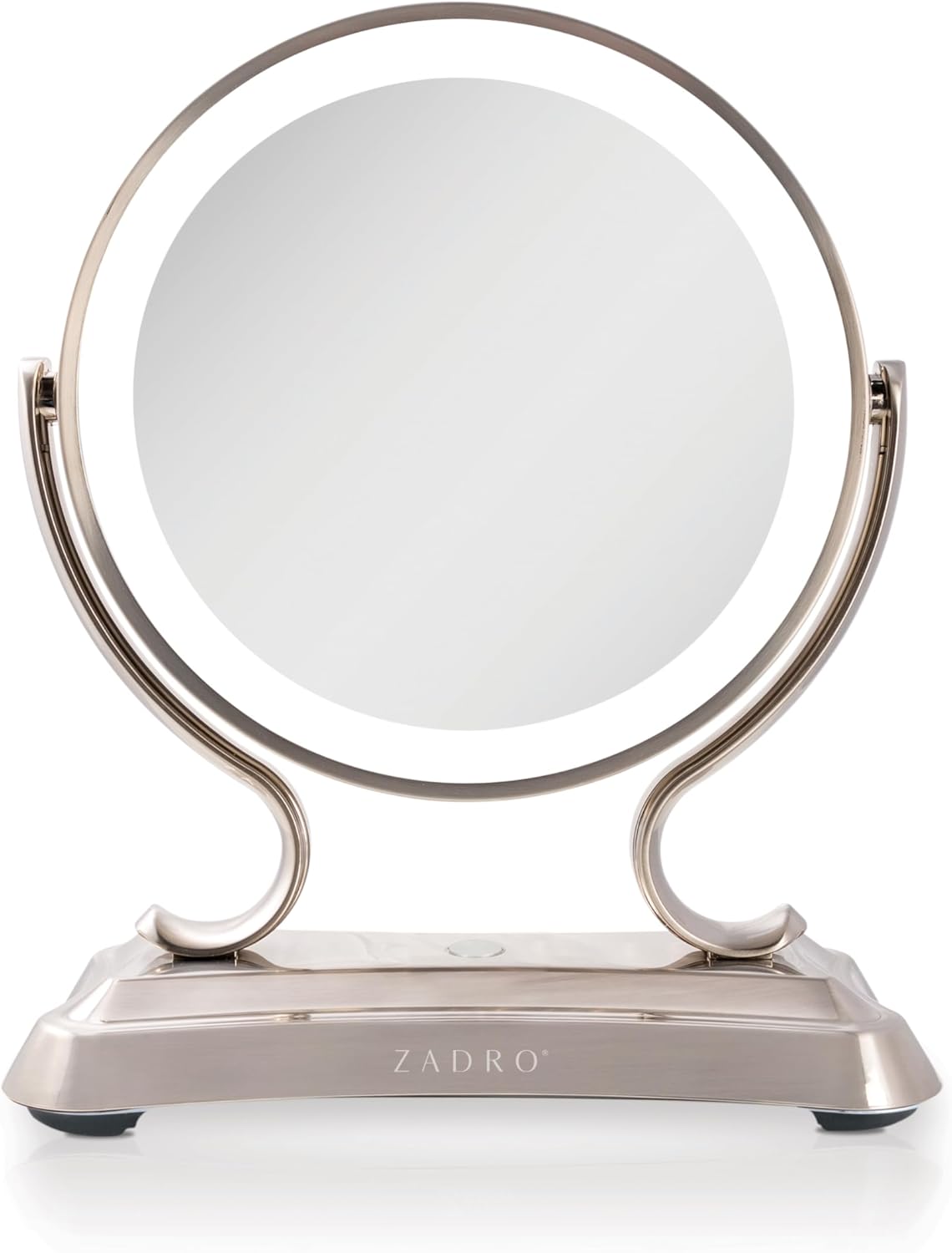
Image: The Zadro 12" Glamour LED Makeup Mirror, showcasing its elegant design and illuminated ring light.
Operating Instructions
- Power On/Off: Locate the touch control pad on the mirror's base. Tap once to turn the LED lights on. Tap again to cycle through light colors, and a final tap to turn the lights off.
- Changing Light Colors: With the lights on, tap the touch control pad to switch between Office (cool white), Daylight (natural sunlight), and Evening (warm white) light settings.
- Adjusting Brightness: To dim or brighten the lights, press and hold the touch control pad. The brightness will gradually adjust. Release when the desired brightness level is reached. The mirror will remember your last brightness setting for each color.
- Selecting Magnification: The mirror features two sides. Gently rotate the mirror head 360 degrees to switch between the 1X (true image) and 5X (magnified) sides.

Image: Visual representation of the three adaptive color settings: Office (cool white), Daylight (natural sunlight), and Evening (warm white).

Image: The mirror demonstrating its 1X HD quality, 360-degree endless rotation, and 5X detailed magnification capabilities.

Image: Close-up of the mirror's base, highlighting the Infinity Touchpad, Adjustable Brightness, and Smart Dimmer Control features.
Video: Official Zadro video demonstrating the benefits and features of the Glamour LED Makeup Mirror, including light adjustments and rotation.
Maintenance and Care
- Cleaning the Mirror: Use a soft, damp cloth with a mild glass cleaner to wipe the mirror surface. Avoid abrasive cleaners or harsh chemicals that may damage the finish.
- Cleaning the Base: Wipe the satin nickel finish with a soft, dry cloth. Do not immerse the mirror or its electrical components in water.
- Storage: When not in use for extended periods, unplug the mirror and store it in a dry, safe place.
Troubleshooting
| Problem | Possible Cause | Solution |
|---|---|---|
| Lights do not turn on. | Mirror is not plugged in or power outlet is not active. | Ensure the AC adapter is securely plugged into both the mirror and a working electrical outlet. Test the outlet with another device. |
| Lights are dim or flicker. | Brightness setting is too low or power supply issue. | Press and hold the touch control pad to increase brightness. If the issue persists, try a different power outlet. |
| Mirror head does not rotate smoothly. | Accumulation of dust or debris in the swivel mechanism. | Gently clean around the swivel points with a soft, dry cloth. Avoid forcing the rotation. |
Specifications
| Feature | Detail |
|---|---|
| Brand | Zadro |
| Model Number | GLA |
| Product Dimensions | 15.98"L x 12.76"W (Approx. 16 inches tall) |
| Mirror Diameter | 12 inches |
| Magnification | 5X / 1X |
| Lighting Type | LED (3 Color Settings: Cool White, Natural Sunlight, Warm White) |
| Control Type | Smart Dimmer Touch Control Pad |
| Rotation | 360-degree |
| Finish Type | Satin Nickel |
| Material | 85% Metal, 10% Glass, 5% Electronics |
| Item Weight | 7.12 pounds |
| Power Source | AC Adapter (Included) |

Image: Detailed dimensions of the Zadro 12" Glamour LED Makeup Mirror, showing its 16-inch height and 12 3/4-inch width.
Warranty and Support
For warranty information or technical support, please contact Zadro customer service directly. Refer to the product packaging or the official Zadro website for the most current contact details.
Zadro is committed to providing high-quality products and excellent customer service.
Related documentsGLA


Ask a question about this manual
Ask about setup, troubleshooting, compatibility, parts, safety, or missing instructions. Manuals+ will review the question and use this page’s manual context to help answer it.