
1. Introduction
This manual provides essential instructions for the safe and effective use of your DONGERDI 135W AC Power Adapter, Model DED190071M. This adapter is designed to provide power to compatible Acer Nitro V15, V14, V16, ANV15, ANV14, ANV16, and Nitro 5 series gaming laptops requiring a 135W power supply.
2. Safety Guidelines
Please read and follow these safety instructions carefully to prevent damage to the product or injury to yourself.
- Use the adapter only with compatible devices as specified in this manual.
- Do not expose the adapter to water, moisture, or extreme temperatures.
- Avoid dropping or subjecting the adapter to severe impact.
- Do not attempt to disassemble or modify the adapter.
- Ensure proper ventilation around the adapter during use to prevent overheating.
- Keep the adapter and cables away from pets and children.
- Unplug the adapter from the power outlet when not in use for extended periods.
- If the adapter or cable is damaged, discontinue use immediately and seek a replacement.
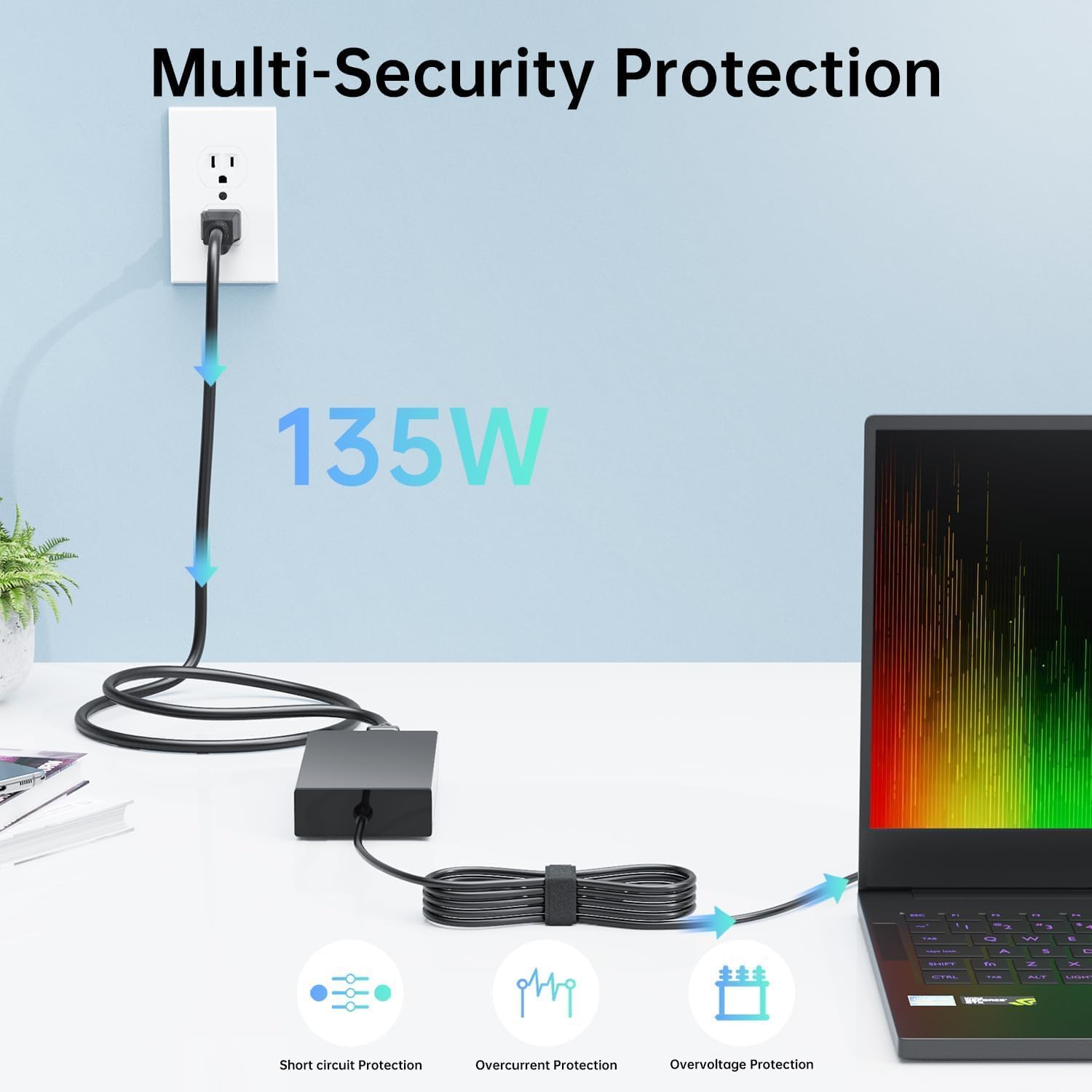
Figure 1: Multi-Security Protection Features
The adapter incorporates multiple safety features including short-circuit protection, over-current protection, and over-voltage protection to ensure safe operation.
3. Package Contents
Verify that all items are present in the package:
- 135W AC Power Adapter (Main Unit)
- Power Cord (for connecting to wall outlet)

Figure 2: Package Contents
The package includes the main adapter unit and the detachable power cord. The power cord specifications may vary by region.
4. Product Overview
The DONGERDI 135W AC Power Adapter consists of the main adapter brick, a detachable power cord, and an output cable with a 5.5x1.7mm purple tip connector.

Figure 3: DONGERDI 135W AC Power Adapter Components
This image displays the complete power adapter assembly, including the main unit, the AC input cable, and the DC output cable with its distinctive purple tip.

Figure 4: Connector Tip and Power Rating
The adapter features a 5.5x1.7mm round purple tip, delivering 19V at 7.1A for a maximum output of 135W.

Figure 5: Cable Lengths
The total cable length is approximately 10 feet, comprising a 4-foot power cord and a 6-foot charger cord, providing flexibility for placement.
5. Installation and Setup
Follow these steps to connect your power adapter to your laptop:
- Connect the detachable power cord to the AC input port on the main adapter unit.
- Plug the other end of the power cord into a standard wall outlet (100-240V AC).
- Insert the purple-tipped DC connector firmly into the charging port of your compatible Acer laptop.
- Ensure all connections are secure before operating your laptop.
6. Operation
Once connected, the adapter will automatically begin charging your laptop's battery and/or powering the laptop. The adapter is designed for continuous use with compatible devices.
- The adapter supports universal voltage input (100-240V, 50-60Hz), making it suitable for international travel with the appropriate power cord.
- Monitor your laptop's charging indicator to confirm proper power delivery.
7. Compatibility
This 135W power adapter with a 5.5x1.7mm purple tip is compatible with the following Acer laptop series and models:
- Acer Nitro V15 Series: ANV15-51 (e.g., ANV15-51-723D, 53CS, 789J, 77DQ, 717H, 99DR, 92XK, 532J, 57C8, 58A4, 54UL, 73B9, 75HE, 51H9, 57ZV, 59MT, 515P, 98N0), ANV15-41 (e.g., ANV15-41-R2Y3, R5N6, R2MS)
- Acer Nitro V14 Series: ANV14-61 (e.g., ANV14-61-R49G)
- Acer Nitro V16 Series: ANV16-41 (e.g., ANV16-41-R2R4, R5J0, R5K2)
- Acer Nitro 5 Series: AN515-31, AN515-41, AN515-42, AN515-43, AN515-51, AN515-52, AN515-53, AN515-54, AN515-56 series
- Also compatible with models N18C3, N18C4, N20C1, N20C2 Gaming Laptops that require a 135W power supply.
Important: Verify your laptop's power requirements (voltage and amperage) and connector tip size (5.5x1.7mm) before use. This adapter is specifically for 135W models.
8. Care and Maintenance
Proper care extends the life of your power adapter:
- Storage: Store the adapter in a cool, dry place when not in use. Avoid wrapping cables too tightly to prevent damage.
- Cleaning: Disconnect from power before cleaning. Use a soft, dry cloth to wipe the adapter. Do not use liquid cleaners.
- Cable Management: Avoid sharp bends or kinks in the cables. Do not place heavy objects on the cables.
- Temperature: Do not operate the adapter in environments with extreme heat or cold.
9. Troubleshooting
If you encounter issues with your power adapter, refer to the following common problems and solutions:
| Problem | Possible Cause | Solution |
|---|---|---|
| Laptop not charging. | Loose connection, faulty outlet, incompatible adapter, or laptop issue. |
|
| Adapter feels hot during use. | Normal operation, poor ventilation, or excessive load. |
|
| Connector tip is loose in laptop port. | Worn laptop port or incorrect tip size. |
|
If the problem persists after attempting these solutions, please contact customer support.
10. Technical Specifications
| Feature | Specification |
|---|---|
| Brand | DONGERDI |
| Model Number | DED190071M |
| Input Voltage | 100-240V AC, 50-60Hz |
| Output Voltage | 19V DC |
| Output Current | 7.1A |
| Output Power | 135W Max |
| Connector Type | 5.5x1.7mm Round Purple Tip |
| Item Weight | Approximately 1.21 pounds (0.55 kg) |
| Package Dimensions | Approximately 8.19 x 5.2 x 2.28 inches |
| Cable Length (Total) | Approximately 10 feet (3 meters) |
| Special Features | Short Circuit Protection, Overcurrent Protection, Overvoltage Protection, Lightweight Design |
11. Certifications
This product complies with various international safety and quality standards.

Figure 6: Product Certifications
The adapter is certified with FC, CE, UKCA, and RoHS, ensuring adherence to safety and environmental regulations.
12. Customer Support
For technical assistance, warranty information, or any questions regarding your DONGERDI 135W AC Power Adapter, please contact DONGERDI customer support through the retailer where the product was purchased or visit the official DONGERDI store page on Amazon.
DONGERDI Store Link: DONGERDI Official Store
