
Introduction
This manual provides comprehensive instructions for the Cubitt Jr. Smartwatch Fitness Tracker, Model CTJR-2. It covers device setup, operation of various features, maintenance, and troubleshooting to ensure optimal use of your smartwatch.

Image: Front view of the Cubitt Jr. Smartwatch in Arctic Blue, displaying time and activity metrics.
Package Contents
Upon opening the Cubitt Jr. Smartwatch package, verify that all components are present:
- Cubitt Jr. Smartwatch (Model CTJR-2)
- Charging Cable (Magnetic)
- User Manual (This document)

Image: Angled view of the Cubitt Jr. Smartwatch in Arctic Blue, highlighting the watch face and strap.
Getting Started
1. Charging the Smartwatch
Before initial use, fully charge your Cubitt Jr. Smartwatch. Connect the magnetic charging cable to the charging points on the back of the watch and plug the USB end into a compatible power source (e.g., computer USB port, USB wall adapter).

Image: Rear view of the Cubitt Jr. Smartwatch, displaying the charging contacts and health sensors.
2. App Download and Pairing
To unlock the full potential of your smartwatch, download the "Cubitt Jr. + Teens" app from the App Store (for iOS devices) or Google Play Store (for Android devices). Follow the in-app instructions to pair your smartwatch with your smartphone via Bluetooth.

Image: The Cubitt Jr. app interface on a smartphone, displaying health and activity data.
Operating Instructions
Display and Navigation
The smartwatch features a large 1.75-inch AMOLED IPS color touch screen. You can adjust screen brightness and customize watch faces. The display will light up automatically when you lift your wrist.

Image: A close-up of the smartwatch display, emphasizing the 1.75" AMOLED screen.
Activity Tracking
The built-in accelerometer sensor tracks your daily activities, including distance traveled, steps taken, calories burned, and active minutes. Your workout progress can be viewed directly on the watch or through the companion app. The watch supports 10 different sports modes such as Walking, Running, Climbing, Riding, Basketball, and Free Sports.

Image: The smartwatch screen showing different sport modes, with children engaged in sports activities.
Health Monitoring
The Cubitt Jr. Smartwatch monitors several health metrics:
- Heart Rate Monitor: Tracks your heart rate throughout the day.
- Sleep Monitor: Records sleep patterns, including deep and light sleep.
- Blood Oxygen: Measures blood oxygen levels.
- Blood Pressure: Provides blood pressure readings.
- Temperature: Offers 24-hour automatic temperature tracking.
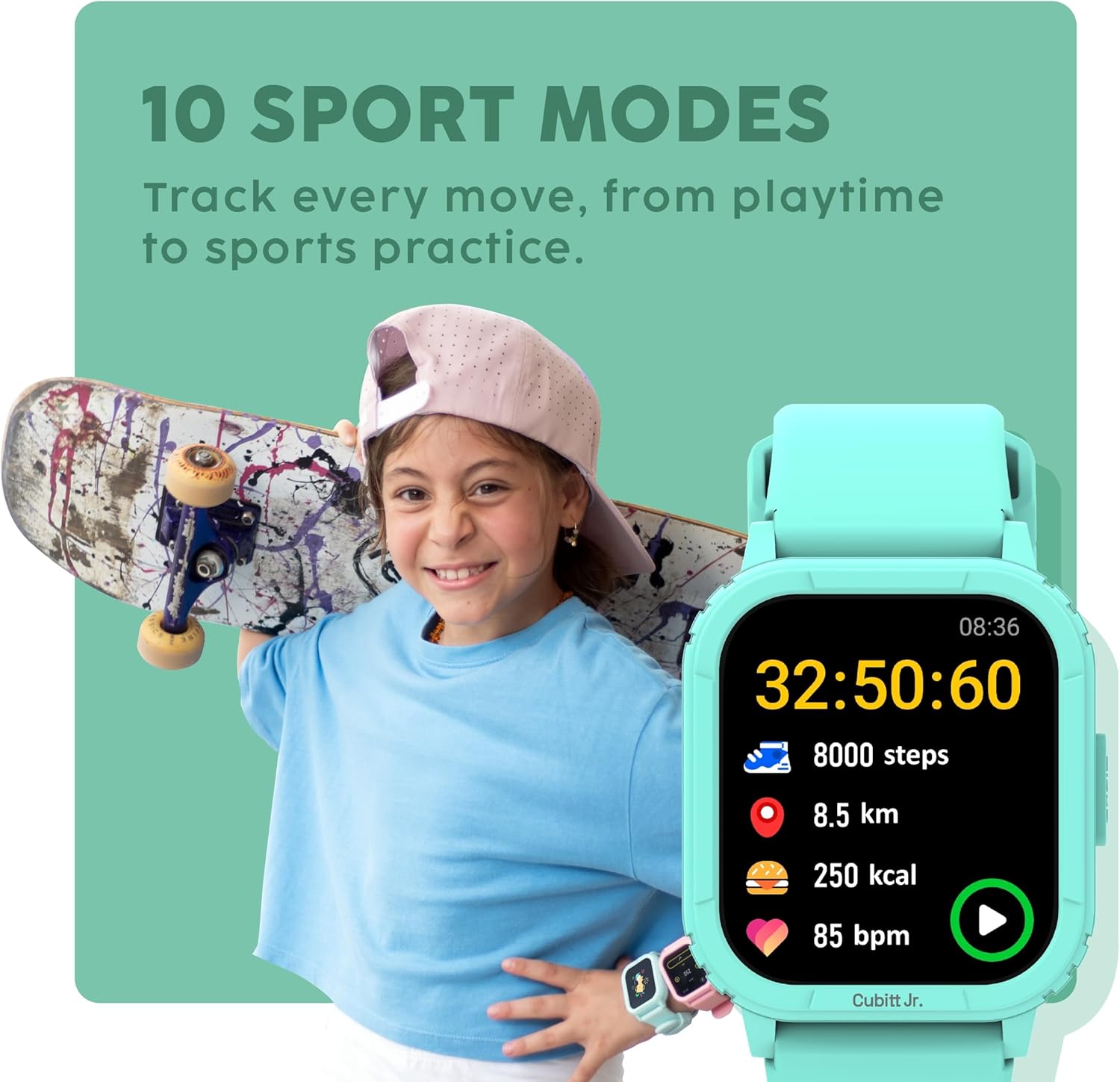
Image: The smartwatch showing heart rate data, with children playing in the background.
Games and Alarms
The smartwatch includes 8 fun and educational games designed to practice brain intelligence. It also features 20 daily alarms that can be set for various habits, such as breakfast, homework, school, and bedtime. Parents can set a lock for the watch with a password to manage content consumption.

Image: The smartwatch screen displaying a selection of interactive games.
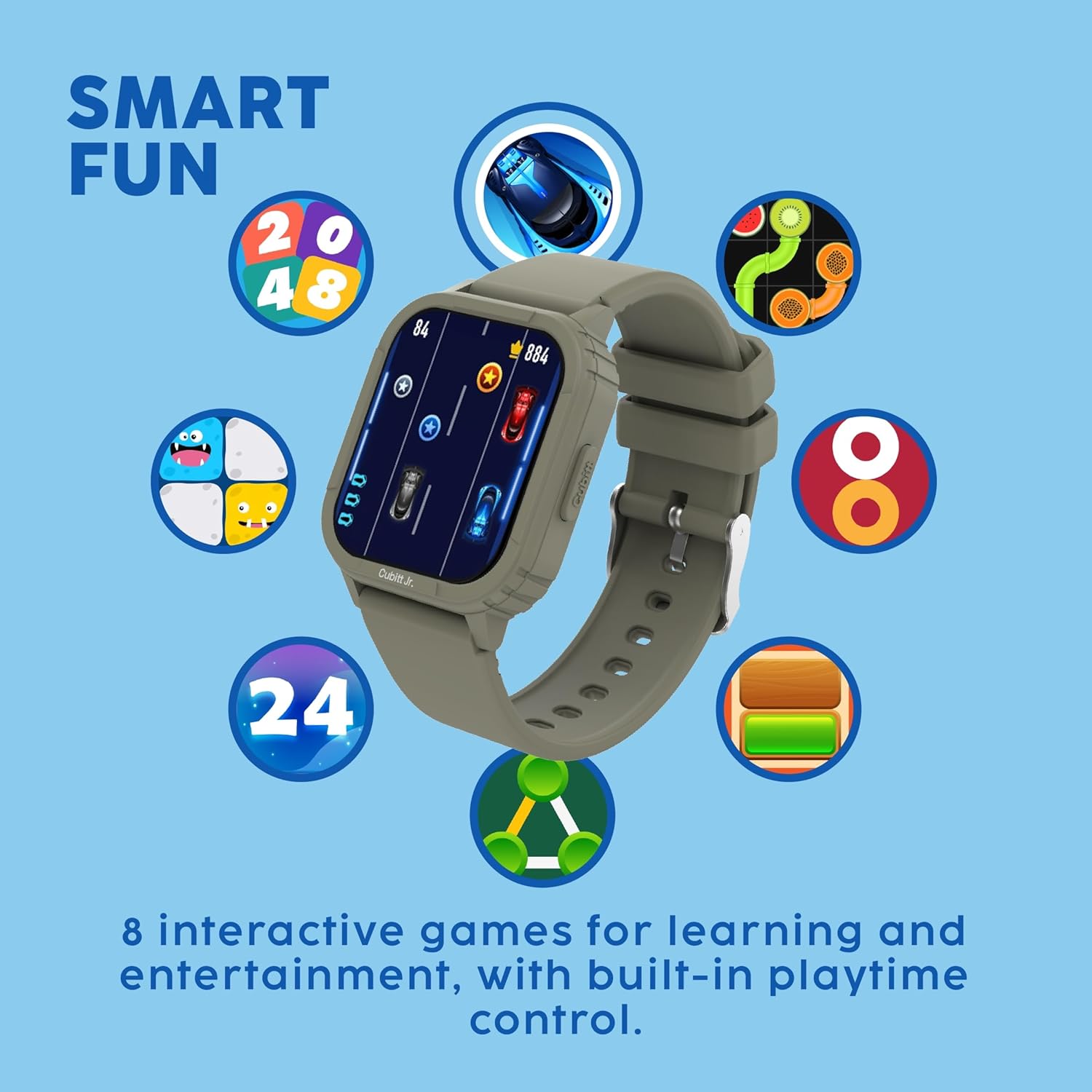
Image: The smartwatch interface showing customizable alarm settings for daily routines.
Notifications and Other Functions
Receive call notifications, text messages, and social media alerts directly on your watch. Incoming calls are alerted via vibration reminders, with an option to hang up. The watch also includes a calculator and music control features.
Maintenance
Water Resistance
The Cubitt Jr. Smartwatch is waterproof (IP68 rated), making it suitable for various activities including swimming. However, it is not recommended for diving or high-pressure water activities.
Battery Life
The smartwatch offers 7+ days of battery life with typical usage, and up to 15 days on standby. Regular charging is recommended to maintain optimal performance.
Troubleshooting
- Watch not turning on: Ensure the watch is fully charged. Connect it to the charger for at least 30 minutes.
- Unable to pair with app: Make sure Bluetooth is enabled on your smartphone and the watch. Restart both devices and try pairing again. Ensure the app is updated to the latest version.
- Inaccurate activity tracking: Ensure the watch is worn snugly on the wrist. Calibrate the activity tracker through the app if available.
- Notifications not appearing: Check app permissions on your smartphone to ensure the Cubitt Jr. app has access to notifications. Verify that notifications are enabled within the app settings for the watch.
- Screen unresponsive: Restart the watch. If the issue persists, contact customer support.
Specifications
| Feature | Detail |
|---|---|
| Model Name | Cubitt Jr. |
| Model Number | CTJR-2 |
| Screen Size | 1.75 inches |
| Display Type | AMOLED IPS Color Touch Screen |
| Water Resistance | IP68 |
| Battery Life | 7+ days (typical use), 15 days (standby) |
| Connectivity | Bluetooth |
| Operating System | Android Wear 2.0 |
| Special Features | Accelerometer, Activity Tracker, Alarm Clock, Calorie Tracker, Distance Tracker, Heart Rate Monitor, Notifications, Pedometer, Sleep Monitor, Text Messaging, Time Display, Games, Calculator, Music Control, Blood Oxygen, Blood Pressure, Temperature Tracking |
| Item Weight | 1.41 ounces |
| Product Dimensions | 10 x 5 x 10 inches |
Official Product Videos
The following videos provide additional visual guidance and information about the Cubitt Jr. Smartwatch's features and usage.
Video: An overview of the Cubitt Jr. Smartwatch, highlighting its fitness tracking capabilities, games, and smart features for kids.
Video: Demonstrates the health, fun, and habit-building features of the Cubitt Jr. Smartwatch for children.
Warranty and Support
For warranty information, product registration, or technical assistance, please refer to the official Cubitt Tracking Technologies website or contact their customer support directly. Keep your purchase receipt as proof of purchase.
For further assistance, visit the Cubitt Tracking Technologies Store on Amazon.