
BENKS W08
BENKS 2-in-1 Magnetic Wireless Charger Instruction Manual
Model: W08 | Brand: BENKS
1. Introduction
The BENKS 2-in-1 Magnetic Wireless Charger is a versatile desktop charging solution designed for iPhone 14/13/12 series and AirPods. It functions as both a phone stand and a wireless charger, featuring two charging docks for simultaneous charging of your devices. Its magnetic technology ensures precise alignment and secure attachment for efficient wireless charging.
2. Setup
2.1 What's in the Box
- BENKS 2-in-1 Magnetic Wireless Charging Stand
- USB-C to USB-C Cable (1 meter)
Note: An AC power adapter is not included. A 20W or higher USB-C power adapter is recommended for optimal performance.
2.2 Power Connection
- Connect the provided USB-C to USB-C cable to the charging port on the back of the BENKS charging stand.
- Plug the other end of the USB-C cable into a compatible USB-C power adapter (not included).
- Plug the power adapter into a wall outlet. The indicator light on the base will illuminate briefly, indicating it is ready for use.
2.3 Placement
Place the charging stand on a stable, flat surface such as a desk or nightstand. Ensure there is adequate space around the charger for proper ventilation.
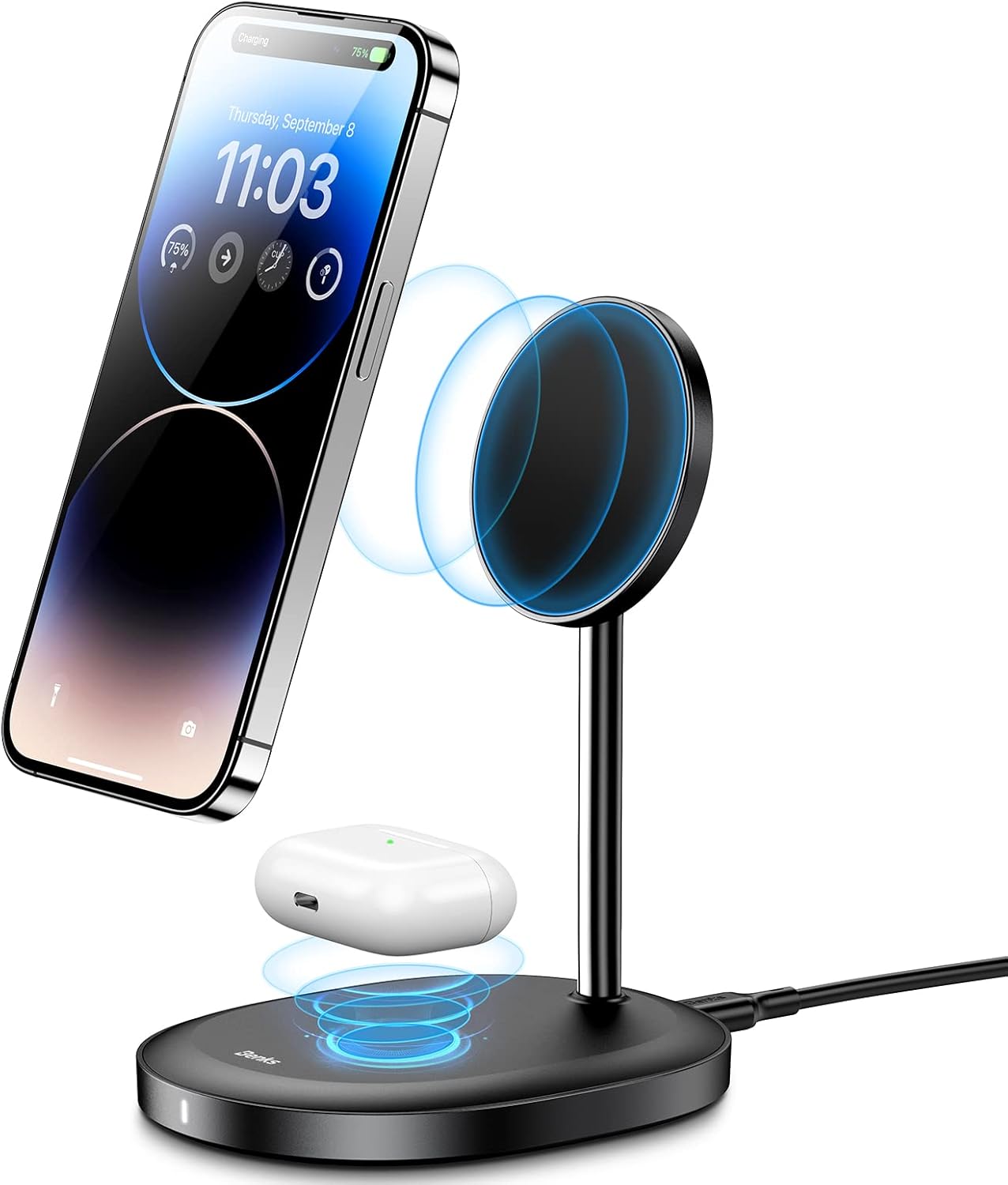
Image: The BENKS 2-in-1 Magnetic Wireless Charger with an iPhone magnetically attached and AirPods charging on the base.
3. Operating Instructions
3.1 Charging Your iPhone
- Ensure the charging stand is connected to power.
- Align your iPhone 14/13/12 series device with the magnetic charging pad. The strong magnets will automatically snap your phone into place, ensuring optimal alignment for wireless charging.
- The charger supports both portrait and landscape orientations. You can rotate your phone 360 degrees for comfortable viewing while charging.
- The charging head can be adjusted up to 15 degrees vertically to find your preferred viewing angle.

Image: Illustrates compatibility with MagSafe cases and direct phone attachment. Non-MagSafe cases may hinder magnetic connection.

Image: Diagram showing the 15-degree adjustable angle of the phone charging pad.
3.2 Charging Your AirPods
Place your AirPods (or other Qi-compatible earbuds) charging case on the flat charging pad located at the base of the stand. Ensure the case is centered on the pad for effective charging.
Video: Demonstrates the BENKS 2-in-1 dual wireless charger stand in use, showing magnetic attachment, dual charging, and adjustable angles.
4. Maintenance
- Cleaning: Disconnect the charger from power before cleaning. Use a soft, dry cloth to wipe the surface. Avoid using abrasive cleaners or solvents.
- Handling: Handle the charger with care. Avoid dropping it or subjecting it to strong impacts.
- Storage: When not in use for extended periods, store the charger in a cool, dry place away from direct sunlight and extreme temperatures.
5. Troubleshooting
| Problem | Solution |
|---|---|
| Device not charging or charging slowly. |
|
| Magnetic connection is weak. |
|
| Charger indicator light is off. |
|
6. Specifications
| Feature | Detail |
|---|---|
| Model Number | W08 |
| Brand | BENKS |
| Connectivity Technology | Wireless |
| Connector Type | MagSafe, Wireless |
| Compatible Devices | Apple iPhone 14/13/12 series, AirPods (Qi-compatible) |
| Maximum Charging Rate | Up to 15W (for iPhone) |
| Adjustable Angle | Up to 15 degrees (vertical) |
| Color | Black |
| Item Weight | 14.3 ounces |
| Manufacturer | Dongguan Kufeng Electronics Technology Co.,Ltd |
7. Warranty and Support
For warranty information or technical support, please refer to the product packaging or contact BENKS customer service directly. Contact details can typically be found on the official BENKS website or through your point of purchase.
For further assistance, you may visit the official BENKS store on Amazon: BENKS Store.
Ask a question about this manual
Ask about setup, troubleshooting, compatibility, parts, safety, or missing instructions. Manuals+ will review the question and use this page’s manual context to help answer it.