
EMOS P5607
EMOS P5607 Wall Thermostat User Manual
Model: P5607
1. Introduction
The EMOS P5607 Wall Thermostat is a digital, programmable room temperature controller designed for both heating and cooling systems. It features frost protection and is wired for surface mounting, providing precise temperature management for your indoor environment.

Image: Front view of the EMOS P5607 Wall Thermostat, showing the digital display with temperature readings and control buttons.
2. Product Features
- Premium indoor thermostat for precise control of heating or cooling systems.
- Programmable with an hourly schedule, allowing up to 6 temperature changes per day.
- Option to switch to manual control for immediate temperature adjustments.
- Digital display shows real temperature and predicted temperature with backlight.
- Temperature setting range: 5-35℃, adjustable in 0.5℃ increments.
- Adjustable dispersion (hysteresis/differential) from ±0.2 to 2°C in 0.1°C increments.
- Integrated frost protection function.
- Temperature calibration function for accuracy.
- Switches with 230 V AC or potential-free contacts.
- Power supply: 2 x 1.5 V AAA micro batteries (included).
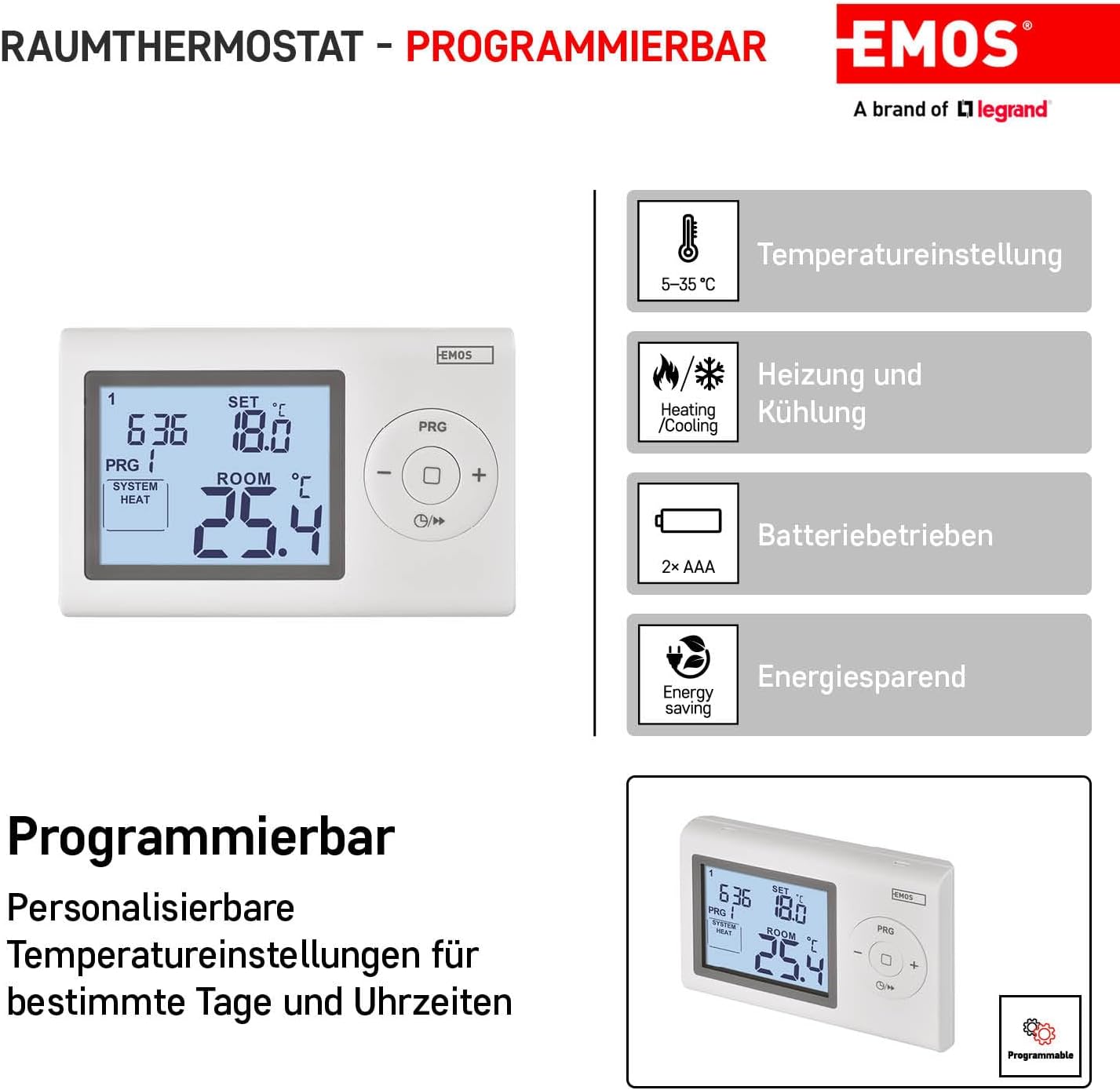
Image: Diagram illustrating the programmable features of the EMOS P5607 thermostat, including temperature setting, heating/cooling modes, battery operation, and energy saving.

Image: Diagram highlighting features like backlight display, frost protection, temperature calibration, and switching capacity.
3. Setup and Installation
The P5607 thermostat is designed for wired surface mounting. A mounting bracket is included for easy installation.
3.1 Package Contents
- EMOS P5607 Wall Thermostat
- Mounting bracket
- Operating instructions
- 2 x 1.5 V AAA micro batteries
3.2 Mounting
- Select a suitable location on an interior wall, away from direct sunlight, drafts, or heat sources, to ensure accurate temperature readings.
- Use the included mounting bracket to mark the drilling points on the wall.
- Drill holes and insert wall plugs if necessary.
- Secure the mounting bracket to the wall.
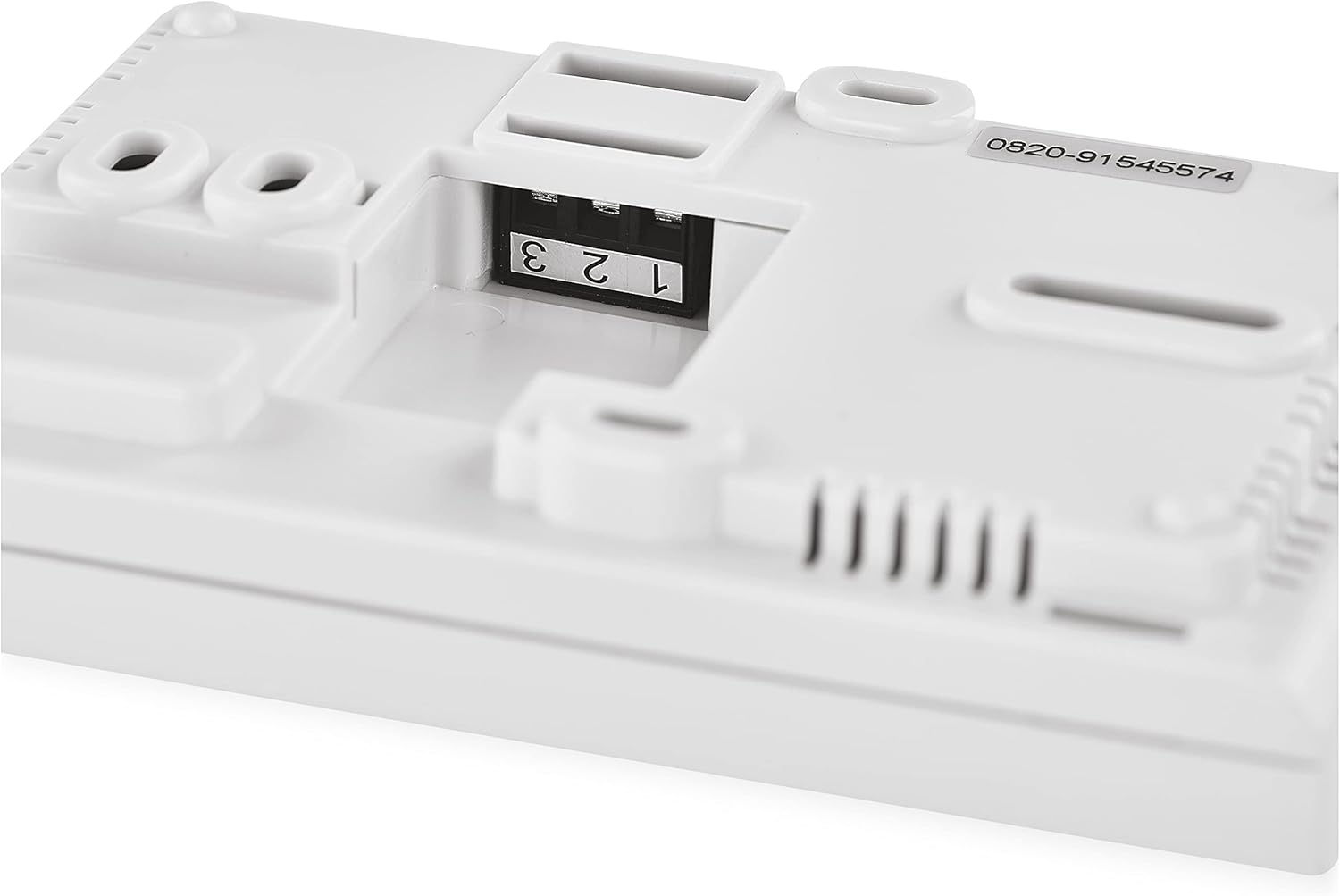
Image: Rear view of the EMOS P5607 thermostat, showing the wiring terminals labeled 1, 2, and 3 for electrical connections.
3.3 Wiring
The thermostat supports 230 V AC switching or potential-free contacts with a switching current of 8 (2) A. Refer to the detailed wiring diagram in the included operating instructions for specific connections to your heating or cooling system.
3.4 Battery Installation
Insert the two 1.5 V AAA micro batteries into the battery compartment, observing the correct polarity. The batteries are included with the product.
4. Operating Instructions
The P5607 thermostat features push-button controls for easy navigation and setting adjustments.

Image: Side view of the EMOS P5607 thermostat, highlighting the control buttons on the right side of the unit.
4.1 Display Overview
The backlit LCD display shows the current room temperature, the set temperature, and programming indicators. The display provides clear visibility even in low light conditions.
4.2 Setting Temperature
Use the '+' and '-' buttons to adjust the desired temperature. The temperature can be set between 5℃ and 35℃ in 0.5℃ increments.
4.3 Programming Schedule
The thermostat allows for an hourly schedule with up to 6 temperature changes per day. Detailed instructions for setting up the weekly program are available in the full operating manual.
4.4 Manual Mode
You can override the programmed schedule at any time by switching to manual control. This allows for immediate temperature adjustments that remain active until the next programmed event or until manual mode is exited.
4.5 Frost Protection
The integrated frost protection feature automatically activates the heating system if the room temperature drops below a preset minimum, preventing pipes from freezing.
4.6 Temperature Calibration
If you find the temperature reading inaccurate, you can use the temperature calibration function to fine-tune the sensor's reading. Refer to the detailed manual for calibration steps.
5. Maintenance
To ensure optimal performance and longevity of your EMOS P5607 thermostat, follow these simple maintenance guidelines:
- Cleaning: Wipe the thermostat's surface with a soft, dry cloth. Do not use abrasive cleaners, solvents, or chemical sprays, as these can damage the unit.
- Battery Replacement: Replace the AAA batteries when the low battery indicator appears on the display. Ensure correct polarity when inserting new batteries.
- Avoid Obstructions: Ensure that the thermostat is not obstructed by furniture, curtains, or other objects that could block airflow and affect temperature readings.
6. Troubleshooting
If you encounter issues with your EMOS P5607 thermostat, consider the following common troubleshooting steps:
- No Display/Unit Not Responding:
- Check if the batteries are correctly installed and not depleted. Replace them if necessary.
- Ensure the battery compartment cover is securely closed.
- Inaccurate Temperature Reading:
- Verify that the thermostat is not exposed to direct sunlight, drafts, or heat sources.
- Use the temperature calibration function as described in the full manual to adjust the reading.
- Heating/Cooling System Not Responding:
- Check the wiring connections at the back of the thermostat and at your heating/cooling system. Ensure they are secure.
- Confirm that the thermostat is set to the correct mode (heating or cooling) and the desired temperature is appropriately set.
- Ensure the system's power supply is active.
- Programming Issues:
- Refer to the detailed operating instructions for step-by-step guidance on setting up the programming schedule.
- Ensure the current time and day are correctly set on the thermostat.
If problems persist after attempting these steps, please consult the complete operating manual or contact EMOS customer support.
7. Specifications
| Feature | Specification |
|---|---|
| Brand | EMOS |
| Model Number | P5607 |
| Controller Type | Push Button |
| Special Features | Frost Protection, Programmable, Temperature Display |
| Color | White |
| Temperature Control Type | Programmable |
| Connectivity Technology | Wired |
| Included Components | Mounting bracket, Operating instructions |
| Power Source | 2 x 1.5 V AAA Micro Batteries (included) |
| Voltage | 230 Volts |
| Material | Plastic |
| Mounting Type | Surface Mount |
| Display Type | LCD with Backlight |
| Item Dimensions (L x W x H) | 4.72 x 1.02 x 3.07 inches (approx. 120 x 26 x 78 mm) |
| Item Weight | 5.3 ounces (approx. 150 Grams) |

Image: Diagram showing the dimensions of the EMOS P5607 thermostat: 120 mm width and 78 mm height.
8. Warranty and Support
For information regarding the product warranty, please refer to the warranty card included with your purchase or visit the official EMOS website. For technical support or further assistance, please contact EMOS customer service through the contact information provided in your product documentation.
Related documentsP5607


Ask a question about this manual
Ask about setup, troubleshooting, compatibility, parts, safety, or missing instructions. Manuals+ will review the question and use this page’s manual context to help answer it.