Introduction
This manual provides essential information for the safe and effective use of your Kettler Omnium 300 Crosstrainer. Please read it thoroughly before assembly and operation, and retain it for future reference.
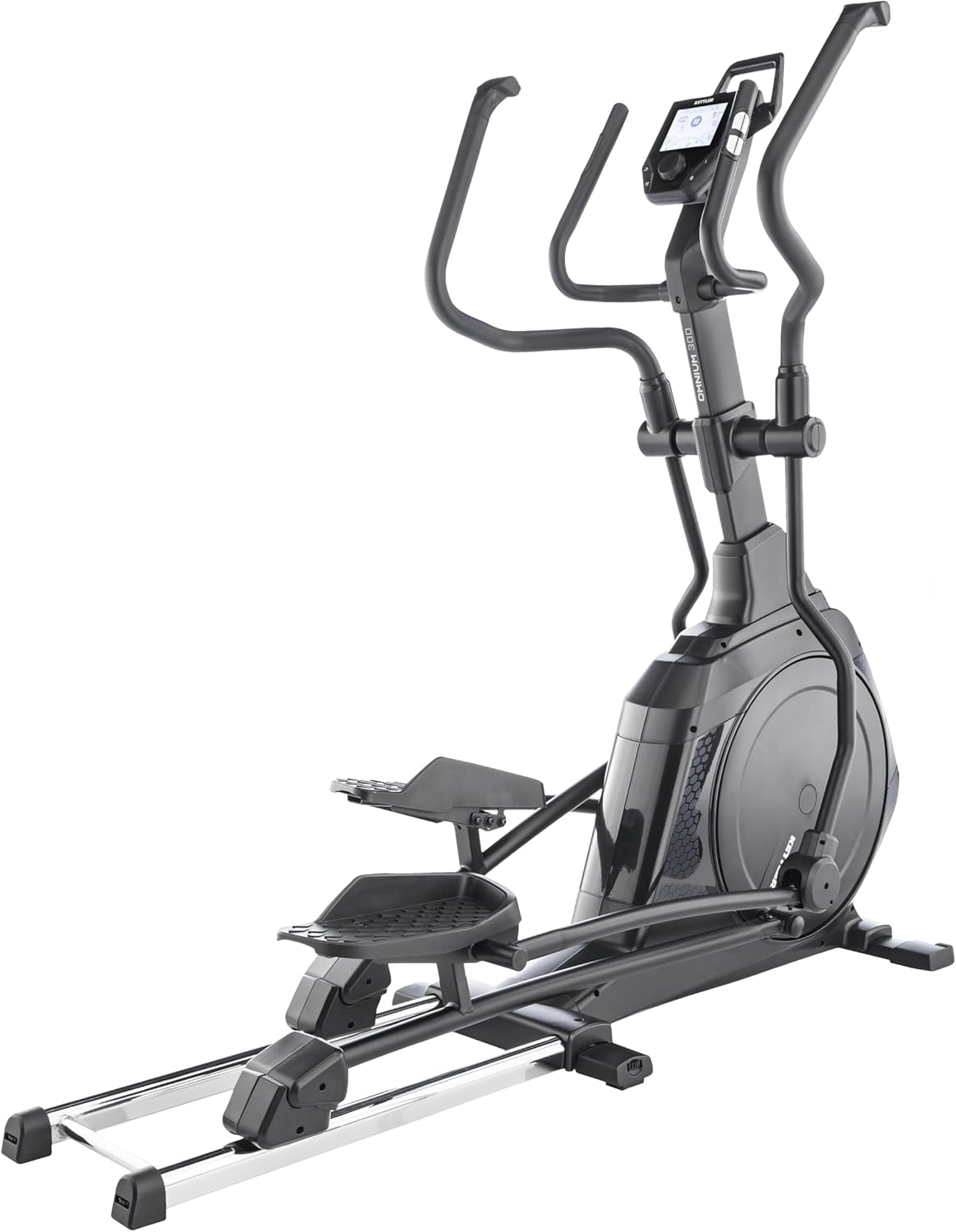
Image: The Kettler Omnium 300 Crosstrainer, a robust fitness machine designed for full-body workouts.
Important Safety Instructions
- Consult a physician before starting any exercise program.
- Ensure all parts are securely fastened before each use.
- Keep children and pets away from the equipment during operation.
- Place the crosstrainer on a level, stable surface.
- Wear appropriate exercise attire and footwear.
- Stop exercising immediately if you feel faint, dizzy, or experience pain.
Setup and Assembly
The Kettler Omnium 300 Crosstrainer requires assembly. Follow the detailed instructions provided in the separate assembly guide. Ensure all components are present before beginning.
Unpacking and Component Check
- Carefully remove all components from the packaging.
- Verify that all parts listed in the assembly guide are present and undamaged.
- Keep packaging materials until assembly is complete.
Placement
- Choose a location with sufficient space around the crosstrainer for safe operation and access.
- Place the unit on a flat, stable surface. Use a protective mat if placing on delicate flooring.
- Ensure the area is well-ventilated and away from direct sunlight or heat sources.

Image: The Kettler Omnium 300 Crosstrainer positioned in a home environment, illustrating typical placement.
Operating Instructions
The Kettler Omnium 300 features a magnetic resistance system with 15 levels and a training computer with 10 programs.
Console Overview
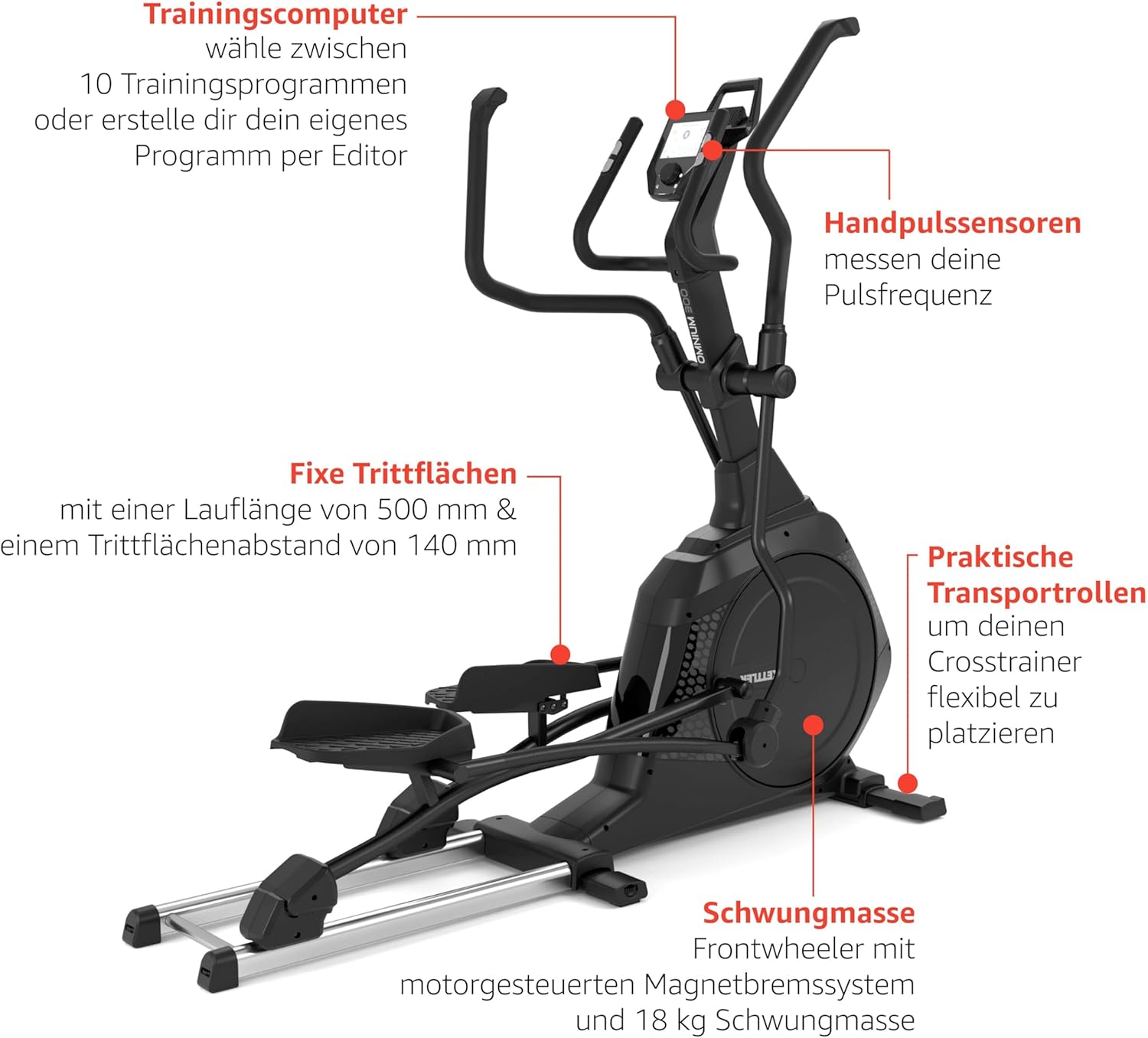
Image: The Kettler Omnium 300 Crosstrainer highlighting key features such as the training computer, hand pulse sensors, fixed footplates, transport rollers, and flywheel mass.
- Training Computer: Select from 10 pre-set training programs or create a custom program.
- Hand Pulse Sensors: Integrated into the handlebars to measure heart rate during exercise.
- LCD Screen: Displays workout data such as time, distance, speed, calories, and heart rate.
- Resistance Adjustment: Electronically controlled magnetic brake system with 15 resistance levels.
- Bluetooth Interface: For connecting to compatible fitness apps.
- Smartphone and Tablet Holder: Conveniently located on the console.
Starting a Workout
- Step onto the footplates, ensuring your feet are centered and secure.
- Grasp the moving handlebars or the stationary hand pulse sensors.
- The console will typically activate when you begin pedaling or press a start button.
- Select your desired training program or manually adjust the resistance level.
Adjusting Resistance
The Kettler Omnium 300 features an electronically controlled magnetic resistance system. Resistance levels can be adjusted via the console during your workout. Higher numbers indicate greater resistance.
Using Training Programs
The crosstrainer offers 10 pre-programmed workouts. Refer to the console's specific instructions for navigating and selecting programs. Programs automatically adjust resistance to guide you through different intensity profiles.
Heart Rate Monitoring
To monitor your heart rate, firmly grasp the hand pulse sensors on the stationary handlebars. Your heart rate will be displayed on the console. For more accurate and continuous monitoring, a compatible chest strap (not included) can be used if supported by the device's Bluetooth interface.
Maintenance and Care
Regular maintenance ensures the longevity and optimal performance of your Kettler Omnium 300 Crosstrainer.
- Cleaning: Wipe down the crosstrainer with a damp cloth after each use to remove sweat and dust. Avoid abrasive cleaners.
- Inspection: Periodically check all bolts, nuts, and moving parts for tightness and wear. Tighten any loose fasteners.
- Lubrication: Moving parts may require occasional lubrication. Refer to the assembly guide for specific lubrication points and recommended lubricants.
- Storage: If storing the crosstrainer for an extended period, ensure it is clean and dry. Store in a cool, dry place away from direct sunlight. The integrated transport rollers allow for easy repositioning.
Troubleshooting
| Problem | Possible Cause | Solution |
|---|---|---|
| Console not powering on. | Loose power connection or depleted batteries (if applicable). | Check power adapter connection. If battery-operated, replace batteries. |
| Unusual noise during operation. | Loose bolts or components, lack of lubrication. | Inspect and tighten all visible bolts and connections. Lubricate moving parts as per assembly guide. |
| Resistance not changing. | Console malfunction or issue with magnetic brake system. | Restart the console. Ensure all cables are securely connected. If problem persists, contact customer support. |
| Inaccurate heart rate reading. | Improper hand placement on sensors, dry hands, or interference. | Ensure hands are clean and firmly placed on sensors. Lightly moisten hands if dry. Avoid excessive movement. |
Specifications
- Model: Kettler Omnium 300
- Model Number: CT1026-100
- Brand: Kettler
- Resistance System: Magnetic Brake System
- Resistance Levels: 15
- Flywheel Mass: 18 kg
- Training Programs: 10
- Stride Length: 500 mm
- Footplate Distance: 140 mm
- Heart Rate Monitoring: Hand pulse sensors, Bluetooth compatible (for chest strap, not included)
- Console Display: LCD
- Connectivity: Bluetooth
- Power: 12 Volt (for console)
- Material: Iron
- Product Dimensions (L x W x H): 24 x 69 x 2.5 cm (Note: These dimensions appear to be for a component or packaging, not the assembled crosstrainer. Refer to assembly guide for full assembled dimensions.)
- Transport: Integrated transport rollers

Image: A visual summary of the Kettler Omnium 300's key features, including 15 resistance levels, 10 training programs, LCD screen, Bluetooth interface, heart rate program, and smartphone/tablet holder.
Warranty and Support
For warranty information, please refer to the documentation included with your purchase or visit the official Kettler website. For technical support, spare parts, or service inquiries, please contact Kettler customer service directly.
Manufacturer: Kettler
First Available Date: August 4, 2021
Language of Manual: English


