
Product Overview
The SYNCWIRE 60W USB C Car Charger is a compact and efficient charging solution for your vehicle. Designed to provide rapid power delivery, it features dual ports (PD 30W & QC 30W) to charge multiple devices simultaneously. Its robust all-metal construction ensures durability and effective heat dissipation, while integrated safety features protect your devices.
Key Features:
- 30W PD & 30W QC 3.0 Super-Fast Charging: Equipped with dual ports for maximized charging speed, capable of rapidly charging compatible devices. Note: Simultaneous super-fast charging for two devices is not supported. The PD port supports Samsung 25W super fast charging.
- Superior Safety with Multi-Protection: Certified with multiple safety certifications and a built-in smart chip, offering protection against overcurrent, short-circuit, overvoltage, undervoltage, over-temperature, and overpower.
- Widely Compatible: Supports fast charging for various devices including iPhone 16/15/14/13/12/11 Pro Max/XS/XR/SE, iPad Pro/Air/Mini, Macbook Air series, Samsung S25/S24/S23/S22/S21/20/S10/S9/S8/S7/Note series, Google Pixel 7/7 Pro/6 Pro/6/5/4/3a/3/2/XL, and more.
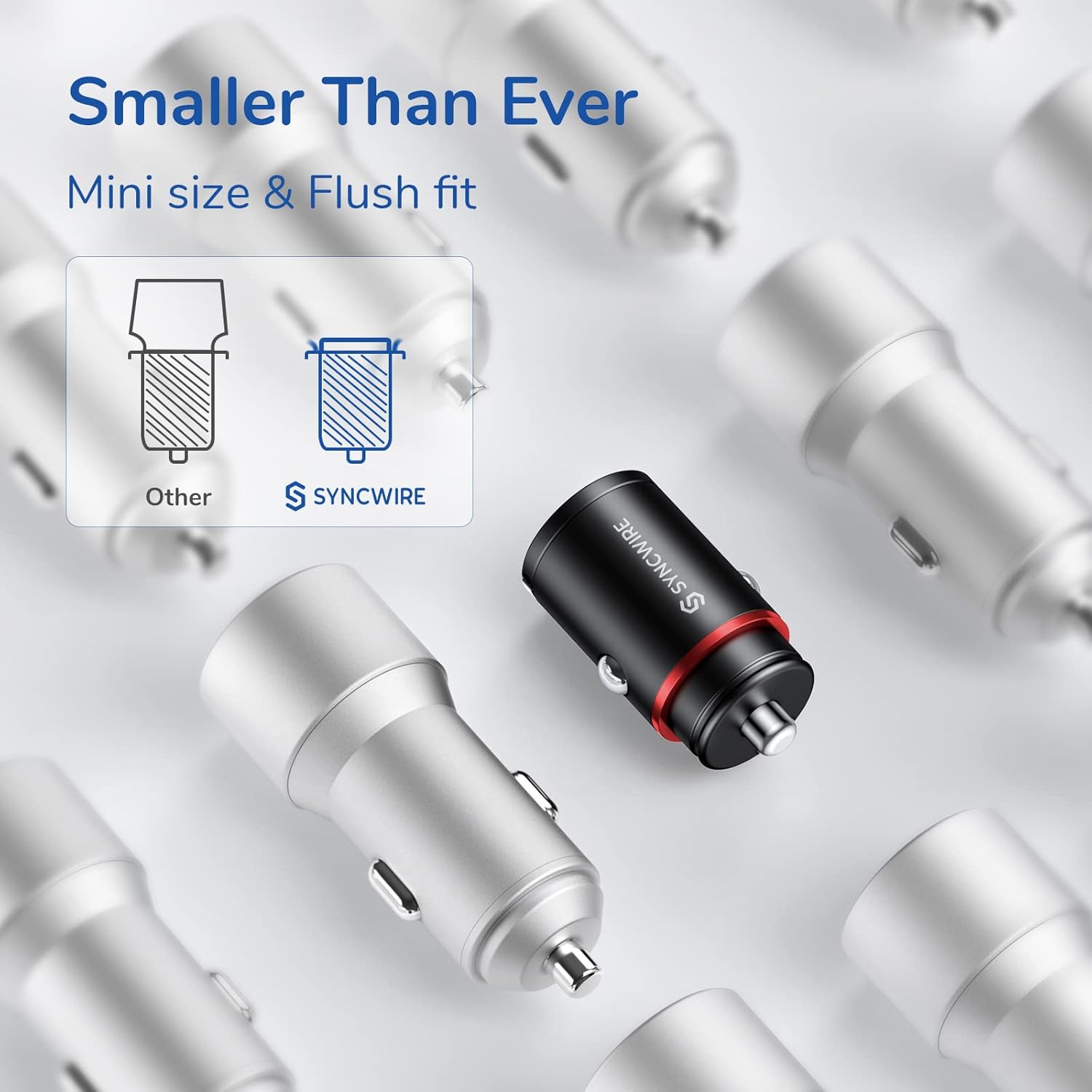
- Unique Pull Ring & Space-Saving Design: Ultra-mini metal car charger seamlessly integrates with your car's cigarette lighter for a flush-mounted, 'invisible' design. A pop-up pull ring facilitates easy removal.
- Suitable for Almost All Vehicles: Plugs into standard auto sockets (cigarette lighter) of all vehicle models with DC 12-24V input. Features a soft blue LED light for easy location in the dark.
- Stays Fully Charged On the Go: Shrapnel snap-in design ensures a tight lock in the car cigarette lighter, preventing poor contact and power outage on bumpy roads.
Package Contents
- SYNCWIRE 60W USB C Car Charger (Model SW-XC672)
Setup Instructions
- Locate Your Vehicle's Cigarette Lighter Socket: Ensure the socket is clean and free from debris.
- Insert the Car Charger: Gently push the SYNCWIRE car charger into the cigarette lighter socket until it sits flush. The soft blue LED light will illuminate, indicating that the charger is powered on and ready for use.
- To Remove the Charger: Utilize the unique pull ring. Simply lift the ring and pull the charger out of the socket.

Operating Instructions
- Connect Your Device: Plug your USB-C or USB-A charging cable into the corresponding port on the car charger.
- Connect to Device: Attach the other end of the charging cable to your smartphone, tablet, or other compatible electronic device.
- Verify Charging: Your device should indicate that it is charging. The charger's intelligent chip will automatically detect your device's power requirements and deliver optimal charging speed.
- Dual Device Charging: You can charge two devices simultaneously using both the USB-C (PD 30W) and USB-A (QC 30W) ports. Note that simultaneous super-fast charging for both devices is not supported.


Safety Information
The SYNCWIRE 60W USB C Car Charger is built with multiple safety protections to ensure the safety of your devices and vehicle. Please adhere to the following guidelines:
- Do not disassemble or modify the charger.
- Keep the charger away from water, fire, and extreme temperatures.
- Avoid dropping or subjecting the charger to strong impacts.
- Ensure proper ventilation around the charger during use.
- Unplug the charger when not in use or when leaving the vehicle for extended periods.
Built-in Protections:
- Overcurrent Protection
- Short-Circuit Protection
- Overvoltage Protection
- Undervoltage Protection
- Over-Temperature Protection
- Overpower Protection

Maintenance
- Keep the charger clean and dry. Use a soft, dry cloth to wipe the surface.
- Do not use abrasive cleaners or solvents.
- Store the charger in a cool, dry place when not in use.
Troubleshooting
- Device not charging:
- Ensure the car charger is properly inserted into the cigarette lighter socket and the blue LED is illuminated.
- Check if your charging cable is securely connected to both the charger and your device.
- Test with a different charging cable or device to rule out cable or device issues.
- Verify that your vehicle's power outlet is functioning correctly.
- Slow charging:
- Ensure your device and cable support fast charging protocols (PD or QC 3.0) to achieve maximum speeds.
- If charging two devices simultaneously, the power output per port may be reduced. Try charging one device at a time for faster results.
- Close any power-intensive applications running in the background on your device.
- Charger gets hot:
- It is normal for the charger to become warm during operation, especially during fast charging.
- If the charger becomes excessively hot, disconnect it immediately and allow it to cool down. Ensure there is adequate ventilation around the charger.
Specifications
| Model Number | SW-XC672 |
| Brand | SYNCWIRE |
| Input Voltage | DC 12-24V |
| Output (USB-C PD 3.0) | 30W Max |
| Output (USB-A QC 3.0) | 30W Max |
| Total Output | 60W (Shared) |
| Connector Type | USB Type A, USB Type C |
| Material | Metal |
| Special Feature | Fast Charging, Mini Size, Flush Fit, Pull Ring Design, Blue LED |
| Item Weight | 17 Grams |
Warranty and Support
This SYNCWIRE product comes with a 12 + 24 month warranty, providing you with extended peace of mind. For any product inquiries, technical support, or warranty claims, please contact SYNCWIRE customer service through the official website or your purchase platform.
Contact Information:
Website: www.syncwire.com
Email: support@syncwire.com