
1. Introduction
Welcome to the Kinstone KST103SD-L 10.3-inch Android Tablet user manual. This guide provides essential information for setting up, operating, and maintaining your new tablet. The Kinstone KST103SD-L is designed for versatile use, featuring a vibrant 10.3-inch IPS display, a powerful Octa-core processor, and extensive connectivity options including cellular and Wi-Fi.
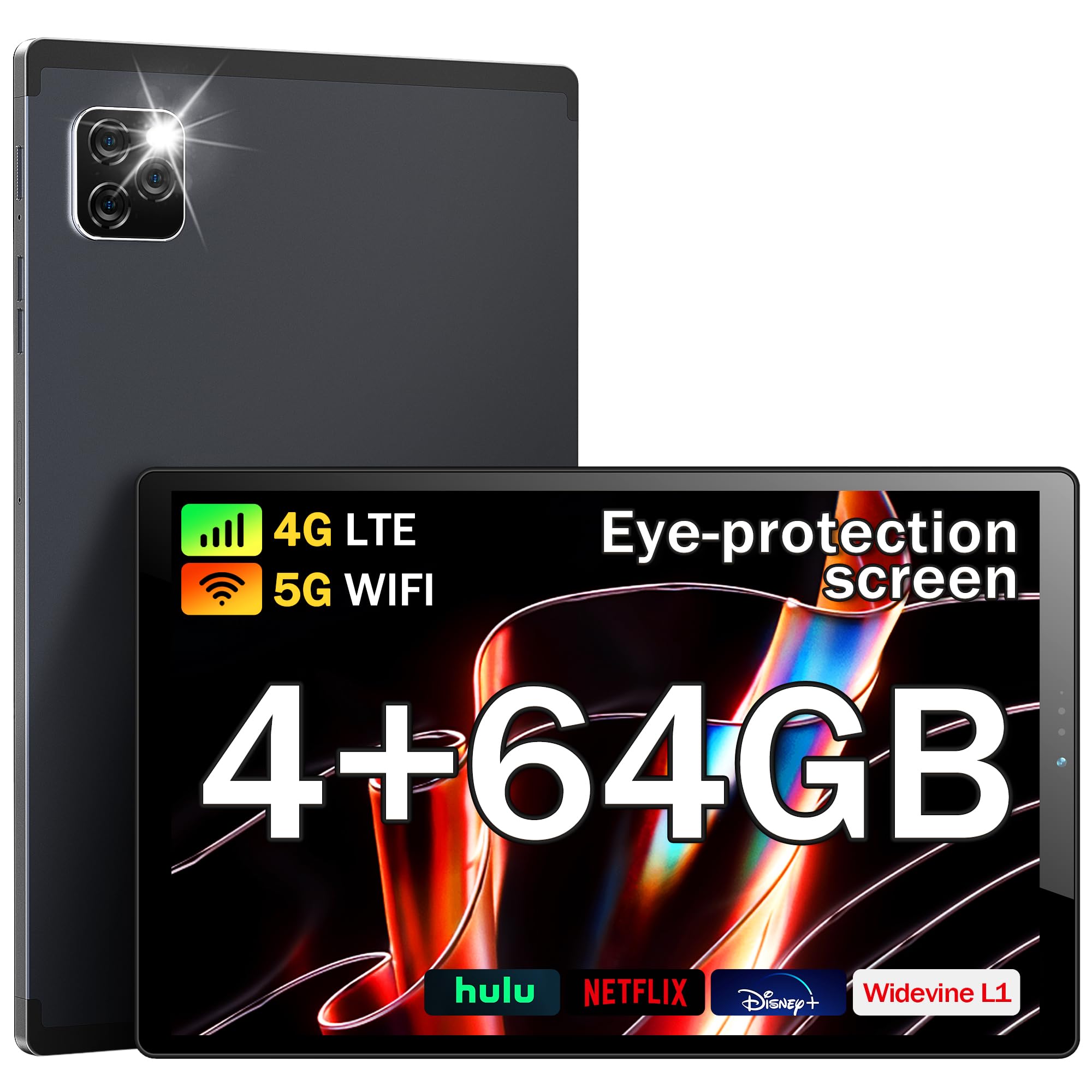
Figure 1: Front view of the Kinstone KST103SD-L Android Tablet.
2. What's in the Box
Upon opening your Kinstone KST103SD-L tablet package, you should find the following items:
- Kinstone KST103SD-L 10.3-inch Android Tablet
- USB-C Charging Cable
- Power Adapter
- Stylus
- User Manual (this document)
The tablet is securely packaged with protective sleeves and foam inserts to ensure safe delivery. The power adapter and charging cable are located in a separate compartment within the box.
Video 1: Unboxing the Kinstone Android Tablet, showing package contents and initial setup.
3. Product Overview
Familiarize yourself with the physical components of your Kinstone KST103SD-L tablet:

Figure 2: Technical diagram illustrating ports and buttons.
- Front Camera: 5MP camera for video calls and selfies.
- Rear Camera: 13MP camera with LED flash for high-quality photos and videos.
- Volume Buttons: Adjust audio volume.
- Power Button: Press and hold to power on/off or restart. Short press to sleep/wake.
- SIM/TF Card Slot: Insert a SIM card for cellular connectivity and a TF (MicroSD) card for expandable storage.
- USB Type-C Port: For charging and data transfer.
- Headphone Jack: 3.5mm port for audio output.
- Speakers: Integrated speakers for audio output.
- Reset Button: A small pinhole button located between the Power and Volume+ buttons for system reset (use a thin pin).

Figure 3: Back view of the Kinstone KST103SD-L Android Tablet, showing the camera module.
4. Setup
4.1 Initial Charging
Your tablet may arrive with a partial charge. For optimal performance, fully charge the device before first use. Connect the provided USB-C cable to the tablet's USB-C port and the power adapter, then plug the adapter into a wall outlet. The charging indicator will show the charging status.
4.2 Power On/Off
To power on the tablet, press and hold the Power Button until the Kinstone logo appears. To power off, press and hold the Power Button, then select 'Power off' from the options. A short press of the Power Button will put the tablet to sleep or wake it up.
4.3 Screen Protector
The tablet comes with a protective film on the screen. For the best visual experience, gently peel off this film before use.

Figure 4: Gently remove the protective screen film.
5. Operating System (Android 11)
The Kinstone KST103SD-L runs on the Android 11 operating system, offering enhanced performance and user experience. It provides full access to Google services, including the Google Play Store for downloading applications.

Figure 5: Android 11 home screen with various applications.
5.1 Basic Navigation
- Home Screen: Swipe left or right to access different home screens.
- App Drawer: Swipe up from the bottom of the screen to view all installed applications.
- Notifications & Quick Settings: Swipe down from the top of the screen to access notifications and quick settings toggles.
- Multitasking: Tap the square icon (or swipe up and hold from the bottom) to view recently used apps.
- Google Assistant: Access Google Assistant by saying "Hey Google" or by tapping the Assistant icon.
6. Key Features
The Kinstone KST103SD-L tablet is equipped with a range of features designed to enhance your digital experience:
Video 2: Overview of Kinstone KIS Pad S10 features including display, processor, and camera.
6.1 Display
Experience vivid visuals on the 10.3-inch IPS Eye Protection Display with a Full HD resolution of 1920 x 1200 pixels. This display offers a wider and clearer view, designed to reduce eye strain during extended use.

Figure 6: Comparison of display quality, highlighting the 1920x1200 FHD IPS display.
6.2 Processor
Powered by a 1.8GHz Octa-core Unisoc T610 processor, the tablet delivers fast and efficient performance for gaming, streaming, and multitasking.

Figure 7: Illustration of the high-performance Octa-core processor.
6.3 Memory & Storage
The tablet comes with 4GB of RAM and 64GB of built-in storage. Storage can be expanded up to 1TB using a MicroSD card (not included).
6.4 Battery
Equipped with a 7500mAh mega battery, the tablet offers up to 10 hours of streaming content on a single charge, ensuring long-lasting use for various activities.

Figure 8: Visual representation of the 7500mAh battery and its usage times.
6.5 Cameras
Capture moments with the 13MP rear camera (with LED flash) and take clear video calls and selfies with the 5MP front camera.

Figure 9: Details on camera specifications and connectivity options.
6.6 Connectivity
Stay connected with 4G LTE cellular support, dual-band Wi-Fi (2.4G/5G), Bluetooth 5.0, and GPS for accurate positioning, even without Wi-Fi.
6.7 Special Features
- Eye Protection: The screen effectively reduces blue light inhalation.
- Parental Control: User function limits content and time for children.
- Metal Shell: Features a high-quality metal shell for durability and a premium feel.
- Stylus & Case: Includes a stylus for precise input and a sleek case for protection and portability.

Figure 10: Features including wireless projection, Bluetooth, eye protection, and parental control.
7. Usage Scenarios
The Kinstone KST103SD-L tablet is versatile for various applications:
7.1 Gaming
Enjoy a smooth gaming experience thanks to the Octa-core processor and ample RAM. The large display provides an immersive view for your favorite games.
Video 3: Demonstrating gaming performance on the Kinstone Android Tablet.
7.2 Streaming & Entertainment
Watch movies, TV shows, and videos in Full HD quality. The tablet's long-lasting battery ensures uninterrupted entertainment.
Video 4: Demonstrating video streaming on the Kinstone Android Tablet.
7.3 Productivity & Navigation
Utilize the tablet for work or study by connecting a Bluetooth keyboard (sold separately) and using the included stylus. The built-in GPS functionality allows for reliable navigation, even without Wi-Fi.

Figure 11: Kinstone tablet used with an external keyboard for productivity.
8. Maintenance
- Cleaning: Use a soft, lint-free cloth to clean the screen and body. Avoid harsh chemicals.
- Battery Care: To prolong battery life, avoid extreme temperatures and do not let the battery completely drain frequently.
- Software Updates: Regularly check for and install system updates to ensure optimal performance and security.
- Storage Management: Periodically clear unnecessary files and apps to maintain sufficient storage space and tablet speed.
9. Troubleshooting
9.1 Tablet Not Powering On
Ensure the tablet is sufficiently charged. Connect it to the charger and wait a few minutes before attempting to power it on again. If the issue persists, try performing a hard reset by pressing and holding the power button for 10-15 seconds.
9.2 Slow Performance
If your tablet is running slow, try the following:
- Close unnecessary background applications.
- Clear cache data for frequently used apps.
- Free up storage space by deleting old files or uninstalling unused apps.
- Restart the tablet.
9.3 Connectivity Issues (Wi-Fi/Cellular)
If you experience issues with Wi-Fi or cellular connectivity:
- Toggle Wi-Fi or cellular data off and on.
- Restart your router (for Wi-Fi).
- Ensure your SIM card is correctly inserted and activated (for cellular).
- Check network settings for any restrictions.
9.4 Reset Button Location
The reset button is a small pinhole located between the Power and Volume+ buttons. Do not confuse it with the microphone hole, which is near the USB-C connector. Using a thin pin, gently press the reset button to perform a system reset if necessary.
10. Specifications
| Feature | Specification |
|---|---|
| Model Name | KST103SD-L |
| Operating System | Android 11 |
| Screen Size | 10.3 Inches |
| Display Resolution | 1920 x 1200 Pixels (FHD IPS) |
| Processor | Unisoc T610 Octa-core (1.8 GHz) |
| RAM | 4 GB |
| Internal Storage | 64 GB |
| Expandable Storage | Up to 1 TB (MicroSD) |
| Battery Capacity | 7500 mAh (Lithium Polymer) |
| Battery Life (Average) | 10 Hours |
| Rear Camera | 13 MP |
| Front Camera | 5 MP |
| Connectivity | 4G LTE, Wi-Fi (802.11ac), Bluetooth 5.0, GPS |
| Ports | USB Type-C, 3.5 mm Headphone Jack |
| Dimensions (L x W x Thickness) | 24.2L x 15.2W x 0.9Th Centimetres |
| Item Weight | 0.46 Kilograms |
| Included Accessories | Sleek Case, Stylus |
11. Warranty & Support
The Kinstone KST103SD-L tablet comes with a 3-Year Limited Warranty. For any questions or support needs, please contact Kinstone customer service. They aim to reply within 6 hours.
Manufacturer Contact Information:
Xinjianxing Technology Industrial Park Fengxin Road 5th Floor, Building A2 Shenzhen Guangdong
TEL: 13823168064
Kinstone is committed to providing professional and timely after-sales service, ensuring customer satisfaction.


