
1. Introduction
This manual provides instructions for the safe and effective operation and maintenance of your YUCHENGTECH Ionizing Air Blower, Model ZY-137. This device is designed to neutralize static electricity by generating a balanced stream of positive and negative ions, making it suitable for various industrial and technological applications where static charge can be problematic.
2. Safety Instructions
- Ensure the input voltage matches the device's requirements (110V).
- Do not operate the device in wet or damp conditions.
- Keep the device away from flammable materials.
- Do not attempt to open or repair the device yourself. Refer all servicing to qualified personnel.
- Always unplug the device before cleaning or performing maintenance.
- Keep children and pets away from the operating device.
3. Product Overview
The YUCHENGTECH Ionizing Air Blower is a compact and efficient static eliminator. It features a fan for air circulation, an ionization system, and controls for fan speed and power.

Figure 1: Front view of the YUCHENGTECH Ionizing Air Blower, showing the fan grille and control panel.
Components:
- Fan Grille: Protects the fan and directs airflow.
- Ionization Indicator: Lights up when ionization is active.
- Fan Speed Control Knob: Adjusts the airflow from OFF to HI.
- Power Switch: Integrated into the fan speed control.
- Adjustable Stand: Allows for tilting the blower to direct airflow.
- Filter Screen: Located at the air intake to prevent dust entry.
4. Specifications
| Parameter | Value |
|---|---|
| Model Number | ZY-137 |
| Input Voltage | 110V |
| Ion Balance | ±10V |
| Air Volume | 45-110 CFM |
| Dimensions (L x W x H) | 9.8 x 7.9 x 4.3 inches (25 x 20 x 11 cm) |
| Weight | 6.6 lbs (3 kg) |
| Control Method | Touch / Button Control |

Figure 2: Product dimensions of the ionizing air blower.
5. Setup
- Unpacking: Carefully remove the ionizing air blower from its packaging. Inspect for any damage.
- Placement: Place the blower on a stable, flat surface in the desired work area. Ensure there is adequate space around the unit for proper airflow.
- Adjust Angle: Use the knobs on the sides of the stand to adjust the tilt angle of the blower, directing the airflow towards the area requiring static neutralization.
- Power Connection: Plug the power cord into a standard 110V AC outlet.
6. Operating Instructions
- Power On: Turn the fan speed control knob clockwise from the "OFF" position. The unit will power on, and the fan will begin to operate.
- Adjust Fan Speed: Continue turning the knob clockwise to increase the fan speed. The speed is steplessly adjustable from low to high ("HI").
- Ionization Indicator: Observe the "IONIZATION" indicator light. It should illuminate, indicating that the ion generation system is active and producing positive and negative ions.
- Static Neutralization: Position the blower so that the ionized airflow covers the area where static electricity needs to be neutralized.
- Power Off: To turn off the device, rotate the fan speed control knob counter-clockwise until it clicks into the "OFF" position.

Figure 3: Stepless speed regulation knob for adjusting fan speed.

Figure 4: The ion indicator light confirms active ionization.
Air Volume and Wind Speed:
The device provides variable air volume and wind speed depending on the fan setting:
- High Speed: Air Volume ~110 CFM, Wind Speed ~3.8 m/s
- Low Speed: Air Volume ~66.7 CFM, Wind Speed ~2.8 m/s

Figure 5: Illustration of air volume and wind speed at different settings.
7. Maintenance
Regular maintenance ensures optimal performance and longevity of your ionizing air blower.
- Cleaning the Filter Screen: The ionizing blower is equipped with a filter screen to prevent dust and debris from entering the fan. Periodically inspect and clean the filter screen to maintain efficient operation.
- Unplug the device from the power outlet.
- Locate the filter screen (usually at the air intake).
- Gently remove the filter screen.
- Clean the screen using a soft brush or by rinsing with water. Ensure it is completely dry before reinserting.
- Cleaning Ion Needles: The ion-emitting needles can accumulate dust and debris, which may reduce ionization efficiency.
- Unplug the device from the power outlet.
- Use the provided ion needle clean brush (or a similar soft, non-abrasive brush) to gently clean the ion needles.
- Avoid bending or damaging the needles during cleaning.
- General Cleaning: Wipe the exterior of the unit with a soft, dry cloth. Do not use abrasive cleaners or solvents.

Figure 6: Illustration of the ion needle cleaning process using a specialized brush.
8. Troubleshooting
| Problem | Possible Cause | Solution |
|---|---|---|
| Device does not power on. | No power supply; power cord loose; fan speed knob in OFF position. | Check power outlet; ensure power cord is securely plugged in; turn fan speed knob clockwise. |
| No ionization (indicator light off). | Ionization system fault; dirty ion needles. | Clean ion needles as per maintenance section. If problem persists, contact customer support. |
| Weak airflow. | Blocked air intake/filter; fan speed set too low. | Clean filter screen; increase fan speed using the control knob. |
| Unusual noise during operation. | Obstruction in fan; loose components. | Unplug and inspect for obstructions. If noise persists, contact customer support. |
Noise Levels:
The device operates within acceptable noise levels for industrial environments. Typical noise levels are:
- High Speed: ~73.8 dB/A
- Low Speed: ~63.1 dB/A
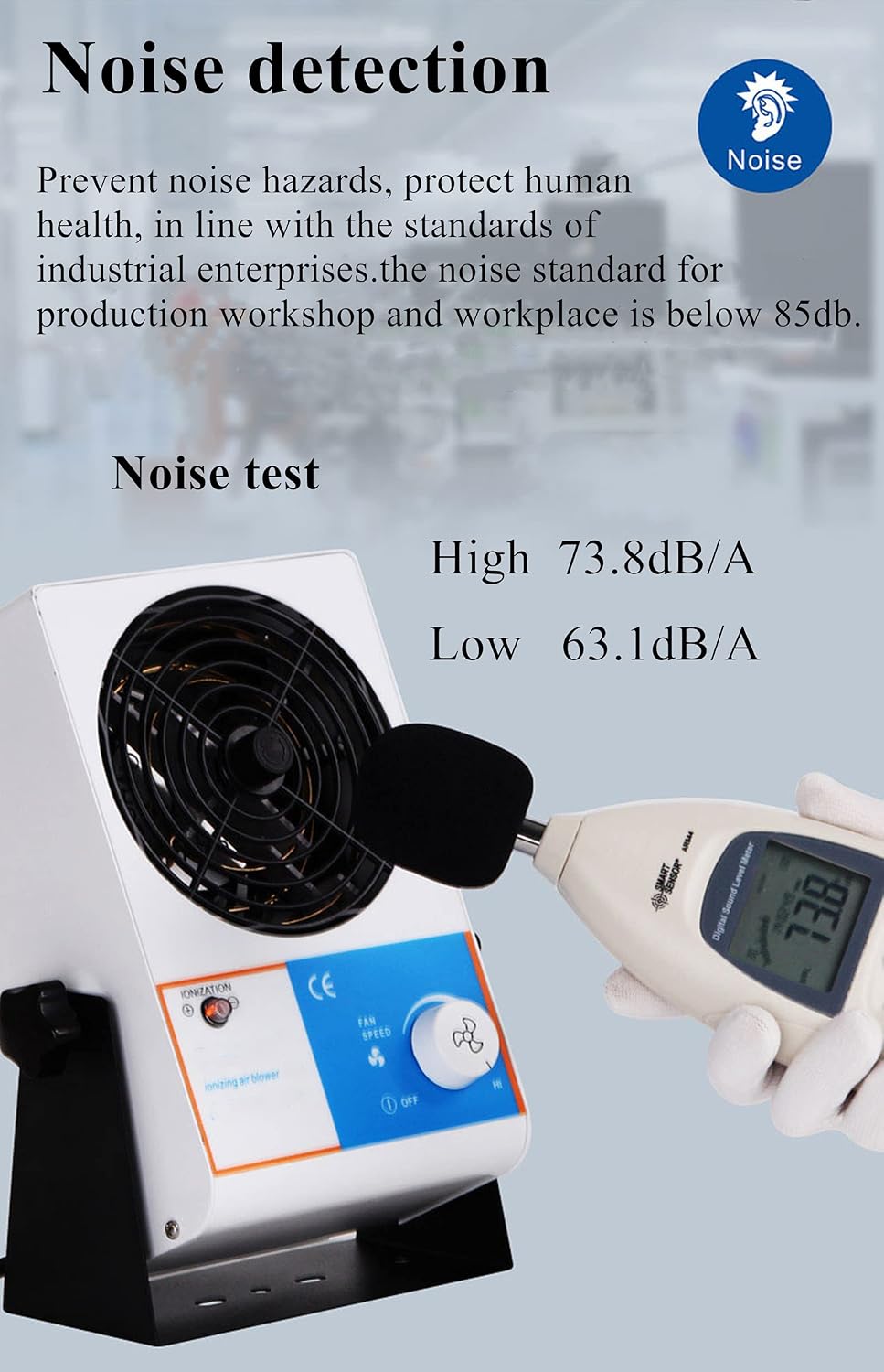
Figure 7: Noise detection showing typical operating sound levels.
9. Warranty and Support
For warranty information or technical support, please contact YUCHENGTECH customer service. Refer to your purchase documentation for specific warranty terms and contact details.
You can also visit the official YUCHENGTECH store for more information: YUCHENGTECH Store