
Introduction
Thank you for choosing Coby True Wireless Earbuds, model CETW530WH. These earbuds are designed to provide a high-quality audio experience with the convenience of true wireless technology. This manual will guide you through the setup, operation, and maintenance of your new earbuds to ensure optimal performance and longevity.
Package Contents
Before you begin, please ensure all items are present in your package:
- Coby True Wireless Earbuds (Left and Right)
- Charging Case
- Charging Cable
- User Manual (this document)
Setup
1. Charging the Earbuds and Case
The earbuds and charging case come with a partial charge, but it is recommended to fully charge them before first use. The charging case holds extra charges to extend the earbuds' playtime.
- Place the earbuds into their respective slots in the charging case. Ensure they are seated correctly for the charging contacts to align.
- Connect the charging cable to the charging port on the case and plug the other end into a USB power source.
- The LED indicators on the case will show the charging status. A full charge for the case takes approximately 11 hours, providing up to 22 hours of total battery life for the earbuds.

Image: Coby True Wireless Earbuds and their charging case. The earbuds are shown both inside and outside the case, highlighting their compact design and the case's function.
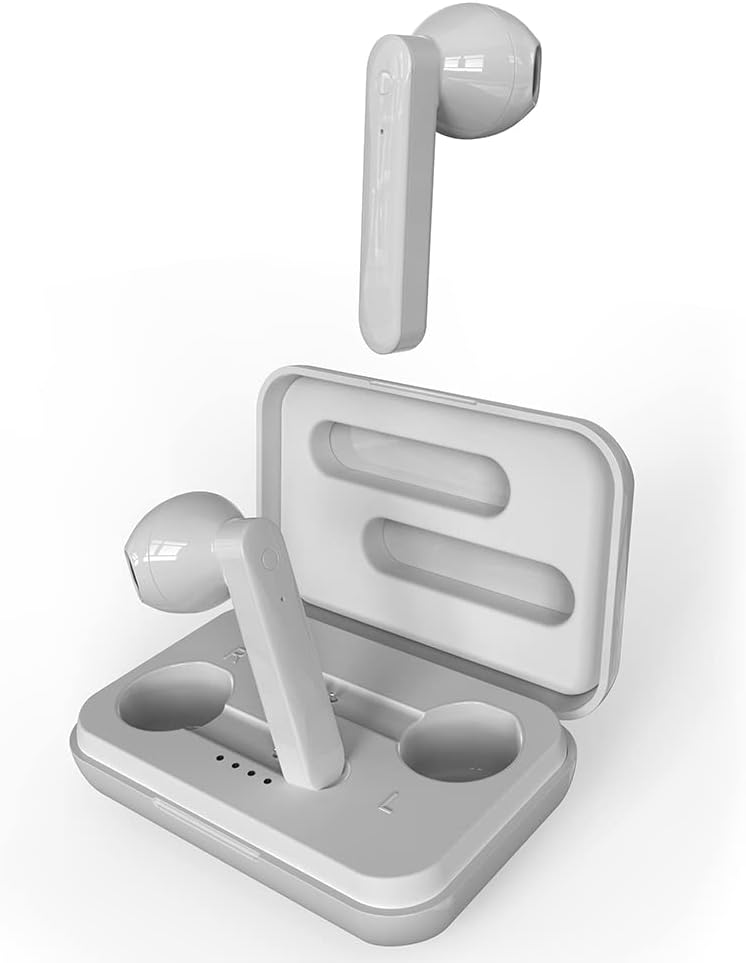
Image: The earbuds are securely placed within their charging case, illustrating how they fit for charging and storage.
2. Pairing with Your Device
The earbuds feature autopairing for convenience.
- Initial Pairing: Open the charging case and remove both earbuds. They will automatically enter pairing mode.
- On your smartphone or Bluetooth-enabled device (iPhone, iPad, Android, etc.), go to the Bluetooth settings.
- Select "CETW530WH" from the list of available devices.
- Once connected, you will hear a confirmation tone, and the earbuds will be ready for use.
- Subsequent Pairing: After the initial pairing, simply remove the earbuds from the charging case, and they will automatically connect to the last paired device.
- To disconnect, place the earbuds back into the charging case.

Image: A graphic illustrating the Bluetooth 5.0 connectivity of the earbuds, emphasizing low latency and stable connection, along with the ability to activate Siri and Google Assistant.
Operating the Earbuds
Touch Controls
The earbuds feature intuitive touch controls for managing your audio and calls.
- Play/Pause: Single tap on either earbud.
- Next Track: Double tap on the right earbud.
- Previous Track: Double tap on the left earbud.
- Answer/End Call: Single tap on either earbud during an incoming call.
- Reject Call: Press and hold on either earbud during an incoming call.
- Activate Voice Assistant (Siri/Google Assistant): Triple tap on either earbud.

Image: A diagram highlighting key features of the earbuds and case, including the durable case, LED display for battery status, and the touch control area on the earbuds.
Wearing the Earbuds
For optimal sound quality and comfort, ensure the earbuds are properly seated in your ears. The silicone eartips help hold them in place and provide sound isolation.
- Gently insert each earbud into its corresponding ear (L for left, R for right).
- Adjust the earbud until it feels secure and comfortable.
Maintenance
Cleaning
Regular cleaning helps maintain sound quality and hygiene.
- Use a soft, dry, lint-free cloth to wipe the earbuds and charging case.
- For stubborn dirt, slightly dampen the cloth with water. Avoid excessive moisture.
- Do not use abrasive cleaners, alcohol, or chemical solvents.
- Clean the charging contacts on both the earbuds and the case periodically with a dry cotton swab to ensure proper charging.
Water Resistance
The earbuds are IPX6 water resistant, meaning they can withstand powerful water jets. This makes them suitable for workouts and light rain. However, they are not designed for submersion in water.
- Do not expose the charging case to water, as it is not water resistant.
- Ensure earbuds are completely dry before placing them back into the charging case to prevent damage.
Storage
When not in use, store the earbuds in their charging case to protect them and keep them charged.
Troubleshooting
If you encounter issues with your Coby True Wireless Earbuds, try the following solutions:
| Problem | Possible Solution |
|---|---|
| Earbuds not pairing with device |
|
| Only one earbud working |
|
| Earbuds not charging |
|
| Poor sound quality or low volume |
|
Specifications
| Feature | Detail |
|---|---|
| Model Name | CETW530 |
| Connectivity Technology | Wireless (Bluetooth) |
| Bluetooth Version | 5.0 |
| Bluetooth Range | Up to 10 meters (33 feet) |
| Total Playtime (with case) | Up to 22 hours |
| Charging Case Battery Charging Time | Approx. 11 hours |
| Water Resistance Level | IPX6 (Earbuds only) |
| Control Type | Touch, Voice Control |
| Compatible Devices | iPhone, iPad, Android, Smartphone, Bluetooth Enabled Devices |
| Material | Plastic |
| Item Weight | 3.2 ounces |
| Product Dimensions | 2 x 5 x 5 inches |
| Color | White |
| Noise Control | Sound Isolation |
Warranty and Support
Coby products are designed for reliability and performance. For information regarding warranty coverage and customer support, please refer to the warranty card included with your purchase or visit the official Coby website. You can also contact Coby customer service for assistance with product inquiries, technical support, or warranty claims.
For the latest support information and FAQs, please visit: Coby Official Store on Amazon


