
1. Product Overview
The OhO Smart Glasses A8 Pro combine the functionality of eyewear with advanced audio technology. These glasses feature an open-ear Bluetooth speaker system, voice control capabilities, and UV protection, making them suitable for various indoor and outdoor activities. The transitional lenses automatically adjust their tint based on light conditions, providing convenience and eye protection.
Key Features:
- Open Ear Bluetooth Headset: Listen to music and calls while remaining aware of your surroundings.
- Voice Control Smart Glasses: Hands-free phone calls, voice assistant activation (Siri, Cortana, Google Now) for music, directions, weather, and traffic updates.
- Volume Control Buttons: Integrated buttons for volume adjustment and track navigation.
- Ultra Slim Unisex Design: Lightweight and comfortable frame made from flexible material.
- Safety Glasses with Transitional Lenses: Lenses change from light grey to dark grey outdoors and vice versa indoors. Impact-resistant, anti-eyestrain, anti-scratch, and anti-smudge properties.

Image: OhO Smart Glasses A8 Pro showcasing the transitional lens technology, changing from clear to dark grey based on light exposure.
2. What's in the Box
Your OhO Smart Glasses A8 Pro package typically includes:
- OhO Smart Glasses A8 Pro (with transitional grey lenses)
- USB-C Charging Cable
- Protective Hard Case
- Soft Pouch/Cleaning Cloth
- Additional Interchangeable Lenses (e.g., blue light blocking, polarized black, yellow/orange - availability may vary by package)
- Instruction Manual

Image: A USB-C charging cable, included for charging your smart glasses.

Image: Various interchangeable lenses, offering different tints and functionalities for your smart glasses.
3. Setup
3.1 Charging the Glasses
- Locate the USB-C charging port on the right temple of the glasses.
- Connect the provided USB-C cable to the charging port and the other end to a compatible USB power source (e.g., computer, wall adapter).
- The LED indicator on the glasses will illuminate during charging and change color or turn off when fully charged. A full charge typically provides up to 10 hours of battery life.
3.2 Bluetooth Pairing
- Ensure the glasses are charged and powered off.
- Press and hold the Power/Multi-function button on the right temple until the LED indicator flashes, indicating pairing mode.
- On your smartphone or Bluetooth-enabled device, go to the Bluetooth settings.
- Search for available devices and select "OhO sunshine" from the list.
- Once connected, the LED indicator will stop flashing or change to a steady light.
Video: An official product video demonstrating the Bluetooth pairing process and smart features of the OhO Smart Glasses.
4. Operating Instructions
4.1 Power On/Off
- Power On: Press and hold the Power/Multi-function button for approximately 3 seconds until you hear a power-on prompt or see the LED indicator light up.
- Power Off: Press and hold the Power/Multi-function button for approximately 5 seconds until you hear a power-off prompt or see the LED indicator turn off.
4.2 Music Playback
- Play/Pause: Single-press the Power/Multi-function button.
- Next Track: Double-press the Volume Up button.
- Previous Track: Double-press the Volume Down button.
4.3 Call Handling
- Answer Call: Single-press the Power/Multi-function button when a call comes in.
- End Call: Single-press the Power/Multi-function button during an active call.
- Reject Call: Press and hold the Power/Multi-function button for 2 seconds when a call comes in.
4.4 Voice Assistant Activation
- Double-press the Power/Multi-function button to activate your device's voice assistant (Siri, Cortana, Google Now). You can then issue commands hands-free.
4.5 Volume Control
- Volume Up: Single-press the Volume Up button.
- Volume Down: Single-press the Volume Down button.
4.6 Changing Lenses
The OhO Smart Glasses A8 Pro feature interchangeable lenses. To change lenses:
- Gently push the lens from the inside of the frame outwards until it detaches.
- Align the new lens with the frame and carefully press it into place until it clicks securely.
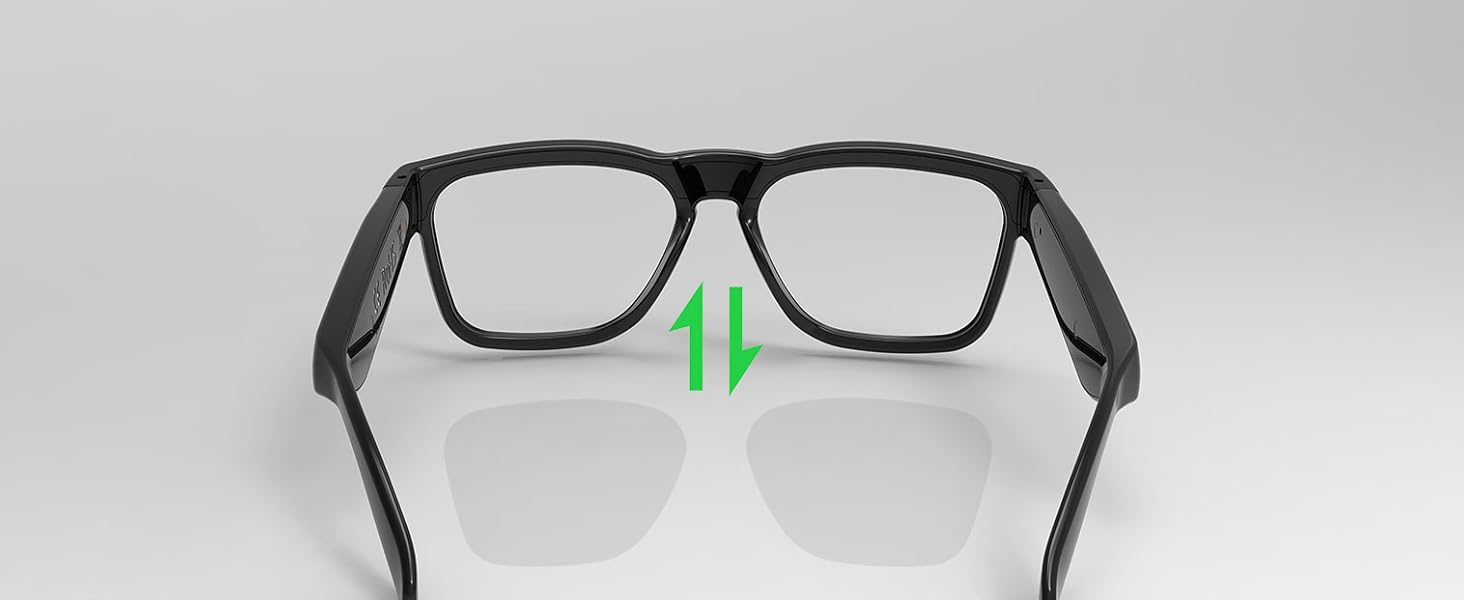
Image: A visual guide demonstrating the process of removing and inserting interchangeable lenses into the smart glasses frame.
4.7 Transitional Lens Functionality
The included transitional grey lenses automatically adapt to changing light conditions. They will darken when exposed to UV light outdoors and become lighter when indoors, providing continuous comfort and protection without needing to switch between different pairs of glasses.

Image: The smart glasses demonstrating the transitional lens feature, showing the lenses changing from clear to dark in response to light.
5. Maintenance
5.1 Cleaning
- Use the provided soft cleaning cloth to gently wipe the lenses and frame.
- For stubborn smudges, use a lens cleaning spray specifically designed for eyewear. Avoid harsh chemicals or abrasive materials.
- The lenses are designed with anti-smudge and anti-scratch properties, but proper care is still recommended to maintain their quality.
5.2 Water Resistance
The OhO Smart Glasses A8 Pro are water-resistant, suitable for light rain or sweat. They are not designed for swimming or heavy water exposure. Avoid submerging the glasses in water.
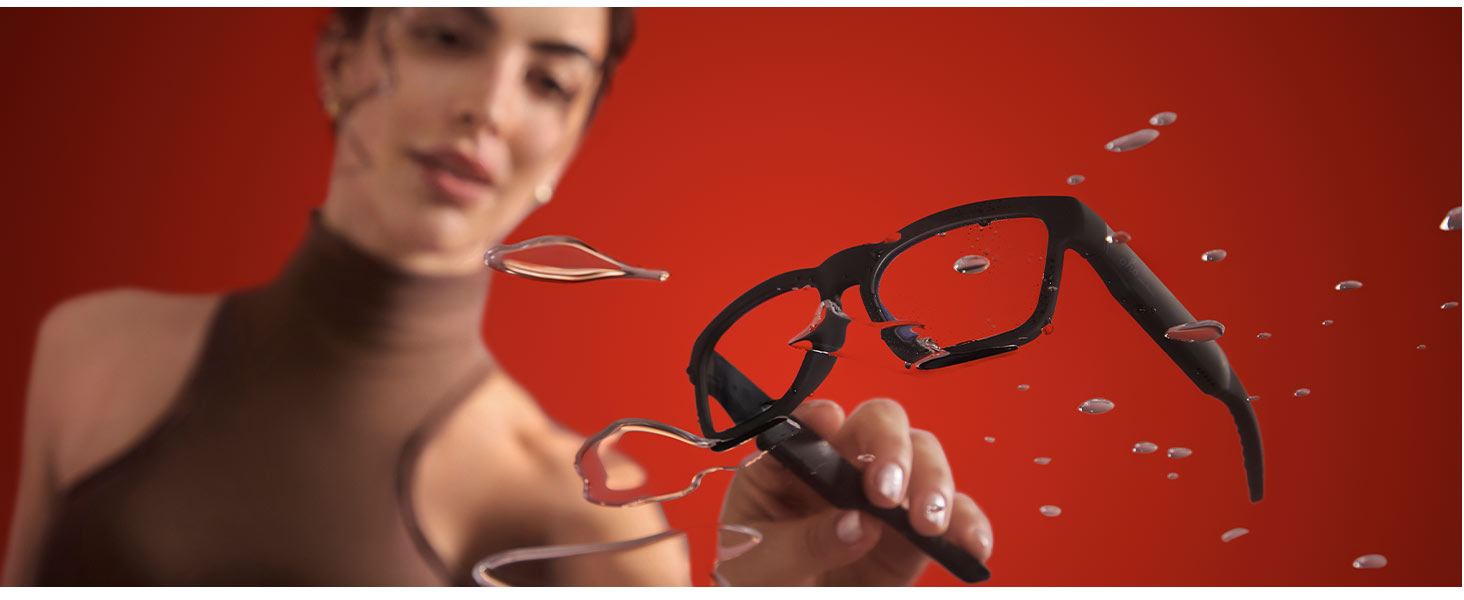
Image: The smart glasses with water droplets on the frame, illustrating their water-resistant design.
6. Troubleshooting
- No Power: Ensure the glasses are fully charged. Connect to the USB-C charger and check the LED indicator.
- Cannot Pair Bluetooth: Make sure Bluetooth is enabled on your device and the glasses are in pairing mode (flashing LED). Try turning both devices off and on again. Ensure the glasses are not already connected to another device.
- No Sound/Low Volume: Check the volume levels on both the glasses and your connected device. Ensure the glasses are properly positioned on your head for optimal open-ear audio.
- Voice Assistant Not Responding: Confirm that your device's voice assistant is enabled and that the glasses are properly connected via Bluetooth. Double-press the multi-function button firmly.
- Lenses Not Changing Tint: Ensure the glasses are exposed to sufficient UV light for the transitional lenses to activate. This feature works best in direct sunlight.
7. Specifications
| Product Dimensions | 6.3 x 5.71 x 1.85 inches |
| Item Weight | 1.2 ounces |
| Item Model Number | a8 pro |
| Batteries | 1 Lithium Metal batteries required (included) |
| Wireless Communication | Bluetooth |
| Special Features | Voice Control, Open-Ear Speaker, Transitional Lenses, UV Protection |
| Manufacturer | OhO sunshine |
| First Available | October 10, 2023 |

Image: A technical diagram illustrating the precise dimensions of the OhO Smart Glasses A8 Pro.
8. Warranty & Support
For warranty information and customer support, please refer to the documentation included with your product or visit the official OhO sunshine website. You may also contact the seller directly for assistance.


