
1. Introduction
Thank you for choosing the August EPG500 Wireless Bluetooth 5.0 Gaming Earbuds. These earbuds are designed to provide an immersive audio experience with features tailored for gaming, including low latency, clear communication through dual microphones, and extended battery life. This manual will guide you through the setup, operation, and maintenance of your new earbuds.
2. Package Contents
Please check the box for the following items:
- August EPG500 Wireless Earbuds (Left and Right)
- Charging Case
- USB-C Charging Cable
- Multiple Sizes of Eartips (S, M, L)
- Quick Start Guide

Image: All items included in the August EPG500 product box.
3. Product Overview
The August EPG500 earbuds feature a sleek design with intuitive touch controls and integrated microphones for clear audio input. The accompanying charging case not only protects your earbuds but also provides additional battery life.
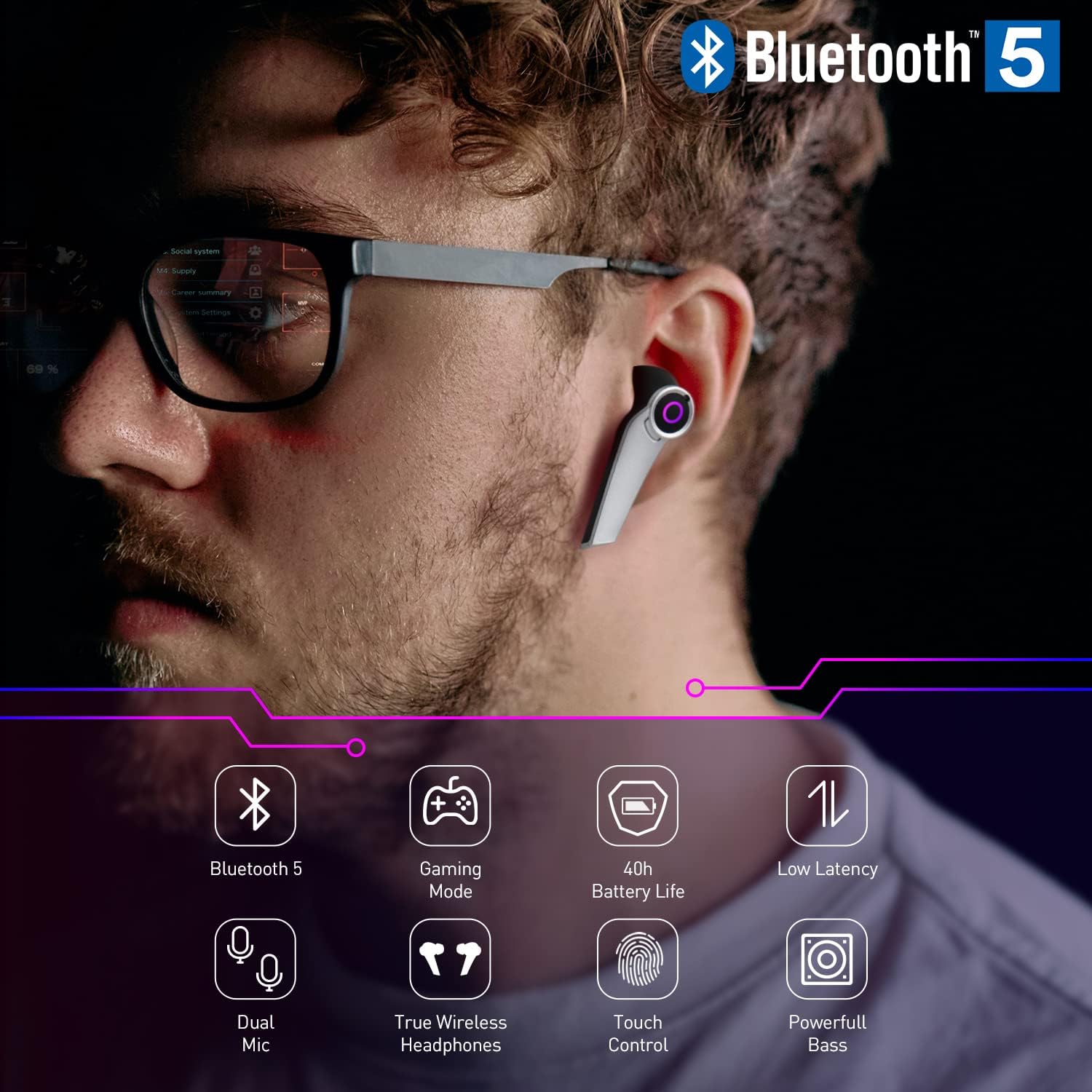
Image: August EPG500 earbud worn in ear, demonstrating its design and Bluetooth 5.0 capability.
Key Features:
- Bluetooth 5.0: For stable and efficient wireless connection.
- Gaming Mode: Low latency audio for synchronized sound and visuals.
- Dual Microphones: Enhanced voice clarity with environmental noise cancellation (ENC).
- Touch Control: Manage playback, calls, and modes directly from the earbuds.
- USB-C Charging Case: Provides up to 40 hours of total battery life.
- IPX4 Water Resistance: Resistant to splashes and sweat.
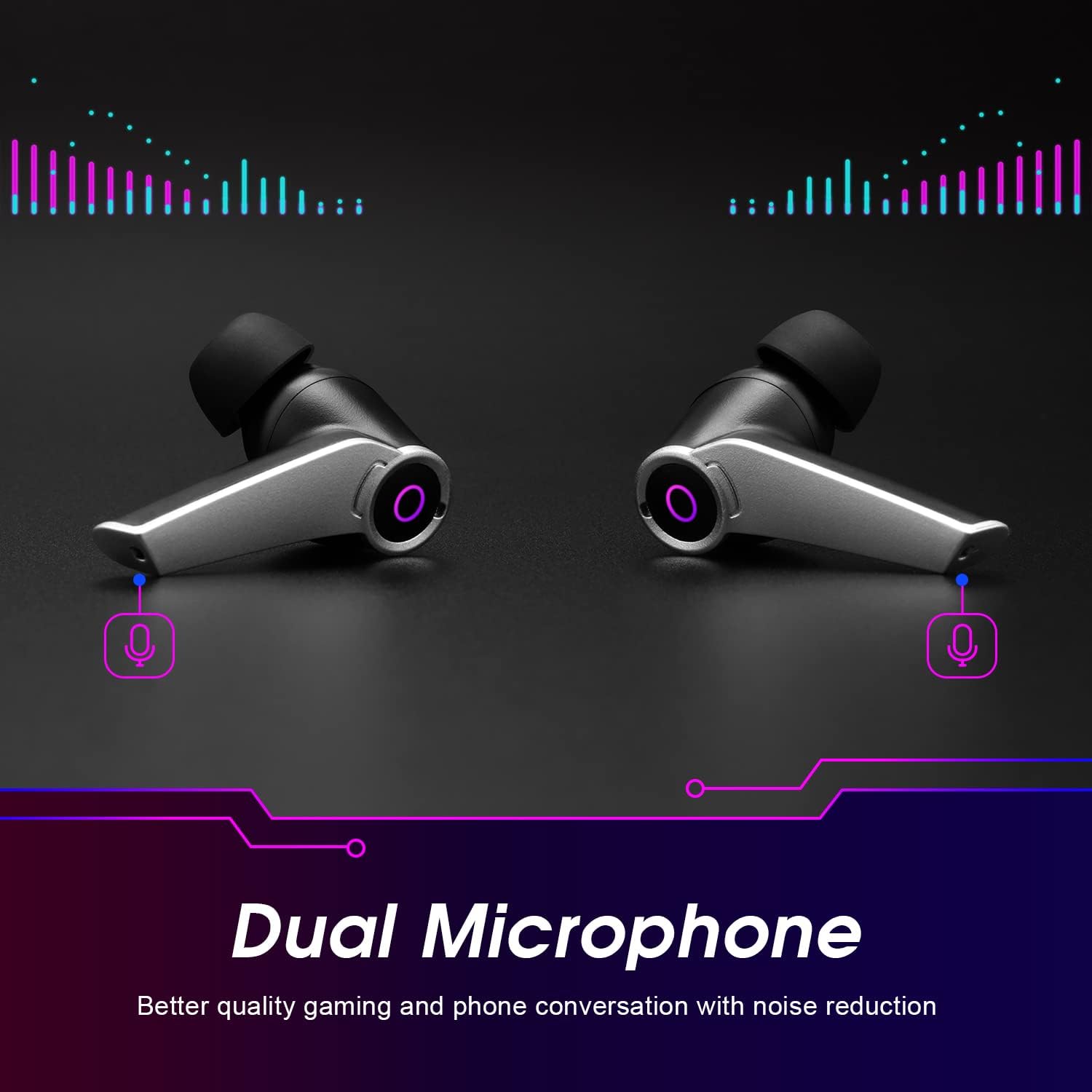
Image: Detailed view of the dual microphones on the August EPG500 earbuds.
4. Setup
4.1 Charging the Earbuds and Case
Before first use, fully charge the earbuds and the charging case. Place the earbuds into the charging case. Connect the USB-C charging cable to the port on the back of the case and plug the other end into a USB power source (e.g., computer, wall adapter).
- The charging case takes approximately 1.5 hours to fully charge.
- The earbuds will charge automatically when placed in the case.
- The LED indicator on the case will show charging status.

Image: The August EPG500 charging case being charged via USB-C.
4.2 Bluetooth Pairing
To connect your earbuds to a device:
- Ensure the earbuds are charged. Open the charging case; the earbuds will automatically power on and enter pairing mode.
- On your device (smartphone, tablet, PC), enable Bluetooth and search for new devices.
- Select "August EPG500" from the list of available devices.
- Once connected, the earbuds will indicate successful pairing (e.g., a voice prompt or LED change).
The earbuds will automatically reconnect to the last paired device when taken out of the case, if Bluetooth is enabled on the device.
5. Operating Instructions
5.1 Power On/Off
- Power On: Open the charging case, and the earbuds will power on automatically.
- Power Off: Place the earbuds back into the charging case and close the lid. They will power off and begin charging.
5.2 Touch Controls
The EPG500 earbuds feature touch-sensitive areas for easy control:
| Action | Left Earbud | Right Earbud |
|---|---|---|
| Play/Pause | Single Tap | Single Tap |
| Next Track | Double Tap | Double Tap |
| Previous Track | Triple Tap | Triple Tap |
| Answer/End Call | Single Tap | Single Tap |
| Reject Call | Long Press (2s) | Long Press (2s) |
| Activate Voice Assistant (Siri/Google Assistant) | Long Press (2s) | Long Press (2s) |
| Switch Gaming/Music Mode | Quadruple Tap | Quadruple Tap |

Image: Visual representation of touch control functions on the earbuds.
5.3 Gaming Mode
The EPG500 features a dedicated Gaming Mode to minimize audio latency, ensuring that sound effects and dialogue are perfectly synchronized with on-screen action. This mode is ideal for competitive gaming.
- Activate Gaming Mode: Quadruple tap either earbud.
- Deactivate Gaming Mode: Quadruple tap either earbud again to return to standard music mode.

Image: Earbuds and smartphone demonstrating Gaming Mode with low latency.
6. Maintenance
6.1 Cleaning
Regular cleaning helps maintain optimal performance and hygiene:
- Gently wipe the earbuds and charging case with a soft, dry, lint-free cloth.
- Remove eartips and clean them with mild soap and water, then dry thoroughly before reattaching.
- Do not use abrasive cleaners or solvents.
6.2 Storage
When not in use, store the earbuds in their charging case to protect them and keep them charged.
6.3 Water Resistance (IPX4)
The EPG500 earbuds are rated IPX4, meaning they are resistant to splashing water from any direction. This makes them suitable for workouts and light rain. However, they are not designed for submersion in water or exposure to pressurized water jets.
7. Troubleshooting
If you encounter issues with your August EPG500 earbuds, please refer to the following common solutions:
- No Sound/Poor Sound Quality:
- Ensure earbuds are fully charged.
- Check Bluetooth connection and ensure volume is up on both the earbuds and your device.
- Try re-pairing the earbuds with your device.
- Clean any debris from the earbud speakers.
- Earbuds Not Pairing:
- Ensure both earbuds are out of the case and in pairing mode.
- Turn off Bluetooth on other nearby devices to avoid interference.
- Forget the device in your phone's Bluetooth settings and try pairing again.
- Low Latency Not Working:
- Ensure Gaming Mode is activated (quadruple tap either earbud).
- Check for any software updates on your connected device that might affect Bluetooth performance.
- Charging Issues:
- Verify the USB-C cable and power adapter are working correctly.
- Ensure the charging contacts on the earbuds and inside the case are clean and free of debris.
7.1 Factory Reset
If problems persist, a factory reset may resolve them. Refer to the quick start guide or the official August support website for specific reset instructions for the EPG500 model.
8. Specifications
| Feature | Specification |
|---|---|
| Model Number | EPG500 |
| Connectivity Technology | Wireless (Bluetooth 5.0) |
| Wireless Communication Technology | Bluetooth |
| Charging Time | 1.5 hours |
| Total Battery Life (with case) | Up to 40 hours |
| Battery Composition | Lithium-polymer |
| Water Resistance Level | IPX4 (Splash-proof) |
| Microphone Technology | Stereo with Environmental Noise Cancellation (ENC) |
| Control Type | Touch Control |
| Weight | 47 Grams |
| Impedance | 16 Ohms |
| Frequency Response | 20 Hz |
| Sensitivity | 110 dB |
| Charging Port | USB-C |
| Compatible Devices | Mobile, tablet, PC, gaming consoles, smartphones |
9. Safety Information
Please read and follow these safety guidelines to prevent damage or injury:
- Do not expose the earbuds or charging case to extreme temperatures, direct sunlight, or fire.
- Avoid listening at high volumes for extended periods to prevent hearing damage.
- Keep out of reach of children and pets.
- Do not attempt to disassemble or modify the product.
- Dispose of the product and its battery responsibly according to local regulations.
10. Warranty and Support
August products are designed for reliability and performance. For warranty information or technical support, please visit the official August website or contact your retailer. Our support team is available to assist with any queries or issues you may have.
For further assistance, please refer to the contact information provided in your quick start guide or on the August brand store page.


