
5Rcom MT2005
User Manual for 5Rcom Rolling TV Stand
Model: MT2005 | Brand: 5Rcom
Introduction
The 5Rcom Rolling TV Stand is designed to provide a versatile and stable solution for displaying your television. This mobile TV cart supports TVs from 23 to 65 inches, with a maximum load capacity of 88 lbs. It features height adjustment, tilt functionality, and 360° lockable wheels for easy mobility and secure positioning. The stand also includes integrated cable management and a low-profile X-shaped base for optimizing space.

Image: The 5Rcom Rolling TV Stand, featuring a television mounted on its adjustable pole and a stable X-shaped base with wheels.
Safety Information
Please read all instructions carefully before assembly and use. Failure to follow these instructions may result in property damage, serious injury, or death. If you have any questions, please contact customer support.
- Do not exceed the maximum weight capacity of 88 lbs (40 kg).
- Ensure your TV's VESA pattern is compatible with the stand (100x100mm to 400x400mm).
- Always ensure all screws and connections are securely tightened before use.
- Do not attempt to move the stand with a TV attached over uneven surfaces or obstacles.
- Lock the wheels when the stand is in its desired position to prevent accidental movement.
- Keep children and pets away from the stand during assembly and adjustment.
- Use caution when adjusting height or tilt to avoid pinching or dropping the TV.
Package Contents
Verify that all components are present and undamaged before beginning assembly. If any parts are missing or damaged, do not proceed with assembly and contact customer support.
- Main Support Pole
- X-shaped Base
- Lockable Wheels (4x)
- TV Mounting Brackets
- Accessory Shelf (optional)
- Roku/Apple TV Mount (optional)
- Hardware Kit (various screws, washers, spacers)
- Cable Management Clips/Straps
- Assembly Tools (e.g., Allen wrench)
Assembly Instructions
Follow these steps carefully to assemble your 5Rcom Rolling TV Stand. It is recommended to have two people for certain steps, especially when mounting the TV.
- Attach Wheels to Base: Securely attach the four lockable wheels to the X-shaped base using the provided hardware. Ensure they are tightened to prevent wobbling.

Image: The 360° rotating lockable wheels, designed for silent and smooth movement without scratching floors.
- Assemble Main Pole: Connect the main support pole sections if they are separate. Attach the assembled pole to the center of the X-shaped base.
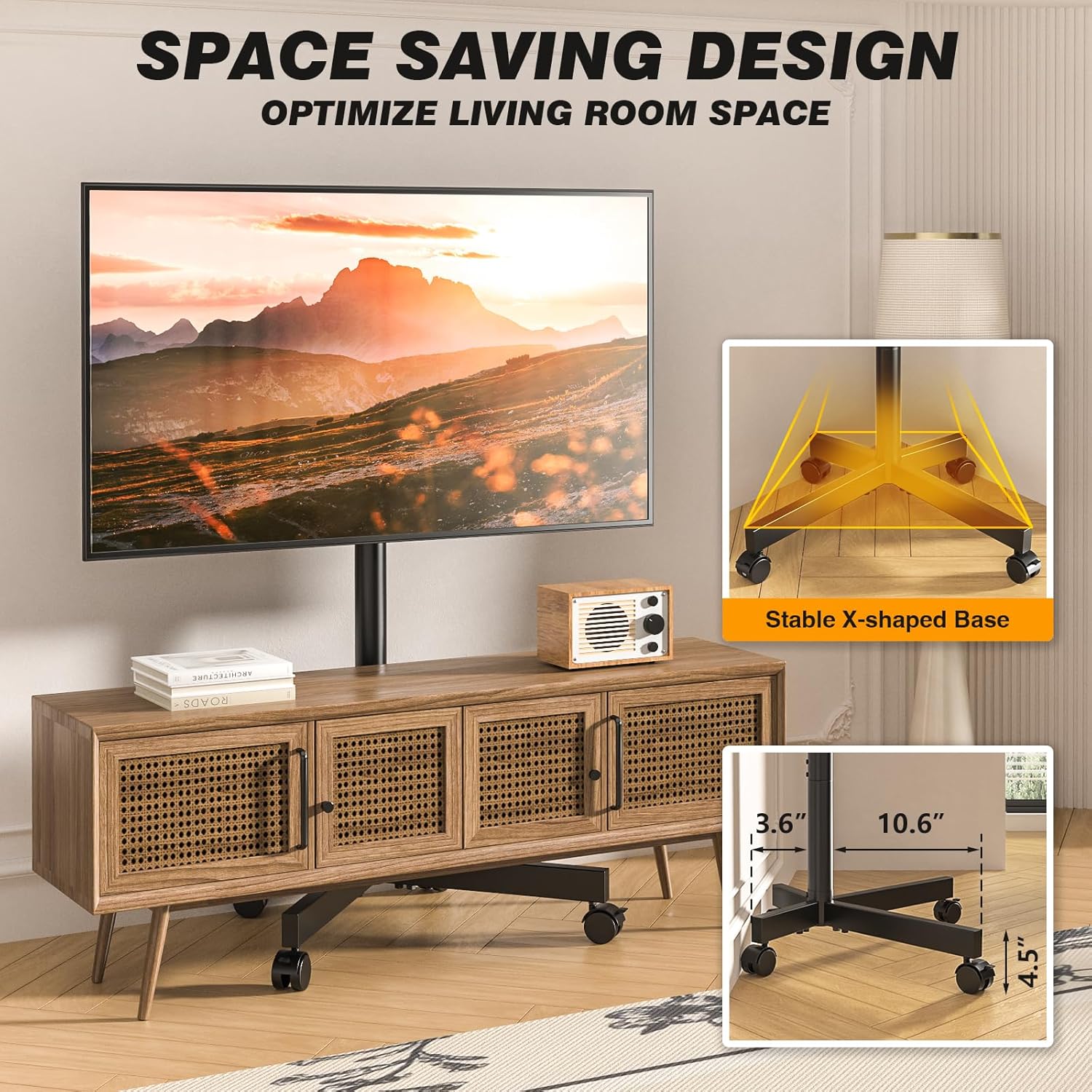
Image: The stable X-shaped base, illustrating its compact design suitable for various spaces.
- Install TV Mounting Brackets: Attach the vertical TV mounting brackets to the back of your television using the appropriate screws and spacers from the hardware kit. Refer to your TV's manual for VESA compatibility and screw length.
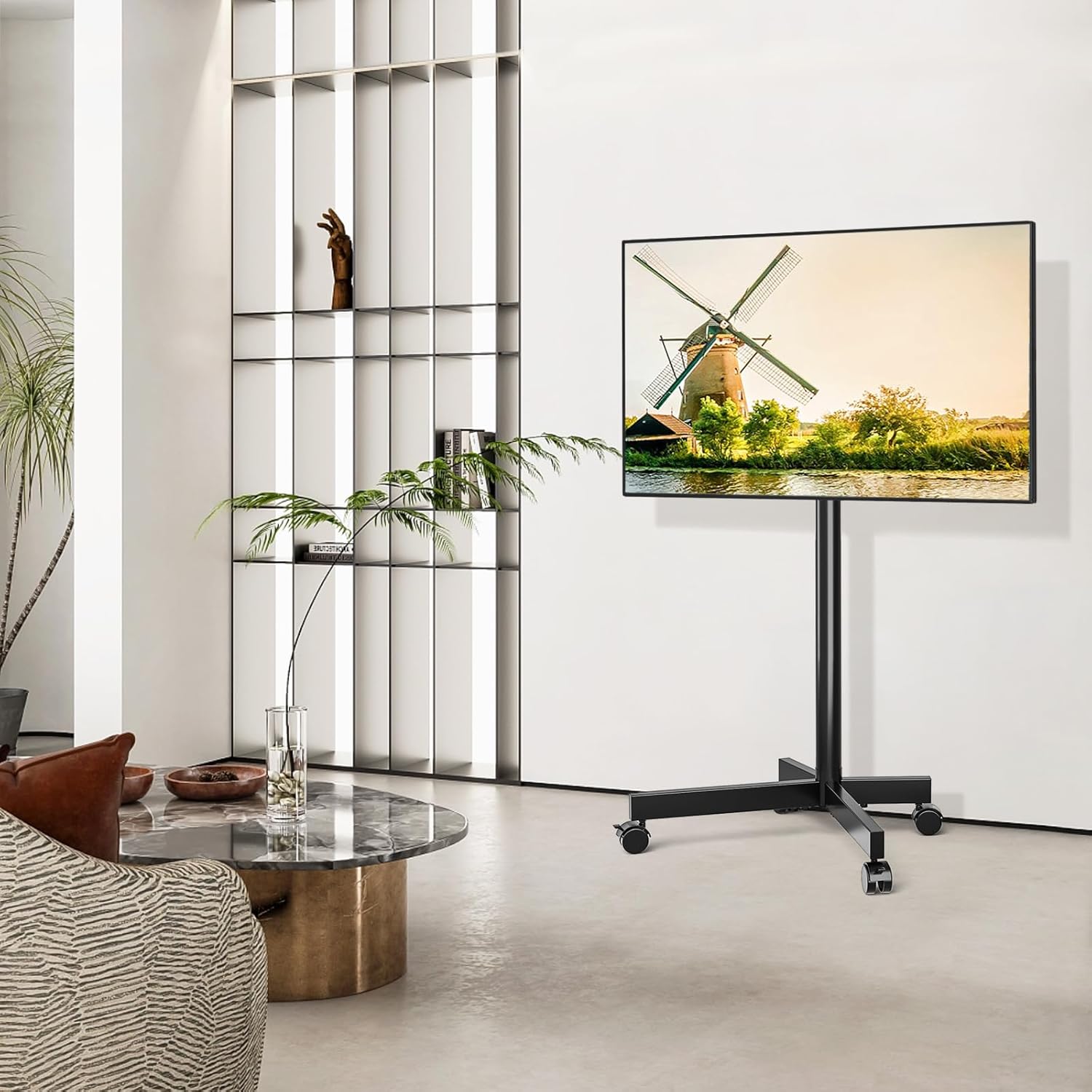
Image: VESA compatibility chart and included screw assortment for attaching TV mounting brackets.
- Mount TV to Stand: Carefully lift the TV with the attached brackets and hook them onto the main support pole's mounting plate. Ensure the TV is centered and level. Secure the TV using the safety lock mechanism on the stand.
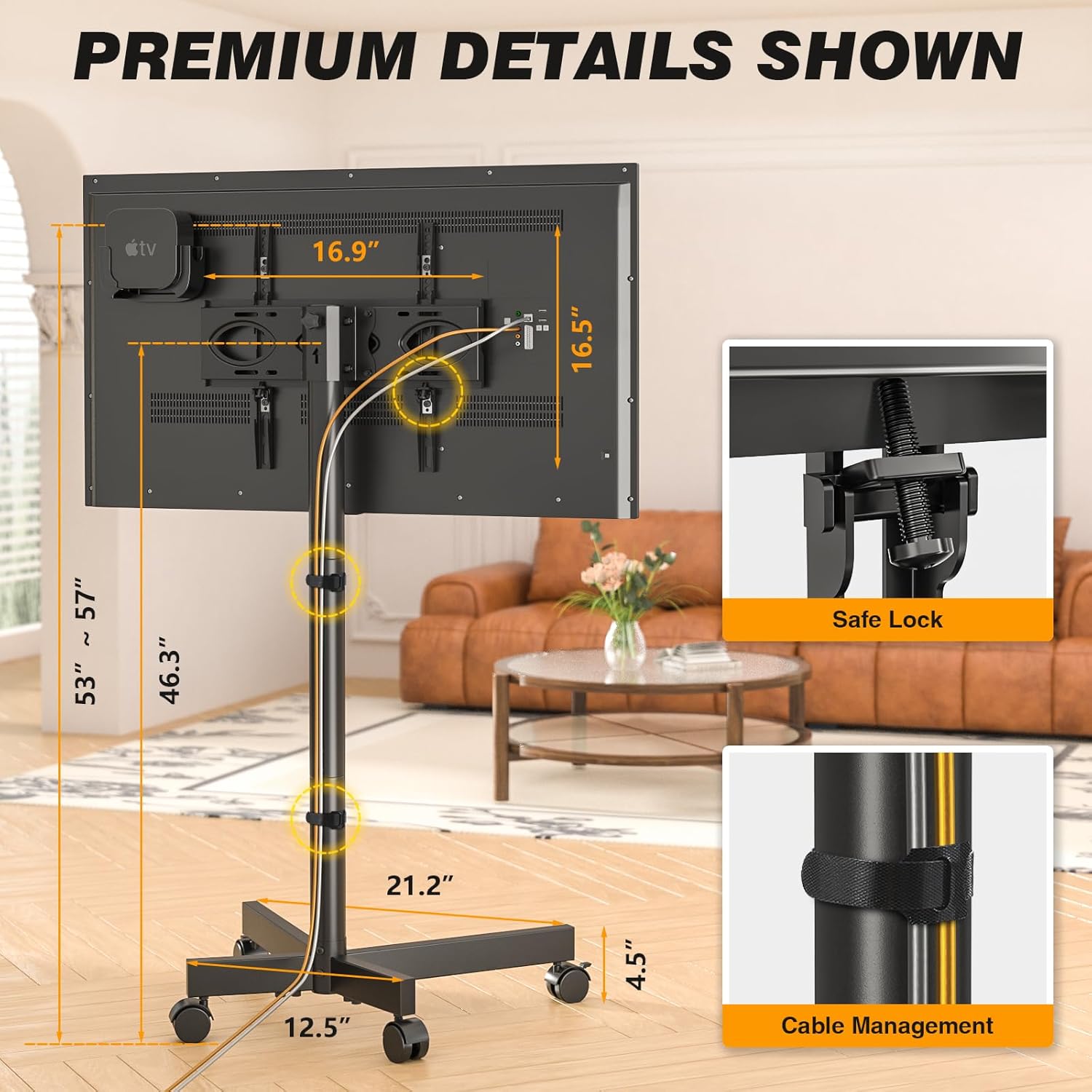
Image: Close-up of the safety lock feature and cable management solution on the TV stand.
- Attach Accessory Shelf and Roku/Apple TV Mount (Optional): If desired, attach the accessory shelf and the Roku/Apple TV mount to the main pole at your preferred height.

Image: The dedicated mount for Roku Ultra or Apple TV, designed to keep streaming devices neatly behind the television.
- Cable Management: Use the provided cable management clips or straps to neatly route and secure all cables along the main support pole.
Assembly and Feature Overview Video
Video: An official demonstration of the 5Rcom Rolling TV Stand, showcasing its assembly process, adjustable features, and mobility.
Operating Instructions
- Adjusting Height: The TV stand offers 3 levels of height adjustment, ranging from 53 to 57 inches. To adjust, loosen the height adjustment screws on the main pole, slide the TV to the desired height, and re-tighten the screws securely.

Image: Visual representation of the TV stand's adjustable height and tilt features, allowing for optimal viewing angles.
- Tilting the TV: The TV mount allows for a tilt range of -2° to +5°. This feature helps reduce glare and optimize viewing angles. Loosen the tilt knobs on the side of the TV mounting plate, adjust the TV to the desired angle, and then firmly tighten the knobs.
- Moving the Stand: To move the TV stand, unlock all four wheels by flipping their locking levers. Gently push or pull the stand to its new location. Once in position, lock all wheels to ensure stability. The silent, anti-scratch wheels are designed for smooth movement across various floor types.
Maintenance
- Cleaning: Wipe the stand with a soft, damp cloth. Avoid using abrasive cleaners or solvents that could damage the finish.
- Inspections: Periodically check all screws and connections to ensure they remain tight and secure. Re-tighten if necessary.
- Wheel Care: Keep the wheels free of debris (hair, dust, etc.) to ensure smooth rolling.
Troubleshooting
| Problem | Possible Cause | Solution |
|---|---|---|
| Stand is wobbly/unstable. | Loose connections; uneven floor; TV too heavy or large. | Ensure all screws are tightened. Move to a level surface. Verify TV weight and size are within limits. |
| Wheels not rolling smoothly. | Wheels locked; debris in wheels. | Unlock all wheels. Clean any debris from the wheel casters. |
| Cannot adjust TV height or tilt. | Adjustment knobs/screws are too tight. | Loosen the respective knobs/screws before attempting adjustment. Re-tighten after adjustment. |
| TV does not fit the mount. | Incorrect VESA pattern; TV too large/heavy. | Verify your TV's VESA pattern matches the stand's compatibility (100x100mm to 400x400mm). Check TV weight and size against specifications. |
Specifications
- Model: MT2005
- Brand: 5Rcom
- Material: Metal
- Color: Black
- Item Weight: 15.38 pounds
- Product Dimensions: 21.2 x 16.1 x 56.6 inches
- Compatible TV Sizes: 23 - 65 Inches
- Maximum Load Capacity: 88 lbs (40 kg)
- VESA Compatibility: 100x100mm to 400x400mm
- Height Adjustment: 3 levels (approx. 53 to 57 inches)
- Tilt Angle: -2° to +5°
- Movement Type: Tilt, Rolling
- Mounting Type: Floor Mount
- Country of Origin: China
Warranty & Support
5Rcom products are manufactured with quality and performance in mind. For information regarding warranty coverage, product support, or to purchase replacement parts, please visit the official 5Rcom website or contact their customer service department.
For further assistance, please refer to the contact information provided on the product packaging or the official 5Rcom brand store on Amazon:
Related documentsMT2005

Ask a question about this manual
Ask about setup, troubleshooting, compatibility, parts, safety, or missing instructions. Manuals+ will review the question and use this page’s manual context to help answer it.