
1. Introduction
Welcome to the INTEX PureSpa Bubble Massage Spa Set. This manual provides essential information for the safe and efficient setup, operation, and maintenance of your inflatable hot tub. Please read all instructions carefully before use.

Image: INTEX PureSpa Bubble Massage Spa with two people enjoying it, highlighting 4-person capacity, 77x28 inch dimensions, and 210 gallon water capacity.
The PureSpa Bubble Massage Spa is designed for relaxation and comfort, featuring innovative Fiber-Tech Technology for structural stability and a built-in Hard Water Treatment System for gentler water. It includes a push-button control panel and an energy-efficient spa cover.
2. Safety Information
WARNING: Always follow the chemical manufacturer's directions and health and hazard warnings when using chemicals. This product is not for use in freezing or extremely cold temperatures. Ensure proper electrical connections and grounding. Do not use extension cords.
This product may contain chemicals known to the State of California to cause cancer and birth defects or other reproductive harm. For more information, visit www.P65Warnings.ca.gov.
3. Key Features
- Fiber-Tech Beam Construction: Provides superior structural stability and a comfortable surface.
- Hard Water Treatment System: Makes water gentler on skin and extends spa system life by reducing mineral buildup.
- Heated Air Bubble Technology: Positive Temperature Coefficient (PTC) heater maximizes heat transfer safely and efficiently.
- Energy Efficient Spa Cover: High-density thermal-resistant foam insulation minimizes heat loss, improving energy efficiency by up to 50%.
- 120 High-Powered Bubble Jets: For a relaxing massage experience.
- Push Button Control Panel: Easy-to-use interface for adjusting temperature and activating features.

Image: Diagram illustrating the key features of the INTEX PureSpa, including bubble jets, spa cover, control panel, inflation system, and carry bag.
4. Setup Instructions
4.1 Unpacking and Placement
Carefully unpack all components from the box. Choose a flat, stable, and clean surface for your spa. Ensure the area is free from sharp objects. Lay out the included ground cloth to protect the bottom of the spa.

Image: A person connecting the FastFill Inflation System hose to the spa for inflation, demonstrating the ease of setup.
4.2 Inflation
- Connect the inflation hose from the control unit to the spa's inflation valve.
- Press the inflation button on the control panel. The spa will inflate automatically.
- Once fully inflated (approximately 5 minutes), disconnect the hose and securely close the valve.
- Inflate the energy-efficient spa cover using the same method.
4.3 Connecting the Control Unit
Connect the three hoses from the spa to the corresponding ports on the control unit. Ensure all connections are hand-tightened only to prevent damage and ensure a watertight seal. Do not use tools for tightening.
4.4 Filling the Spa
Fill the spa with water using a garden hose until the water level is between the minimum and maximum fill lines indicated on the spa's interior. This typically takes 1 to 1.5 hours.
5. Operating the Spa
5.1 Control Panel Overview

Image: Close-up of the INTEX PureSpa Touch Button Control Panel, showing the digital display and buttons for power, bubbles, heating, and temperature adjustment.
The control panel features a digital display and various buttons for easy operation:
- Power Button: Turns the spa on/off.
- Temperature Adjustment Buttons (Up/Down Arrows): Adjust the desired water temperature (68-104°F / 20-40°C).
- Heater Button (Flame Icon): Activates the heating system. The PTC heater will maintain the set temperature.
- Bubble Massage Button (Bubbles Icon): Activates the 120 high-powered bubble jets.
- Filter Button (Filter Icon): Controls the water filtration cycle (e.g., 2, 4, 6 hours, or off).
- Celsius/Fahrenheit Button (C/F Icon): Switches between temperature units.
5.2 Heating the Water
After filling the spa, ensure the energy-efficient cover is in place to minimize heat loss. Press the Heater Button on the control panel and set your desired temperature. The spa will gradually heat the water. Heating time varies based on ambient temperature and initial water temperature, typically taking 12-24 hours to reach maximum temperature from cold fill.
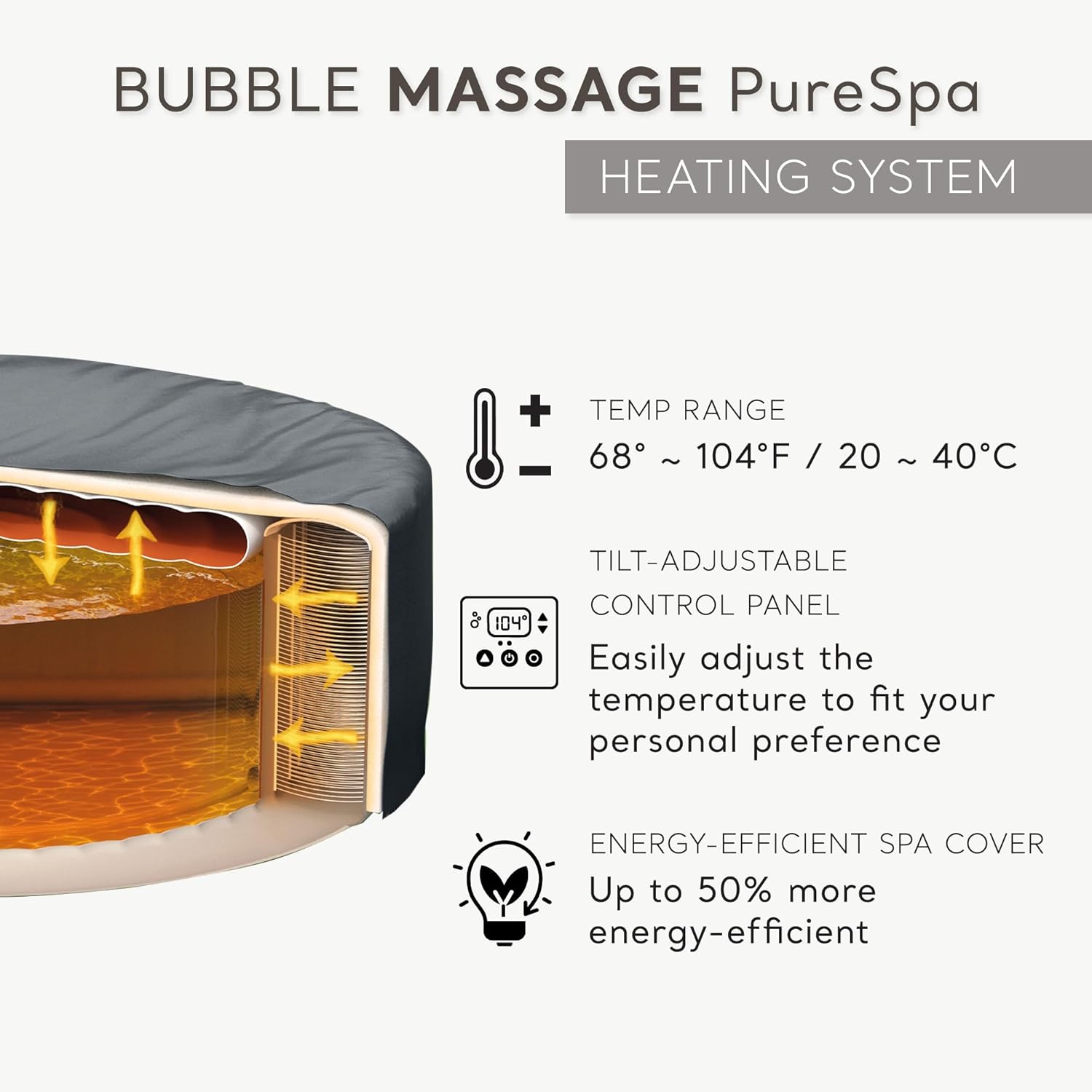
Image: Diagram explaining the PureSpa heating system, showing the temperature range, control panel features, and the energy efficiency of the spa cover.
5.3 Using the Bubble Massage
Press the Bubble Massage Button to activate the 120 air jets. Note that using the bubble massage feature, especially in colder temperatures, may cause a slight decrease in water temperature as it pulls in ambient air.
6. Maintenance
6.1 Water Chemistry and Treatment
Regularly test your spa water using test strips to ensure proper chemical balance. The built-in Hard Water Treatment System helps reduce calcium buildup, but additional chemical treatment may be necessary. Refer to the included spa water chemistry and balance charts for guidance on adjusting pH, alkalinity, and hardness.
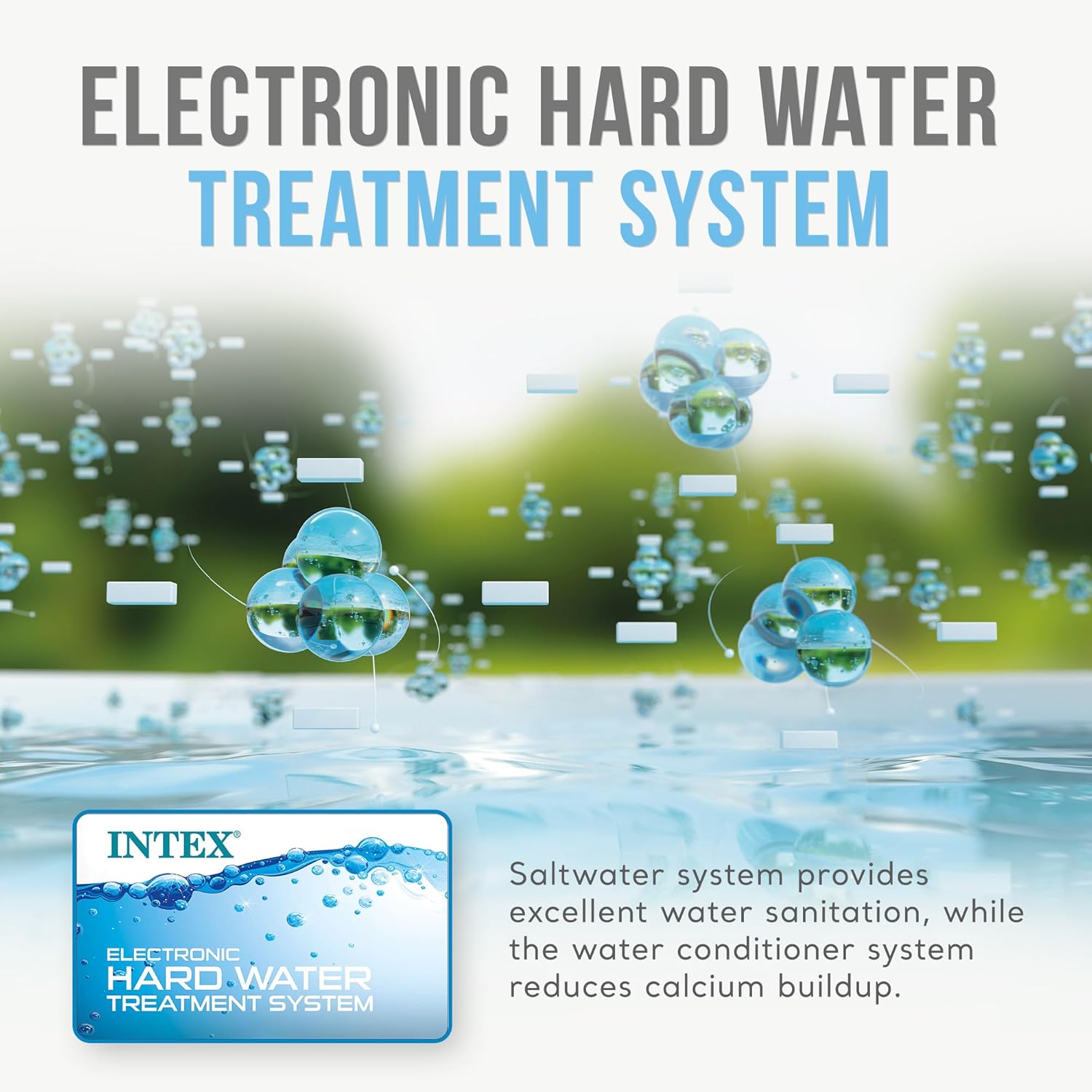
Image: Illustration demonstrating the Electronic Hard Water Treatment System, explaining its function in reducing calcium buildup for improved water quality.
6.2 Filter Cartridge Care
The spa uses a filter cartridge to keep the water clean. Regularly clean and replace the filter cartridge as recommended in the full user manual to maintain optimal water quality and pump efficiency.
6.3 Energy Efficient Cover
Always use the energy-efficient spa cover when the spa is not in use. This cover significantly reduces heat loss and helps maintain water temperature, leading to energy savings.

Image: Cross-section diagram illustrating the thermal insulation of the Energy-Efficient Spa Cover, highlighting its role in minimizing heat loss and improving energy efficiency.
7. Troubleshooting
7.1 Common Issues
- E90 Error Code: This error often indicates a flow issue or a problem with the heating element. Ensure the filter cartridge is clean and properly installed, and check for any obstructions in the water circulation system. Consult the full user manual for detailed E90 troubleshooting steps.
- Water Not Heating: Verify the heater button is activated and the desired temperature is set. Ensure the spa cover is securely in place. Check the filter for clogs.
- Bubbles Not Working: Ensure the bubble massage button is pressed and the air blower is functioning. Check for any blockages in the air jet system.
8. Specifications

Image: Diagram illustrating the dimensions of the 4-person INTEX PureSpa, including inner and outer diameters, height, and total length with the filter unit.
| Feature | Detail |
|---|---|
| Brand | Intex |
| Model Number | 28425EP |
| Capacity | 4 People |
| Outer Dimensions | 77"L x 77"W x 28"H |
| Inner Dimensions | 57" x 28" |
| Water Capacity | 210 Gallons |
| Water Temperature Range | 68-104 degrees Fahrenheit (20-40 degrees Celsius) |
| Number of Jets | 120 |
| Material | Polyvinyl Chloride (PVC) |
| Power Source | Corded Electric (120 Volts AC) |
| Item Weight | 112.4 Pounds |
9. Warranty and Support
For warranty information, technical support, or to order replacement parts, please refer to the contact details provided in your product packaging or visit the official Intex website. Keep your purchase receipt for warranty claims.


