
Introduction
This manual provides instructions for the ALLIMITY N2QAYC000046 Replacement Remote Control. This remote is designed to operate various Panasonic Home Theater Audio Systems, including models such as SC-HTB15, SU-HTB15, SC-HTB15EG, SC-HTB15EB, SC-HTB15GN, SU-HTB15EB-K, and SC-HTB520. Please read this manual thoroughly before using the remote control to ensure proper operation and longevity.
Setup
1. Battery Installation
The remote control requires 1 AAA battery (not included) for operation.
- Locate the battery compartment cover on the back of the remote control.
- Slide the cover downwards or press the latch (if present) to open the compartment.
- Insert 1 AAA battery, ensuring the positive (+) and negative (-) terminals align correctly with the markings inside the compartment.
- Replace the battery compartment cover by sliding it back into place until it clicks securely.
2. Initial Use
This remote control operates using infrared (IR) technology. No programming is typically required. Once batteries are installed, the remote is ready for use with compatible Panasonic Home Theater Audio Systems.
Operating Instructions
To operate your home theater system, point the remote control directly towards the infrared sensor on your Panasonic unit. Ensure there are no obstacles blocking the line of sight between the remote and the unit.
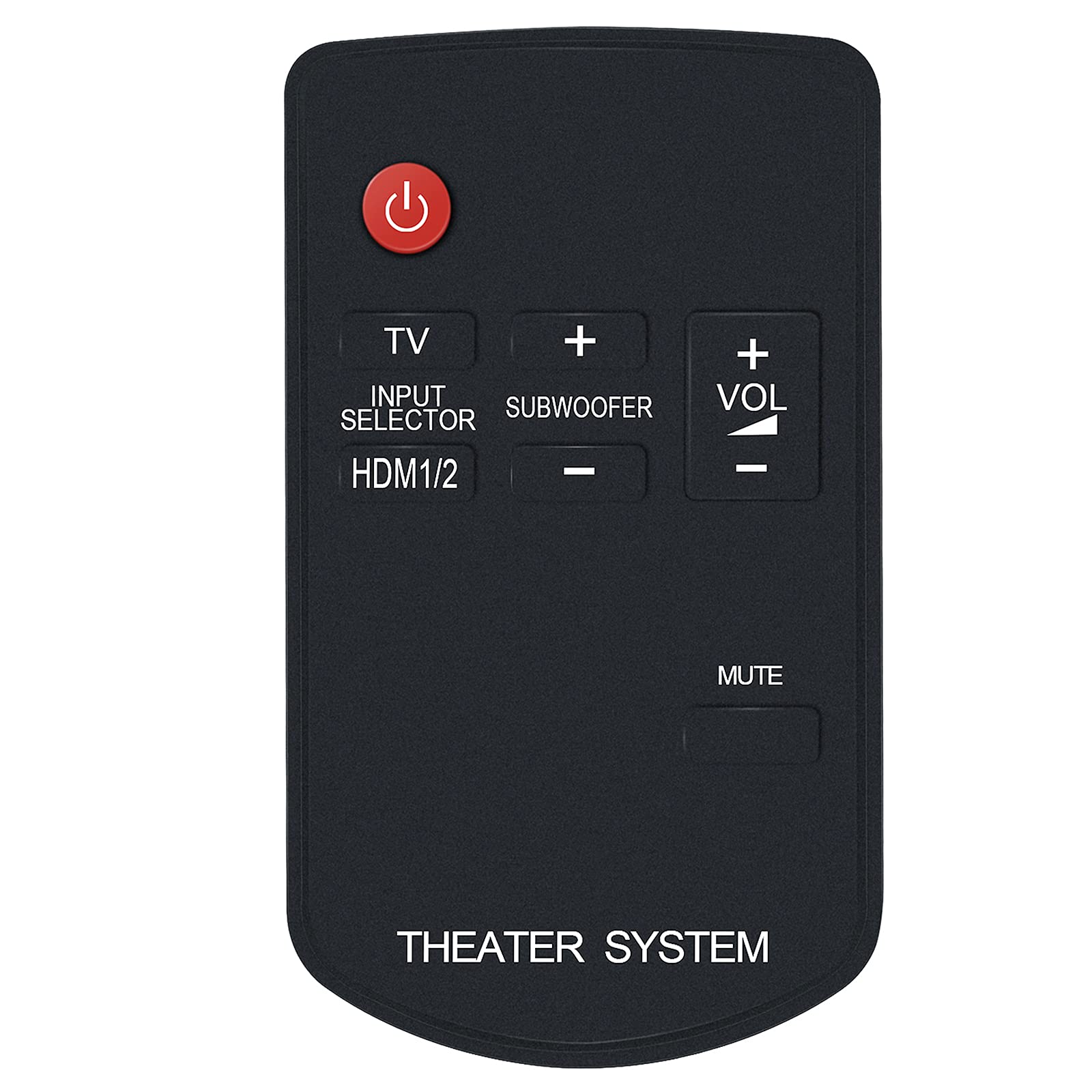
Figure 1: Front view of the N2QAYC000046 Remote Control. This image displays the layout of the buttons, including the red power button at the top, TV, Input Selector, HDMI1/2, Subwoofer controls, Volume up/down, and Mute. The bottom of the remote is labeled "THEATER SYSTEM".
Button Functions:
- Power Button (Red Circle): Turns the home theater system on or off.
- TV: Switches the input to the TV.
- INPUT SELECTOR / HDMI1/2: Cycles through available input sources, including HDMI 1 and HDMI 2.
- SUBWOOFER (+/-): Adjusts the subwoofer volume level.
- VOL (+/-): Increases or decreases the main volume level.
- MUTE: Mutes or unmutes the audio output.
Maintenance
1. Battery Replacement
Replace the battery when the remote control's response becomes sluggish or stops working. Follow the battery installation steps outlined in the "Setup" section.
2. Cleaning
To clean the remote control, wipe it with a soft, dry cloth. Do not use liquid cleaners, abrasive pads, or chemical solvents, as these can damage the remote's surface or internal components.
3. Storage
Store the remote control in a cool, dry place away from direct sunlight and extreme temperatures. If the remote will not be used for an extended period, it is recommended to remove the battery to prevent leakage.
Troubleshooting
- Remote control is not responding:
- Check if the battery is inserted correctly with the correct polarity.
- Replace the battery with a new one.
- Ensure there are no obstructions between the remote control and the home theater system's IR sensor.
- Make sure you are pointing the remote directly at the system's sensor.
- Specific functions are not working:
- Verify that your Panasonic Home Theater Audio System model is listed as compatible in the "Introduction" section.
- Some functions may be specific to certain system models.
- Remote received does not work with your TV model:
- This remote is specifically designed for Panasonic Home Theater Audio Systems. If you are attempting to control a TV and it is not responding, ensure your TV is compatible or that the remote has a dedicated TV control function (like the 'TV' button) that is properly configured for your TV model. If issues persist, contact customer support.
Specifications
| Model Number | N2QAYC000046 |
| Brand | ALLIMITY |
| Compatible Devices | Panasonic Home Theater Audio Systems (e.g., SC-HTB15, SU-HTB15, SC-HTB15EG, SC-HTB15EB, SC-HTB15GN, SU-HTB15EB-K, SC-HTB520) |
| Wireless Technology | Infrared (IR) |
| Power Source | 1 x AAA Battery (not included) |
| Product Dimensions | 4 x 2 x 0.6 inches (approximately) |
| Item Weight | 0.704 ounces (approximately) |
| Color | Black |
| Special Feature | Ergonomic design |
Customer Support
If you encounter any issues with your ALLIMITY N2QAYC000046 Replacement Remote Control that are not resolved by the troubleshooting steps, or if your specific model is not listed, please contact the seller or manufacturer's customer service for assistance. Provide your product model number and a detailed description of the issue for prompt support.
The manufacturer is committed to resolving any issues you may experience with the product.
