
Introduction
Thank you for choosing the PrimeCables 48x24 Electric Adjustable Standing Desk. This manual provides essential information for the safe assembly, operation, and maintenance of your new desk. This desk is designed to offer an ergonomic workspace with features such as electric height adjustment, a durable glass tabletop, an integrated storage drawer, convenient USB charging ports, memory height presets, and an anti-collision system for enhanced safety.
Please read this manual thoroughly before assembly and use to ensure proper function and to maximize the lifespan of your product. Keep this manual for future reference.
Safety Information
WARNING: Failure to follow these safety instructions may result in injury or damage to the product.
- Always follow the assembly instructions carefully.
- Ensure the desk is properly assembled and all fasteners are tightened before use.
- Keep the cord management area clean and free of obstructions to prevent fire hazards.
- Do not use the desk if any parts are damaged or missing. Contact customer support for replacement parts.
- Keep children and pets away from the desk when it is in motion to prevent pinching or crushing injuries.
- Do not overload the desk. The maximum weight recommendation is 50 kg.
- Avoid placing liquids directly on the glass tabletop without coasters to prevent spills and potential damage to electronic components.
Package Contents
Your PrimeCables Electric Adjustable Standing Desk is typically shipped in two separate boxes. Please verify that all components are present and undamaged before beginning assembly. If any parts are missing or damaged, please contact customer support.
- Glass Tabletop with Integrated Control Panel and Drawer
- Desk Legs (2 units)
- Foot Pads (2 units)
- Crossbar/Frame Components
- Power Adapter and Cable
- Assembly Hardware (screws, washers, etc.)
- Instruction Manual
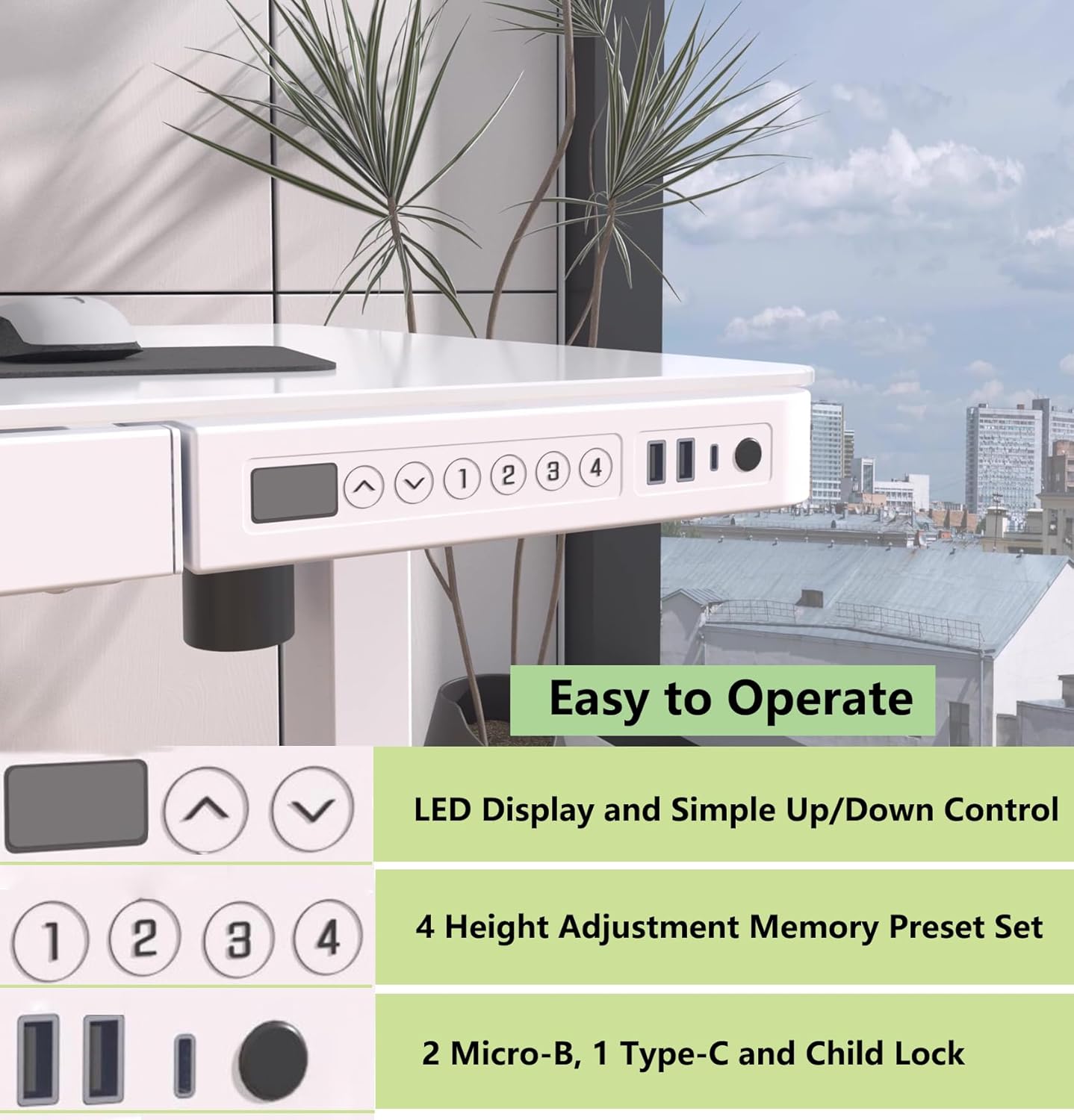
Image: The PrimeCables electric standing desk, showcasing its sleek design and components in a typical office environment.
Setup and Assembly
The PrimeCables Electric Adjustable Standing Desk is designed for a straightforward, 3-step assembly process that requires no specialized tools. Due to the weight of the components, especially the glass tabletop, it is recommended to have two people for lifting and positioning during assembly.
Assembly Steps:
- Unpack Components: Carefully remove all parts from the packaging. Place them on a soft, clean surface to prevent scratches, especially to the glass tabletop.
- Attach Legs to Tabletop: Position the tabletop upside down. Securely attach the desk legs to the designated mounting points on the underside of the tabletop using the provided hardware. Ensure all screws are tightened.
- Connect Power and Cables: Connect the power cable to the control box and then to a power outlet. Ensure all cables are neatly routed and secured to prevent interference with the desk's movement.
- Position the Desk: With assistance, carefully flip the desk upright and place it in your desired location. Ensure there is adequate clearance around the desk for height adjustments.
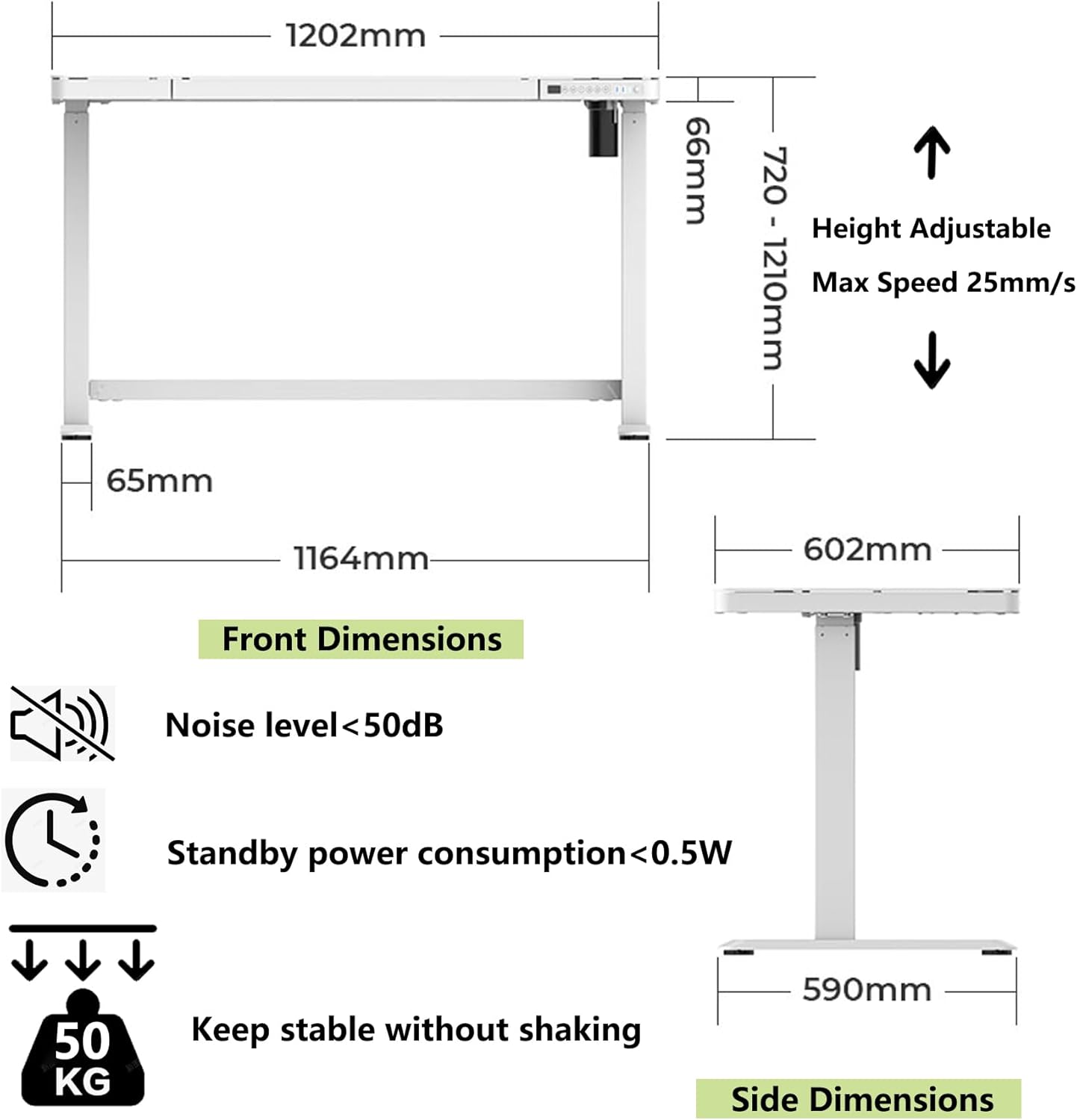
Image: A technical diagram illustrating the dimensions of the desk frame, height adjustment range (720-1210mm), and other specifications like noise level (<50dB) and standby power consumption (<0.5W).
Operating Instructions
Your PrimeCables standing desk features an intuitive control panel for easy operation.
Control Panel Functions:
- LED Display: Shows the current desk height in centimeters.
- Up/Down Buttons (▲ / ▼): Press and hold to adjust the desk height smoothly. Release to stop at the desired height.
- Memory Presets (1, 2, 3, 4):
- Adjust the desk to your desired height using the Up/Down buttons.
- Press the 'M' button (if present, or hold the number button directly).
- Press one of the number buttons (1, 2, 3, or 4) until the display flashes or beeps, indicating the height is saved.
- To recall a saved height, simply press the corresponding number button. The desk will automatically move to that position.
- USB Charging Ports: The desk includes 3 USB ports (2 Micro-B and 1 Type-C) for convenient charging of your devices. Simply plug your device's charging cable into the appropriate port.
- Child Lock: To activate or deactivate the child lock, press and hold the lock button (often indicated by a padlock icon) for a few seconds until the display indicates the lock status. This prevents accidental height adjustments.
Anti-Collision Function:
The desk is equipped with an anti-collision system. If the desk encounters an obstruction while moving up or down, it will automatically stop and reverse slightly to prevent damage or injury. Ensure the area around the desk is clear before adjusting the height, even with this safety feature.
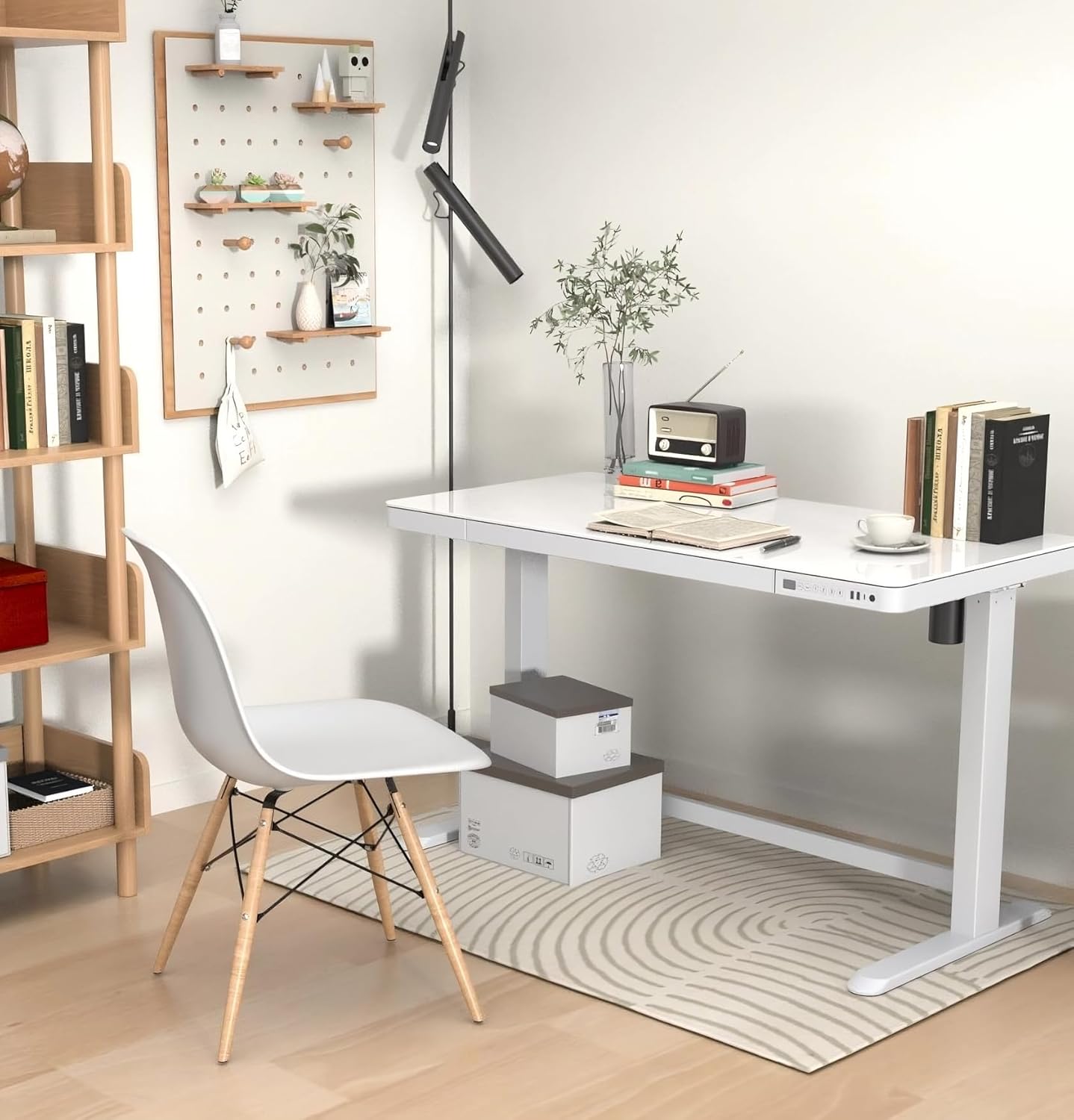
Image: A detailed view of the desk's control panel, showing the LED height display, up/down arrows, four memory preset buttons, USB charging ports, and the child lock button.

Image: A close-up view of the spacious embedded drawer, demonstrating its capacity for storing office supplies and keeping the desktop tidy.
Maintenance
Proper maintenance ensures the longevity and optimal performance of your standing desk.
- Cleaning: For the glass tabletop and metal frame, wipe with a dry, soft cloth. For stubborn marks on the glass, a mild glass cleaner can be used, applied to the cloth first, not directly to the desk. Avoid abrasive cleaners or harsh chemicals.
- Cable Management: Regularly check that all cables are securely fastened and not interfering with the desk's movement.
- Inspection: Periodically inspect all screws and connections to ensure they remain tight. Retighten if necessary.
- Weight Distribution: Distribute weight evenly across the desktop to prevent strain on the lifting mechanism.
Troubleshooting
If you encounter issues with your PrimeCables standing desk, please refer to the following common solutions. If the problem persists, contact customer support.
- Desk Not Moving:
- Check if the power cable is securely plugged into both the desk and the wall outlet.
- Ensure the child lock is not activated. Deactivate it by holding the lock button.
- Verify that no obstructions are preventing movement.
- Uneven Movement:
- Ensure the desk is placed on a level surface.
- Check for any loose connections or unevenly tightened screws in the leg assembly.
- USB Ports Not Charging:
- Confirm the desk is powered on.
- Try a different USB cable or device to rule out cable/device issues.
- Anti-Collision System Triggering Frequently:
- Ensure there are no objects in the desk's path during movement.
- Check for any loose items on the desk that might be shifting and causing false triggers.
Specifications
| Feature | Detail |
|---|---|
| Brand | PrimeCables |
| Model Number | Cab-PC-08267-ALL |
| Desk Design | Standing Desk |
| Product Dimensions (D x W x H) | 60D x 120W x 121H centimetres |
| Minimum Height | 71.9 centimetres |
| Maximum Height | 120.9 centimetres |
| Colour | White |
| Top Material Type | Glass |
| Base Material | Stainless Steel |
| Item Weight | 40 kg |
| Maximum Weight Recommendation | 50 kg |
| Number of Drawers | 1 |
| Special Features | Built-In USB Outlet, Electric Height Adjustable, Ergonomic, Glass Table |
| Included Components | Built-in USB Port |
| Lifting Mechanism | Electric |
| Number of Height Positions | 4 (Memory Presets) |
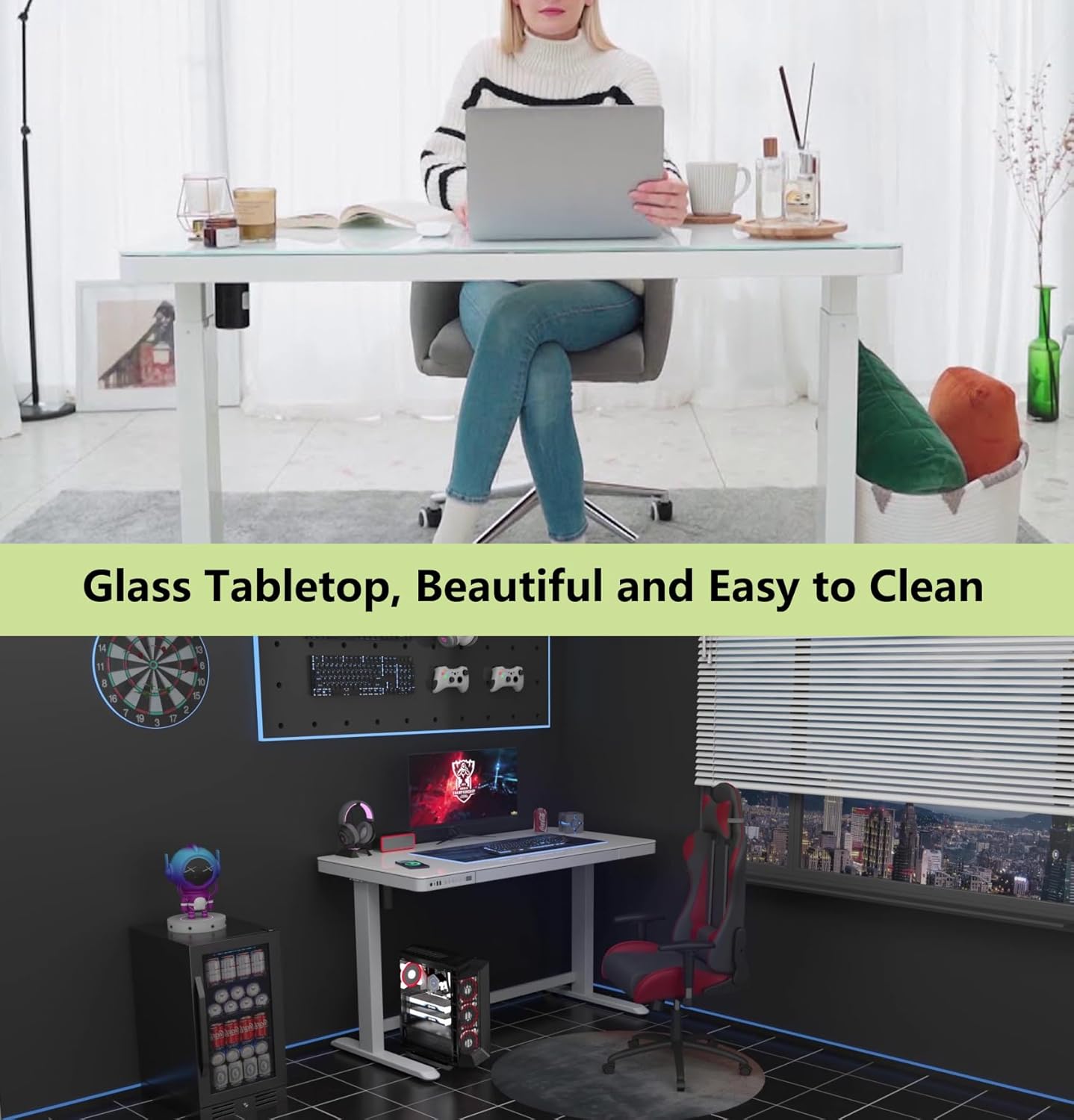
Image: A user comfortably working at the PrimeCables standing desk, highlighting the ergonomic benefits and the clean, reflective glass surface.
Warranty Information
The PrimeCables Electric Adjustable Standing Desk comes with a 3-year limited warranty. This warranty covers manufacturing defects and ensures the product is free from defects in material and workmanship under normal use. Please retain your proof of purchase for warranty claims. For specific terms and conditions, please refer to the warranty documentation included with your product or contact PrimeCables customer support.
Customer Support
For any questions, technical assistance, or warranty claims, please contact PrimeCables customer support. You can also visit the official PrimeCables store on Amazon for additional product information and support resources.
Manufacturer Contact Information:
Lachine, Quebec H8T 2Y3, CA
Online Support:
Visit the PrimeCables Store on Amazon

