
1. Introduction and Overview
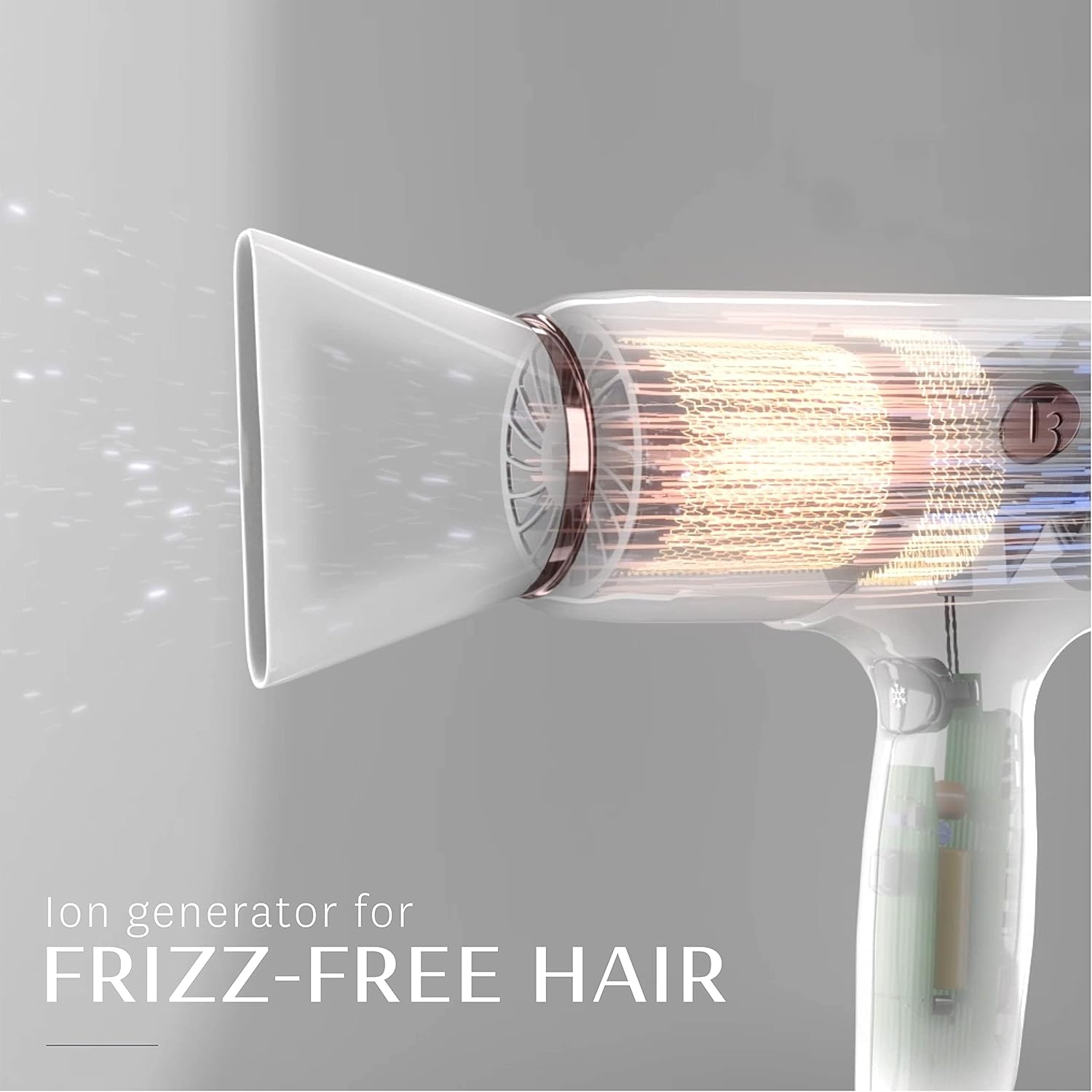
The T3 Micro Cura Digital Ionic Professional Blow Hair Dryer is engineered to deliver fast drying with healthy-looking results. Featuring Digital IonAir technology, this dryer utilizes a digitally-controlled wide volume of air enhanced with negative ions to quickly dry hair while smoothing frizz and enhancing body and shine. Its advanced design ensures efficient performance and ease of use.
2. Product Features
- Digital IonAir Technology: Combines a wide, gentle airstream with negative ions for fast drying, frizz reduction, and enhanced shine.
- Digitally-Controlled Heat: Maintains consistent heat to prevent damage and promote healthy hair.
- Multiple Heat & Speed Settings: Offers 3 heat settings and 2 speed settings for customized styling for various hair types and textures.
- Lock-in Cool Shot: A dedicated button to set your style with a burst of cool air.
- Lightweight Design: Ergonomically designed for comfortable handling during styling.
- Included Concentrators: Comes with a Drying Concentrator for rough drying and a Styling Concentrator for precision styling.


3. Setup
- Unboxing: Carefully remove the hair dryer and all accessories from the packaging.
- Attach Concentrator: Select either the Drying Concentrator or Styling Concentrator. Align the concentrator with the nozzle of the dryer and push it firmly into place until it clicks.
- Power Connection: Plug the power cord into a suitable electrical outlet. Ensure the outlet voltage matches the dryer's specifications.
4. Operating Instructions
The T3 Micro Cura offers intuitive controls for a personalized drying experience.
- Power On/Off: Press the power button located on the handle to turn the dryer on or off.
- Adjust Heat Settings: Use the temperature control buttons (up/down arrows with thermometer icon) to select one of the 3 heat settings.
- Adjust Speed Settings: Use the fan speed control buttons (up/down arrows with fan icon) to select one of the 2 speed settings.
- Rough Drying: For initial drying, use the Drying Concentrator. Direct the airflow over your hair until it is about 80% dry.
- Styling: Switch to the Styling Concentrator for more precise airflow. Use a brush to style your hair as desired, directing the airflow down the hair shaft.
- Set Style with Cool Shot: Press and hold the cool shot button (snowflake icon) to deliver a burst of cool air, helping to lock in your style and add shine.
Demonstration Videos
5. Maintenance
- Cleaning the Filter: Regularly clean the rear filter to maintain optimal performance. Ensure the dryer is unplugged before cleaning. Gently twist and remove the filter cover. Use a soft brush or cloth to remove any dust or hair buildup. Reattach the filter cover securely.
- General Cleaning: Wipe the exterior of the dryer with a soft, damp cloth. Do not use abrasive cleaners or solvents.
- Storage: Store the dryer in a cool, dry place. Use the integrated Velcro strap on the cord for neat storage.
6. Troubleshooting
- Dryer Not Turning On: Ensure the power cord is securely plugged into a functional electrical outlet. Check for any tripped circuit breakers.
- Low Airflow or Overheating: The rear filter may be clogged. Refer to the Maintenance section for cleaning instructions.
- Hair Not Drying Effectively: Ensure you are using the appropriate heat and speed settings for your hair type. For faster drying, use higher heat and speed.
- Excessive Frizz: Ensure the Digital IonAir technology is active (indicated by specific lights if applicable) and direct airflow down the hair shaft.
If issues persist, please contact T3 customer support for further assistance.
7. Specifications
| Feature | Detail |
|---|---|
| Model Number | 76825 |
| UPC | 883349002191 |
| ASIN | B09CG43QLX |
| Power Source | Corded Electric |
| Product Dimensions | 7.7 x 3 x 9.75 inches |
| Item Weight | 2.4 Pounds |
| Number of Speeds | 2 |
| Hair Type Recommendation | Frizzy |
| Included Components | Concentrator |
| Color | Midnight Blue |
8. Warranty and Support
For warranty information, product registration, or technical support, please refer to the documentation included with your purchase or visit the official T3 website. Keep your proof of purchase for any warranty claims.
