
Introduction
Thank you for purchasing the Acctim Model 15789 Alarm Clock. This compact and versatile alarm clock features an LCD display showing time, calendar, and indoor temperature. It is designed for ease of use and portability, making it an ideal travel companion. Please read this manual carefully to ensure proper setup and operation.
Important Safety Information
- Do not expose the clock to extreme temperatures, direct sunlight, or high humidity.
- Avoid dropping the clock or subjecting it to strong impacts.
- Do not mix old and new batteries, or different types of batteries.
- Remove batteries if the clock will not be used for an extended period to prevent leakage.
- Keep out of reach of children.
Package Contents
- Acctim Model 15789 Alarm Clock
- User Manual (this document)
Product Features
- Multi-function LCD display with time, calendar, and indoor temperature.
- Foldable travel case design for portability.
- Alarm with snooze function.
- Compact dimensions: 71 x 63 x 63 mm.
Setup
1. Battery Installation
The Acctim Model 15789 requires 2 x AAA batteries (not included).
- Open the battery compartment cover located on the back of the clock.
- Insert two new AAA batteries, ensuring the correct polarity (+ and -) as indicated inside the compartment.
- Close the battery compartment cover securely.
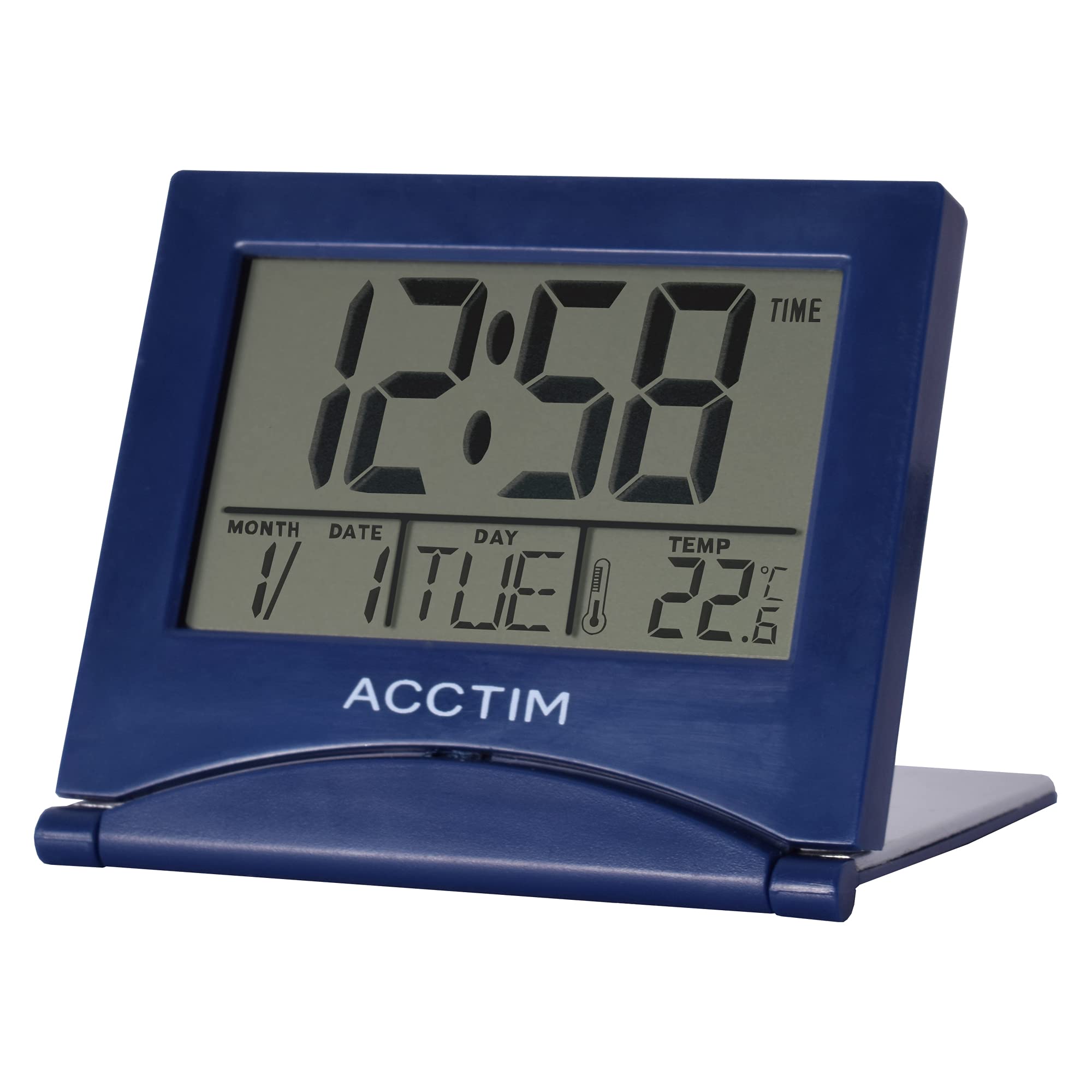
Image: Front view of the Acctim Model 15789 Alarm Clock, showing the LCD screen and compact design. This image illustrates the product's appearance for reference during setup and operation.
2. Initial Power On
Upon inserting the batteries, the clock will power on and display default time and date settings. You will need to set the current time and date.
Operating Instructions
Familiarize yourself with the buttons on your alarm clock. Typically, these include MODE, SET, UP, DOWN, and SNOOZE/LIGHT.
1. Setting the Time
- Press the MODE button repeatedly until the time display starts flashing or you enter time setting mode.
- Use the UP or DOWN buttons to adjust the hour.
- Press SET (or MODE again) to confirm the hour and move to setting the minutes.
- Use the UP or DOWN buttons to adjust the minutes.
- Press SET (or MODE again) to confirm the minutes and exit time setting mode.
2. Setting the Alarm
- Press the MODE button until the alarm time is displayed (often indicated by an alarm icon).
- Press and hold the SET button until the alarm hour starts flashing.
- Use the UP or DOWN buttons to adjust the alarm hour.
- Press SET to confirm the alarm hour and move to setting the alarm minutes.
- Use the UP or DOWN buttons to adjust the alarm minutes.
- Press SET to confirm the alarm minutes.
- To activate or deactivate the alarm, press the UP or DOWN button while the alarm time is displayed. An alarm icon will appear or disappear on the screen.
3. Snooze Function
When the alarm sounds, press the SNOOZE/LIGHT button to temporarily silence the alarm. The alarm will sound again after a few minutes (typically 5-10 minutes, depending on the model). To turn off the alarm completely, press any other button.
4. Calendar and Temperature Display
The clock automatically displays the current date and indoor temperature. You can cycle through different display modes (e.g., time only, time and date, time and temperature) by pressing the MODE button. To set the date, enter the time setting mode and continue pressing SET until the year, month, or day flashes, then adjust with UP/DOWN.
5. Backlight
Press the SNOOZE/LIGHT button to activate the backlight for a few seconds, allowing you to read the display in low light conditions. Note that some models may emit a soft beep when this button is pressed.
Maintenance
- Clean the clock with a soft, dry cloth. Do not use abrasive cleaners or solvents.
- Replace batteries promptly when the display dims or functions become erratic.
Troubleshooting
| Problem | Possible Solution |
|---|---|
| Display is dim or blank. | Replace the batteries with new AAA batteries. Ensure correct polarity. |
| Alarm does not sound. | Ensure the alarm is activated (alarm icon visible). Check if the alarm volume is set (if applicable) or if batteries are low. |
| Incorrect time or date. | Follow the "Setting the Time" and "Calendar and Temperature Display" instructions to reset. |
| Buttons are unresponsive. | Remove and reinsert batteries to perform a soft reset. If the issue persists, replace batteries. |
Specifications
- Model Number: Acctim 15789
- Dimensions: 6.3 x 7.1 x 6.3 cm (H x W x D)
- Weight: 44 g
- Power Source: 2 x AAA Batteries (not included)
- Display Type: LCD
- Special Features: Alarm, Temperature Indicator, Calendar Display, Foldable Design
- Material: Plastic
Warranty and Support
This Acctim product comes with a 2-year warranty from the date of purchase. This warranty covers manufacturing defects. It does not cover damage caused by misuse, accidents, unauthorized modifications, or normal wear and tear.
For technical support or warranty claims, please contact your retailer or visit the official Acctim website for customer service information. Please retain your proof of purchase for warranty validation.


