
Introduction
This manual provides instructions for the safe and proper operation of your Ion Audio Total PA Glow MAX Bluetooth PA System. Please read this manual thoroughly before using the product to ensure optimal performance and longevity. This system is designed to deliver powerful, clear audio and dynamic lighting effects for various events.
Package Contents
- Total PA Glow MAX Speaker
- Microphone with Cable
- Speaker Stand
- Remote Control
- Power Cable
- Quickstart Guide (not included in this digital manual)

Setup
- Unpacking: Carefully remove all contents from the packaging. Ensure all listed items are present.
- Power Connection: Connect the included power cable to the power input on the rear panel of the speaker and then to a grounded power outlet.
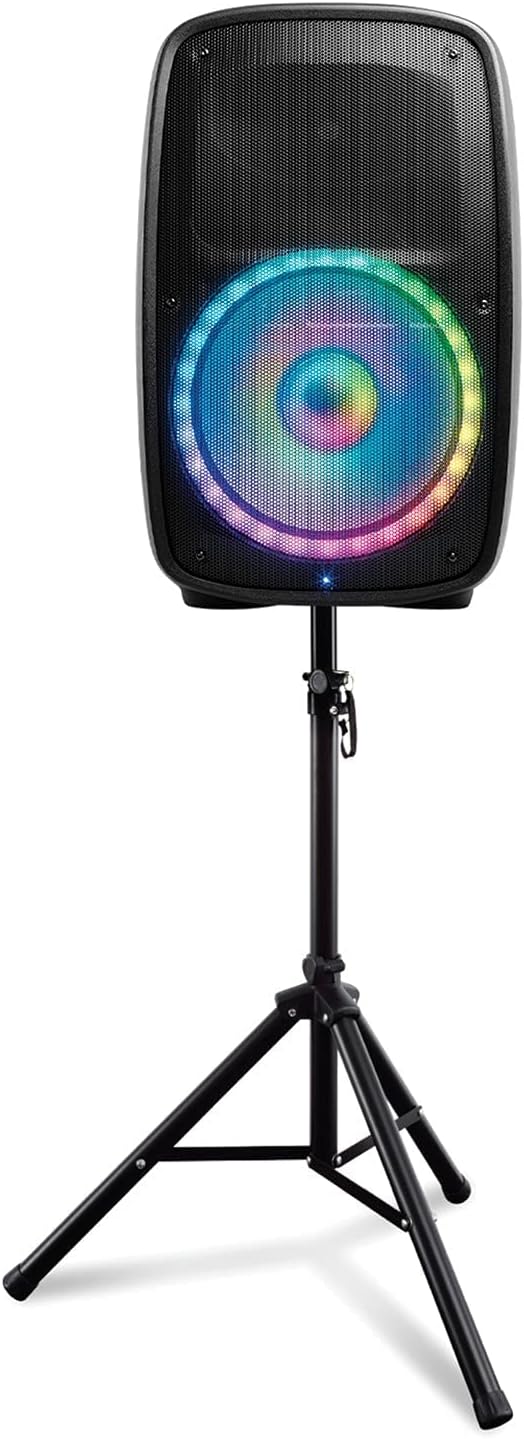
- Speaker Stand Assembly: Extend the legs of the speaker stand and secure them. Place the Total PA Glow MAX speaker onto the pole of the stand. Ensure it is stable before proceeding.
- Microphone Connection: Connect the microphone cable to one of the XLR inputs on the rear panel.

Operating Instructions
Power On/Off
Press the Power button located on the rear panel to turn the unit on or off.
One-Touch User Interface
The main control knob on the front panel allows for simple adjustments of various settings. Rotate to adjust volume or navigate menus, and press to select options.

Bluetooth 5.0 Connectivity
To stream audio wirelessly:
- Ensure your Bluetooth device is within 100 feet of the speaker.
- Press the 'MODE' button on the speaker until 'Bluetooth' is selected.
- On your Bluetooth device, navigate to its Bluetooth settings and select 'Total PA Glow MAX' from the list of available devices.
- Once paired, you can stream audio from your device to the speaker.
FM Radio
To use the FM radio:
- Press the 'MODE' button until 'FM Radio' is selected.
- Use the tuning controls to find your desired station.
- Press the 'PRESETS' button to save or recall favorite stations.
USB/SD Card Playback
Insert a USB drive or SD card into the respective slot on the control panel. The system will automatically detect and play compatible audio files. Use the navigation buttons to control playback.
Microphone Usage with Echo Effect
Connect the included microphone to an XLR input. Adjust the microphone volume using the dedicated knob. The echo effect can be enabled and adjusted via the control panel or the ION Sound XP app for karaoke or vocal performances.

Multi-Colored Lights
The woofer features multi-colored lights that can glow in various patterns and react to the beat of the music. Use the 'LIGHTS' button on the control panel or the ION Sound XP app to cycle through light modes or turn them off.

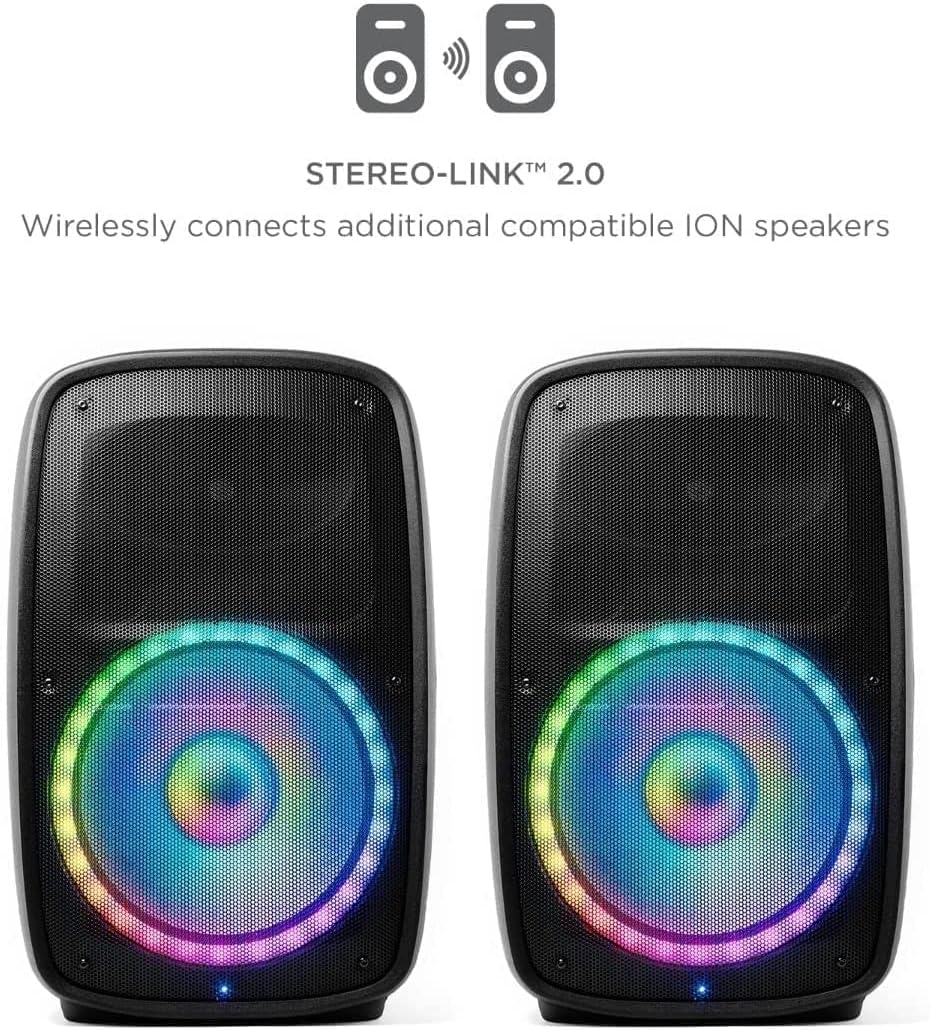
Stereo-Link 2.0
Wirelessly connect two compatible Ion Audio speakers for a stereo sound experience:
- Ensure both speakers are powered on and not connected to any Bluetooth device.
- On one speaker (the primary), press the 'LINK' button.
- On the second speaker (the secondary), press the 'LINK' button.
- The speakers will automatically connect, and audio played through the primary speaker will be output in stereo across both units.
ION Sound XP App Control
Download the ION Sound XP app from your device's app store to control audio and lighting functions remotely. The app provides an intuitive interface for managing settings.

Multi-Channel Mixer & Tone Control
The mixer allows for independent volume control of various inputs. Use the separate bass and treble controls to precisely adjust the tonal balance of your audio output.
USB Charge Port
A USB port is available on the control panel to charge your mobile devices while the speaker is in use.
Maintenance
- Cleaning: Use a soft, dry cloth to clean the exterior surfaces of the speaker. Do not use abrasive cleaners or solvents.
- Storage: When not in use, store the speaker in a cool, dry place, away from direct sunlight and extreme temperatures.
- Handling: Always use the built-in handles and wheels for transport. Avoid dropping or subjecting the unit to strong impacts.
Troubleshooting
- No Power
- Ensure the power cable is securely connected to both the speaker and a working power outlet. Verify the power switch is in the 'ON' position.
- No Sound
- Check the master volume and individual input volumes. Ensure the audio source is playing and properly connected. If using Bluetooth, confirm the device is paired and volume is up.
- Bluetooth Not Connecting
- Make sure the speaker is in Bluetooth mode. Forget 'Total PA Glow MAX' from your device's Bluetooth settings and attempt to re-pair. Ensure no other devices are currently connected to the speaker.
- Microphone Not Working
- Verify the microphone is securely plugged into an XLR input. Check the microphone volume knob. Test with another microphone if available.
Specifications
- Power Output: 500 Watts (Peak)
- Woofer: 15-inch (381mm)
- Tweeter: 1-inch (25.4mm)
- Bluetooth Version: 5.0
- Bluetooth Range: Up to 100 ft (30.5 m)
- Connectivity: Bluetooth, USB, SD Card, XLR Input
- Audio Input: XLR
- Number of Channels: 2
- Recommended Uses: Public address system, Music streaming, Karaoke, FM radio
- Mounting Type: Pole Mount
- Color: Black
- UPC: 697333826171
- ASIN: B09C95PZC2
Warranty and Support
As a renewed product, specific warranty terms may vary. Please refer to the seller's return policy for details regarding returns and replacements. For technical support or further assistance, please contact the seller or the manufacturer directly.
This product is covered by a 90-day return/replacement policy from the date of purchase. For any issues within this period, please contact your point of purchase.