
Introduction
The SOCOTRAN T82 Walkie Talkies are advanced two-way radios designed for reliable communication in various environments. Featuring Bluetooth earpiece connectivity, NOAA weather alerts, and a durable waterproof design, these radios are suitable for outdoor activities, professional use, and general communication needs. This manual provides detailed instructions for setup, operation, and maintenance to ensure optimal performance.
What's in the Box
- SOCOTRAN T82 Walkie Talkie Units (Red color, 2 units)
- Bluetooth Earpiece Headsets (2 units)
- USB Charging Cable
- Charging Docks (2 units)
- Lithium Ion Batteries (2 included)
- User Manual (this document)

Image: Contents of the SOCOTRAN T82 package, including two walkie talkies, two Bluetooth earpieces, and charging accessories.
Setup
1. Battery Installation
- Open the battery compartment cover on the back of the walkie talkie.
- Insert the included Lithium Ion battery, ensuring correct polarity.
- Close the battery compartment cover securely.
2. Charging the Radios
The SOCOTRAN T82 walkie talkies can be charged using the provided USB cable or by placing them in the charging dock.
- USB Charging: Connect the USB charging cable directly to the walkie talkie's USB port and a power source (e.g., computer, USB wall adapter).
- Charging Dock: Place the walkie talkie unit into its dedicated charging dock. The battery or the entire walkie talkie can be charged separately on the dock.

Image: Illustrates the various charging methods for the walkie talkies, including direct USB and charging docks.
3. Pairing Bluetooth Earpiece
The walkie talkie comes with two wireless Bluetooth headsets for hands-free operation. The Bluetooth headset supports a 10-meter call range.
- Ensure both the walkie talkie and the Bluetooth earpiece are powered on.
- Refer to the earpiece's specific instructions for entering pairing mode (usually involves holding a button until an indicator light flashes).
- On the walkie talkie, activate Bluetooth pairing mode (consult the radio's display or menu for this option).
- Once paired, the earpiece will connect automatically when both devices are on and within range.

Image: A SOCOTRAN T82 walkie talkie shown alongside its wireless Bluetooth earpiece, emphasizing the hands-free communication feature.
Operating Instructions
1. Power On/Off
To power on or off the walkie talkie, rotate the upper knob (usually combined with the volume control) clockwise to turn on and counter-clockwise to turn off.
2. Channel Selection
The US version of the T82 features 22 FRS channels, while the EU version has 16 channels. Use the Up/Down arrow buttons on the front panel to select your desired channel.
3. Privacy Codes (CTCSS/DCS)
The T82 supports 155 sets of CTCSS (Continuous Tone-Coded Squelch System) and DCS (Digitally Coded Squelch) privacy codes. These codes help filter out unwanted transmissions from other radios on the same channel. To set a privacy code:
- Press the MENU button.
- Navigate to the CTCSS or DCS setting using the Up/Down arrows.
- Select your desired code.
- Press MENU again or CALL to confirm and exit.
4. VOX Hands-Free Operation
The VOX (Voice Operated Exchange) function allows for hands-free communication. When VOX is enabled, the radio transmits automatically when it detects your voice, eliminating the need to press the PTT (Push-To-Talk) button.
5. NOAA Weather Radio
The US version of the T82 includes NOAA weather warnings, providing real-time weather alerts to keep you informed of changing conditions.
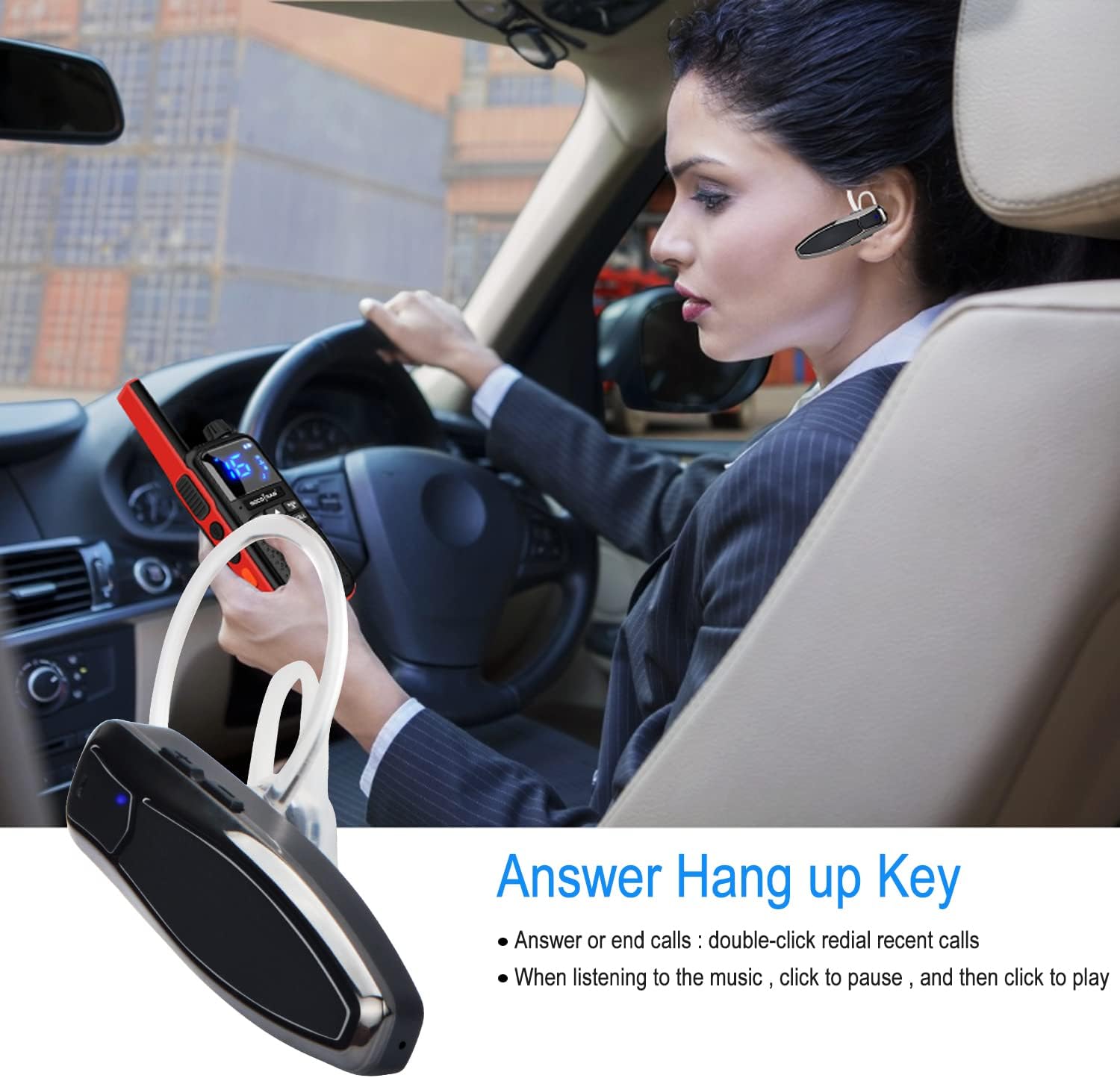
Image: The SOCOTRAN T82 walkie talkie featuring NOAA Weather Radio functionality, useful for outdoor activities.
6. Call Tones and Vibration
The T82 offers 10 groups of incoming call ring tones and a super vibration reminder for discreet alerts, especially useful in noisy environments.
7. Flashlight
A built-in LED flashlight provides illumination in low-light conditions.
8. Long Talk Range
These walkie talkies offer a maximum talking range of 5 miles, ideal for car camping, outdoor adventures, and other long-distance communication needs.

Image: Visual representation of the SOCOTRAN T82's key features, including weather radio, super vibration, clear sound, flashlight, Bluetooth one-key link, USB charging, VOX hands-free, and dual channel monitor.
9. Bluetooth Earpiece Operation
The Bluetooth earpiece features a multi-function button for answering/ending calls and controlling music playback (if applicable). It also has a USB charging port and volume controls.

Image: Detailed diagram of the Bluetooth earpiece, pointing out its various parts and functions.
Video: An official product video demonstrating the features and setup of the SOCOTRAN T82 Walkie Talkies with Wireless Earpieces.
Maintenance
- Keep the walkie talkies clean by wiping them with a soft, damp cloth. Avoid harsh chemicals.
- Ensure the USB port cover is securely closed to maintain the waterproof rating when not charging.
- Store the radios and accessories in a cool, dry place when not in use.
- For optimal battery life, fully charge the batteries before first use and avoid deep discharge.
Troubleshooting
| Problem | Possible Cause | Solution |
|---|---|---|
| Radio not powering on | Low battery; Incorrect battery installation | Charge the battery; Reinstall battery correctly. |
| Cannot hear other radios / Static | Wrong channel/privacy code; Out of range; Obstructions | Verify channel and privacy code settings; Move closer to other radios; Find an open area. |
| Bluetooth earpiece not connecting | Earpiece not in pairing mode; Out of range; Interference | Ensure earpiece is in pairing mode; Move closer to radio; Re-pair the devices. |
| VOX is too sensitive or not activating | VOX sensitivity setting; Environmental noise | Adjust VOX sensitivity level in the menu; Reduce background noise. |
Specifications
| Feature | Detail |
|---|---|
| Brand | SOCOTRAN |
| Model | T82 |
| Item Weight | 2.82 ounces |
| Product Dimensions | 4.33 x 2.2 x 1.2 inches |
| Batteries | 2 Lithium Ion batteries required (included) |
| Number of Channels | 22 (FRS, US version) / 16 (EU version) |
| Special Feature | Wireless (Bluetooth Earpiece) |
| Frequency Range | 162.400 MHz - 162.550 MHz (NOAA) |
| Talking Range Maximum | 5 Mile |
| Water Resistance Level | Waterproof |
| Privacy Codes | 155 sets of CTCSS and DCS |
| Call Tones | 10 groups |
| Additional Features | VOX, Scanning, Display, LED Flashlight, Vibration |
Warranty and Support
For warranty information, technical support, or service inquiries, please refer to the contact details provided with your product packaging or visit the official SOCOTRAN website. Keep your purchase receipt as proof of purchase.