
Introduction
The Philips S7505 Wireless Bluetooth Speaker is designed to deliver powerful, portable audio with a range of convenient features. This manual provides essential information for setting up, operating, maintaining, and troubleshooting your speaker to ensure optimal performance and longevity. Key features include a built-in power bank, IPX7 waterproof rating, and up to 20 hours of playtime.

Image: The Philips S7505 Wireless Bluetooth Speaker, showcasing its sleek design and fabric finish.
What's in the Box
Verify that all items are present in the packaging:
- USB Charging Cable
- Quick Install Guide
- World Wide Warranty Leaflet
- Warranty Card
Product Overview
Familiarize yourself with the speaker's controls and indicators.

Image: Close-up of the speaker's top panel, highlighting the embossed control buttons for power, Bluetooth, playback, and volume.
The top panel features embossed buttons for easy control:
- Power Button: Turns the speaker on or off.
- Bluetooth Button: Initiates Bluetooth pairing mode.
- Play/Pause Button: Controls audio playback.
- Volume Up/Down Buttons: Adjusts the speaker's volume.
- Battery Indicator Lights: Displays the current battery level.
Setup
1. Charging the Speaker
Before first use, fully charge your Philips S7505 speaker. Use the included USB-C cable to connect the speaker to a power source. A full charge takes approximately 4.5 hours.

Image: The USB-C charging port on the side of the speaker with a cable inserted, indicating the charging process.
2. Bluetooth Pairing
- Turn on the speaker by pressing the Power button.
- The Bluetooth indicator will flash, indicating it is in pairing mode. If not, press and hold the Bluetooth button until it flashes.
- On your mobile device (smartphone, tablet, laptop), enable Bluetooth and search for available devices.
- Select "Philips S7505" from the list of devices.
- Once connected, the Bluetooth indicator will glow solid, and you will hear a confirmation tone.
The speaker will automatically reconnect to the last paired device when turned on, if the device is within range and Bluetooth is enabled.

Image: A person holding a smartphone, displaying a low battery icon, connected via cable to the Philips S7505 speaker, which is placed on a picnic blanket.
Operating Instructions
1. Basic Playback Controls
- Play/Pause: Press the Play/Pause button once.
- Volume Up: Press the '+' button.
- Volume Down: Press the '-' button.
- Next Track: Press and hold the '+' button.
- Previous Track: Press and hold the '-' button.
2. Power Bank Function
The Philips S7505 features a built-in power bank, allowing you to charge your mobile devices. Connect your device to the USB-A port on the speaker using a compatible charging cable.

Image: A smartphone connected to the Philips S7505 speaker via a USB cable, demonstrating the power bank functionality.
3. Stereo Pairing (Twin Mode)
For an enhanced audio experience, you can pair two identical Philips S7505 speakers together to create a stereo sound system.
- Ensure both speakers are powered on and not connected to any Bluetooth device.
- On one speaker (this will be the primary speaker), press and hold the Bluetooth button until you hear a prompt or see an indicator for stereo pairing mode.
- The primary speaker will search for the secondary speaker.
- Once connected, both speakers will play audio in stereo.

Image: Two Philips S7505 speakers positioned side-by-side, illustrating the stereo pairing capability.
4. Hands-Free Calling
The built-in microphone allows you to handle hands-free calls when your speaker is connected to a smartphone. When a call comes in, press the Play/Pause button to answer or end the call.
Maintenance
1. Waterproofing (IPX7)
The Philips S7505 speaker is IPX7 waterproof, meaning it can be immersed in water up to 1 meter for up to 30 minutes. This makes it suitable for use in wet environments like showers or by the pool. Ensure all port covers are securely closed before exposing the speaker to water.
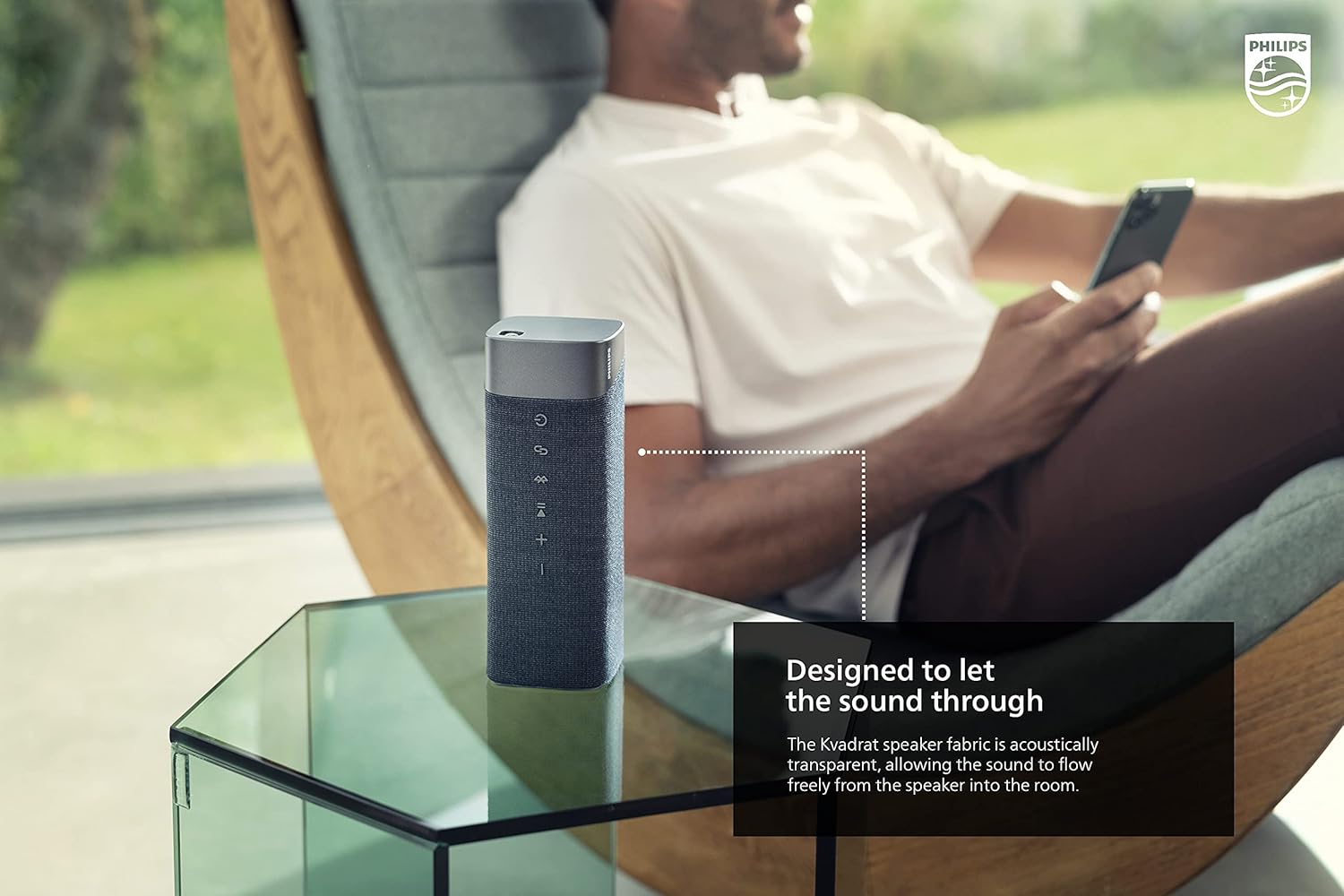
Image: The Philips S7505 speaker placed on a picnic blanket outdoors, highlighting its suitability for various environments due to its waterproof design.
2. Fabric Care
The speaker features a premium Kvadrat fabric. To clean, gently wipe with a soft, damp cloth. Avoid using harsh chemicals or abrasive materials, as these may damage the fabric or speaker components.
Troubleshooting
If you encounter issues with your Philips S7505 speaker, refer to the following common problems and solutions:
- Speaker does not power on: Ensure the battery is charged. Connect the speaker to a power source using the USB-C cable and allow it to charge for a few minutes before attempting to power on again.
- No sound or distorted sound:
- Check the volume level on both the speaker and your connected device.
- Ensure the speaker is properly paired via Bluetooth. Disconnect and re-pair if necessary.
- Move the speaker closer to your device to avoid interference.
- Bluetooth pairing fails:
- Ensure the speaker is in pairing mode (Bluetooth indicator flashing).
- Turn off Bluetooth on other nearby devices that may be trying to connect.
- Restart both the speaker and your device.
- Speaker automatically turns off: The speaker is designed to power off after a period of inactivity to conserve battery. This feature cannot be disabled. To prevent this, ensure audio playback is active.
Specifications
Detailed technical specifications for the Philips S7505 Wireless Bluetooth Speaker:

Image: The Philips S7505 speaker with overlaid measurements, indicating its dimensions of 9.1 inches (width), 3.3 inches (depth), and 3.4 inches (height).
| Model Number | S7505 |
| Brand | Philips Audio |
| Connectivity Technology | Bluetooth, USB |
| Wireless Communication Technology | Bluetooth |
| Speaker Maximum Output Power | 30 Watts |
| Speaker Size | 4 Inches |
| Impedance | 3 Ohm |
| Audio Output Mode | Mono (can be paired for Stereo) |
| Power Source | Battery Powered (1 Lithium Ion battery included) |
| Playtime | Up to 20 Hours |
| Charging Time | 4.5 Hours |
| Water Resistance Level | IPX7 Waterproof |
| Product Dimensions (D x W x H) | 3.3"D x 9.1"W x 3.4"H |
| Item Weight | 2.2 pounds (1 Kilogram) |
| Control Method | Touch |
Warranty and Support
Your Philips S7505 Wireless Bluetooth Speaker comes with a full warranty. Please refer to the included Warranty Card and World Wide Warranty Leaflet for detailed terms and conditions.
For further assistance, technical support, or warranty claims, please visit the official Philips Audio support website or contact their customer service. Contact information can typically be found on the Philips Audio website or in the warranty documentation.


