
Introduction
Thank you for choosing the TechniSat VIOLA BT 1. This device combines a portable Bluetooth speaker with a DAB+ digital radio and FM radio, offering versatile audio entertainment. This manual provides essential information for the safe and efficient use of your device. Please read it thoroughly before operation and retain it for future reference.
Safety Information
- Do not expose the device to rain, moisture, or extreme temperatures.
- Avoid placing the device near heat sources or in direct sunlight.
- Do not open the device casing. Refer all servicing to qualified personnel.
- Use only the provided USB-C charging cable.
- Keep the device away from strong magnetic fields.
- Ensure proper ventilation; do not cover ventilation openings.
Package Contents
Verify that all items are present in the package:
- TechniSat VIOLA BT 1 Portable Bluetooth Speaker and DAB+ Digital Radio
- USB-C Charging Cable
- Instruction Manual (this document)
Product Overview
Familiarize yourself with the controls and connections of your VIOLA BT 1.
Top Panel Controls and Display

Image: Top panel of the VIOLA BT 1, featuring the LCD display and control buttons. The display shows "Deutschlandfunk" and "The Weeknd". Buttons include Power, Mode, Scan, Volume Up/Down, i-MENU, and navigation arrows with OK.
- Power Button (⏻): Press and hold to turn the device on or off.
- MODE Button: Press to switch between DAB+, FM, Bluetooth, and AUX modes.
- SCAN Button: Initiates a scan for radio stations in DAB+ or FM mode.
- Volume Buttons (- / +): Adjust the audio volume.
- i-MENU Button: Access menu options for the current mode.
- LCD Display: Shows station information, time, menu options, and Bluetooth status.
- Navigation Buttons (< / >): Navigate through menus or stations.
- OK Button: Confirms selections.
Rear Panel Connections

Image: Rear view of the VIOLA BT 1, displaying the AUX-in port and the USB-C charging port. The extendable antenna is also visible.
- AUX-IN Port: Connect external audio devices using a 3.5mm audio cable.
- DC 5V (USB-C) Port: Connect the USB-C charging cable to power the device or charge the internal battery.
- Extendable Antenna: For optimal DAB+ and FM radio reception.
Setup
1. Charging the Battery
Before first use, fully charge the VIOLA BT 1. Connect the supplied USB-C cable to the DC 5V port on the rear of the device and the other end to a compatible USB power adapter (not included) or a computer's USB port. The charging indicator on the display will show the charging status. A full charge provides up to nine hours of operation.
2. Initial Power On
Press and hold the Power button (⏻) on the top panel until the display illuminates. The device will typically start in the last used mode.
3. Antenna Adjustment
For optimal radio reception, fully extend the telescopic antenna located on the rear of the device. Adjust its position for the best signal quality.
Operating Instructions
Power On/Off
Press and hold the Power button (⏻) for approximately 2 seconds to turn the device on or off.
Mode Selection
Press the MODE button repeatedly to cycle through the available modes: DAB+ Radio, FM Radio, Bluetooth, and AUX-in.
DAB+ Digital Radio Operation

Image: The VIOLA BT 1 shown with a graphic indicating DAB+ digital radio functionality, highlighting its ability to receive a wide variety of digital radio programs.
- Switch to DAB+ mode using the MODE button.
- If this is the first time in DAB+ mode or if you want to update the station list, press the SCAN button to perform a full scan. The device will search for available DAB+ stations.
- Once the scan is complete, use the < and > navigation buttons to browse through the available stations.
- Press OK to select a station.
- To save a favorite station, press and hold one of the numbered preset buttons (if available, or use i-MENU for memory options).
FM Radio Operation
- Switch to FM mode using the MODE button.
- Press the SCAN button to automatically scan and store available FM stations.
- Alternatively, use the < and > navigation buttons for manual tuning.
- To save a favorite station, press and hold one of the numbered preset buttons (if available, or use i-MENU for memory options).
Bluetooth Pairing and Streaming

Image: The VIOLA BT 1 shown alongside a smartphone, demonstrating its capability for wireless music streaming via Bluetooth. The phone displays a music player interface.
- Switch to Bluetooth mode using the MODE button. The display will show "Pairing" or "Bluetooth".
- On your smartphone or other Bluetooth-enabled device, enable Bluetooth and search for available devices.
- Select "VIOLA BT 1" from the list of devices.
- Once paired, the device will confirm the connection, and you can begin streaming audio from your connected device.
Hands-Free Function
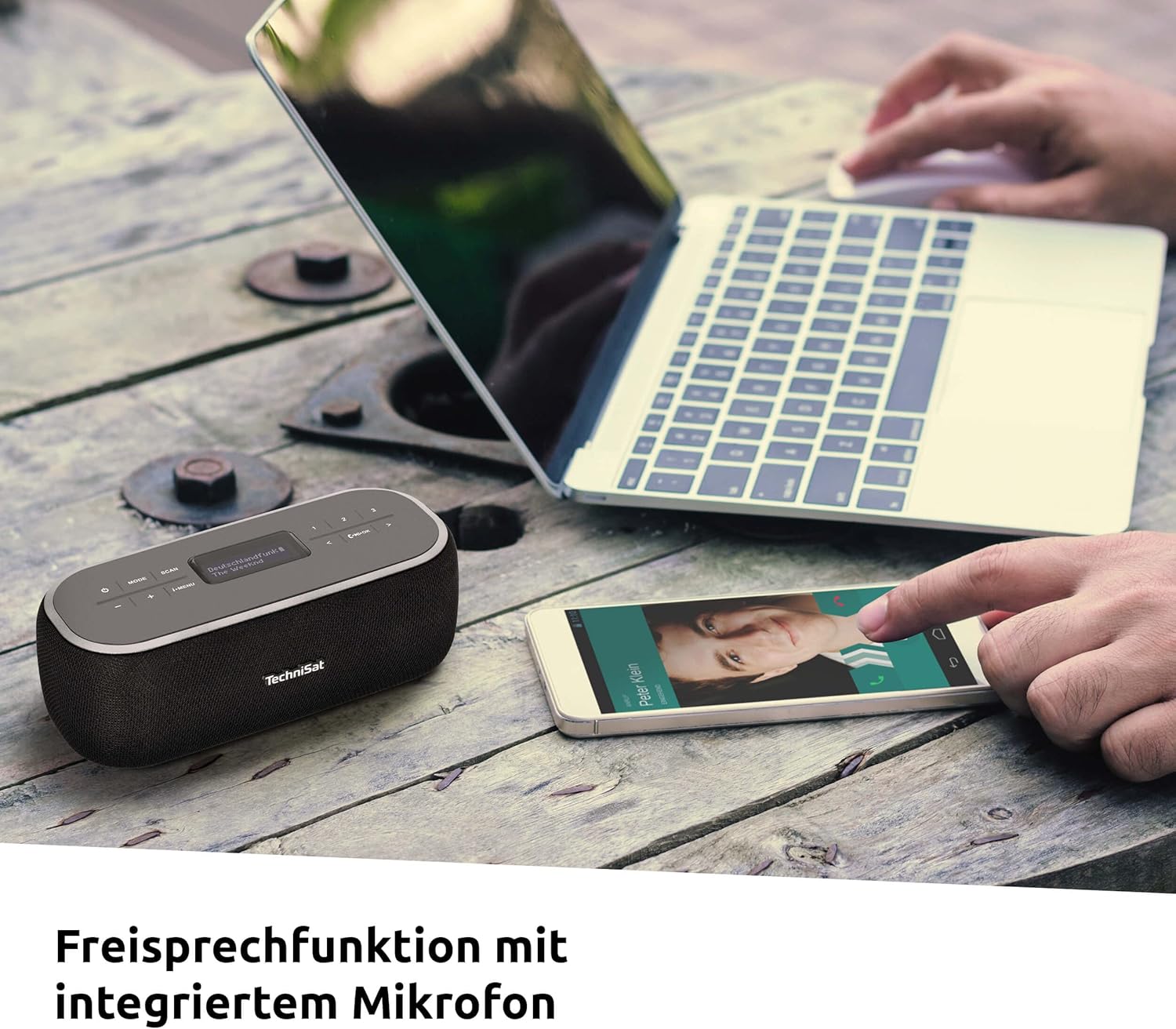
Image: The VIOLA BT 1 positioned on a table next to a laptop and a smartphone showing an incoming call, illustrating the hands-free calling feature with its integrated microphone.
When connected to a smartphone via Bluetooth, the VIOLA BT 1 can be used for hands-free calls. An integrated microphone allows you to speak without holding your phone.
- Answering a Call: Press the OK button when a call comes in.
- Ending a Call: Press the OK button during a call.
- Rejecting a Call: Press and hold the OK button when a call comes in.
AUX-in Connection
Connect an external audio source (e.g., MP3 player, CD player) to the AUX-IN port on the rear of the VIOLA BT 1 using a 3.5mm audio cable (not included). Switch to AUX-in mode using the MODE button. Audio will then play through the VIOLA BT 1 speakers.
Clock and Alarm Timer
The VIOLA BT 1 features a clock and alarm timer function. Access these settings via the i-MENU button in any radio mode. Follow the on-screen prompts to set the time and configure alarms.
Volume Control
Use the - and + buttons on the top panel to adjust the playback volume.
Maintenance
Cleaning
Wipe the device with a soft, dry, lint-free cloth. Do not use abrasive cleaners, waxes, or solvents. Avoid spraying liquids directly onto the device.
Battery Care
To prolong battery life, avoid fully discharging the battery frequently. If the device will not be used for an extended period, charge it to approximately 50% and store it in a cool, dry place. Recharge every few months to prevent deep discharge.
Troubleshooting
| Problem | Possible Cause | Solution |
|---|---|---|
| No power / Device does not turn on. | Battery is discharged. | Connect the device to a power source using the USB-C cable and allow it to charge. |
| Poor radio reception (DAB+/FM). | Antenna not extended or poor signal area. | Fully extend the telescopic antenna and try repositioning the device. Perform a new station scan. |
| Cannot pair via Bluetooth. | Bluetooth not enabled on source device; device too far; already paired with another device. | Ensure Bluetooth is active on your source device. Move the devices closer. Disconnect from other Bluetooth devices. |
| No sound from AUX-in. | Incorrect mode selected; cable not fully inserted; volume too low. | Ensure AUX-in mode is selected. Check cable connections. Increase volume on both the VIOLA BT 1 and the external device. |
| Hands-free function not working. | Not connected via Bluetooth; microphone blocked. | Ensure the device is successfully paired with your smartphone. Check that the microphone area is not obstructed. |
Specifications
The following table lists the technical specifications for the TechniSat VIOLA BT 1:
| Feature | Specification |
|---|---|
| Model Number | 0000/2968 |
| Tuner Technology | DAB+, FM |
| Connectivity | Bluetooth, 3.5mm AUX-in |
| Speaker Output Power | 6 Watts (RMS) |
| Display Type | LCD |
| Power Source | Internal rechargeable battery, USB-C (DC 5V) |
| Battery Life | Up to 9 hours (approximate) |
| Special Features | DAB+ digital radio, Hands-free function, Clock, Alarm Timer |
| Product Dimensions (W x H x D) | 18.00 x 6.50 x 8.50 cm |
| Weight | 394 g |
| Material Type | Crystal (likely referring to display or finish) |
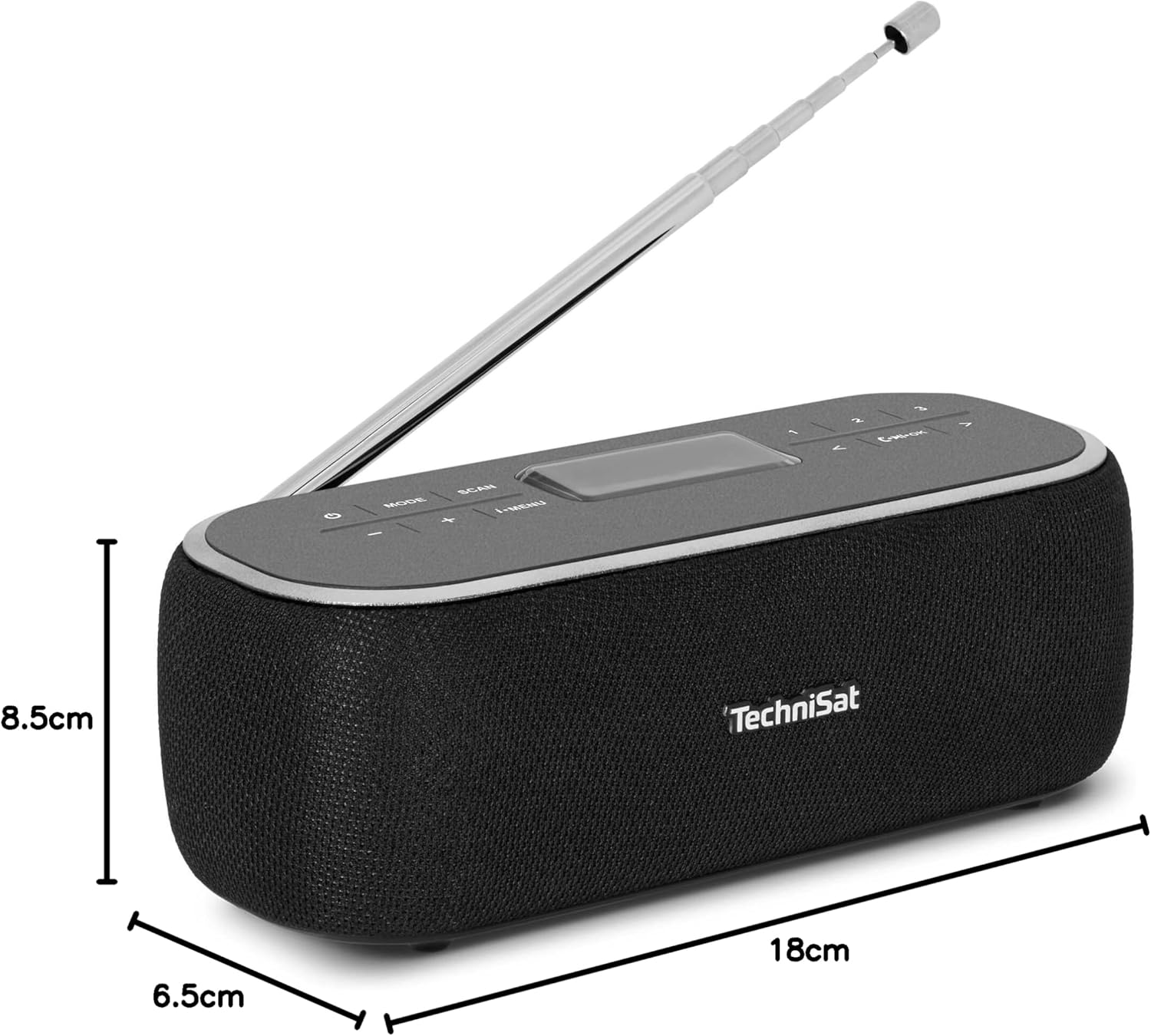
Image: The VIOLA BT 1 shown with its physical dimensions: 18 cm in length, 6.5 cm in width, and 8.5 cm in height.
Warranty and Support
TechniSat products are designed for reliability and performance. For warranty information and technical support, please refer to the warranty card included with your purchase or visit the official TechniSat website. Keep your proof of purchase for warranty claims.
Manufacturer: TechniSat Digital GmbH
Model: VIOLA BT 1 (0000/2968)
Portability

Image: The VIOLA BT 1 neatly packed in a suitcase with other travel items, emphasizing its compact size and suitability for travel and outdoor activities.
The VIOLA BT 1 is designed for portability, featuring a powerful internal battery that provides up to nine hours of music playback. Its compact dimensions and lightweight design make it an ideal companion for use at home, in the office, kitchen, or while traveling.


