
GreenForest COCOA-TVS-WNT-GW
GreenForest TV Stand Instruction Manual
Model: COCOA-TVS-WNT-GW
Brand: GreenForest
Introduction
Thank you for choosing the GreenForest TV Stand. This manual provides detailed instructions for the safe assembly, proper use, and maintenance of your new entertainment center. Please read all instructions carefully before beginning assembly and retain this manual for future reference.
Safety Information
Important Safety Precautions:
- Assembly requires two people to ensure stability.
- Always follow the provided instructions precisely.
- Do not exceed the maximum load capacity of 220 pounds for the tabletop and 30 pounds per partition.
- Keep cables organized and hidden to prevent tripping hazards.
- Keep small parts and assembly tools away from children to prevent injury.
- Ensure the TV stand is placed on a flat, stable surface.
Parts List
Before assembly, verify that all parts listed below are present and undamaged. If any parts are missing or damaged, please contact customer support.
| Part | Description | Quantity |
|---|---|---|
| A | Top Panel | 1 |
| B | Bottom Panel | 1 |
| C | Side Panels (X-shape) | 2 |
| D | Middle Vertical Dividers | 2 |
| E | Adjustable Shelves | 2 |
| F | Fixed Shelves | 2 |
| G | Hardware Pack (screws, dowels, cam locks, etc.) | 1 |
| H | Adjustable Foot Pads | 4 |
| I | Installation Tool (Allen Wrench) | 1 |
Assembly Instructions (Setup)
Follow these step-by-step instructions for assembling your GreenForest TV Stand. It is recommended to have two people for assembly.
- Prepare the Area: Clear a spacious, flat area for assembly. Lay down a blanket or cardboard to protect the floor and furniture parts from scratches.
- Attach Foot Pads: Screw the adjustable foot pads (H) into the bottom of the side panels (C). These pads help protect your floor and allow for minor height adjustments.
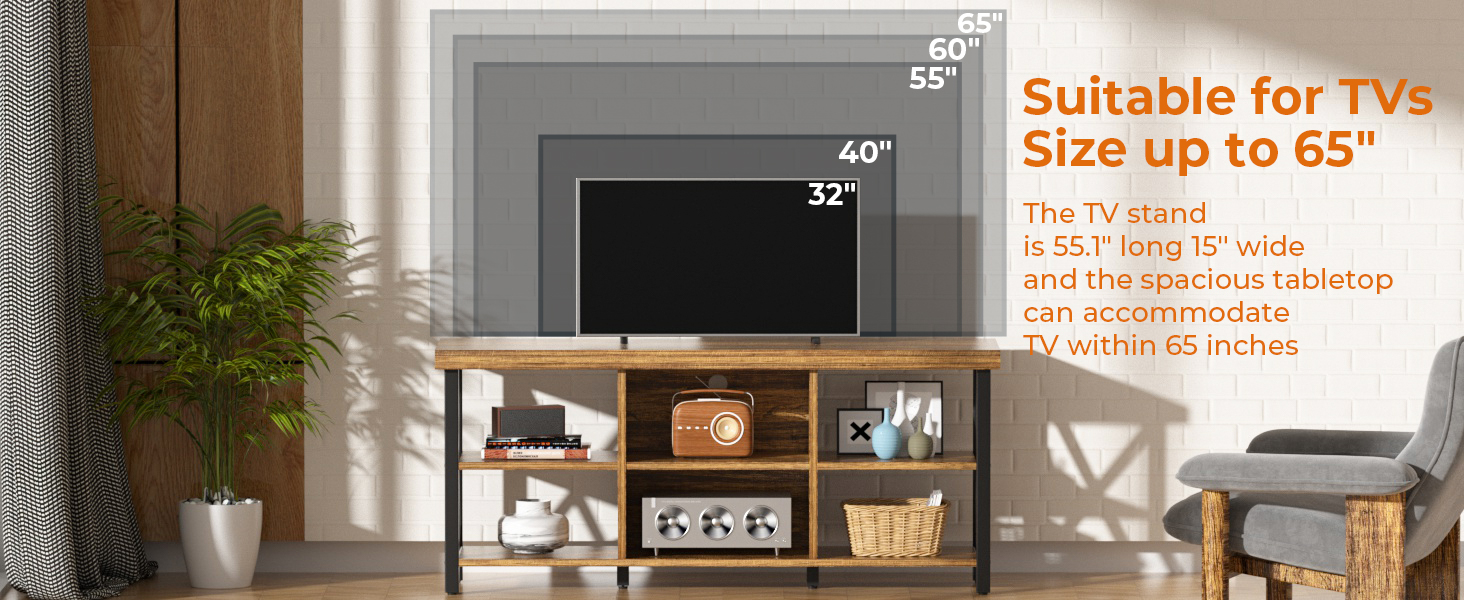
Image: Detail showing the cable management hole and adjustable foot pads.
- Assemble Side Frames: Attach the X-shape side panels (C) to the bottom panel (B) using the appropriate hardware from pack (G). Ensure all connections are secure.
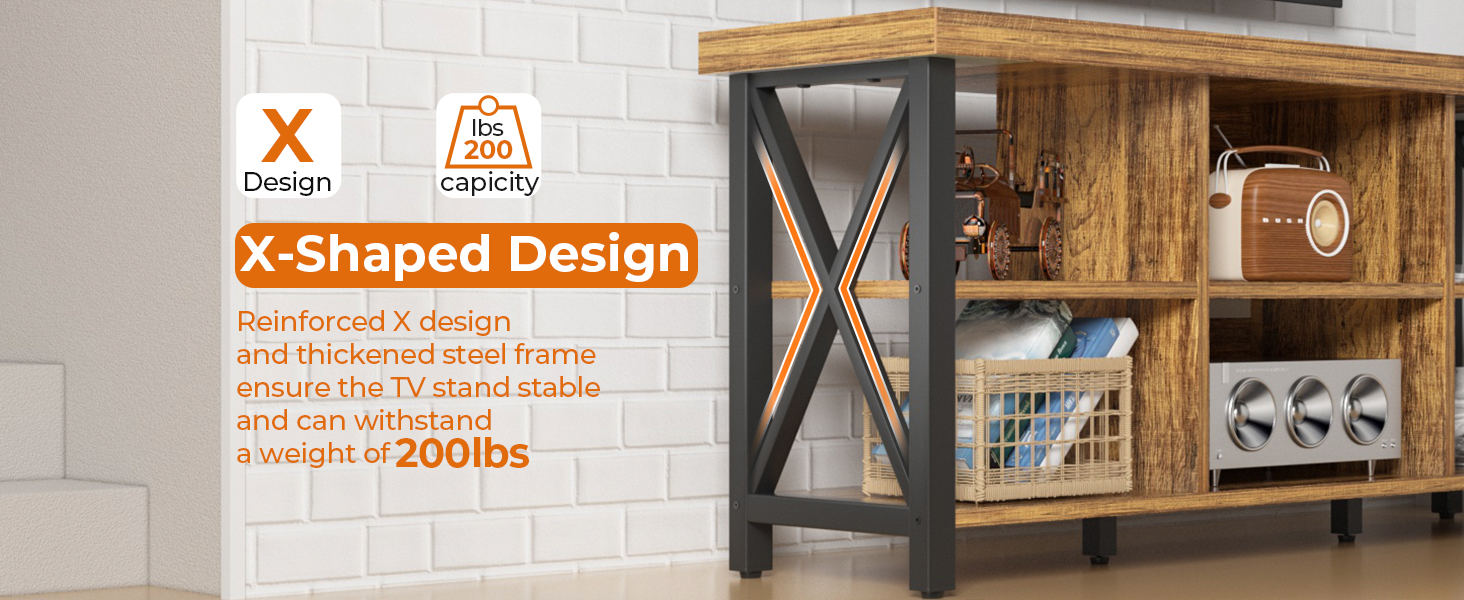
Image: Close-up of the X-shaped side structure, highlighting its stability.
- Install Vertical Dividers and Fixed Shelves: Insert the middle vertical dividers (D) and fixed shelves (F) into their designated slots on the bottom panel (B) and secure them.
- Attach Top Panel: Carefully align the top panel (A) with the assembled frame and secure it using the remaining hardware.
- Insert Adjustable Shelves: Place the adjustable shelves (E) into the desired height positions within the central compartments. The shelves can be customized to three different heights.
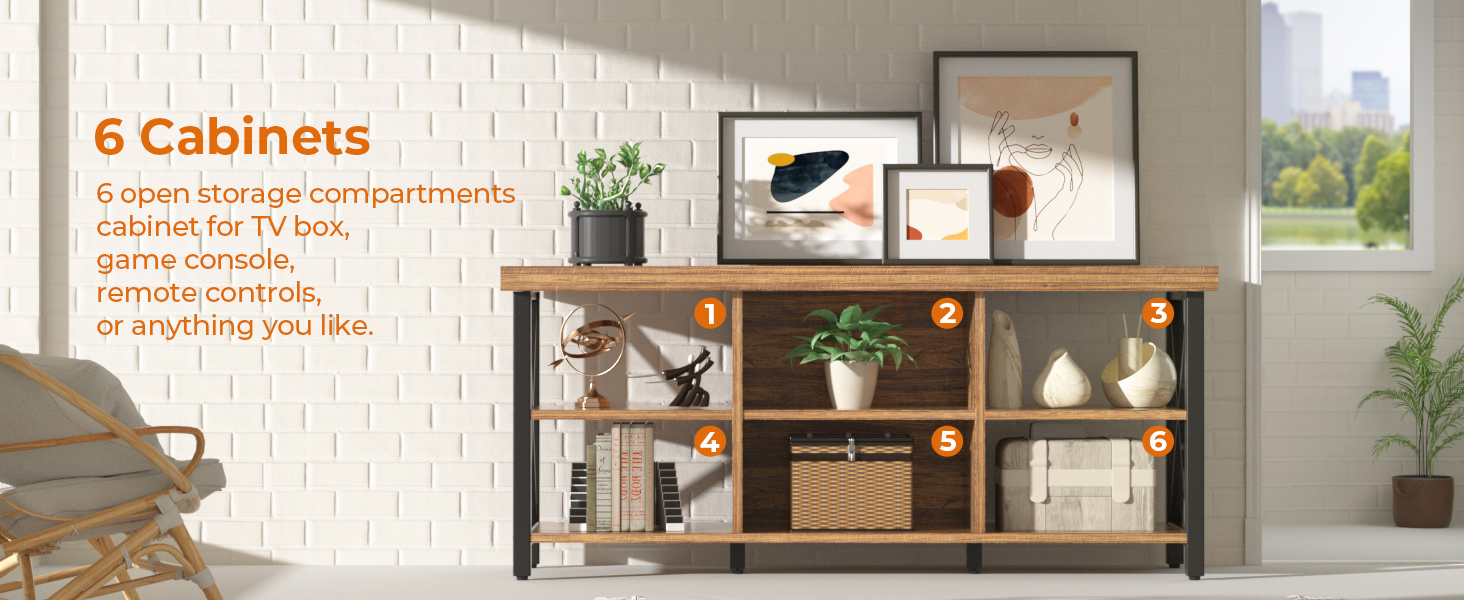
Image: Illustration showing the three adjustable height options for the central shelves.
- Final Check: Ensure all screws are tightened and the stand is stable.
Video: An overview of the GreenForest TV Stand, showcasing its features and design. This video can help visualize the assembled product.
Operating Instructions
Your GreenForest TV Stand is designed for versatile use in your living space.
- TV Placement: Place your television securely on the top surface. This stand is suitable for TVs up to 65 inches.
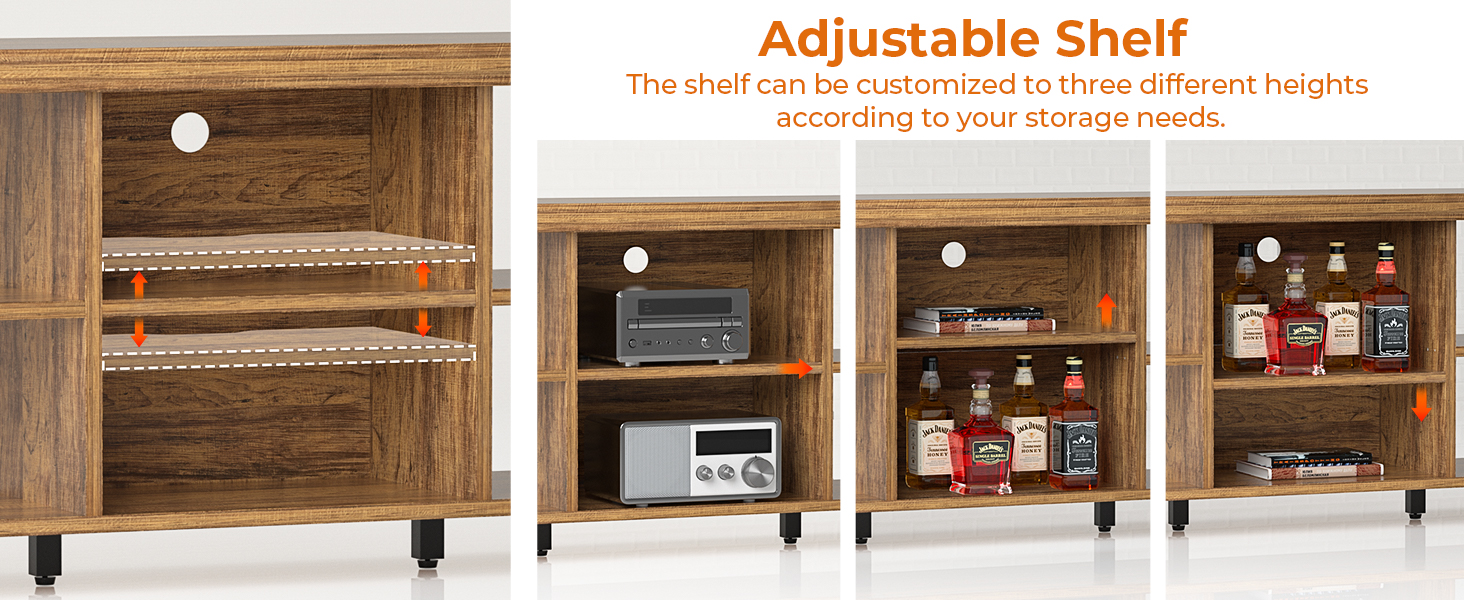
Image: Diagram illustrating the compatibility of the TV stand with various TV sizes, up to 65 inches.
- Storage Utilization: Utilize the six open storage compartments for your media devices, game consoles, remote controls, books, or decorative items.
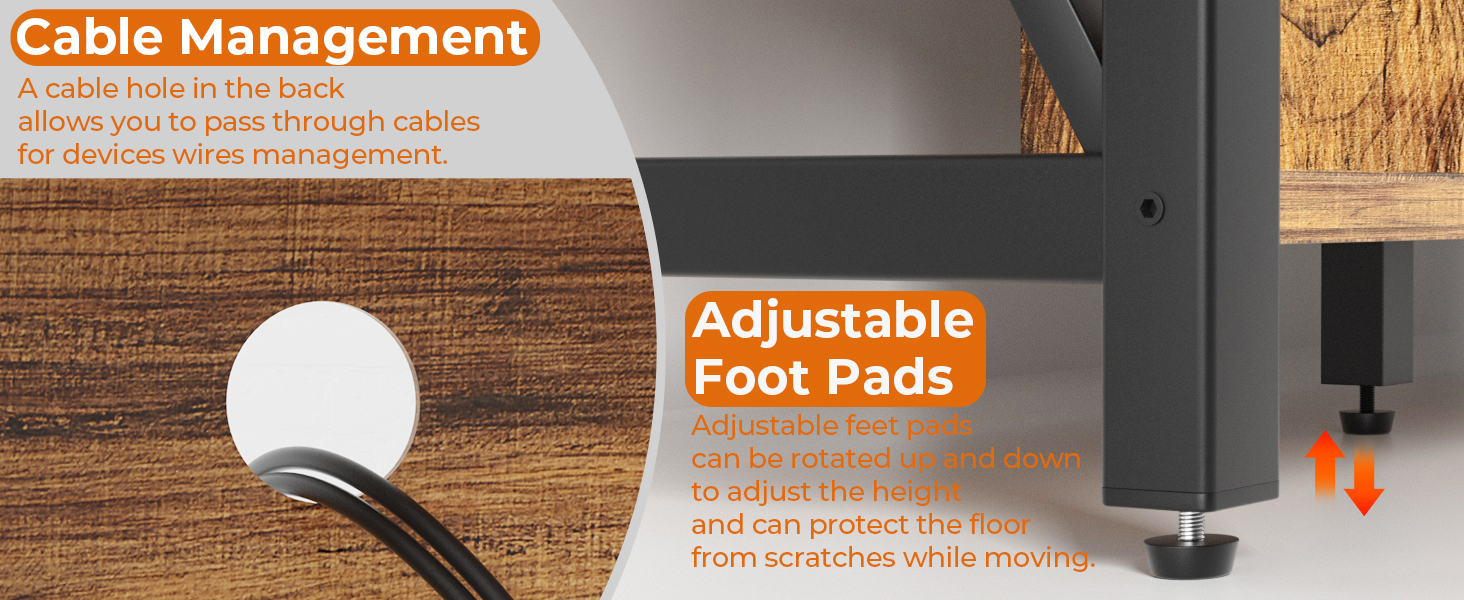
Image: The TV stand displayed with various items in its six storage compartments.
- Cable Management: Use the cable management hole located on the back panel of the central compartment to neatly route and hide power cords and audio/video cables.
- Adjustable Shelves: Adjust the height of the central shelves as needed to accommodate taller items or optimize storage space.
Maintenance
To ensure the longevity and appearance of your GreenForest TV Stand, follow these maintenance guidelines:
- Cleaning: Wipe surfaces with a soft, damp cloth. Avoid harsh chemicals or abrasive cleaners that could damage the finish.
- Spills: Clean up spills immediately to prevent staining or water damage.
- Sunlight Exposure: Avoid prolonged direct sunlight exposure to prevent fading or discoloration of the wood finish.
- Weight Distribution: Distribute weight evenly across the shelves and tabletop to maintain stability and prevent warping.
- Periodic Checks: Periodically check and tighten all screws and connections to ensure the stand remains stable.
Troubleshooting
If you encounter any issues with your TV stand, refer to the following common troubleshooting tips:
| Problem | Possible Cause | Solution |
|---|---|---|
| Stand is wobbly or unstable. | Loose connections; uneven floor. | Tighten all screws. Adjust the foot pads to level the stand on uneven surfaces. |
| Parts do not align during assembly. | Incorrect orientation of parts; misaligned holes. | Review the assembly diagrams carefully. Ensure parts are oriented correctly before tightening. Loosen screws slightly, adjust, then re-tighten. |
| Damage to finish. | Impact; abrasive cleaning. | For minor scratches, use a furniture repair marker. Avoid abrasive materials for cleaning. |
Specifications
| Feature | Detail |
|---|---|
| Brand | GreenForest |
| Model Name | COCOA-TVS-WNT-GW |
| Color | Walnut |
| Product Dimensions (D x W x H) | 15"D x 55"W x 20"H |
| Recommended TV Size | Up to 65 inches |
| Weight Limit (Tabletop) | 220 Pounds |
| Weight Limit (Each Partition) | 30 Pounds |
| Number of Storage Compartments | 6 (open) |
| Special Feature | Adjustable Shelf, Cable Management, X-Shape Side Structure |
| Material | Metal Frame, Wood Top |
| Assembly Required | Yes |

Image: Detailed diagram showing the dimensions and weight capacities of the TV stand.
Warranty and Support
GreenForest is committed to providing quality products. For any questions, missing parts, or assistance with assembly, please contact our customer support team.
- Customer Support: Refer to your purchase documentation or the GreenForest official website for contact information.
- Returns: This product typically includes a 30-day easy return policy. Please check your retailer's specific return policy.
- Protection Plans: Extended protection plans may be available for purchase separately.
Please retain your proof of purchase for any warranty claims or support inquiries.
Ask a question about this manual
Ask about setup, troubleshooting, compatibility, parts, safety, or missing instructions. Manuals+ will review the question and use this page’s manual context to help answer it.