
Introduction
Thank you for purchasing the SXFJF TWS Wireless Bluetooth 5.0 Earphones. This manual provides detailed instructions for setup, operation, maintenance, and troubleshooting to ensure optimal performance and longevity of your device. Please read this manual thoroughly before use and retain it for future reference.
Package Contents
Please check the package contents upon opening. If any items are missing or damaged, contact customer support.
- 2 x Wireless Earphones (Left and Right)
- 1 x Type-C Charging Cable
- 1 x Charging Case
- 1 x User Manual
Product Overview
The SXFJF TWS Wireless Bluetooth 5.0 Earphones are designed for sports and daily use, featuring an ear-hook design for stability and comfort. They offer high-definition audio, low latency, and a built-in microphone for clear calls.

Figure 1: Key Features Overview. This image highlights the main features of the earphones, including 6D sound effects, Bluetooth 5.0 connectivity, anti-fall design, HD microphone, charging base functionality, ability to answer calls, zero latency, and binaural mode support.
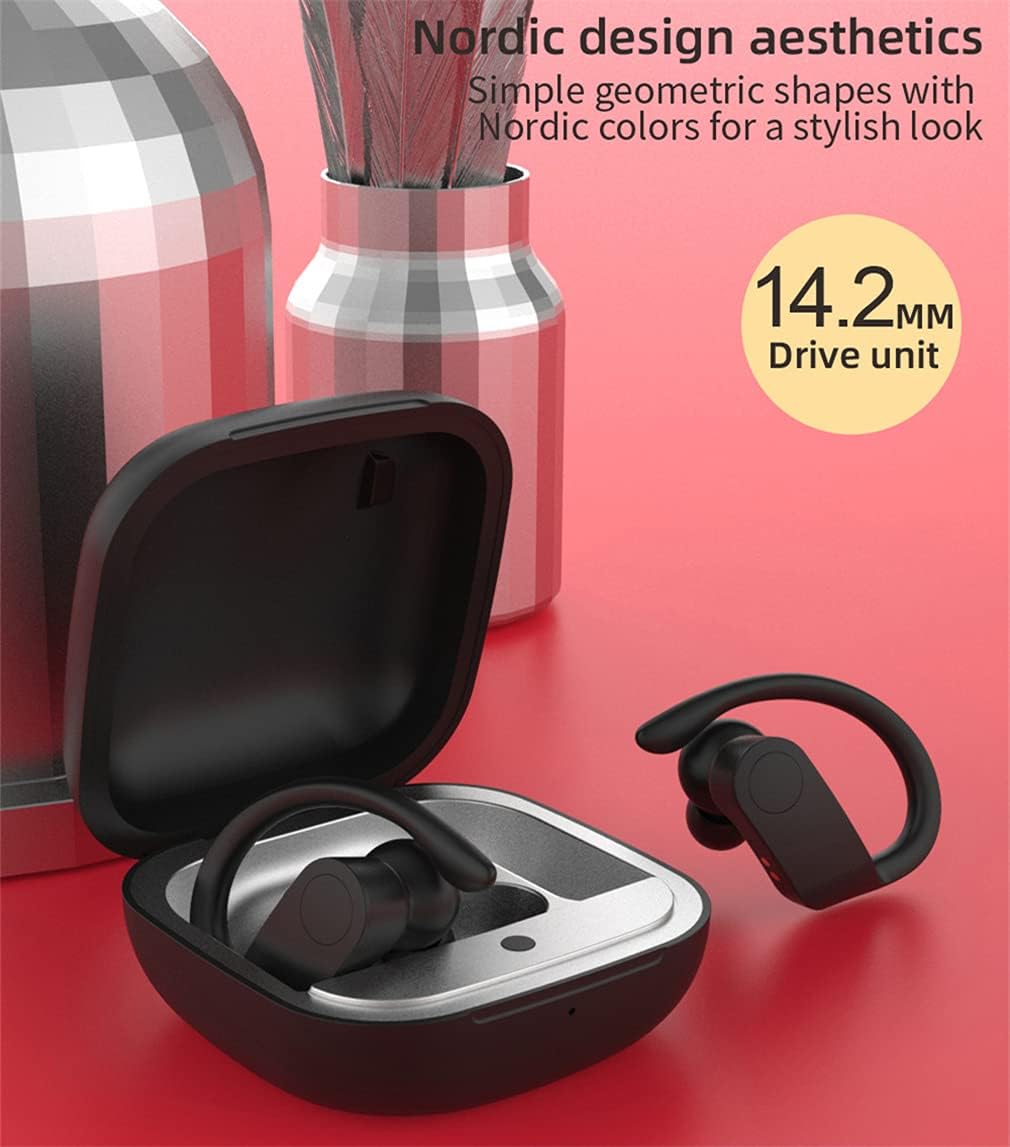
Figure 2: Earphone Design and Drive Unit. This image illustrates the aesthetic design of the earphones and charging case, emphasizing the 14.2mm drive unit responsible for sound output.

Figure 3: Key Operation Area. This image provides a close-up view of the earphone, indicating the location of the control buttons for various functions.
Setup
1. Charging the Earphones and Charging Case
Before first use, fully charge the earphones and the charging case. The charging case has a 300mAh capacity, and each earbud has a 35mAh battery.
- Place the earphones into the charging case.
- Connect the Type-C charging cable to the charging case and a USB power source.
- The indicator lights on the case will show charging status. A full charge typically takes about 1 hour.

Figure 4: Charging Process. This image demonstrates the charging of the earphones within their case, highlighting the battery capacity and charging duration.
2. Pairing with a Bluetooth Device
The earphones utilize advanced Bluetooth 5.0 technology for stable and fast connections. After the initial pairing, they will automatically connect to your device.
- First-time Pairing:
- Open the charging case, and the earphones will automatically power on and enter pairing mode.
- Enable Bluetooth on your mobile device (smartphone, tablet, etc.).
- Search for "TWS Earphones" or a similar name in the list of available Bluetooth devices.
- Select the device name to connect. Once connected, you will hear a confirmation tone.
- Automatic Reconnection: After the first successful pairing, the earphones will automatically connect to the last paired device when taken out of the charging case.
- Single Earbud Mode: Either earbud can be used independently. Simply take one earbud out of the case, and it will enter pairing mode.

Figure 5: Binaural Mode Connection. This image shows the earphones connected to a smartphone, demonstrating the capability for both single and dual earbud use with a single mobile phone.
Operating Instructions
The earphones feature intuitive touch controls for various functions. Refer to Figure 3 for the location of the control area.
Power On/Off
- Power On: Open the charging case, or long-press the touch area on both earbuds for 3 seconds.
- Power Off: Place the earbuds back into the charging case, or long-press the touch area on both earbuds for 5 seconds.
Music Playback
- Play/Pause: Single tap the touch area on either earbud.
- Next Track: Double tap the touch area on the right earbud.
- Previous Track: Double tap the touch area on the left earbud.
- Volume Up: Triple tap the touch area on the right earbud.
- Volume Down: Triple tap the touch area on the left earbud.
Call Management
- Answer/End Call: Single tap the touch area on either earbud.
- Reject Call: Long-press the touch area on either earbud for 2 seconds.
- Voice Assistant: Long-press the touch area on either earbud for 2 seconds (when not on a call).
Maintenance
Proper maintenance ensures the longevity and optimal performance of your earphones.
- Cleaning: Use a soft, dry, lint-free cloth to clean the earphones and charging case. Do not use harsh chemicals or abrasive materials.
- Storage: When not in use, store the earphones in their charging case to protect them from dust and damage.
- Avoid Water: While designed for sports, avoid submerging the earphones in water. Clean any sweat or moisture promptly.
- Charging: Use the provided Type-C cable for charging. Avoid using damaged cables or chargers.
- Temperature: Do not expose the earphones to extreme temperatures (hot or cold) or high humidity.
Troubleshooting
| Problem | Solution |
|---|---|
| Earphones do not power on. | Ensure the earphones are charged. Place them in the charging case and connect the case to power. |
| Earphones do not pair with device. |
|
| Only one earbud is working. |
|
| Poor sound quality or disconnections. |
|
Specifications
| Brand | SXFJF |
| Model | B09C4K3X4C |
| Bluetooth Version | Bluetooth V5.0 |
| Connectivity Technology | Wireless |
| Ear Placement | In Ear (Ear-Hook) |
| Charging Case Battery Capacity | 300mAh |
| Earbud Battery Capacity | 35mAh (each) |
| Play Time | Up to 6 hours (single charge), 30 hours (with charging case) |
| Talk Time | 2.5 hours |
| Standby Time | 72 hours |
| Charging Input Voltage | DC5V 500MAH |
| Speaker Specifications | 2x16Ω 20MW Φ10mm |
| Frequency Response Range | 20Hz-20KHz |
| Sensitivity | ≥100db±2db |
| Signal to Noise Ratio | ≥80Db |
| Wireless Range | 10 meters (without barriers) |
| Additional Features | Microphone Included, Noise Cancellation (CVC 8.0), Sports and Exercise suitability |
| Material | Silicone |
Safety Information
Please read and follow these safety guidelines to prevent injury or damage to your device:
- Do not disassemble, repair, or modify the product. This may cause fire, electric shock, or complete damage to the product.
- Keep the product away from extreme temperatures, direct sunlight, and high humidity.
- Avoid exposing the product to water or other liquids.
- Do not use the product at high volume for extended periods to prevent hearing damage.
- Keep out of reach of children and pets. Small parts may pose a choking hazard.
- Dispose of the product and its battery responsibly according to local regulations.
Warranty and Support
For warranty information or technical support, please refer to the documentation provided at the time of purchase or contact your retailer. Keep your proof of purchase for warranty claims.
For further assistance, please visit the official SXFJF website or contact their customer service department.