
1. Introduction
Thank you for choosing the 5 Core AMP 30W-UTX-DLX Professional Paging Amplifier. This amplifier is designed to provide clear and powerful audio for a variety of applications, including home stereo systems, public address (PA) setups, DJ events, and karaoke. Please read this manual carefully to ensure proper setup, operation, and maintenance of your amplifier.

The 5 Core amplifier is designed for versatile audio applications, from home entertainment to professional paging.
2. Product Features
The 5 Core AMP 30W-UTX-DLX amplifier offers a robust set of features for enhanced audio control and performance:
- Power Output: 30W RMS, 300W PMPO for strong audio delivery.
- Multiple Inputs: Features 3 microphone inputs, 1 AUX input, and 1 USB input for diverse connectivity.
- Equalizer: Built-in Bass and Treble controls for sound customization.
- Digital Display: Provides clear visual feedback on current settings.
- Remote Control: Fully functional remote for convenient operation.
- Dual Power Source: Operates on AC 220-240V 50/60Hz or DC 12V (car battery) for flexible use.
- Thermal Protection: Includes protection against overheat, overload, short circuit, DC, and soft start.
- Durable Construction: Housed in a professional 2U metal chassis.
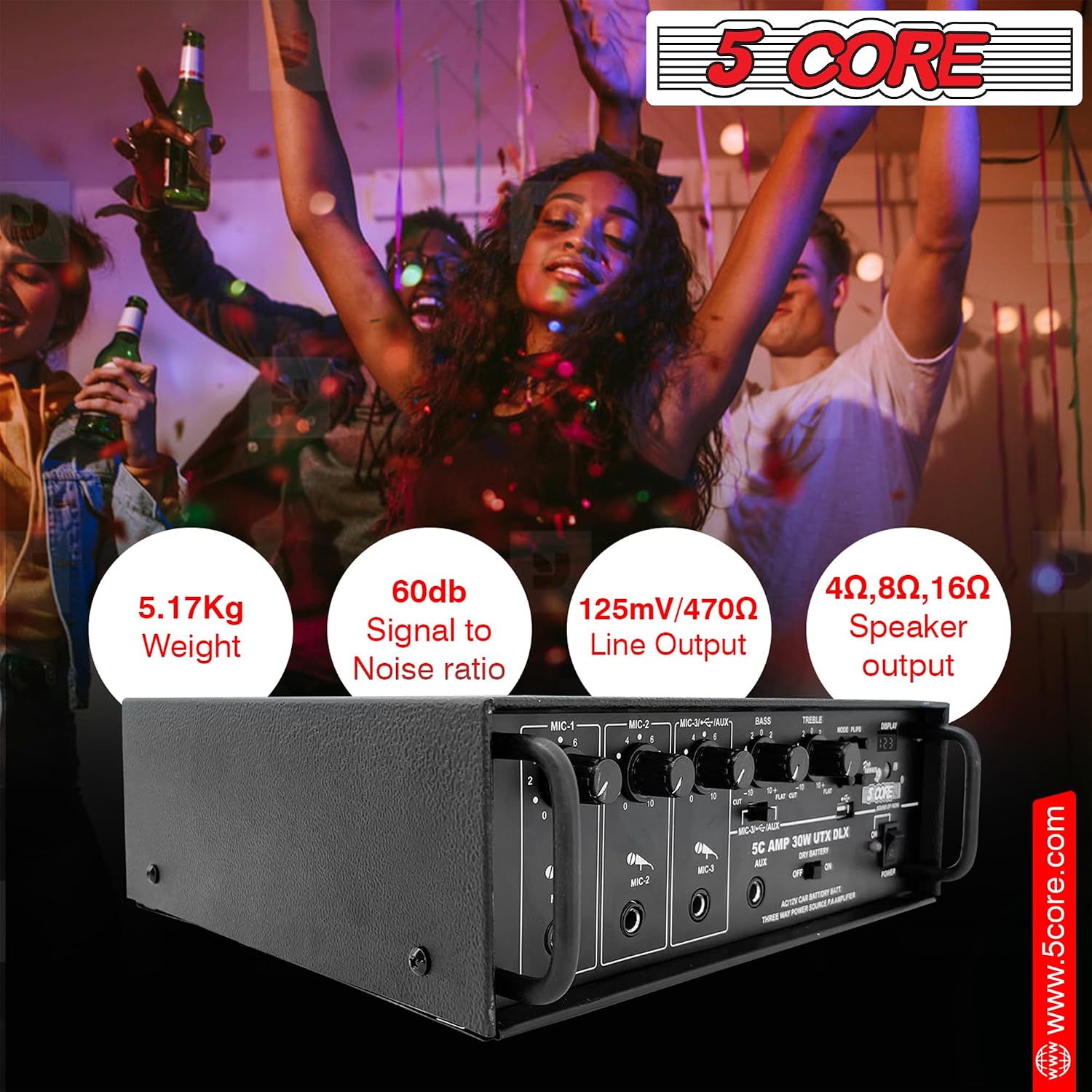
Front panel layout with microphone inputs, volume controls, equalizer, and digital display.

Key features including AUX input, master volume control, and the main power switch for easy operation.

The integrated digital display provides visual feedback, complemented by a precise volume controller.
3. Setup Instructions
Follow these steps to set up your 5 Core amplifier:
- Power Connection:
- For AC power, connect the provided power cord to the AC 220-240V 50/60Hz input on the rear panel and then to a wall outlet.
- For DC power, connect a 12V car battery to the DC 12V terminals on the rear panel, ensuring correct polarity.
- Speaker Connection:
- Connect your passive speakers to the speaker output terminals on the rear panel. Ensure the impedance (4Ω, 8Ω, 16Ω) matches your speakers and the amplifier's capabilities.
- For powered speakers, connect them to the amplifier's line output (if available) or directly to your audio source.
- Audio Source Connection:
- AUX Input: Use a 3.5mm jack cable to connect external audio devices (e.g., smartphone, CD player) to the AUX input on the front panel.
- USB Input: Insert a USB drive into the USB port on the front panel to play audio files directly.
- Microphone Connection:
- Connect up to three microphones to the MIC-1, MIC-2, and MIC-3 inputs on the front panel.

Connection diagram illustrating how to integrate the amplifier with passive speakers, powered speakers, headsets, and various audio sources like laptops, TVs, and gaming consoles.
4. Operating Instructions
Once the amplifier is set up, follow these steps for operation:
- Power On/Off: Press the 'POWER' button on the front panel to turn the amplifier on or off. The digital display will illuminate when powered on.
- Input Selection: Use the 'MODE' button on the front panel or remote control to switch between AUX and USB inputs.
- Volume Control:
- Adjust the 'MASTER VOLUME' knob for overall sound level.
- Use the individual 'MIC' volume knobs to control the volume of each connected microphone.
- Equalizer Adjustment: Use the 'BASS' and 'TREBLE' knobs to adjust the low and high frequencies of the audio output to your preference.
- USB Playback: When a USB drive is inserted and selected, use the playback controls (Play/Pause, Next, Previous) on the front panel or remote to manage your music.
- Remote Control: The included remote control provides full functionality for power, input selection, volume, and media playback. Ensure line of sight to the amplifier's IR receiver.

The amplifier supports universal karaoke, allowing multiple microphones for group singing.
Official product video demonstrating the features and capabilities of the 5 Core Professional Paging Amplifier.
5. Maintenance
Proper maintenance ensures the longevity and optimal performance of your amplifier:
- Cleaning: Use a soft, dry cloth to clean the exterior of the amplifier. Avoid using liquid cleaners or solvents, as they may damage the finish or internal components.
- Ventilation: Ensure the amplifier has adequate ventilation. Do not block the ventilation openings on the top or sides. Operating in a well-ventilated area prevents overheating.
- Storage: When not in use for extended periods, store the amplifier in a cool, dry place away from direct sunlight and extreme temperatures.
- Power Off: Always turn off and unplug the amplifier before cleaning or performing any maintenance.
6. Troubleshooting
If you encounter issues with your amplifier, refer to the following common problems and solutions:
| Problem | Possible Cause | Solution |
|---|---|---|
| No power | Power cord not connected; Power switch off; Blown fuse | Check power cord connection; Ensure power switch is ON; Replace fuse (if applicable and safe to do so). |
| No sound output | Incorrect input selected; Speaker cables loose/disconnected; Volume too low; Mute activated | Select correct input; Check speaker connections; Increase master volume; Deactivate mute function. |
| Distorted sound | Volume too high; Incorrect impedance speakers; Damaged speaker cables | Reduce volume; Ensure speaker impedance matches amplifier; Check and replace damaged cables. |
| Microphone not working | Microphone not connected; Microphone volume knob low; Faulty microphone | Connect microphone securely; Increase individual MIC volume; Test with another microphone. |
| Remote control not working | Dead batteries; Obstruction between remote and amplifier; Remote sensor blocked | Replace batteries; Remove obstructions; Ensure remote sensor is clear. |
If the problem persists after trying these solutions, please contact 5 Core customer support for assistance.
7. Specifications
Detailed technical specifications for the 5 Core AMP 30W-UTX-DLX amplifier:
| Feature | Specification |
|---|---|
| Model Name | AMP 30W-UTX-DLX |
| RMS Power Output | 30W |
| PMPO Power Output | 300W |
| Channels | 2 |
| Microphone Inputs | 3 (0.60mV/4.7kΩ sensitivity) |
| AUX Input | 1 (125mV/470kΩ sensitivity) |
| USB Input | 1 |
| Power Source | AC: 220-240V 50/60Hz, DC: 12V (Car battery) |
| Output Regulation | >84dB@20Hz to 20kHz at Maximum output |
| Speaker Output Impedance | 4Ω, 8Ω, 16Ω |
| Amplifier Type | Solid State |
| Enclosure Material | Metal |
| Color | Black |
| Dimensions (W x D x H) | 296 mm x 294 mm x 116 mm |
| Weight | 5.17 Kg |
| UPC | 810047166788 |

Physical dimensions of the amplifier (296mm W x 294mm D x 116mm H) and key power output details.
8. Warranty and Support
For warranty information or technical support, please refer to the documentation included with your purchase or contact 5 Core customer service directly. Keep your purchase receipt as proof of purchase.
