
Introduction
Thank you for choosing the SXFJF TWS True Wireless Bluetooth 5.0 Earbuds. These earbuds are designed to provide a high-fidelity stereo audio experience with advanced features such as Bluetooth 5.0 connectivity, active noise cancellation, and a built-in microphone for clear calls. This manual will guide you through the setup, operation, and maintenance of your new earbuds to ensure optimal performance and longevity.
Package Contents
Please check the package for the following items:
- 2 x Wireless Earbuds (Left and Right)
- 1 x Type-C Charging Cable
- 1 x Charging Case
- 1 x User Manual
Setup
1. Charging the Earbuds and Case
Before first use, fully charge the charging case and earbuds. Connect the provided Type-C charging cable to the charging port on the case and a USB power source. The indicator lights on the case will show the charging status. A full charge for the case typically takes about 1 hour, and earbuds charge within 30 minutes when placed in the case.
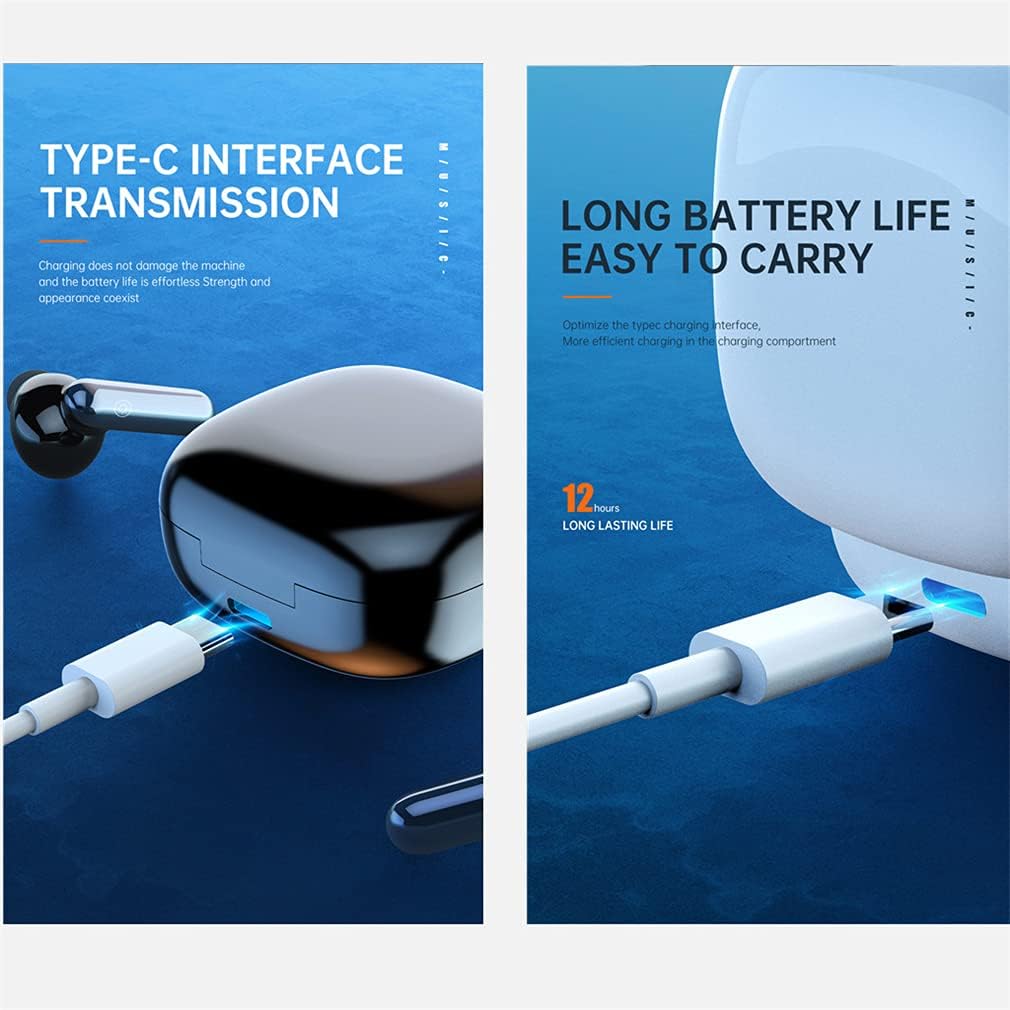
Image: The charging case with a Type-C cable connected, illustrating the charging interface.

Image: Earbuds resting in their charging case, displaying LED indicators for battery status and ultra-low power consumption feature.
2. Pairing with Your Device
The earbuds feature one-step pairing for convenience.
- Open the charging case. The earbuds will automatically power on and enter pairing mode.
- Enable Bluetooth on your smartphone or other device.
- Search for "TWS Earbuds" (or similar name) in the list of available Bluetooth devices and select it to connect.
- Once paired, the earbuds will automatically connect to your device when taken out of the charging case for future use.
Operating Instructions
Touch Controls
The earbuds are equipped with smart touch controls for easy management of calls and music playback.

Image: A detailed diagram illustrating the touch-sensitive area on the earbud and corresponding functions for calls and music playback.
- Answer/Hang Up Call: Tap the function button 2 times.
- Reject Call: Long touch the function button for 2 seconds.
- Wake Up Voice Assistant (Siri): Long touch the function button for 2 seconds.
- Play/Pause Music: Tap the function button 2 times.
- Previous Track: Tap the left earbud function button 3 times.
- Next Track: Tap the right earbud function button 3 times.
Single and Dual Earbud Use
You can use both earbuds together for a stereo experience or a single earbud for mono audio, allowing for flexibility and awareness of your surroundings.

Image: The earbuds and charging case, demonstrating the ability to use either a single earbud or both simultaneously for audio playback.
Maintenance
Cleaning
Regularly clean your earbuds and charging case with a soft, dry, lint-free cloth. Avoid using harsh chemicals or abrasive materials. Ensure the charging contacts on both the earbuds and the case are clean and dry.
Water Resistance
These earbuds are designed with a sports-grade waterproof rating, making them suitable for workouts and protection against sweat and light splashes. However, they are not intended for swimming or submersion in water. Ensure the earbuds are dry before placing them back in the charging case.

Image: Earbuds shown on a wet surface, emphasizing their sports-grade waterproof design for use during strenuous exercise without fear of sweating.
Storage
When not in use, store the earbuds in their charging case to protect them and keep them charged. Store in a cool, dry place away from extreme temperatures.
Troubleshooting
- Earbuds not pairing: Ensure both earbuds are charged. Turn off and on your device's Bluetooth. Try resetting the earbuds by placing them in the case, closing it, and then reopening.
- No sound from one earbud: Check if both earbuds are charged and properly connected. Try re-pairing them with your device.
- Charging issues: Ensure the Type-C cable is securely connected to both the case and the power source. Check if the charging contacts on the earbuds and case are clean.
- Poor sound quality: Ensure the earbuds are properly seated in your ears. Check your device's audio settings.
Specifications
The following are the technical specifications for your SXFJF TWS True Wireless Bluetooth 5.0 Earbuds:

Image: An exploded view of an earbud showing internal components and a graph detailing HD sound quality decoding, including microphone sensitivity, ohmic impedance, and frequency range.
| Feature | Specification |
|---|---|
| Bluetooth Version | 5.0 |
| Bluetooth Transmission Distance | Up to 10 meters (33 feet) |
| Earbud Battery Capacity | 35mAh per earbud |
| Charging Case Battery Capacity | 600mAh |
| Earbud Charging Time | Approx. 30 minutes |
| Case Charging Time | Approx. 1 hour |
| Music Playtime | Approx. 5 hours (per charge), up to 30 hours with charging case |
| Call Duration | Approx. 6 hours |
| Standby Time | Approx. 180 hours (with charging case) |
| Noise Control | Active Noise Cancellation (CVC 8.0) |
| Microphone | Built-in, with noise reduction |
| Water Resistance | Sports Grade Waterproof |
| Material | ABS |
Warranty and Support
For warranty information and customer support, please refer to the documentation included with your purchase or contact the retailer/manufacturer directly. Keep your proof of purchase for warranty claims.