
cimetech KF10
cimetech KF10 Wireless Keyboard and Mouse Combo User Manual
Model: KF10
Brand: cimetech
1. Introduction
Thank you for choosing the cimetech KF10 Wireless Keyboard and Mouse Combo. This product is designed to provide a comfortable, efficient, and quiet typing and navigation experience for your computer. With its ultra-slim design, stable 2.4G wireless connection, and silent keys, it is ideal for various environments, including home, office, and travel.
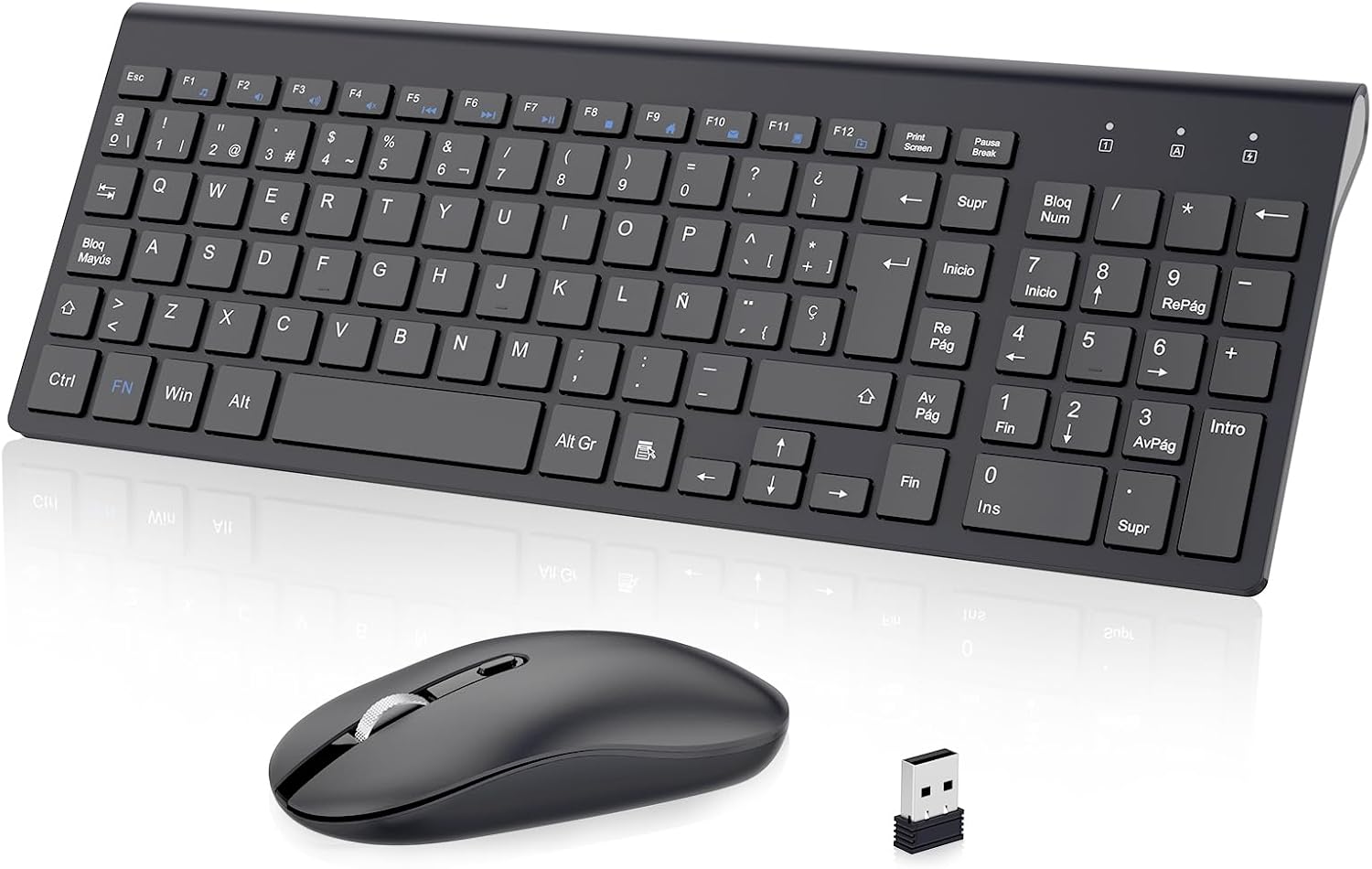
Figure 1: cimetech KF10 Wireless Keyboard and Mouse Combo.
2. Package Contents
- 1 x cimetech Wireless Keyboard
- 1 x cimetech Wireless Mouse
- 1 x 2-in-1 USB Receiver (stored inside the mouse)
- 1 x User Manual
3. Setup Guide
3.1. Installing Batteries
The keyboard requires 2 AAA batteries and the mouse requires 1 AA battery (batteries are not included). Please ensure correct polarity when inserting the batteries.
3.2. Locating the USB Receiver
The 2-in-1 USB receiver for both the keyboard and mouse is conveniently stored inside the mouse. To access it, open the battery compartment cover on the underside of the mouse.

Figure 2: The USB receiver is stored in the mouse's battery compartment.
3.3. Connecting to Your Device (Plug and Play)
- Remove the USB receiver from the mouse's battery compartment.
- Plug the USB receiver into an available USB port on your computer or laptop.
- Turn on the mouse using the On/Off switch located on its underside.
- The keyboard and mouse will automatically connect to your device. No additional drivers are required.

Figure 3: Simply plug the USB receiver into your device for instant connection.
Video 1: Demonstrates the setup process for the cimetech Wireless Keyboard and Mouse Combo, highlighting its ergonomic, silent, and portable features, along with the plug-and-play setup and energy-saving mode.
4. Operating Instructions
4.1. Keyboard Usage
- Full-Size Layout: The keyboard features a full-size layout with 102 keys (Spanish QWERTY layout), including a numeric keypad for efficient data entry.
- Multimedia Keys: Utilize the 12 multimedia function keys (F1-F12, often combined with the 'Fn' key) for quick access to media controls, volume, and other common functions.
- Silent Typing: The advanced scissor-switch keys provide a comfortable, responsive, and significantly quieter typing experience compared to traditional keyboards.

Figure 4: The silent keys reduce typing noise by up to 90%.
4.2. Mouse Usage
- Silent Clicks: The mouse features silent buttons, ensuring a quiet working environment without disruptive clicking sounds.
- Adjustable DPI: The mouse offers adjustable DPI levels (800/1200/1600 PPP) to customize cursor sensitivity for precise control. Press the DPI button on top of the mouse to cycle through the settings.
- Ambidextrous Design: The mouse is designed for comfortable use by both left and right-handed users.
Figure 5: The silent mouse features adjustable DPI settings for customized sensitivity.
5. Power Saving Mode
To conserve battery life, both the keyboard and mouse feature an automatic sleep mode:
- The mouse will enter sleep mode after 8 minutes of inactivity.
- The keyboard will enter sleep mode after 3 minutes of inactivity.
To wake the devices, simply press any key on the keyboard or move/click the mouse. The devices will reactivate within 3 seconds.

Figure 6: Automatic sleep mode helps save battery power.
6. Features Overview
- 2.4G Stable Wireless Connection: Provides a powerful and reliable connection up to 10 meters (33 feet) without delays or dropouts.
- Ultra-Slim and Portable Design: The keyboard is only 0.7 inches thick, making the combo easy to carry and space-saving.
- Silent Typing and Clicking: Advanced scissor-switch keys and silent mouse buttons ensure a quiet working environment.
- Ergonomic Design: The keyboard is designed with an inclination angle to alleviate muscle strain during long hours of work.

Figure 7: The ergonomic design provides a comfortable typing experience.

Figure 8: Dimensions illustrating the ultra-thin and lightweight design of the keyboard and mouse.
7. Compatibility
The cimetech KF10 Wireless Keyboard and Mouse Combo is widely compatible with various operating systems and devices:
- Operating Systems: Windows 2000 / ME / XP / Vista / 7 / 8 / 10.
- Compatible Devices: Desktops, Chromebooks, PCs, laptops, and more with an available USB port.

Figure 9: The combo is compatible with Windows operating systems and various computer types.
8. Maintenance
- Keep the keyboard and mouse clean by wiping them with a soft, dry cloth.
- Avoid exposing the devices to excessive moisture or extreme temperatures.
- When not in use for extended periods, turn off the mouse to conserve battery life.
- Store the USB receiver inside the mouse to prevent loss when transporting the devices.
9. Troubleshooting
| Problem | Possible Solution |
|---|---|
| Keyboard/Mouse not responding |
|
| Lag or intermittent connection |
|
| Mouse cursor erratic or not moving smoothly |
|
10. Specifications
| Feature | Detail |
|---|---|
| Connectivity Technology | 2.4 GHz Wireless (USB Receiver) |
| Wireless Range | Up to 10 meters (33 feet) |
| Keyboard Layout | Spanish QWERTY (102 keys) |
| Keyboard Type | Ultra-slim, Scissor-switch keys |
| Mouse DPI Settings | 800/1200/1600 PPP (Adjustable) |
| Mouse Orientation | Ambidextrous |
| Power Source | Keyboard: 2 x AAA batteries (not included) Mouse: 1 x AA battery (not included) |
| Compatible Operating Systems | Windows 2000 / ME / XP / Vista / 7 / 8 / 10 |
| Product Dimensions (Keyboard) | Approx. 36.8 x 13.8 x 0.6 cm |
| Product Weight | 610 g (total package weight) |
11. Warranty and Support
cimetech products come with a 12-month warranty. For any questions, technical support, or warranty claims, please contact cimetech customer service. Professional customer service is available 24 hours to provide a satisfactory solution.
Ask a question about this manual
Ask about setup, troubleshooting, compatibility, parts, safety, or missing instructions. Manuals+ will review the question and use this page’s manual context to help answer it.