
Introduction
Thank you for choosing the Fuzion GD200 Digital Pocket Gram Scale. This manual provides detailed instructions for the proper use and care of your scale. The Fuzion GD200 is designed for precise measurements, offering a weighing range from 0.03g to 200g with an accuracy of 0.01g. Its compact and durable design makes it suitable for various applications, including weighing jewelry, food ingredients, herbs, powders, and more.

Image: The Fuzion GD200 Digital Pocket Gram Scale in gold, shown in its closed, compact form.
Product Features
- Luxurious and Durable Design: Features a stainless steel weighing platform with gold titanium plating and a mirror finish.
- Precision Weighing: Weighing range from 0.03g to 200g with 0.01g accuracy.
- Versatile Weighing Modes: Includes 6 different units: grams (g), ounces (oz), troy ounces (ozt), pennyweights (dwt), carats (ct), and grains (gn).
- User-Friendly Display: Back-lit LCD for clear readings in various lighting conditions.
- Portable and Lightweight: Weighs approximately 140g, ideal for travel and on-the-go use.
- Tare Function: Allows for weighing items in a container by subtracting the container's weight.
- Smart Auto-off: Conserves battery life.
- Overload Indication: Alerts when the weight limit is exceeded.
- Low Battery Indication: Notifies when batteries need replacement.

Image: Key features of the Fuzion GD200 Digital Pocket Scale, including Smart Auto-off, included batteries, overload indication, and low battery indication.
Setup
Battery Installation
The scale requires 2 AAA batteries (included). Open the battery compartment on the underside of the scale and insert the batteries, ensuring correct polarity.
Initial Placement
For accurate measurements, place the scale on a hard, flat, and stable surface. Avoid placing it on soft or uneven surfaces, or near vibrating equipment.
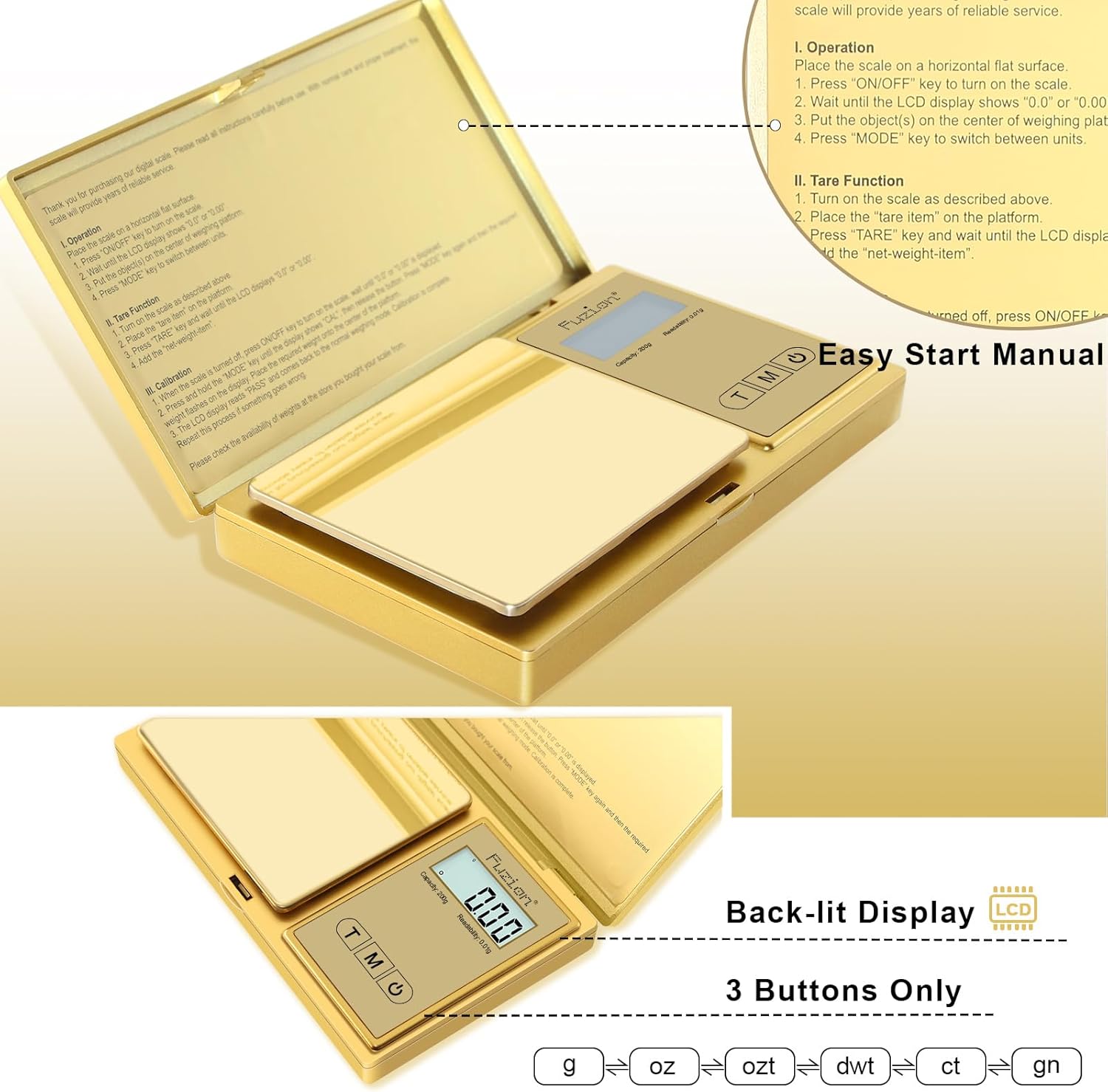
Image: The Fuzion GD200 scale opened, revealing the weighing platform and display. Instructions for operation, tare, and calibration are visible on the inside of the lid.
Operation
Basic Weighing
- Place the scale on a horizontal surface.
- Press the "ON/OFF" key to turn on the scale.
- Wait until the LCD display shows "0.0" or "0.00".
- Place the object(s) on the center of the weighing platform.
- Press the "MODE" key to switch between available units (g, oz, ozt, dwt, ct, gn).
Tare Function
The tare function allows you to subtract the weight of a container, so you can measure only the contents.
- Turn on the scale as described above.
- Place the "tare item" (empty container) on the platform.
- Press the "TARE" key. The LCD will display "0.0" or "0.00".
- Add the "net-weight-item" (contents) into the container to measure its weight.
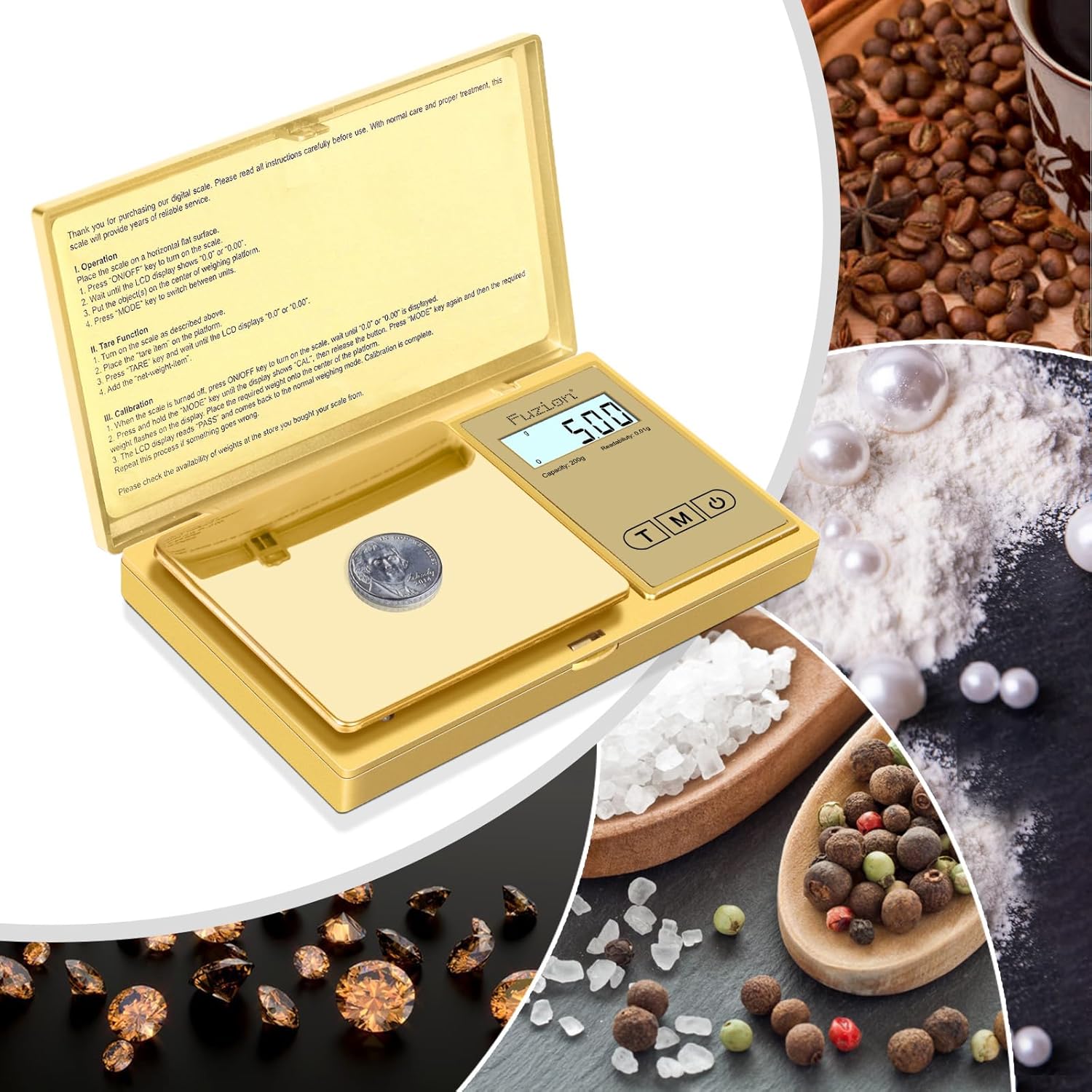
Image: Visual guide to using the Tare Function, showing the steps from powering on to obtaining the net weight of an item within a container.
Unit Conversion
To change the weighing unit, press the "MODE" button repeatedly until the desired unit (g, oz, ozt, dwt, ct, gn) is displayed on the LCD.

Image: Illustration of the six weighing units available on the Fuzion GD200 scale and how to cycle through them using the MODE button.
Calibration
Calibration ensures the accuracy of your scale. It is recommended to calibrate the scale periodically or if you suspect inaccurate readings. A 200g calibration weight is typically required for this model.
- When the scale is turned off, press and hold the "ON/OFF" key to turn on the scale. Wait until "0.0" or "0.00" is displayed.
- Press and hold the "MODE" key until the display shows "CAL", then release the button.
- The LCD display will flash the required weight (e.g., "200.00g"). Place the required calibration weight (e.g., 200g) onto the center of the weighing platform.
- Press the "MODE" key again. The display will show "PASS" and then return to the normal weighing mode. Calibration is complete.
Note: Ensure you use an accurate calibration weight for best results.
Maintenance
- Keep the scale clean. Wipe the platform and body with a soft, damp cloth. Avoid abrasive cleaners or harsh chemicals.
- Store the scale in a dry, cool place. Avoid extreme temperatures and humidity.
- Do not overload the scale beyond its maximum capacity of 200g.
- Remove batteries if the scale will not be used for an extended period to prevent leakage.
- Handle the scale with care. Avoid dropping it or subjecting it to strong impacts.
Troubleshooting
| Problem | Possible Cause | Solution |
|---|---|---|
| Scale does not turn on | Low or dead batteries; incorrect battery installation. | Replace batteries; ensure batteries are inserted with correct polarity. |
| Inaccurate readings | Unstable surface; needs calibration; overloaded; dirty platform. | Place on a stable, flat surface; perform calibration; do not exceed 200g; clean the weighing platform. |
| "O_Ld" or "EEEE" displayed | Scale is overloaded. | Remove excess weight immediately. Do not exceed 200g. |
| "Lo" displayed | Low battery power. | Replace batteries. |
Specifications
- Model: GD200
- Capacity: 200g
- Readability: 0.01g
- Units: g, oz, ozt, dwt, ct, gn
- Display: Backlit LCD
- Power: 2 x AAA Batteries
- Material: Gold Titanium Plating Stainless Steel, ABS
- Package Dimensions: 8.94 x 6.5 x 2.17 inches
- Item Weight: Approximately 140g
- Special Features: Tare Function, Auto-off, Overload Indication, Low Battery Indication
Warranty and Support
The Fuzion GD200 Digital Pocket Gram Scale comes with a comprehensive two-year warranty. This warranty covers defects in materials and workmanship under normal use. For warranty claims or technical support, please contact Fuzion Global Corp directly. Lifetime support is provided to ensure your satisfaction with the product.
For further assistance, please refer to the contact information provided with your purchase or visit the official Fuzion website.
