
1. Introduction
This manual provides detailed instructions for the assembly, operation, and maintenance of your Yaheetech Rolling Computer Desk. Please read this manual thoroughly before assembly and use to ensure proper function and safety.

Image 1: Yaheetech Rolling Computer Desk in Grey, featuring a top surface, drawer, and two lower shelves, all on casters.
2. Safety Information
- Ensure all parts are present and undamaged before assembly. Do not use if any parts are missing or broken.
- Assemble the desk on a soft, clean surface to prevent scratches.
- Tighten all screws firmly, but do not overtighten to avoid damaging the material.
- Do not exceed the maximum weight capacities for each section of the desk.
- Keep small parts away from children during assembly.
- Use the locking casters to secure the desk in place when not in motion.
3. Package Contents
Verify that all components listed below are included in your package:
- Desk Top Panel
- Drawer Components (Front, Back, Sides, Bottom)
- Drawer Slides (2 pairs)
- Middle Shelf Panel
- Bottom Shelf Panel
- Metal Frame Components (Vertical supports, horizontal bars)
- Casters (4, with 2 lockable)
- Assembly Hardware (Screws, bolts, screwdriver, wrench)

Image 2: An exploded diagram illustrating the various parts of the Yaheetech Rolling Computer Desk, including the heavy-duty MDF board, steel ball-bearing slide drawer, thick steel frame, open shelf, bottom shelf, and wheels with brakes.
4. Setup and Assembly
Follow these steps to assemble your Yaheetech Rolling Computer Desk. It is recommended to have a second person assist with certain steps for ease and safety.
4.1. Frame Assembly
- Attach the horizontal support bars to the vertical frame pieces using the provided screws. Ensure they are securely fastened.
- Install the four casters into the designated holes at the bottom of the frame. Two of these casters are lockable; place them on the front side for easy access.
4.2. Shelf and Drawer Installation
- Secure the bottom shelf panel to the assembled frame using the appropriate screws.
- Attach the middle shelf panel to the frame. Note the back plate for this shelf, which prevents items from falling.
- Assemble the drawer box by connecting the sides, front, and back panels, then sliding in the bottom panel.
- Attach the drawer slides to the sides of the drawer box and the corresponding runners on the desk frame. Ensure smooth operation.
- Finally, attach the main desk top panel to the top of the frame.
4.3. Assembly Video Guide
For a visual guide, please refer to the official installation video:
Video 1: Official Yaheetech video demonstrating the step-by-step assembly process for the compact desk. This video guides users through connecting frame components, installing shelves, and assembling the drawer.
5. Operating Instructions and Features
Your Yaheetech Rolling Computer Desk is designed for versatility and convenience in various home office settings.
5.1. Mobility and Stability
- The desk is equipped with four heavy-duty casters for easy movement.
- Two front casters feature locking mechanisms. Press down on the lever to lock the wheels and prevent movement. Lift the lever to unlock.
5.2. Storage and Workspace
- Top Surface: Provides ample space for a laptop, monitor, or other work essentials.
- Drawer: A smooth-gliding drawer offers concealed storage for small items like pens, notebooks, or accessories.
- Middle Shelf: Ideal for books, documents, or decorative items. The back plate helps secure contents.
- Bottom Shelf: Designed to accommodate larger items such as a printer, CPU, or storage boxes.
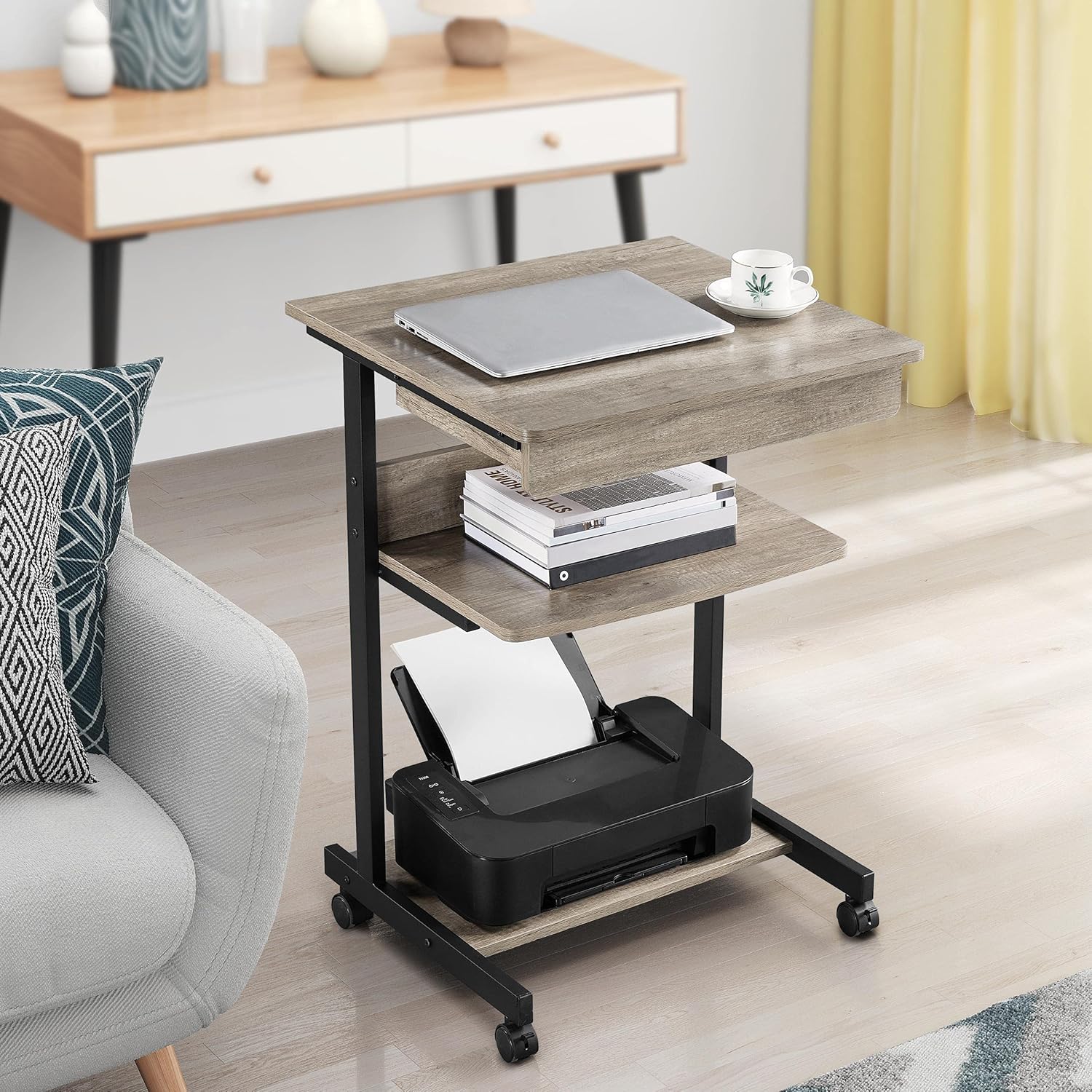
Image 3: The desk positioned next to a sofa, showcasing a laptop on the top surface and a printer on the bottom shelf, highlighting its mobile workstation capabilities.
5.3. Product Overview Video
Watch this video for a quick overview of the desk's features and functionality:
Video 2: A brief overview video from Yaheetech demonstrating the small rolling computer desk cart for home office use, highlighting its mobility and storage options.
6. Maintenance
- Cleaning: The desk surfaces are water-resistant. Wipe clean with a damp cloth and mild detergent. Avoid abrasive cleaners.
- Hardware: Periodically check all screws and bolts to ensure they remain tight. Retighten if necessary.
- Casters: Keep casters free of debris to ensure smooth rolling. Lubricate if needed.
- Material Care: The desk is constructed from quality E1-compliant MDF panels with a laminated finish, offering resistance against slight scratches and moisture.
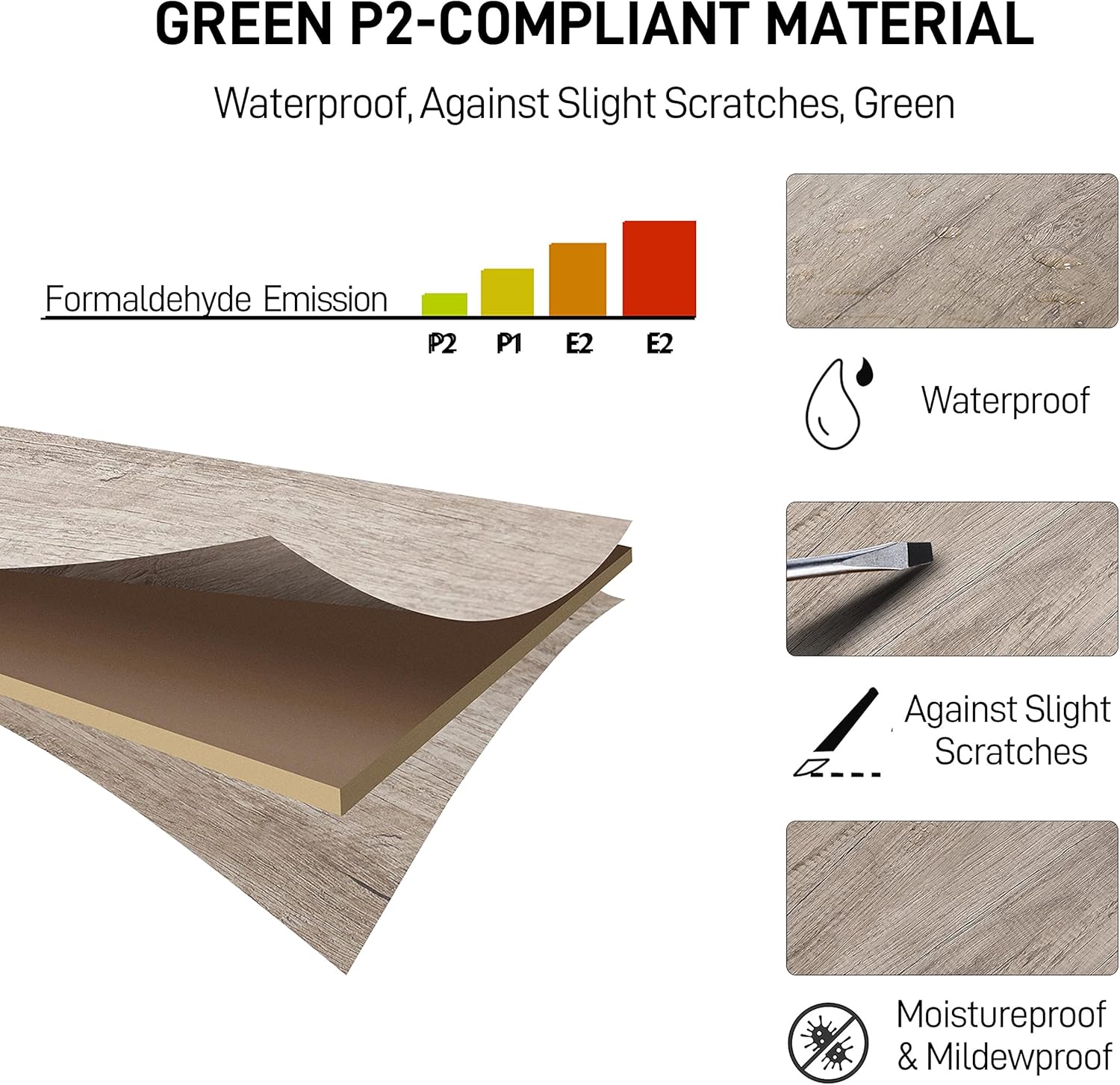
Image 4: An illustration detailing the properties of the desk's Green P2-compliant material, emphasizing its waterproof, scratch-resistant, and moisture-proof qualities.
7. Troubleshooting
- Wobbly Desk: Ensure all screws are fully tightened. Check that the desk is on a flat, even surface.
- Drawer Not Sliding Smoothly: Verify that the drawer slides are correctly installed and free of obstructions. Apply a silicone-based lubricant if necessary.
- Casters Not Rolling: Check for debris (hair, lint) caught in the wheels. Ensure the locking mechanism is disengaged.
- Missing Parts: If any parts are missing upon arrival, contact Yaheetech customer support immediately.
8. Specifications
| Feature | Detail |
|---|---|
| Brand | Yaheetech |
| Model Number | 763960768532 |
| Color | Grey |
| Product Dimensions (D x W x H) | 20"D x 22"W x 31.5"H (51cm x 56cm x 79.5cm) |
| Item Weight | 24.2 Pounds (10.98 kg) |
| Top Material Type | Engineered Wood (E1-compliant MDF) |
| Base Material | Engineered Wood; Metal |
| Finish Type | Laminated |
| Number of Drawers | 1 |
| Number of Shelves | 2 (Open Shelves) |
| Maximum Weight Recommendation (Top) | 66 Pounds (30 kg) |
| Maximum Weight Recommendation (Drawer) | 4 Pounds (2 kg) |
| Maximum Weight Recommendation (Middle Shelf) | 44 Pounds (20 kg) |
| Maximum Weight Recommendation (Bottom Shelf) | 22 Pounds (10 kg) |
| Required Assembly | Yes |
| Includes All Assembly Tools | Yes |
9. Warranty and Support
The Yaheetech Rolling Computer Desk comes with a Limited Warranty. For specific details regarding warranty coverage, claims, or technical support, please refer to the warranty documentation included with your product or visit the official Yaheetech website.
For customer service inquiries, please contact Yaheetech directly through their official channels.
You can visit the Yaheetech Store on Amazon for more information and contact options.
