
Introduction
This manual provides essential information for the setup, operation, maintenance, and troubleshooting of your Pioneer 43" 4K UHD HDR LED Smart TV (Model PN43951-22C). Please read this manual thoroughly before using your television to ensure proper and safe operation.
Safety Information
Always follow basic safety precautions when using this product to reduce the risk of fire, electric shock, and injury to persons. Keep this manual for future reference.
- Do not expose the TV to rain or moisture.
- Do not block ventilation openings.
- Use only attachments/accessories specified by the manufacturer.
- Refer all servicing to qualified service personnel.
Package Contents
Verify that all items listed below are included in your package:
- Pioneer 43" 4K UHD HDR LED Smart TV
- Voice Remote with Alexa
- Power Cable
- TV Stand (2 pieces)
- Screws for TV Stand
- Quick Start Guide
- Important Safety Sheet
- Batteries (AAA) for Remote Control
Note: Some items may be pre-installed or packaged separately.
Setup
1. Attaching the TV Stand
To attach the stand, place the TV face down on a soft, clean surface to prevent scratches. Align each stand piece with the corresponding screw holes on the bottom of the TV. Secure with the provided screws.

Image: Pioneer 43" Smart TV with its stand attached, shown from a slight angle, illustrating the TV's profile and the base.
2. Wall Mounting (Optional)
If you choose to wall mount your TV, remove the stand. Use a VESA-compatible wall mount kit (not included) that supports the TV's weight and VESA pattern. Refer to your wall mount kit's instructions for installation.
3. Connecting Devices
The TV features multiple input ports for various devices.

Image: Close-up side view of the Pioneer 43" Smart TV, highlighting the HDMI and USB input ports located on the side panel.

Image: Rear view of the Pioneer 43" Smart TV, displaying the LAN, AV (Video, Audio R/L), and Antenna/Cable input ports.
- HDMI: Connect Blu-ray players, game consoles, or other HDMI devices. The TV has multiple HDMI inputs, including one with ARC (Audio Return Channel) support.
- USB: Connect USB storage devices for media playback.
- LAN (Ethernet): Connect an Ethernet cable for a wired internet connection.
- AV In: Connect older devices using composite video and stereo audio cables.
- Antenna/Cable In: Connect an antenna or cable TV coaxial cable.
4. Power Connection
Plug the power cable into the TV's power input, then plug the other end into a wall outlet.
Operating
1. Initial Setup and Fire TV Experience
Upon first power-on, the TV will guide you through the initial setup process, including connecting to Wi-Fi, signing in to your Amazon account, and pairing the Voice Remote with Alexa.
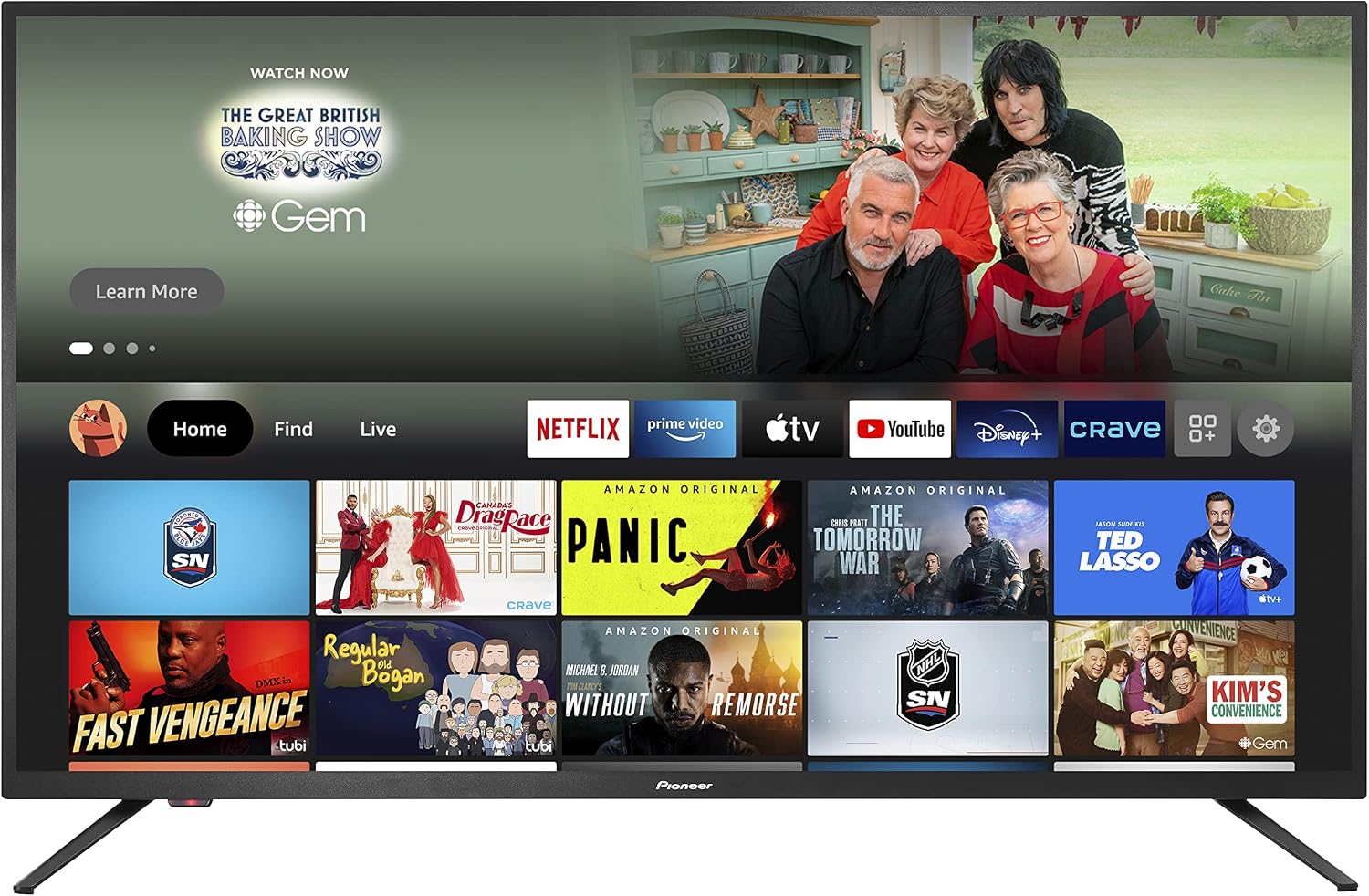
Image: The Pioneer 43" Smart TV screen showing the Fire TV interface, featuring popular streaming applications and content recommendations.
2. Using the Voice Remote with Alexa
The included remote allows for voice control via Alexa. Press and hold the microphone button to issue commands such as "Alexa, open Netflix" or "Alexa, switch to HDMI 1."

Image: The Pioneer Voice Remote with Alexa, showing its buttons for navigation, volume, channel, app shortcuts, and the microphone button for voice commands.
- Power Button: Turns the TV on or off.
- Navigation Ring: For menu navigation.
- Select Button: Confirms selections.
- Back Button: Returns to the previous screen.
- Home Button: Returns to the Fire TV home screen.
- Volume Buttons: Adjusts volume.
- App Shortcut Buttons: Quick access to popular streaming services.
3. Smart TV Features
- 4K Ultra HD & Dolby Vision: Enjoy high-resolution content with enhanced contrast and color.
- Fire TV Built-in: Access a vast library of streaming apps, movies, and TV shows.
- DTS Virtual-X Sound: Provides an immersive audio experience from the TV's speakers.
Maintenance
Cleaning the TV Screen
Gently wipe the screen with a soft, dry, lint-free cloth. For stubborn marks, lightly dampen the cloth with water or a specialized screen cleaner. Avoid using harsh chemicals or abrasive materials.
Cleaning the TV Body
Wipe the TV's frame and back panel with a soft, dry cloth. Ensure the TV is unplugged before cleaning.
Remote Control Battery Replacement
If the remote control's performance degrades, replace the batteries with new AAA batteries. Ensure correct polarity when inserting.
Troubleshooting
| Problem | Possible Solution |
|---|---|
| No power | Ensure the power cable is securely connected to both the TV and a working power outlet. Try a different outlet. |
| No picture, but sound is present | Check the input source. Ensure the connected device is powered on and functioning correctly. |
| No sound, but picture is present | Check the volume level. Ensure the TV is not muted. Verify audio output settings if using external speakers. |
| Remote control not working | Replace batteries. Ensure there are no obstructions between the remote and the TV. Re-pair the remote if necessary (refer to Fire TV settings). |
| Cannot connect to Wi-Fi | Ensure your Wi-Fi router is on and within range. Re-enter the Wi-Fi password. Try restarting your router and the TV. |
| Picture quality issues (e.g., blurry, distorted) | Check the source resolution. Adjust picture settings (brightness, contrast, sharpness) in the TV menu. Ensure cables are securely connected. |
Specifications
| Feature | Detail |
|---|---|
| Model Number | PN43951-22C |
| Screen Size | 42.5 Inches (Diagonal) |
| Display Technology | LED Direct Lit |
| Resolution | 4K UHD (3840 x 2160) |
| HDR Support | Dolby Vision, HDR10 |
| Refresh Rate | 60 Hz |
| Operating System | FireOS |
| Audio Technology | DTS Virtual-X Sound |
| Connectivity | Wi-Fi, Wired (Ethernet) |
| Ports | HDMI (multiple, including ARC), USB, LAN, AV In, Antenna/Cable In, Digital Audio Out |
| Dimensions (with stand) | 96.9 cm (W) x 62.8 cm (H) x 23.5 cm (D) |
| Weight (with stand) | 11.48 kg |
| Model Year | 2021 |

Image: The Pioneer 43" Smart TV shown with its key dimensions (width, height, depth) labeled in centimeters.
Warranty and Support
For warranty information, please refer to the Important Safety Sheet included with your product or contact Best Buy customer support. For technical assistance, visit the Best Buy support website or contact their customer service.
- Manufacturer: COMPAL DISPLAY ELECTRONICS
- Brand: Best Buy
- Model: PN43951-22C
- Date First Available: July 29, 2021


