
1. Introduction
This manual provides detailed instructions for the proper use, setup, and maintenance of your Sigma 150-600mm F5-6.3 DG DN telephoto zoom lens for L-mount cameras. Please read this manual thoroughly before using the lens to ensure optimal performance and longevity.
The Sigma 150-600mm F5-6.3 DG DN lens is designed for L-mount camera systems, offering a versatile telephoto zoom range suitable for various photographic applications, including wildlife, sports, and distant subjects. It features exceptional optical performance, a compact and lightweight design, and up to 4 stops of optical stabilization.
2. What's in the Box
Verify that all the following items are included in your package:
- Sigma 150-600mm F5-6.3 DG DN Lens
- Lens Hood (LH1034-01)
- Front Lens Cap
- Rear Lens Cap
- Tripod Collar
- Soft Case
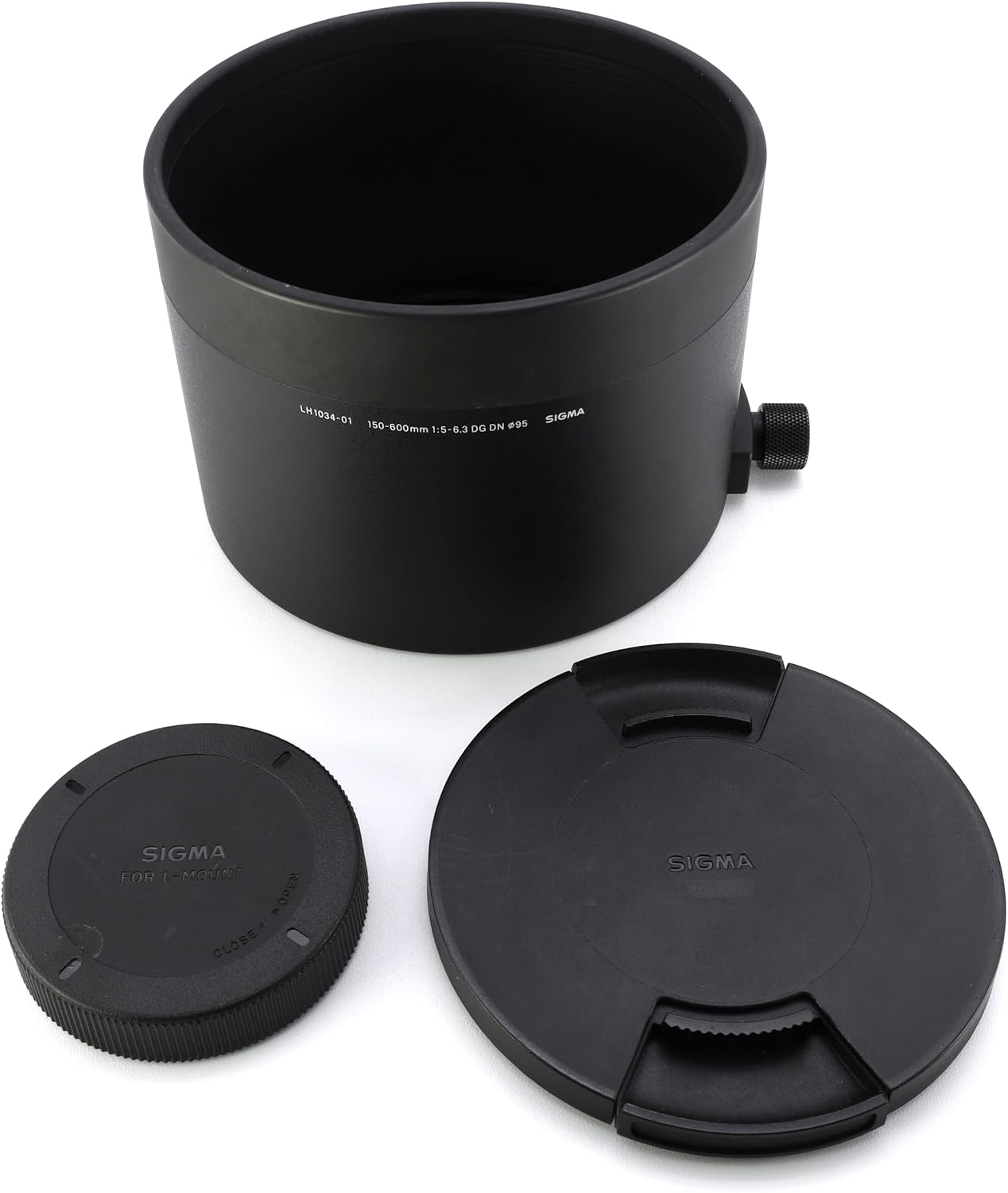
Figure 2.1: Included accessories: lens hood, front lens cap, and rear lens cap.
3. Setup
3.1 Attaching the Lens to Your Camera
- Ensure both the camera and lens are powered off.
- Remove the rear lens cap from the lens and the body cap from your camera.
- Align the mounting index mark on the lens with the corresponding mark on your camera body.
- Insert the lens into the camera mount and rotate it clockwise until it clicks securely into place. Do not force the lens.

Figure 3.1: Rear view of the lens, illustrating the L-mount interface.
3.2 Attaching the Lens Hood
The lens hood helps to block extraneous light and protect the front element of the lens.
- Align the lens hood with the front of the lens.
- Rotate the hood clockwise until it locks into position.

Figure 3.2: Front view of the lens with the hood attached.
3.3 Using the Tripod Collar
The tripod collar allows for better balance when mounting the lens and camera on a tripod or monopod, especially given the lens's weight.
- Loosen the locking knob on the tripod collar.
- Rotate the lens within the collar to achieve the desired orientation (horizontal or vertical).
- Tighten the locking knob securely.
- Attach your tripod or monopod to the tripod collar foot.

Figure 3.3: Side view of the lens, highlighting the tripod collar.
4. Operating Instructions
4.1 Zooming
To change the focal length, rotate the zoom ring located on the lens barrel. The focal length markings (150, 180, 200, 250, 300, 400, 500, 600mm) indicate the current setting.

Figure 4.1: Side view of the lens, showing the zoom ring and focal length indicators.
4.2 Focusing
The lens supports both autofocus (AF) and manual focus (MF). Use the AF/MF switch on the lens barrel to select your desired mode.
- Autofocus (AF): Set the switch to AF. The camera will automatically focus on your subject.
- Manual Focus (MF): Set the switch to MF. Rotate the focus ring to manually adjust the focus.
4.3 Optical Stabilization (OS)
The lens features optical stabilization to reduce camera shake, especially at longer focal lengths or slower shutter speeds. Use the OS switch to enable or disable this function.
- Mode 1: General stabilization for various shooting situations.
- Mode 2: Optimized for panning shots, stabilizing vertical movement while allowing horizontal movement.
It is recommended to turn off OS when using the lens on a tripod or when shooting with very fast shutter speeds.
4.4 Focus Limiter Switch
The focus limiter switch can restrict the autofocus range, improving focus speed when your subject is within a known distance range.
- FULL: Allows focusing across the entire range (minimum focusing distance to infinity).
- 10m - ∞: Limits focus to subjects 10 meters (32.8 feet) and further.
- 2.8m - 10m: Limits focus to subjects between 2.8 meters (9.2 feet) and 10 meters (32.8 feet).
5. Maintenance
5.1 Cleaning the Lens
- Use a blower brush to remove dust and loose particles from the lens surfaces.
- For smudges or fingerprints, use a clean, soft microfiber cloth specifically designed for optical lenses. Apply a small amount of lens cleaning solution to the cloth, not directly to the lens.
- Clean the lens body with a soft, dry cloth. Do not use organic solvents like thinner or benzene.
5.2 Storage
- Always attach the front and rear lens caps when the lens is not in use.
- Store the lens in a cool, dry place, away from direct sunlight and high humidity.
- If storing for extended periods, consider using a dehumidifying agent to prevent mold growth.
6. Troubleshooting
6.1 Lens Not Focusing
- Ensure the AF/MF switch on the lens is set to AF.
- Check the focus limiter switch. If set to a limited range, ensure your subject is within that range.
- Verify that the lens is securely attached to the camera body.
- Clean the electronic contacts on both the lens and camera body with a clean, dry cloth.
6.2 Image Stabilization Not Working
- Ensure the OS switch on the lens is set to Mode 1 or Mode 2.
- Check your camera's settings for any conflicting image stabilization options.
6.3 Lens Not Recognized by Camera
- Power off both the camera and lens, then reattach the lens firmly.
- Clean the electronic contacts on both the lens and camera body.
- Ensure your camera's firmware is up to date. Visit the camera manufacturer's website for the latest updates.
7. Specifications
| Attribute | Value |
|---|---|
| Brand | Sigma |
| Model Number | 747969 |
| Focal Length | 150-600mm (Telephoto) |
| Maximum Aperture | F5-6.3 |
| Minimum Aperture | F22 |
| Lens Mount | Leica L |
| Compatible Camera Models | Leica SL2, Leica SL, Leica TL2, Leica CL |
| Image Stabilization | Optical (up to 4 stops) |
| Focus Type | Auto Focus |
| Minimum Focusing Distance | 23 inches (approx. 0.58 meters) |
| Lens Coating | Super Multi-Layer Coating |
| Number of Diaphragm Blades | 9 |
| Real Angle Of View | 16.4 degrees |
| Item Weight | 2100 g (4.63 lbs) |
| UPC | 085126747695 |
8. Warranty & Support
8.1 Warranty Information
This Sigma lens comes with a 4-year warranty. Please retain your proof of purchase for warranty claims. The warranty covers manufacturing defects and malfunctions under normal use. It does not cover damage caused by misuse, accidents, unauthorized repairs, or normal wear and tear.
For detailed warranty terms and conditions, please refer to the warranty card included with your product or visit the official Sigma website.
8.2 Customer Support
If you encounter any issues not covered in the troubleshooting section or require further assistance, please contact Sigma customer support. Contact information can typically be found on the official Sigma website or in the documentation provided with your lens.
When contacting support, please have your lens model number (747969) and proof of purchase readily available.


