
Introduction
Thank you for choosing the Soundcore Life P2 Mini True Wireless Earbuds. This manual provides essential information on setting up, operating, and maintaining your earbuds to ensure optimal performance and longevity. Please read this manual thoroughly before use.

Image: Soundcore Life P2 Mini True Wireless Earbuds and Charging Case in Oat White.
Setup and Charging
Charging the Earbuds and Charging Case
Before first use, fully charge the earbuds and the charging case. Connect the provided USB-C cable to the charging port on the case and a power source. The LED indicators on the case will show the charging status. A full charge provides up to 8 hours of playtime for the earbuds and up to 32 hours with the charging case.

Image: The Soundcore Life P2 Mini earbuds and their charging case, highlighting the 8 hours of playtime for the earbuds and 32 hours total with the charging case.
Pairing with Your Device
- Open the charging case. The earbuds will automatically enter pairing mode.
- On your device (smartphone, laptop, etc.), enable Bluetooth.
- Search for "Soundcore Life P2 Mini" in the list of available Bluetooth devices and select it to connect.
- Once connected, you will hear an audio prompt, and the LED indicators on the earbuds will turn off.

Image: A smartphone displaying a successful Bluetooth connection to the Soundcore Life P2 Mini earbuds.
Optimal Fit and Comfort
The Life P2 Mini earbuds are designed for a featherweight fit, weighing just 0.16oz (4.4g). For the best audio experience and secure fit, choose the ear tips that best suit your ear canal. Multiple sizes are included in the package.

Image: A hand placing a Soundcore Life P2 Mini earbud case into a pocket, demonstrating its compact and lightweight design.
Operating Instructions
Touch Controls
The Life P2 Mini earbuds feature intuitive touch controls for managing playback, calls, and EQ modes. Refer to the table below for specific functions:
| Action | Left Earbud | Right Earbud |
|---|---|---|
| Play/Pause | Press twice | Press twice |
| Next Track | Press and hold for 2 seconds | |
| Previous Track | Press and hold for 2 seconds | |
| Answer/End Call | Press twice | Press twice |
| Reject Call | Press and hold for 2 seconds | Press and hold for 2 seconds |
| Activate Voice Assistant | Press three times |

Image: A visual guide to the touch controls on the Soundcore Life P2 Mini earbuds.
EQ Modes
The Life P2 Mini offers three distinct EQ modes to customize your listening experience:
- Soundcore Signature: The default mode, providing a well-balanced sound profile.
- Bass Booster: Enhances low frequencies for a more impactful bass.
- Podcast: Optimizes audio for clear voice reproduction, ideal for podcasts and audiobooks.
To switch between EQ modes, quickly press the right earbud 3 times. You will hear a tone confirming each successful switch.
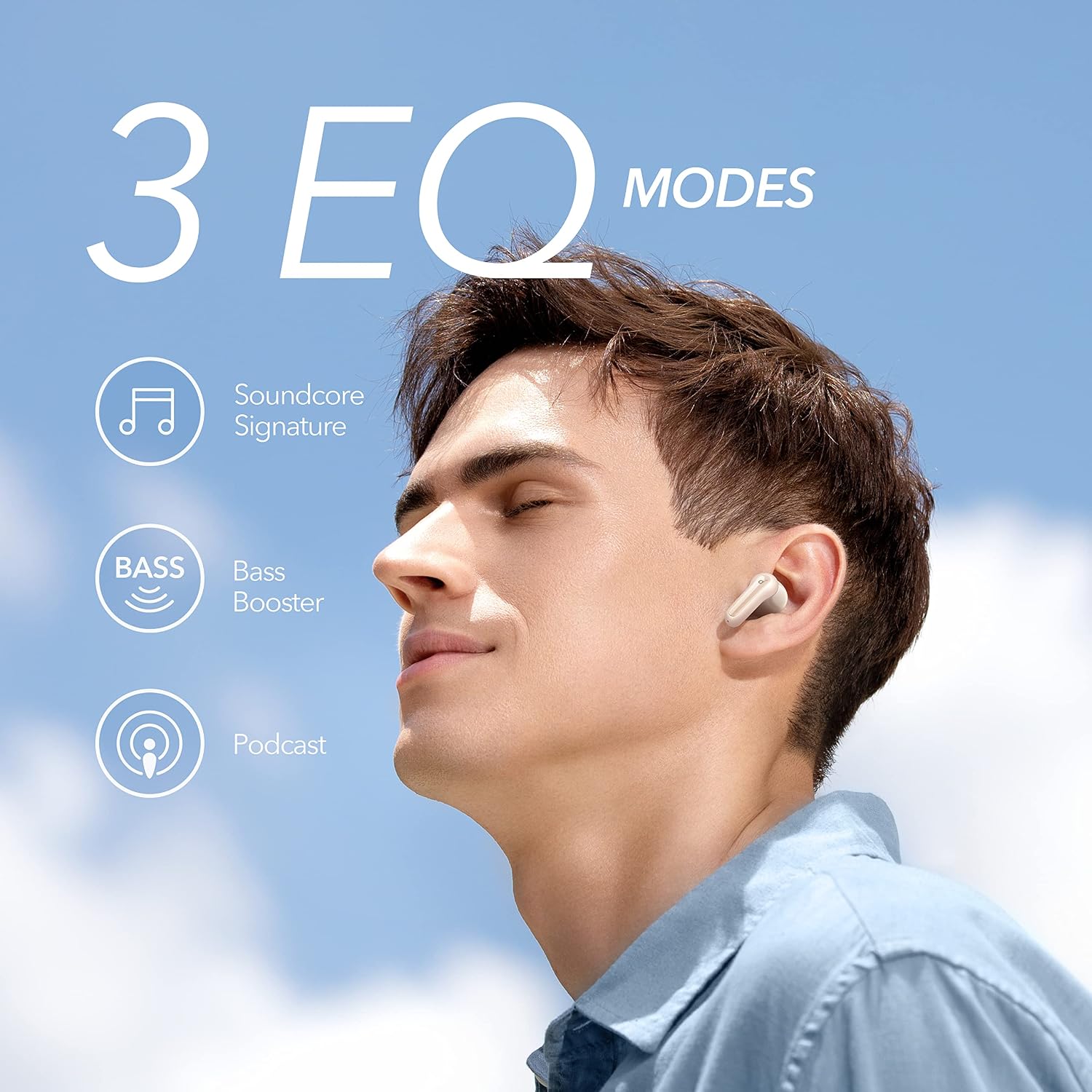
Image: A user enjoying music with the Soundcore Life P2 Mini earbuds, illustrating the three available EQ modes.
AI-Enhanced Calls
The built-in microphones are equipped with an AI algorithm to enhance voice pickup, ensuring clear communication during calls, even in noisy environments.

Image: A woman using the Soundcore Life P2 Mini earbuds for a call, emphasizing the AI-enhanced call feature.
Official Product Videos
Video: An official product overview video for the Soundcore Life P2 Mini earbuds, showcasing key features and design.
Video: A guide on how to turn on/off and use the touch controls for the Soundcore Life P2 Mini earbuds.
Maintenance
Cleaning Your Earbuds
Regularly clean your earbuds and charging case to maintain optimal performance and hygiene. Use a soft, dry, lint-free cloth to wipe down the surfaces. For ear tips, remove them and clean with a mild soap solution, then rinse and dry thoroughly before reattaching.
Water Resistance
The Life P2 Mini earbuds are IPX5 water-resistant, meaning they can withstand splashes and sweat. This makes them suitable for workouts and outdoor activities. However, they are not designed for submersion in water. Ensure the charging port is dry before charging.

Image: Soundcore Life P2 Mini earbuds covered in water droplets, demonstrating their IPX5 water resistance.
Troubleshooting
Common Issues and Solutions
- No Sound: Ensure earbuds are charged, connected to your device, and volume is up.
- Pairing Issues: Make sure Bluetooth is enabled on your device and the earbuds are in pairing mode. Try resetting the earbuds.
- Intermittent Connection: Ensure no obstacles are between your device and earbuds. Move closer to your device.
- Charging Problems: Check the charging cable and port for damage. Ensure the earbuds are correctly seated in the charging case.
How to Reset
If you experience connectivity issues or other malfunctions, performing a reset can often resolve the problem:
- Place both earbuds into the charging case and leave the lid open.
- Press and hold the button on the charging case for 10 seconds until the LED indicators on the earbuds flash red 3 times.
- Close the charging case. The earbuds are now reset and ready to be paired again.
Video: A step-by-step guide on how to reset your Soundcore Life P2 Mini earbuds.
Specifications
| Feature | Specification |
|---|---|
| Model Name | Life P2 Mini |
| Connectivity Technology | Wireless, Bluetooth 5.2 |
| Audio Driver Type | Dynamic Driver (10mm) |
| Battery Life (Earbuds) | 8 Hours |
| Battery Life (with Case) | 32 Hours |
| Control Method | Touch |
| Water Resistance Level | IPX5 |
| Item Weight | 2.08 ounces (59g) |
| Material | Plastic |
| Product Dimensions | 2.56 x 2.09 x 1.34 inches |
| Included Components | USB-C Cable |
Warranty and Support
Warranty Information
Soundcore products typically come with a limited warranty. Please refer to the warranty card included in your product packaging or visit the official Soundcore website for detailed warranty terms and conditions specific to your region.
Customer Support
For further assistance, technical support, or warranty claims, please contact Soundcore customer service through their official website or the contact information provided in your product documentation. You can also visit the Soundcore Store on Amazon for more product information and support resources.