
Introduction
This manual provides detailed instructions for the setup, operation, maintenance, and troubleshooting of your KALINCO Smart Watch P22. Please read this guide thoroughly to ensure proper use and to maximize the features of your device.
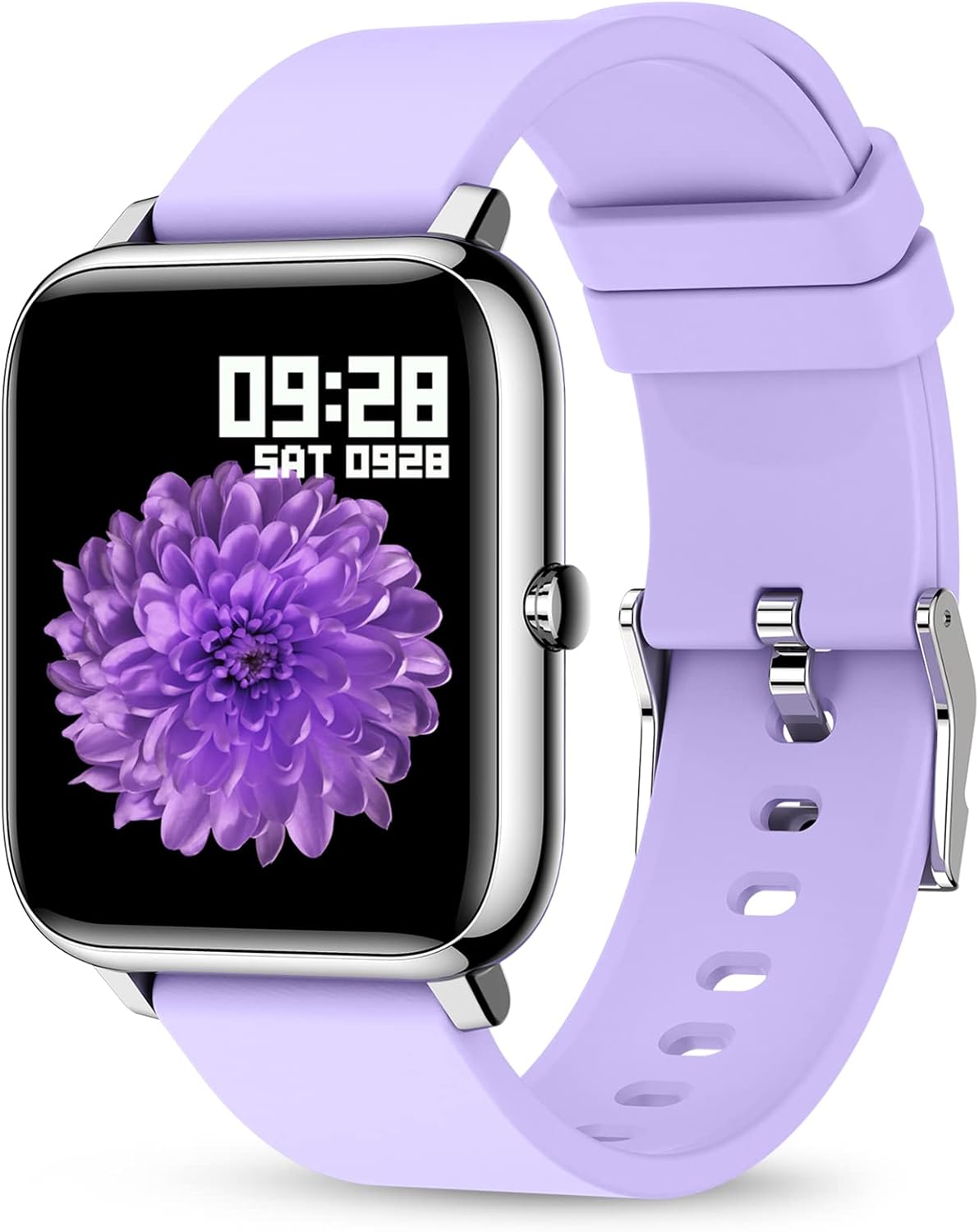
The KALINCO Smart Watch P22, featuring a vibrant display and comfortable purple silicone strap.
Setup
1. What's in the Box
- KALINCO Smart Watch P22
- Charging Cable
- Silicone Purple Band
- User Manual (this document)
2. Charging the Device
Before initial use, fully charge your KALINCO Smart Watch P22. Connect the magnetic charging cable to the charging contacts on the back of the watch and plug the USB end into a low-power USB port (e.g., computer USB port or a standard 5V/1A USB adapter). Avoid using fast chargers as they can accelerate battery aging.
A full charge typically takes approximately 2.5 hours. The watch can be used for up to 7 days on a single charge and has a standby time of over 30 days.

Ensure the magnetic contacts are properly aligned for charging.
3. App Installation and Pairing
To unlock the full functionality of your smart watch, download and install the HeroBandIII app on your smartphone. The app is compatible with iOS 9.0/Android OS 4.4 or above.
- Scan the QR code provided in the quick start guide or search for "HeroBandIII" in your phone's app store.
- Open the app and follow the on-screen instructions to create an account or log in.
- Enable Bluetooth on your smartphone.
- In the HeroBandIII app, navigate to the device pairing section and select your KALINCO P22 watch from the list of available devices.
- Confirm the pairing request on both your phone and the watch.
Once paired, the watch will synchronize data with the app, allowing you to view detailed activity and health metrics.
4. Customizing the Watch Face
Personalize your watch by changing the watch face through the HeroBandIII app.
- Open the HeroBandIII app on your smartphone.
- Navigate to the 'Watch Face' or 'Dial Settings' section.
- Choose from over 200 built-in watch faces or select a picture from your phone's gallery to create a custom watch face.
- Adjust text color and time position as desired.
- Save your selection to apply it to your watch.

Customize your watch face using the HeroBandIII app.
Operating Your Smart Watch
1. Basic Navigation
The KALINCO Smart Watch P22 features a 1.4-inch full-touch LCD screen for intuitive interaction. Swipe across the screen to navigate through menus and tap to select options. The side button typically serves as a home or back button.
2. Activity Tracking
The watch tracks various activities throughout the day and offers specific modes for different sports.
- Daily Activity: Monitors steps, distance, calories burned, and active minutes.
- Sports Modes: Includes 7 types of sports: Walking, Running, Cycling, Skipping, Badminton, Basketball, and Football. Select the appropriate mode before starting an activity for more accurate tracking.

Monitor your daily activity and progress.

Choose from 7 dedicated sports modes for accurate tracking.
3. Health Monitoring
The watch provides continuous monitoring of key health metrics. Note: The data collected by this device is for reference only and cannot be used for medical diagnosis or treatment.
- Heart Rate: Monitors your heart rate throughout the day. View detailed graphs and trends in the HeroBandIII app.
- Blood Pressure: Provides blood pressure readings. For best accuracy, ensure the watch is worn snugly on your wrist.
- Blood Oxygen (SpO2): Measures your blood oxygen saturation levels.
- Sleep Tracking: Automatically monitors your sleep patterns, distinguishing between deep sleep, light sleep, and awake times.

Heart rate and sleep monitoring features.

Blood pressure and blood oxygen monitoring.

Automatic sleep tracking provides insights into your rest.
4. Notifications and Alerts
Stay connected by receiving notifications directly on your wrist.
- Message Reminders: Receive alerts for incoming calls, text messages, and notifications from social media apps (e.g., Facebook, Instagram, LinkedIn, Skype, Twitter).
- Incoming Call Alert: The watch will vibrate to notify you of incoming calls. You cannot answer calls directly from the watch.
- Sedentary Reminder: The watch can remind you to move if you have been inactive for an extended period.

Receive message and call notifications on your wrist.

Stay informed with smart notifications from your connected apps.

The sedentary alert reminds you to take a break and move.
5. Other Practical Features
- Timer & Stopwatch: Access these tools directly from your watch for various timing needs.
- Wake-up Gesture: Raise your wrist to automatically wake the screen. You can set the screen time duration (5 to 20 seconds) in the app.
- Find Phone: Use this feature to locate your paired smartphone if it's nearby.
- Music Control: Control music playback on your smartphone (play, pause, skip tracks) directly from your watch.
- Weather Display: View current weather conditions and forecasts.
- Remote Camera Control: Use your watch as a remote shutter button for your smartphone camera.
- Do Not Disturb & Alarm Clock: Set quiet hours and multiple alarms through the app.

Access music control, weather, and remote camera functions.

Raise your wrist to wake the screen and adjust brightness.

Manage Do Not Disturb mode and set alarms for your daily routine.
6. Water Resistance
The KALINCO Smart Watch P22 features IP67 water resistance. This means it is protected against dust and can withstand immersion in water up to 1 meter for up to 30 minutes. You can wear it while washing hands or in light rain, but it is not suitable for swimming, showering with hot water, or diving.

The watch is resistant to splashes and brief immersion.
Maintenance
1. Cleaning Your Watch
Regularly clean your watch and strap to prevent skin irritation and maintain device functionality.
- Wipe the screen and watch body with a soft, damp, lint-free cloth.
- For the silicone strap, you can use mild soap and water, then rinse thoroughly and dry completely before wearing.
- Avoid using harsh chemicals or abrasive materials, as these can damage the watch.
2. Battery Care
To prolong battery life:
- Charge the watch using low-power USB ports.
- Avoid fully discharging the battery frequently.
- Store the watch in a cool, dry place when not in use for extended periods.
Troubleshooting
If you encounter issues with your KALINCO Smart Watch P22, refer to the following common solutions:
1. Inaccurate Heart Rate or Blood Pressure Readings
- Ensure the watch is worn snugly on your wrist, but not uncomfortably tight. A loose fit can lead to inaccurate readings.
- Ensure the sensor on the back of the watch is clean and free from debris.
- Remember that these readings are for reference and not medical-grade.
2. "No Data" for Sleep Function
- Check if the watch is worn correctly and comfortably during sleep. If it's too loose or too tight, it might affect sensor data collection.
- Clear the cache memory for the HeroBandIII app on your smartphone.
- Ensure the watch battery is sufficiently charged before sleep.
3. Not Receiving Text Messages or Notifications
- Verify that Bluetooth is enabled on your smartphone and the watch is successfully paired with the HeroBandIII app.
- Check notification settings within the HeroBandIII app to ensure message and app alerts are enabled.
- On your smartphone, ensure that notifications for the relevant apps are set to display previews or banners. If your phone does not display a notification, the watch will not receive it.
- Ensure the watch is not in 'Do Not Disturb' mode.
4. Connectivity Issues
- Restart both your smartphone and the smart watch.
- Try unpairing and re-pairing the watch through the HeroBandIII app.
- Ensure the HeroBandIII app has all necessary permissions on your smartphone.

Access app settings for troubleshooting and customization.
Specifications
| Feature | Detail |
|---|---|
| Model Number | P22 |
| Screen Size | 1.4 Inches |
| Screen Type | LCD, Full-touch |
| Operating System | Android, iOS (Compatible with iOS 9.0+/Android OS 4.4+) |
| Connectivity Technology | Bluetooth |
| Battery Capacity | 180 Milliamp Hours (Lithium Polymer) |
| Battery Life | Up to 7 days (typical use), 30+ days (standby) |
| Charging Time | Approx. 2.5 hours |
| Water Resistance | IP67 |
| Special Features | Heart Rate Monitor, Blood Pressure Monitor, Oxymeter (SpO2), Activity Tracker, Notifications, Sleep Monitor, Gesture Control, Sedentary Reminder, Time Display, Music/Camera Control, Calorie Tracker, Step Counter, Alarm Clock |
| GPS | Via Smartphone |
| Product Dimensions | 0.01 x 3.54 x 0.67 inches |
| Item Weight | 3.52 ounces |
Warranty and Support
1. KALINCO Promise
KALINCO is committed to customer satisfaction and product quality:
- 30 Days Trial: Enjoy a trial period for your product.
- 365 Days Replacement: We offer a replacement within 365 days for qualifying issues.
- 24-Hour Quick Reply: Our support team aims to respond to inquiries within 24 hours.
2. Additional Resources
- For more detailed information, you can refer to the official User Guide (PDF).
- Review important Safety Information (PDF).
For further assistance, please contact KALINCO customer support through the contact information provided with your purchase or on the official KALINCO website.


