1. Introduction
Thank you for choosing the KEMEI KM-2031 Rechargeable Electric Foil Shaver. This manual provides important information regarding the safe operation, maintenance, and care of your new shaver. Please read these instructions thoroughly before first use and keep them for future reference.
2. Safety Instructions
- Warning: Risk of cuts from the blades. Skin irritation may occur from improper use.
- Do not use near water or while charging.
- Clean the shaver after each use to prevent bacterial growth.
- Keep the appliance dry.
- Do not disassemble the shaver beyond what is described in this manual.
- Keep out of reach of children.
3. Package Contents
The KEMEI KM-2031 shaver package includes the following items:
- KEMEI KM-2031 Electric Foil Shaver
- Foil guard
- USB charge cable (power adapter not included)
- Cleaning brush
- Operating instructions (this manual)
- Replacement shaver head and blade
- Velvet fabric pouch for travel

Image: KEMEI KM-2031 Foil Shaver and included accessories.
4. Product Overview
The KEMEI KM-2031 features a double independent reciprocating sharp stainless steel blade system with a polygonal foil net for a close and comfortable shave. It also includes a pop-up trimmer for longer hair.
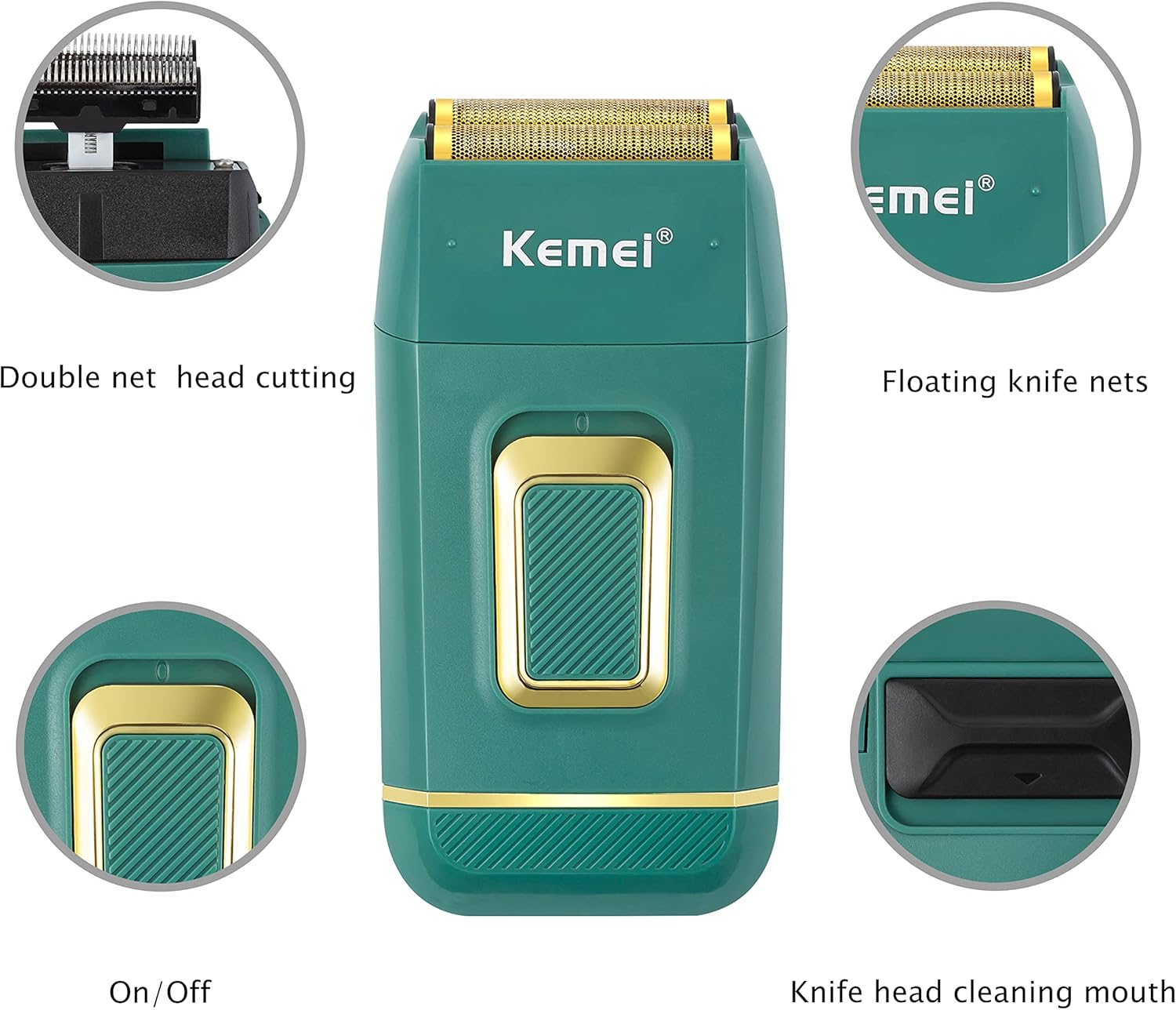
Image: Diagram showing the double net head cutting, floating knife nets, On/Off switch, and knife head cleaning mouth.

Image: Close-up of the 3D floating foil net for a flexible shave.

Image: Illustration of the stainless steel cutting blades.
5. Charging
The shaver is powered by a rechargeable lithium battery. Before first use, ensure the shaver is fully charged.
Charging Instructions:
- Connect the micro USB cable to the charging port on the shaver.
- Plug the other end of the USB cable into a 5V 1A USB power adapter (not included) or a compatible USB port (e.g., computer, power bank).
- The charging indicator light will illuminate during charging.
- A full charge takes approximately 2 hours.
- Once fully charged, the shaver provides up to 60 minutes of continuous use.
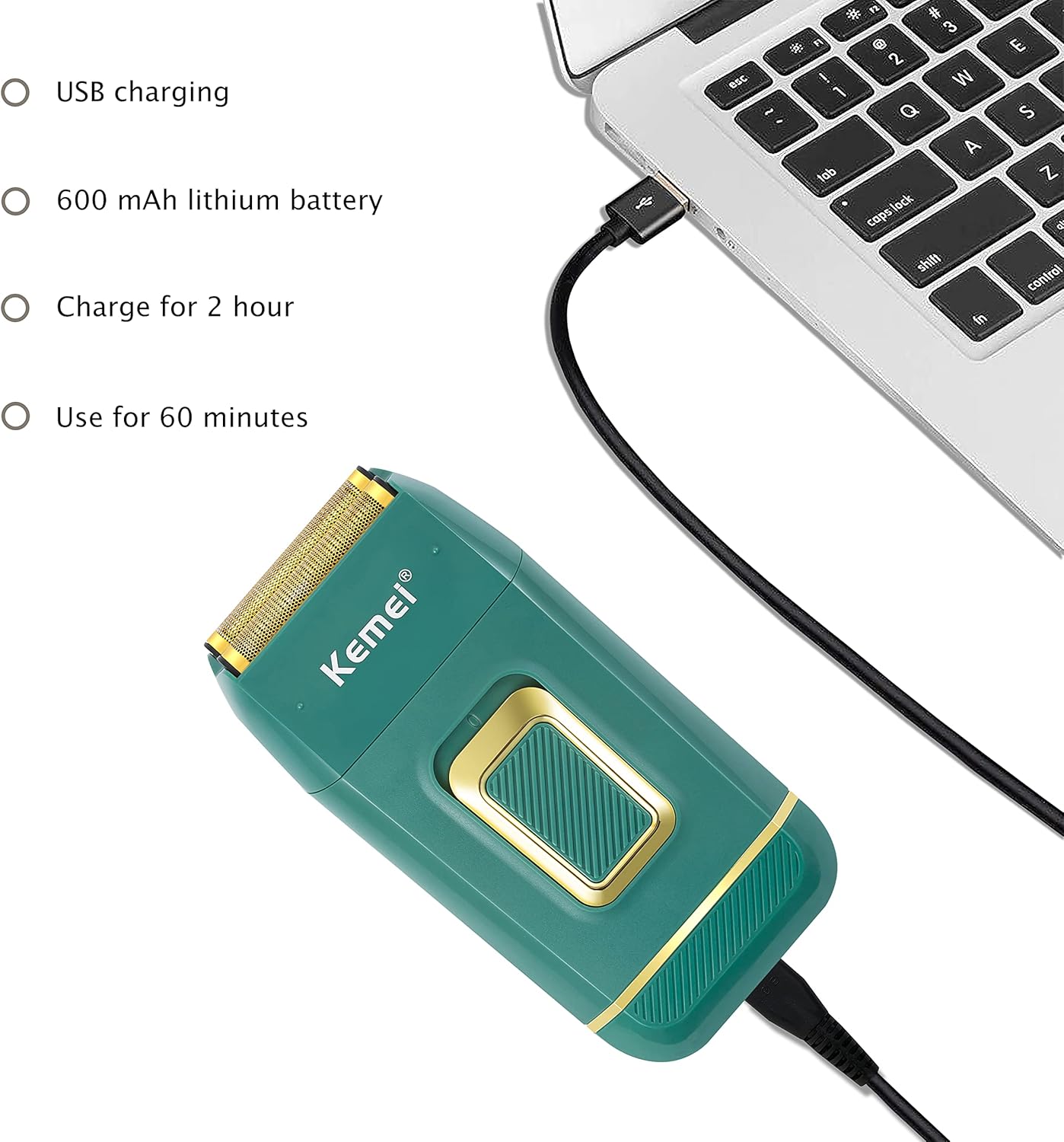
Image: The KEMEI KM-2031 shaver connected to a laptop for USB charging.

Image: Close-up of the shaver showing the charging indicator light.
6. Operation
The KEMEI KM-2031 supports both dry and wet shaving. For best results, ensure your skin is clean and dry for dry shaving, or use shaving cream/gel for wet shaving.
General Shaving:
- Press the On/Off switch to activate the shaver.
- Hold the shaver at a right angle to your skin and move it against the direction of hair growth.
- Stretch your skin with your free hand to ensure a smooth surface for shaving.
- For longer hair (e.g., beard or mustache), use the pop-up trimmer first before using the foil shaver for a closer finish.
Using the Pop-Up Trimmer:
The pop-up trimmer is located on the back of the shaver. Slide the switch to extend the trimmer. Use it to trim sideburns, mustaches, or longer beard hair that is too long for the foil shaver to cut directly.
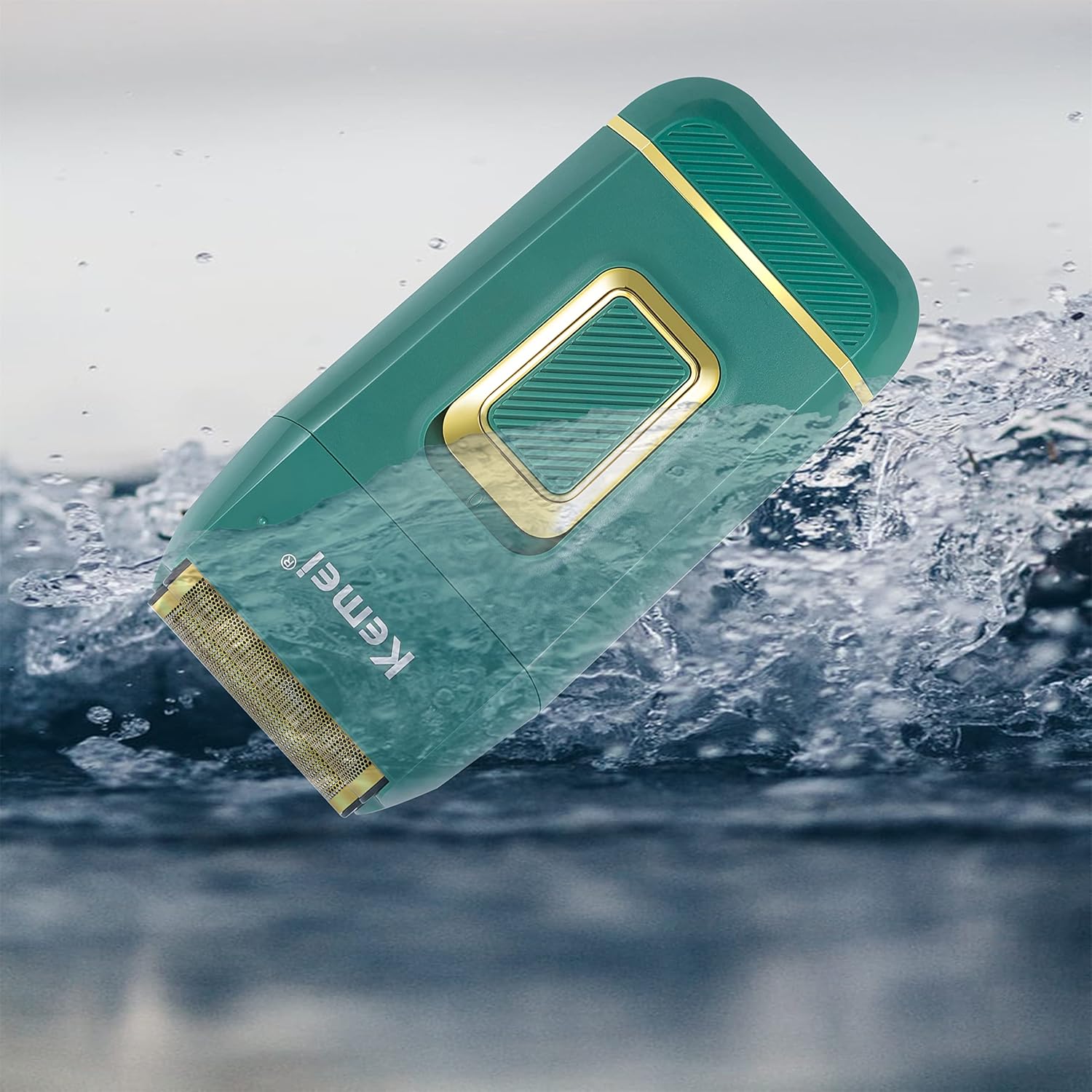
Image: A man using the KEMEI KM-2031 electric shaver with shaving cream for a wet shave.
Video: Demonstration of the KEMEI KM-2031 electric shaver, including unboxing, features, and a live shaving example. This video highlights the shaver's performance on facial hair.
7. Cleaning and Maintenance
Regular cleaning ensures optimal performance and extends the life of your shaver. The KEMEI KM-2031 is IPX4 waterproof, allowing for easy cleaning.
Cleaning Steps:
- Turn off the shaver and disconnect it from any charging cable.
- Gently pull the shaver head directly upwards to remove it.
- Tap out any loose hair from the shaver head and the main body.
- Use the provided cleaning brush to remove stubborn hair particles from the blades and foil.
- Rinse the shaver head and blades under running water. The shaver body can also be rinsed, but avoid submerging it completely.
- Allow all parts to air dry completely before reassembling or storing.
- Periodically apply a drop of lubricating oil (not included) to the blades for smooth operation.

Image: Instructions on how to pull the shaver head directly to remove it for cleaning.
Image: The KEMEI KM-2031 shaver being rinsed under water, demonstrating its IPX4 waterproof rating.
8. Troubleshooting
If you encounter any issues with your KEMEI KM-2031 shaver, please refer to the following common solutions:
- Shaver not turning on: Ensure the shaver is fully charged. If the battery is low, connect it to the charger.
- Poor shaving performance: Clean the shaver head and blades thoroughly. If the blades are dull, replace them with the spare set provided. Ensure hair is trimmed short with the pop-up trimmer before using the foil shaver for a close shave.
- Excessive noise or vibration: Check if the shaver head is properly attached. Clean any hair buildup that might be obstructing the blades.
- Charging issue: Verify that the USB cable and power adapter are working correctly. Ensure the charging port is clean and free of debris.
If the problem persists, please contact KEMEI customer support for further assistance.
9. Specifications
| Feature | Detail |
|---|---|
| Model Number | KM-2031 |
| Power Source | Battery Powered (Rechargeable) |
| Battery Type | 1 CR5 battery (included) |
| Charging Time | Approx. 2 hours |
| Continuous Use Time | Up to 60 minutes |
| Motor Speed | Up to 7500 RPM |
| Input Voltage | 5V 1A |
| Product Dimensions | 2.36 x 1.38 x 4.92 inches |
| Item Weight | 6.14 ounces |
| Waterproof Rating | IPX4 |

Image: Back of the KEMEI KM-2031 shaver displaying product specifications.
10. Warranty and Support
KEMEI products are designed for quality and durability. For any warranty claims or technical support, please refer to the warranty information provided at the time of purchase or contact your retailer. Keep your proof of purchase for warranty validation.
For further assistance, you may visit the official KEMEI website or contact their customer service department.