
1. Introduction
Thank you for choosing the Roland TD-07DMK V-Drums Electronic Drum Set. This manual provides essential information for the proper setup, operation, and maintenance of your new instrument. The TD-07DMK offers an authentic drumming experience with its advanced sound module, realistic mesh pads, and robust construction, designed for both practice and performance.
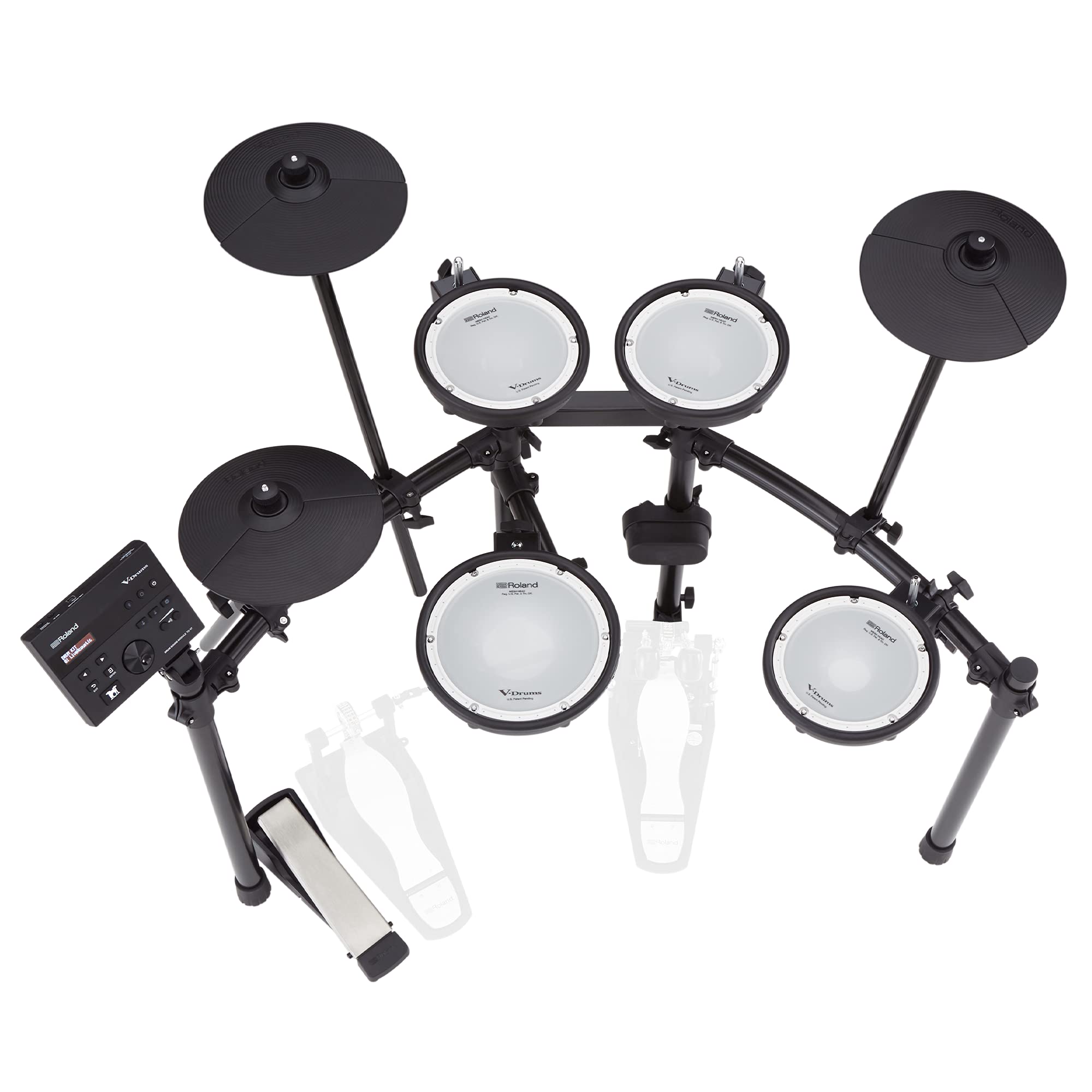
Figure 1.1: The Roland TD-07DMK V-Drums Electronic Drum Set.
2. Safety Information
Before using your TD-07DMK, please read and understand all safety instructions to prevent injury or damage to the product. Keep this manual for future reference.
- Power Supply: Use only the specified AC adapter (DC12V) provided with the unit. Using an incorrect adapter can cause fire, electric shock, or malfunction.
- Placement: Place the drum set on a stable, level surface to prevent it from falling. Avoid locations exposed to direct sunlight, extreme temperatures, or high humidity.
- Assembly: Electronic drums are user-assembled products. Ensure all components are securely fastened according to the setup guide to prevent instability.
- Cables: Route all cables carefully to prevent tripping hazards and damage.
- Children: Keep small parts and packaging materials out of reach of children to prevent choking hazards.
3. Kit Contents
The Roland TD-07DMK V-Drums Electronic Drum Set includes the following components:
Included Components:
- Drum Sound Module: TD-07
- Kick Pad: KD-2
- Snare Pad: PDX-8 (8-inch mesh head)
- Hi-hat Pad: CY-5
- Hi-hat Control Pedal (supports half-open detection)
- Tom Pads: PDX-6A x 3 (6.5-inch mesh heads)
- Crash Cymbal Pad: CY-5
- Ride Cymbal Pad: CY-5
- Drum Stand: 4-leg rack type
- AC Adapter (DC12V)
- Dedicated Connection Cable
- Setup Guide
- Owner's Manual
- "Safety Precautions" Leaflet
- Warranty Card
Separately Sold Items (Required for Playing):
- Kick Pedal
- Drum Throne (Chair)
- Drum Sticks
- Headphones or Speakers (to hear the drum sound)

Figure 3.1: Diagram illustrating the Roland TD-07DMK kit configuration.
4. Setup
The TD-07DMK is designed for user assembly. Follow these general steps for setting up your drum kit. Refer to the included Setup Guide for detailed, step-by-step instructions and diagrams.
- Unpack Components: Carefully remove all components from the packaging. Verify that all included items are present as listed in Section 3.
- Assemble the Drum Stand: Construct the 4-leg rack type drum stand according to the setup guide. Ensure all clamps and bolts are tightened securely for stability.
- Attach Pads and Cymbals: Mount the snare, tom pads, kick pad, hi-hat, crash, and ride cymbal pads to the stand. Adjust their positions and angles for comfortable playing.
- Mount the TD-07 Sound Module: Securely attach the TD-07 sound module to the stand in an easily accessible position.
- Connect Cables: Use the dedicated connection cable to link each pad and cymbal to the TRIGGER INPUT terminal on the TD-07 module. Connect the hi-hat control pedal.
- Connect Power: Connect the AC adapter to the TD-07 module's DC IN jack and then to a power outlet.
- Connect Audio: Connect your headphones to the OUTPUT/PHONES terminal or speakers to the OUTPUT/PHONES terminal (using an appropriate adapter if necessary).
- Adjust Pad Tension: The mesh heads on the snare and tom pads allow for tension adjustment. Use a drum key (not included) to adjust the tension to your preferred feel.

Figure 4.1: The robust drum stand provides a stable foundation for your kit.
Required Footprint: The approximate external dimensions for the assembled kit (including sound module, kick pad, kick pedal, and chair) are 1,200 mm (W) x 1,100 mm (D) x 1,200 mm (H).
5. Operating Instructions
This section covers the basic operation of your Roland TD-07DMK.
5.1 TD-07 Sound Module
The TD-07 sound module is the heart of your electronic drum set, offering a wide range of sounds and customization options.
- Preset Kits: The module comes with 25 preset drum kits, ready to play. Use the navigation buttons and dial to select different kits.
- Instrument Sounds: Access 143 different instrument sounds to customize your kits.
- Sound Editing: Each sound can be edited using EQ, ambience effects, and 30 types of multi-effects, allowing for detailed sound creation.
Figure 5.1: The TD-07 Sound Module allows for extensive sound customization.
5.2 Pad Features
The TD-07DMK features Roland's renowned mesh head technology for a realistic and quiet playing experience.
- Dual Mesh Heads: The snare and tom pads utilize Roland's unique double mesh heads, providing a natural stick rebound and allowing tension adjustment for personalized feel.
- Snare (PDX-8): The 8-inch snare pad supports distinct head and rim triggering for expressive playing.
- Cymbals (CY-5): The compact 10-inch CY-5 cymbal pads for crash and ride support choke techniques, allowing you to mute the cymbal sound by grabbing its edge.
- Hi-hat: The CY-5 hi-hat pad combined with the low-noise control pedal allows for delicate expression from fully open to fully closed positions.
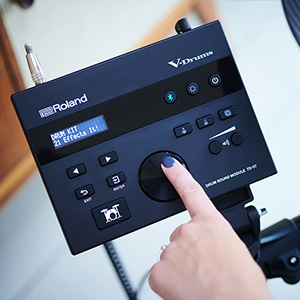
Figure 5.2: Close-up of the dual-mesh pad, offering realistic feel and quiet operation.
5.3 Connectivity
The TD-07DMK offers versatile connectivity options for practice and recording.
- Bluetooth: Wirelessly connect your smartphone or PC to the TD-07 module via Bluetooth to play along with your favorite music. MIDI data transmission is also supported.
- USB COMPUTER Terminal: Use the USB B type terminal to seamlessly integrate with Digital Audio Workstations (DAW) on your computer for recording or triggering software instruments.
- MIX IN Terminal: Connect an external audio player (e.g., MP3 player) to the stereo mini MIX IN terminal to play along with audio.
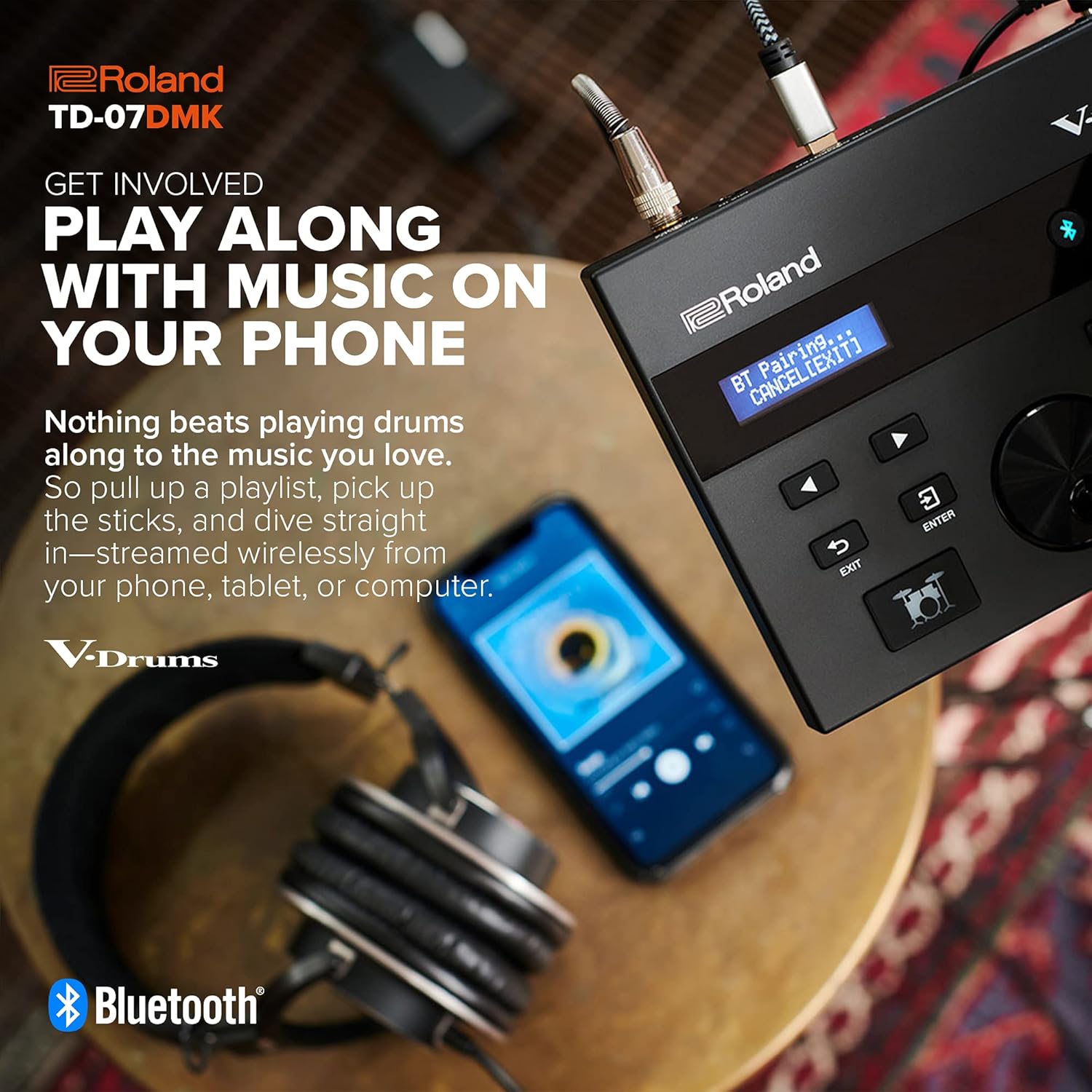
Figure 5.3: Connect your smartphone wirelessly via Bluetooth to play along with music.

Figure 5.4: Connect the TD-07 module to your computer via USB for recording and MIDI.
5.4 Practice Tools
Enhance your drumming skills with the built-in practice features.
- Metronome: The integrated metronome allows you to practice with precise timing. Adjust tempo (20-260 BPM), rhythm types (5 types), and metronome sounds (15 types).
- Coach Mode: The TD-07 module includes 5 types of coach functions to help improve your rhythm and timing, track your progress, and keep you motivated. These include Time Check (Easy/Hard), Quiet Count, Auto Up/Down, and Change Up.
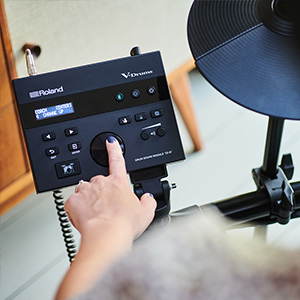
Figure 5.5: Utilize the onboard Coach functions to improve your drumming skills.
6. Maintenance
Proper care and maintenance will ensure the longevity and optimal performance of your TD-07DMK.
- Cleaning: Wipe the drum pads, module, and stand with a soft, dry cloth. For stubborn dirt, use a slightly damp cloth and then wipe dry. Avoid abrasive cleaners, waxes, or solvents.
- Pad Care: Avoid striking the mesh heads with excessive force or sharp objects, which can damage them. Regularly check the tension of the mesh heads and adjust if necessary.
- Cable Management: Periodically check all cables for wear and tear. Ensure they are not kinked or pinched.
- Storage: If storing the drum set for an extended period, disconnect the power adapter and cover the unit to protect it from dust.
7. Troubleshooting
If you encounter issues with your TD-07DMK, refer to the following common troubleshooting tips. For more detailed solutions, consult the full Owner's Manual or Roland support.
- No Sound:
- Ensure the power adapter is securely connected and the module is turned on.
- Check headphone/speaker connections and volume levels on both the module and your audio device.
- Verify that all pad cables are correctly connected to the TRIGGER INPUT terminals.
- Pads Not Responding:
- Check the cable connection for the specific pad.
- Ensure the pad sensitivity settings in the module are appropriate.
- Unwanted Sounds/Crosstalk:
- Adjust the sensitivity and threshold settings for individual pads in the module.
- Ensure pads are not touching each other or the stand in a way that causes vibrations.
- Bluetooth Connection Issues:
- Ensure Bluetooth is enabled on both the TD-07 module and your external device.
- Try unpairing and re-pairing the devices.
- Ensure no other devices are interfering with the Bluetooth signal.
8. Specifications
| Feature | Detail |
|---|---|
| Brand | Roland |
| Model Number | TD-07DMK |
| Drum Kits | 50 (20+ Preset) |
| Instruments | 143 |
| Coach Functions | 5 types (Time Check Easy/Hard, Quiet Count, Auto Up/Down, Change Up) |
| Metronome Tempo | 20 – 260 BPM |
| Metronome Rhythm Types | 5 types |
| Metronome Sounds | 15 types |
| Output/Phones Terminal | Stereo mini type |
| MIX IN Terminal | Stereo mini type |
| USB COMPUTER Terminal | USB B type |
| TRIGGER INPUT Terminal | 25-pin D-sub type (Kick, Snare, Tom1, Tom2, Tom3, Hi-hat, Crash1, Crash2, Ride, Hi-hat control) |
| Power Supply | AC adapter (DC12V) |
| Current Consumption | 250mA |
| External Dimensions (W x D x H) | 1,200 x 1,100 x 1,200 mm (including sound module, kick pad, kick pedal, chair) |
| Weight | 18.0 kg |
| Color | Silver, Black |
| UPC | 761294518779 |
9. Warranty and Support
Your Roland TD-07DMK V-Drums Electronic Drum Set comes with a warranty. A Warranty Card is included with your product. Please retain your proof of purchase and the warranty card for any warranty claims.
For technical support, service, or further inquiries, please contact Roland customer support or visit the official Roland website. Contact information can typically be found on the warranty card or in the full Owner's Manual.


