
1. Introduction
Thank you for purchasing the SUNPIN Portable DVD Player PD1406. This device is designed to provide portable entertainment with its 14.1-inch HD swivel screen and versatile playback options. This manual provides essential information for setting up, operating, and maintaining your DVD player to ensure optimal performance and longevity.
2. Package Contents
Please check the package for the following items:
- 1x SUNPIN Portable DVD Player
- 1x Remote Control
- 1x Power Adapter
- 1x Car Charger
- 1x AV Cable
3. Product Overview
Familiarize yourself with the components and controls of your portable DVD player.

Image: The SUNPIN Portable DVD Player with its 14.1-inch screen open, showing a family enjoying content. This illustrates the device's primary function and large display.
3.1 Controls and Ports
The player features intuitive controls and various ports for connectivity.

Image: A detailed diagram highlighting the various input and output ports on the side of the DVD player. These include DC IN for power, ON/OFF switch, AV ON/IN/OUT, Headphone (PHONE) jack, SD Card slot, and USB port.
- DC IN: Power input for the adapter or car charger.
- ON/OFF: Power switch for the device.
- AV OUT: Connect to a TV or projector for larger screen viewing.
- AV IN: Connect to another compatible device for input.
- PHONE: 3.5mm headphone jack for private listening.
- SD CARD: Slot for SD memory cards (up to 32GB).
- USB: Port for USB drives (up to 32GB).
- Control Buttons: Play, Pause, Stop, Volume, Menu, Setup, Navigation (Left, Right, Up, Down), Display, Mute, Repeat, etc. (located on the player base and remote control).
4. Setup
4.1 Charging the Battery
Before first use, fully charge the internal battery. Connect the provided power adapter to the DC IN port on the player and plug it into a wall outlet. The charging indicator light will typically show red while charging and turn green when fully charged. For car use, connect the car charger to the DC IN port and your vehicle's cigarette lighter socket.

Image: The portable DVD player connected to a wall outlet using the included power adapter, illustrating the charging process.

Image: A child watching the portable DVD player in a car, demonstrating the use of the car charger for travel entertainment.
4.2 Powering On/Off
Slide the ON/OFF switch to the 'ON' position to power on the device. To power off, slide the switch to the 'OFF' position.
4.3 Inserting a Disc
Gently open the disc cover. Place the DVD or CD onto the spindle with the label side facing up. Press down lightly on the center of the disc until it clicks into place. Close the disc cover securely.
5. Operating Instructions
5.1 Playing DVDs/CDs
After inserting a disc and powering on, the player will automatically detect and begin playback. Use the Play/Pause, Stop, Fast Forward, Rewind, and Skip buttons on the player or remote control to manage playback.
5.2 Using USB/SD Card
Insert a USB drive or SD card (up to 32GB) into the corresponding port. The player will typically switch to USB/SD mode automatically or prompt you to select the source. Navigate through your media files using the directional buttons and press Play to start playback. Supported formats include VOB, AVI, MPEG, MP3, MP4, WMA, and XVID.
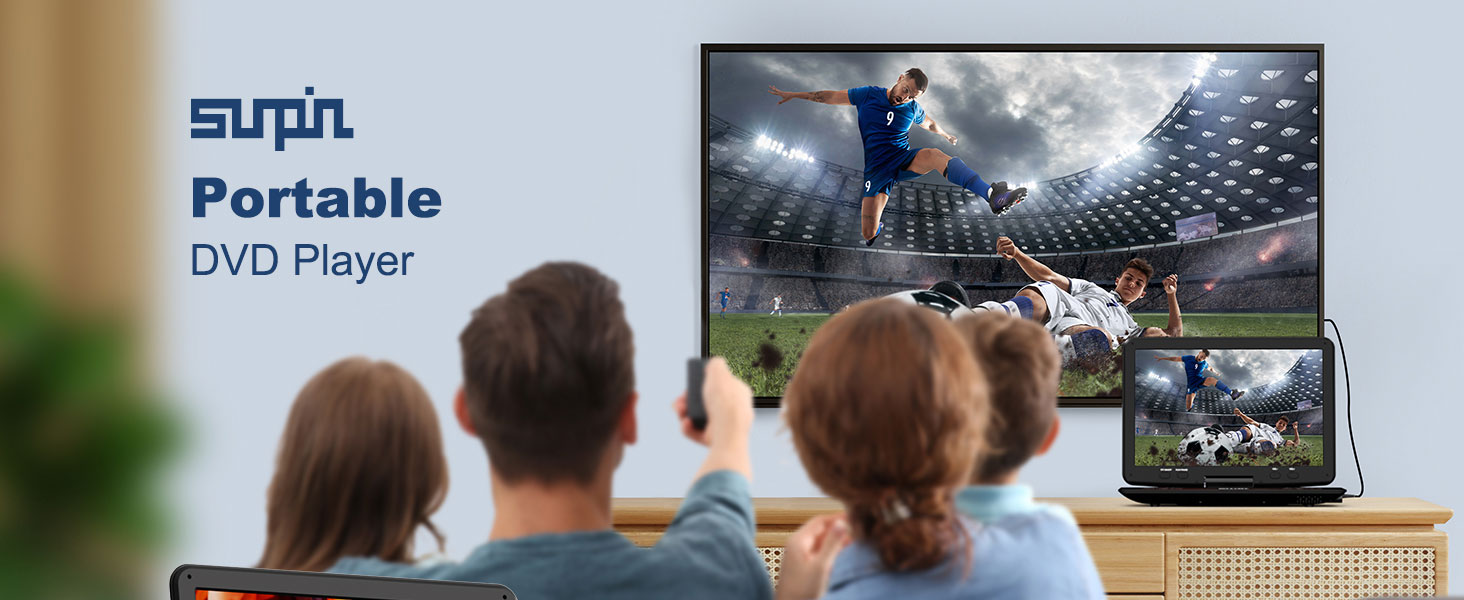
Image: The portable DVD player showcasing its compatibility with multiple disc formats (CD, DVD, DVD+R, DVD-R, DVD+RW, DVD-RW, VCD, SVCD, CD-R, CD-RW) and digital file formats (VOB, AVI, MPEG, MP3, MP4, WMA, XVID).
5.3 Connecting to a TV or Projector (AV OUT)
Use the provided AV cable to connect the player's AV OUT port to the AV IN ports (usually yellow for video, white/red for audio) on your television or projector. Select the correct input source on your TV/projector to display the player's content.

Image: The portable DVD player connected to a television, demonstrating its AV-OUT function to sync content to a larger display.

Image: The portable DVD player connected to a projector, illustrating its ability to display content on a large projection surface.
5.4 Special Features
- 180° Swivel Screen: The screen can rotate up to 180 degrees, allowing for flexible viewing angles.
- Headphone Jack: Use headphones for personal viewing without disturbing others.
- Last Memory Function: The player automatically resumes playback from the last watched point.
- Slow Motion Control: Use the remote control to adjust playback speed for detailed viewing.
- A-B Repeat: Easily loop specific segments of a video by setting start and end points.
6. Battery Information
The SUNPIN Portable DVD Player is equipped with a 5000mAh Lithium Polymer battery, providing extended playback time.

Image: The portable DVD player highlighting its 5000mAh battery capacity and up to 6 hours of continuous playback, ensuring long-lasting entertainment.
- Battery Type: Lithium Polymer
- Capacity: 5000mAh
- Playback Time: Up to 5-6 hours on a full charge, depending on usage.
- Charging: Use the included power adapter or car charger. Avoid using third-party chargers that are not specified for this device.
- Battery Care: To prolong battery life, avoid extreme temperatures and fully discharge and recharge the battery periodically.
7. Maintenance
7.1 Cleaning the Device
Wipe the exterior of the player with a soft, dry cloth. For stubborn marks, slightly dampen the cloth with water. Do not use abrasive cleaners or solvents. Keep the disc compartment free of dust and debris.
7.2 Disc Care
Handle discs by their edges to avoid fingerprints. Store discs in their cases when not in use. Clean dirty discs with a soft, lint-free cloth, wiping from the center outwards.
7.3 Storage
When not in use for extended periods, store the player in a cool, dry place away from direct sunlight and extreme temperatures. Ensure the battery is partially charged (around 50%) before long-term storage.
8. Troubleshooting
| Problem | Possible Cause | Solution |
|---|---|---|
| No power | Battery drained; Power adapter not connected; Power switch off. | Charge the battery; Connect power adapter; Turn power switch ON. |
| Disc not playing | Disc inserted incorrectly; Disc is dirty or scratched; Unsupported disc format. | Reinsert disc correctly; Clean or replace disc; Check disc format compatibility. |
| No sound | Volume too low; Mute activated; AV cable loose (if connected to TV). | Increase volume; Deactivate mute; Reconnect AV cable securely. |
| No picture on TV | AV cable loose; Incorrect TV input selected. | Reconnect AV cable; Select correct AV input on TV. |
| USB/SD not recognized | Unsupported file system; Card/drive capacity too large; Corrupted files. | Ensure FAT32 format; Use up to 32GB; Check files for corruption. |
9. Specifications
- Model: PD1406
- Screen Size: 14.1 inches (16.9 inches diagonal)
- Display Type: HD Swivel Screen
- Battery: 5000mAh Lithium Polymer (included)
- Item Weight: 2.86 pounds
- Package Dimensions: 15.86 x 14.02 x 2.91 inches
- Supported Disc Formats: CD, DVD, DVD+R, DVD-R, DVD+RW, DVD-RW, VCD, SVCD, CD-R, CD-RW
- Supported Digital Formats (USB/SD): VOB, AVI, MPEG, MP3, MP4, WMA, XVID (up to 32GB USB/SD)
- Connectivity: USB, SD Card, AV IN, AV OUT, 3.5mm Headphone Jack, DC IN
- Region: Region-free playback
10. Warranty and Support
SUNPIN is committed to providing quality products and customer satisfaction.

Image: Icons representing SUNPIN's customer support offerings: 7*24h After-sales Service, 12 Months Warranty, and 30 Days Return Service.
- Warranty: This product comes with a 12-month warranty from the date of purchase.
- Return Service: Enjoy a 30-day return service for eligible purchases.
- Customer Support: For any questions, technical assistance, or warranty claims, please contact our 7*24h after-sales service. Refer to your purchase platform or product packaging for specific contact details.


