
1. Introduction
Thank you for choosing the Hifree Smart Bedside Lamp T21. This manual provides essential information for setting up, operating, and maintaining your lamp. The Hifree T21 is a versatile smart lamp offering dimmable RGB color changing, tunable white light, and compatibility with smart home systems like Alexa and Google Home.
Please read this manual thoroughly before use to ensure proper function and safety.
2. Product Overview
The Hifree T21 Smart Bedside Lamp is designed to enhance your living space with customizable lighting. Its compact and modern design integrates seamlessly into various environments, providing both functional and ambient illumination.

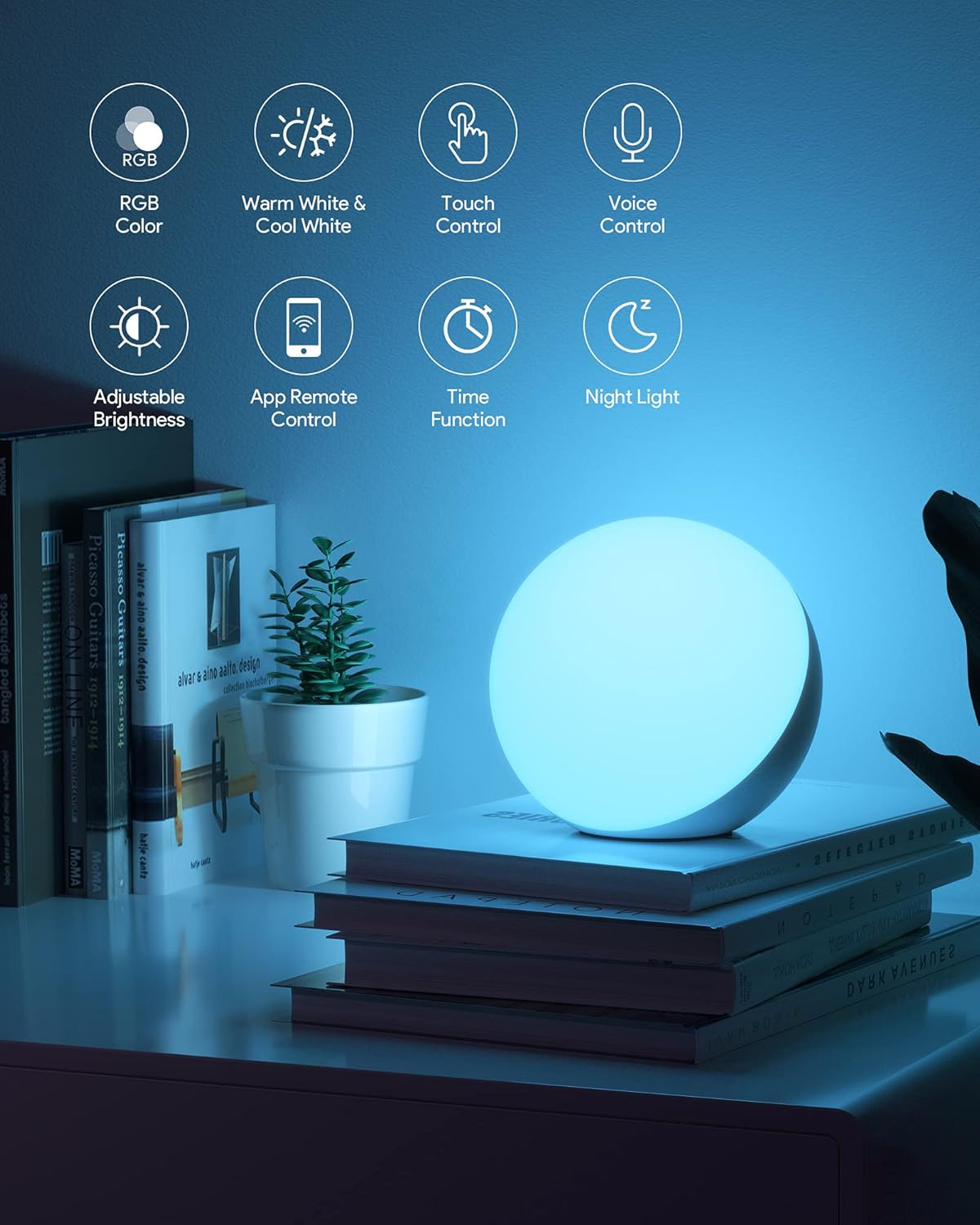
Key features include:
- Voice Control: Compatible with Alexa and Google Home.
- Dimmable RGB and Tunable White Light: Adjust brightness and color temperature (warm to cool white).
- 360-Degree Touch Control: Intuitive brightness adjustment.
- App Control: Access advanced settings and scene modes via a dedicated application.
- Smart Features: Timer, scheduling, and Natural Rhythm settings.
3. Package Contents
Ensure all items are present in the package:
- 1 x Hifree Smart Bedside Lamp T21
- 1 x Power Cable
- 1 x User Manual (this document)
4. Setup
- Unpack the Lamp: Carefully remove the lamp and power cable from the packaging.
- Connect Power: Insert the power cable into the lamp's power port and then plug the adapter into a standard electrical outlet. The lamp will briefly illuminate to indicate it has power.
- Download the App: Search for the "Smart Life" or "Tuya Smart" app in your smartphone's app store (iOS or Android) and install it.
- Pair with App:
- Open the app and register/log in.
- Ensure your phone is connected to a 2.4 GHz Wi-Fi network.
- In the app, tap "Add Device" or the "+" icon.
- Select "Lighting" > "Light Source (Wi-Fi)" or similar.
- Follow the on-screen instructions to put the lamp into pairing mode (usually by cycling power 3 times until it flashes rapidly).
- Confirm the Wi-Fi network and enter the password.
- Once connected, you can rename the lamp for easier control.
- Connect to Voice Assistant (Optional):
- For Alexa: Open the Alexa app, go to "Skills & Games," search for "Smart Life" (or Tuya Smart), enable the skill, and link your account. Then, discover devices.
- For Google Home: Open the Google Home app, tap "+ Set up device" > "Works with Google," search for "Smart Life" (or Tuya Smart), link your account, and assign the lamp to a room.
5. Operating Instructions
5.1. Touch Control
The Hifree T21 lamp features intuitive touch controls:
- Power On/Off: Lightly tap the top surface of the lamp to turn it on or off.
- Brightness Adjustment: Touch and hold the top surface to smoothly adjust the brightness from 3% to 100%.
- Mode Cycling: Use the physical button located on the back or bottom of the lamp to cycle through preset lighting modes (e.g., warm white, cool white, RGB cycle).
5.2. Voice Control
Once connected to Alexa or Google Home, you can control your lamp using voice commands:

- "Alexa/Hey Google, turn on [Lamp Name]."
- "Alexa/Hey Google, turn off [Lamp Name]."
- "Alexa/Hey Google, set [Lamp Name] to 50% brightness."
- "Alexa/Hey Google, change [Lamp Name] to red."
- "Alexa/Hey Google, set [Lamp Name] to warm white."
- "Alexa/Hey Google, set a sunset timer for 10 minutes on [Lamp Name]."

5.3. App Control
The Smart Life/Tuya Smart app provides comprehensive control and customization options:

- Brightness and Color: Precisely adjust brightness (3%-100%) and select from a full spectrum of RGB colors or tunable white light (warm to cool).
- DIY Scene Mode: Create and save custom lighting scenes with specific colors, brightness levels, and dynamic effects (e.g., breath, flash, static) and speed (0-90%).
- Pre-set Scenes: Utilize built-in lighting modes such as 'Gorgeous', 'Colorful', 'Work', 'Reading', and 'Night Light'.
- Natural Rhythm: Set the lamp to automatically adjust its light throughout the day to mimic natural light cycles.
- Timer and Schedule: Program the lamp to turn on/off at specific times, adjust brightness, or change colors automatically.
- Night Light Mode: Activate a soft 1500K light for comfortable sleep.
5.4. Lighting Modes
The lamp offers four primary lighting modes:

- Warm White: Provides a cozy, inviting light.
- Cool White: Offers a bright, energetic light suitable for tasks.
- RGB Color Cycle: Cycles through a spectrum of colors.
- Night Light: A very dim, warm light (1500K) ideal for sleeping environments.
6. Maintenance
To ensure the longevity and optimal performance of your Hifree T21 lamp, follow these maintenance guidelines:
- Cleaning: Disconnect the lamp from power before cleaning. Use a soft, dry cloth to wipe the surface. Do not use abrasive cleaners, solvents, or harsh chemicals, as these can damage the finish.
- Placement: Place the lamp on a stable, flat surface. Avoid placing it in direct sunlight, near heat sources, or in excessively humid environments.
- Power Cable: Regularly inspect the power cable for any signs of damage. If the cable is damaged, discontinue use and contact customer support.
- Internal Components: Do not attempt to open or repair the lamp yourself. This can void the warranty and may pose a safety risk.
7. Troubleshooting
If you encounter issues with your Hifree T21 lamp, refer to the following common problems and solutions:
| Problem | Possible Cause | Solution |
|---|---|---|
| Lamp does not turn on. | No power supply. | Check if the power cable is securely plugged into the lamp and the wall outlet. Ensure the outlet is functional. |
| Cannot connect to Wi-Fi/App. | Incorrect Wi-Fi band (only 2.4 GHz supported). Lamp not in pairing mode. Incorrect Wi-Fi password. | Ensure your router is broadcasting a 2.4 GHz network and your phone is connected to it. Put the lamp into pairing mode (cycle power 3 times). Double-check your Wi-Fi password. |
| Voice control not working. | Not linked to Alexa/Google Home. Incorrect device name. | Verify that the Smart Life/Tuya Smart skill is enabled and linked in your Alexa/Google Home app. Ensure you are using the correct device name as set in the app. |
| Lamp flickers or behaves erratically. | Unstable power supply. Software glitch. | Try plugging the lamp into a different outlet. Disconnect power for 30 seconds and then reconnect to reset the lamp. |
If the problem persists after trying these solutions, please contact Hifree customer support.
8. Specifications
Technical details for the Hifree Smart Bedside Lamp T21:
| Feature | Detail |
|---|---|
| Brand | Hifree |
| Model Number | T21 |
| Dimensions | 13 x 13 x 12.35 cm (5.1 x 5.1 x 4.86 inches) |
| Weight | 560 grams (1.23 lbs) |
| Material | Acrylonitrile Butadiene Styrene (ABS) Plastic |
| Light Source Type | LED |
| Maximum Compatible Wattage | 7 Watts |
| Power Consumption | 8 Watts |
| Voltage | 230 Volts |
| Luminous Flux | 400 lumens |
| Color Temperature | 2700 Kelvin (tunable) |
| Color Rendering Index (CRI) | 80.00 |
| Average Life | 50,000 hours |
| Switch Style | Touch |
| Power Source | Corded Electric |
| Special Features | Voice Control, Dimmable, RGB Color Changing |
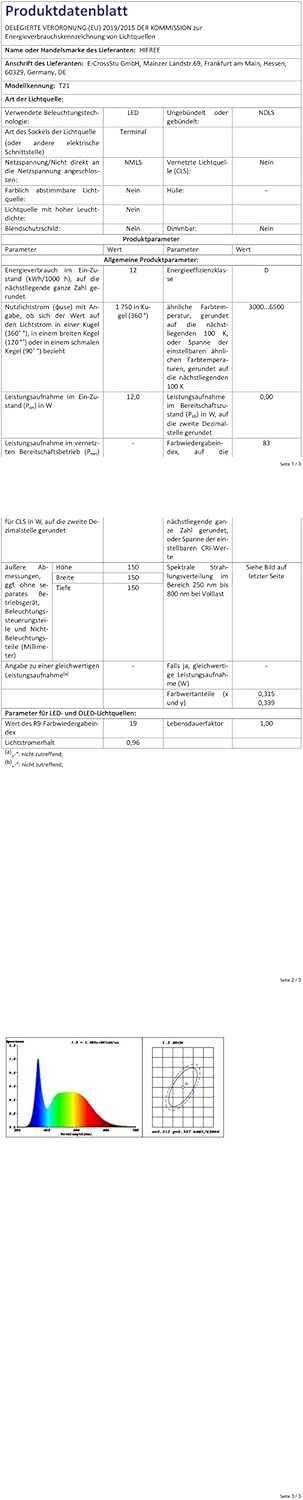

For more detailed energy information, please refer to the EPREL database: https://eprel.ec.europa.eu/qr/1589325
9. Warranty and Support
Hifree products are designed for reliability and performance. For warranty information or technical support, please contact your retailer or the Hifree customer service team through their official website or the contact information provided with your purchase.
9.1. Recycling Information
This product contains electronic components and should not be disposed of with household waste. Please follow local regulations for the recycling of electronic products. Information on recycling for this and other types of lamps can be found through your local waste management services.
For details on how to clean and dispose of broken or damaged lamps, consult local guidelines or environmental protection agencies.


