
1. Introduction
Thank you for choosing the Soul Emotion Max Over-Ear Active Noise Cancelling Headphones. This manual provides essential information for setting up, operating, and maintaining your headphones to ensure optimal performance and longevity. Please read this manual thoroughly before use.

Image 1.1: Soul Emotion Max headphones in blue. These over-ear headphones feature a sleek design with controls on the left earcup.
2. What's Included
Your Soul Emotion Max package contains the following items:
- Soul Emotion Max Over-Ear Headphones
- User Manual
- Protective Case
- USB-C Charging Cable
- 3.5mm Aux Cable
- Additional pair of Breathable Mesh Ear Cushions
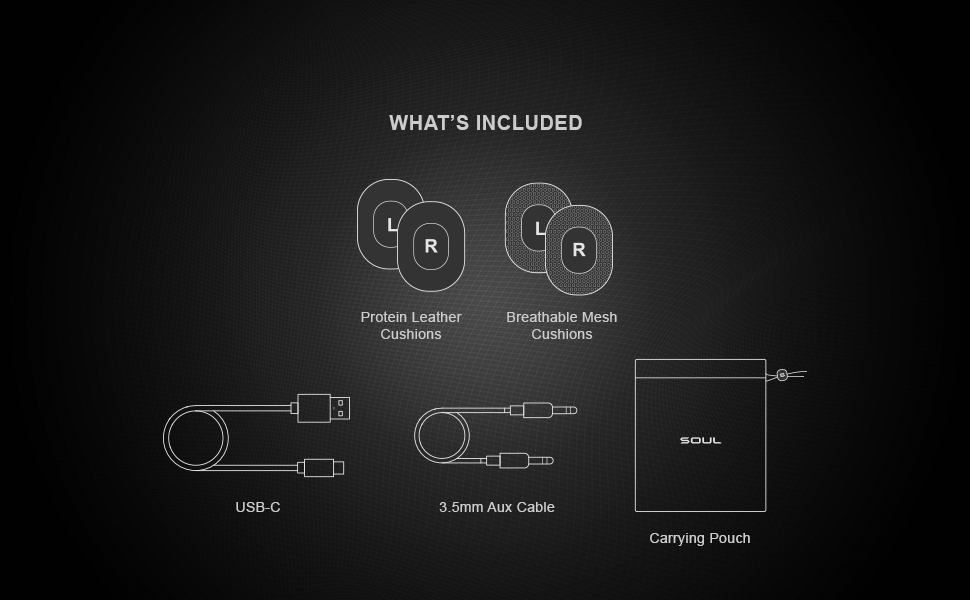
Image 2.1: Visual representation of the items included with your headphones, such as cables, ear cushions, and a carrying pouch.
3. Product Overview
Familiarize yourself with the various components and controls of your Soul Emotion Max headphones.
3.1 Headphone Components
- Earcups: Over-ear design for comfort and sound isolation.
- Headband: Adjustable for a secure fit.
- Control Panel: Located on the earcup for easy access to functions.
- Microphones: Built-in for Active Noise Cancellation and clear calls.
- USB-C Port: For charging the headphones.
- 3.5mm Audio Jack: For wired connection.
3.2 Control Functions
The physical control panel allows for various operations:
- Power On/Off: Press and hold the power button.
- Play/Pause: Single press the multi-function button.
- Skip Tracks: Double press for next track, triple press for previous track.
- Volume Control: Use dedicated volume buttons.
- Active Noise Cancellation (ANC) / Transparency Mode: Toggle with the ANC button.
- Voice Assistant: Press and hold the multi-function button to activate Siri/Google Assistant.
- Answer/End Calls: Single press the multi-function button during a call.

Image 3.1: Detail of the earcup controls, highlighting the ANC and Transparency Mode functionality.
4. Setup
4.1 Charging the Headphones
Before first use, fully charge your Soul Emotion Max headphones.
- Connect the provided USB-C cable to the charging port on the headphone earcup.
- Connect the other end of the USB-C cable to a compatible USB power source (e.g., wall adapter, computer USB port).
- The LED indicator will show charging status. A full charge provides up to 60 hours of playtime (38 hours with ANC on). A 10-minute quick charge provides approximately 1.5 hours of playback.
4.2 Bluetooth Pairing
To connect your headphones to a device:
- Ensure the headphones are powered off.
- Press and hold the power button until the LED indicator flashes blue and red, indicating pairing mode.
- On your device (smartphone, tablet, computer), enable Bluetooth and search for available devices.
- Select "Soul Emotion Max" from the list of detected devices.
- Once connected, the LED indicator will show a steady blue light or flash slowly.
4.3 Multipoint Connection
The Soul Emotion Max supports connecting to two devices simultaneously.
- Pair the headphones with the first device as described in Section 4.2.
- Disable Bluetooth on the first device.
- Put the headphones back into pairing mode and pair with the second device.
- Re-enable Bluetooth on the first device. The headphones should now be connected to both devices.
- You can switch between audio sources by pausing playback on one device and starting it on the other. Calls will automatically prioritize the phone connection.
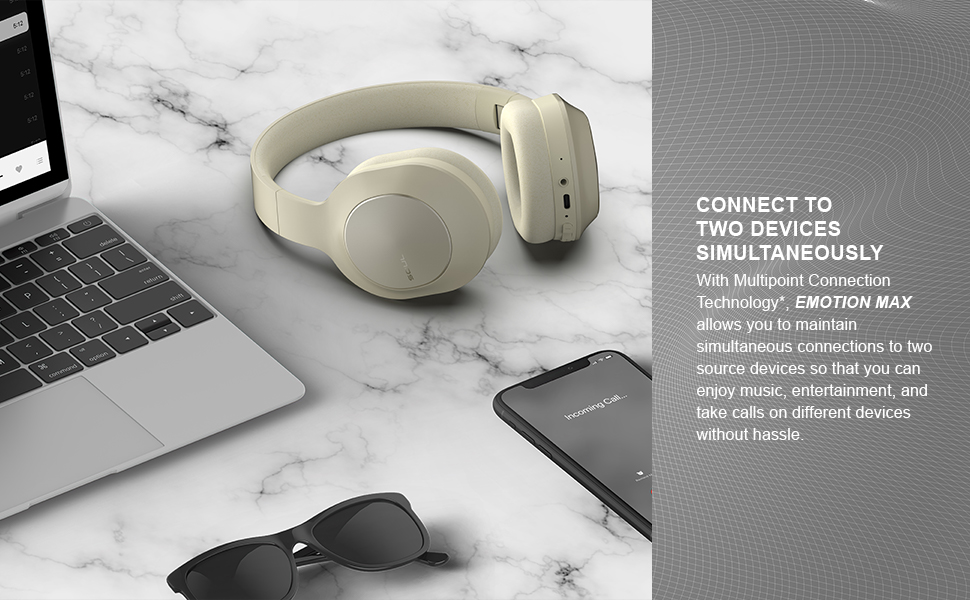
Image 4.1: Headphones connected to multiple devices, demonstrating the multipoint connection feature.
5. Operating Instructions
5.1 Active Noise Cancellation (ANC) and Transparency Mode
The Soul Emotion Max features Active Noise Cancellation to reduce ambient noise and Transparency Mode to allow you to hear your surroundings.
- Press the dedicated ANC button to cycle through ANC On, Transparency Mode, and ANC Off.
- ANC On: Reduces external noise for an immersive listening experience.
- Transparency Mode: Allows ambient sounds to pass through, enhancing awareness of your surroundings.
5.2 Making and Receiving Calls
The headphones are equipped with Qualcomm cVc 8.0 Technology and dual microphones for clear voice calls.
- Answer/End Call: Press the multi-function button once.
- Reject Call: Press and hold the multi-function button.
- Activate Voice Assistant: Press and hold the multi-function button when not on a call.
5.3 Wired Connection
You can use the provided 3.5mm audio cable to connect the headphones to devices without Bluetooth capability or when the battery is depleted.
- Plug one end of the 3.5mm audio cable into the headphone's audio jack.
- Plug the other end into your audio source's 3.5mm output.
- Note: Some headphone functions, such as ANC, may still require battery power in wired mode.
6. Maintenance
6.1 Cleaning
- Wipe the headphones with a soft, dry, lint-free cloth.
- Do not use harsh chemicals, cleaning solvents, or strong detergents.
- The ear cushions can be gently wiped with a damp cloth and mild soap if necessary, then allowed to air dry completely.
6.2 Storage
- When not in use, store the headphones in the provided protective case to prevent damage.
- Avoid storing in extreme temperatures or high humidity.
6.3 Ear Cushion Replacement
The Soul Emotion Max comes with an additional pair of breathable mesh ear cushions. To replace them:
- Gently peel off the existing ear cushions from the earcups.
- Align the new ear cushions with the earcup and press firmly around the edges until they are securely attached.
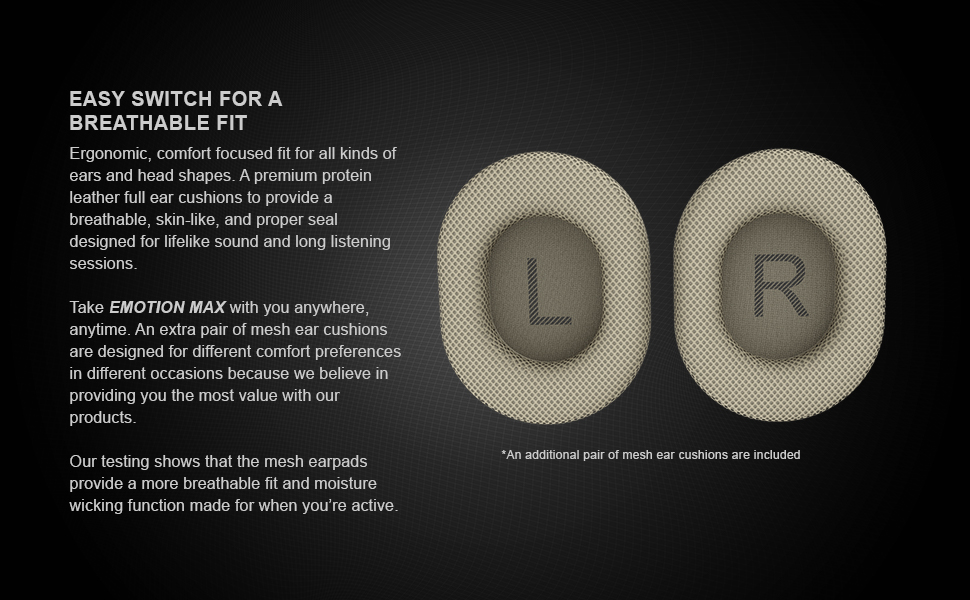
Image 6.1: Illustration of the two types of ear cushions provided and their easy interchangeability.
7. Troubleshooting
| Problem | Possible Solution |
|---|---|
| Headphones do not power on. | Ensure the headphones are charged. Connect to a power source using the USB-C cable. |
| Cannot pair with a device. |
|
| No sound or low volume. |
|
| Active Noise Cancellation is not effective. |
|
| Call quality is poor. |
|
8. Specifications
| Feature | Detail |
|---|---|
| Model Name | Soul Emotion Max - Over-Ear Active Noise Cancelling Headphones |
| Model Number | SU80 |
| Noise Control | Active Noise Cancellation |
| Connectivity Technology | Wireless (Bluetooth) |
| Wireless Communication Technology | Bluetooth 5.0 |
| Bluetooth Range | 10 Meters |
| Audio Driver Type | Dynamic Driver |
| Frequency Range | 20 - 20000 Hz |
| Impedance | 32 Ohm |
| Battery Life (ANC Off) | Up to 60 Hours |
| Battery Life (ANC On) | Up to 38 Hours |
| Charging Time | (10 min charge for 1.5 hours playback) |
| Control Method | Physical Buttons (Touch, Voice) |
| Earpiece Shape | Over Ear |
| Product Dimensions | 7.48 x 3.54 x 7.95 inches |
| Item Weight | 1.15 pounds |
| Special Features | Fast Charging, Foldable, Lightweight, Noise Cancellation, Multipoint Connection, Qualcomm cVc 8.0 Technology |
| UPC | 810059980044 |
9. Warranty and Support
Soul Electronics products are designed and manufactured to the highest quality standards. For information regarding warranty coverage, technical support, or service inquiries, please refer to the official Soul Electronics website or contact their customer support directly.
Online Support: Visit the Soul Electronics Store on Amazon for additional product information and support resources.

