
1. Introduction
The RIOGOO Thermal Mat and Digital Thermostat Controller combo pack is designed to provide a stable and optimal temperature environment for various applications, including plant germination, cutting propagation, home brewing, and pet enclosures. This manual provides detailed instructions for the safe and effective use of your device.

Image 1.1: The RIOGOO Thermal Mat and Digital Thermostat Controller, illustrating the main components and basic information.
2. Product Features
- Optimal Temperature Control: Maintains stable temperatures between 68°F / 20°C and 108°F / 42°C, suitable for professional needs.
- Heating Film Design: Utilizes a modern heating film for stable and consistent heat distribution, ideal for root area warming.
- Versatile Applications: Perfect for planting, germination, home brewing, and various pet enclosures (reptiles, rodents, arachnids).
- Waterproof Design: The heat mat features an IP68 waterproof rating and a single-piece sealed power cord for enhanced safety and durability.
- Digital Thermostat: Features an LED display for precise temperature monitoring and easy adjustment with push buttons.
- Compact and Portable: Easy to store by rolling up the mat.

Image 2.1: Illustration of the heat mat's construction, highlighting PVC layers, heating film, IP68 waterproof rating, and sealed power cord for safety and reliability.

Image 2.2: Visual representation of the thermostat's temperature setting range, from 20°C/68°F to 42°C/108°F.
3. Package Contents
- 1 x RIOGOO Thermal Mat (10 x 20.75 inches)
- 1 x RIOGOO Digital Thermostat Controller
4. Safety Information and Warnings
- This appliance is designed for indoor use only.
- The power plug is polarized (one blade is wider than the other). To reduce the risk of electric shock, ensure the plug fits fully into a polarized outlet. If it does not fit, reverse the plug. If it still does not fit, contact a qualified electrician. Do not modify the plug in any way.
- The product is double insulated for added safety.
- Ensure the mat is placed on a well-drained surface, free from standing water.
- Do not immerse the thermostat controller or its electrical connections in water. The temperature probe is waterproof, but the main unit is not.
5. Setup Instructions
- Placement of Mat: Place the RIOGOO Thermal Mat on a stable, well-drained surface. For optimal results, avoid placing the mat directly on a cold floor.
- Connecting the Mat: Plug the thermal mat's power cord into the outlet socket on the digital thermostat controller.
- Positioning the Temperature Probe: Insert the temperature probe into the rooting medium (e.g., soil) or the environment where temperature control is desired. Ensure the probe is securely placed to accurately measure the temperature.
- Power Connection: Plug the digital thermostat controller into a standard 220-240 VAC power source.
- Enhance Germination (Optional): For plant germination, covering your plant tray with a humidity dome can help maintain warmer root area temperatures and consistent humidity.

Image 5.1: The RIOGOO Heat Mat and Thermostat Controller connected and ready for use, showing the digital display.
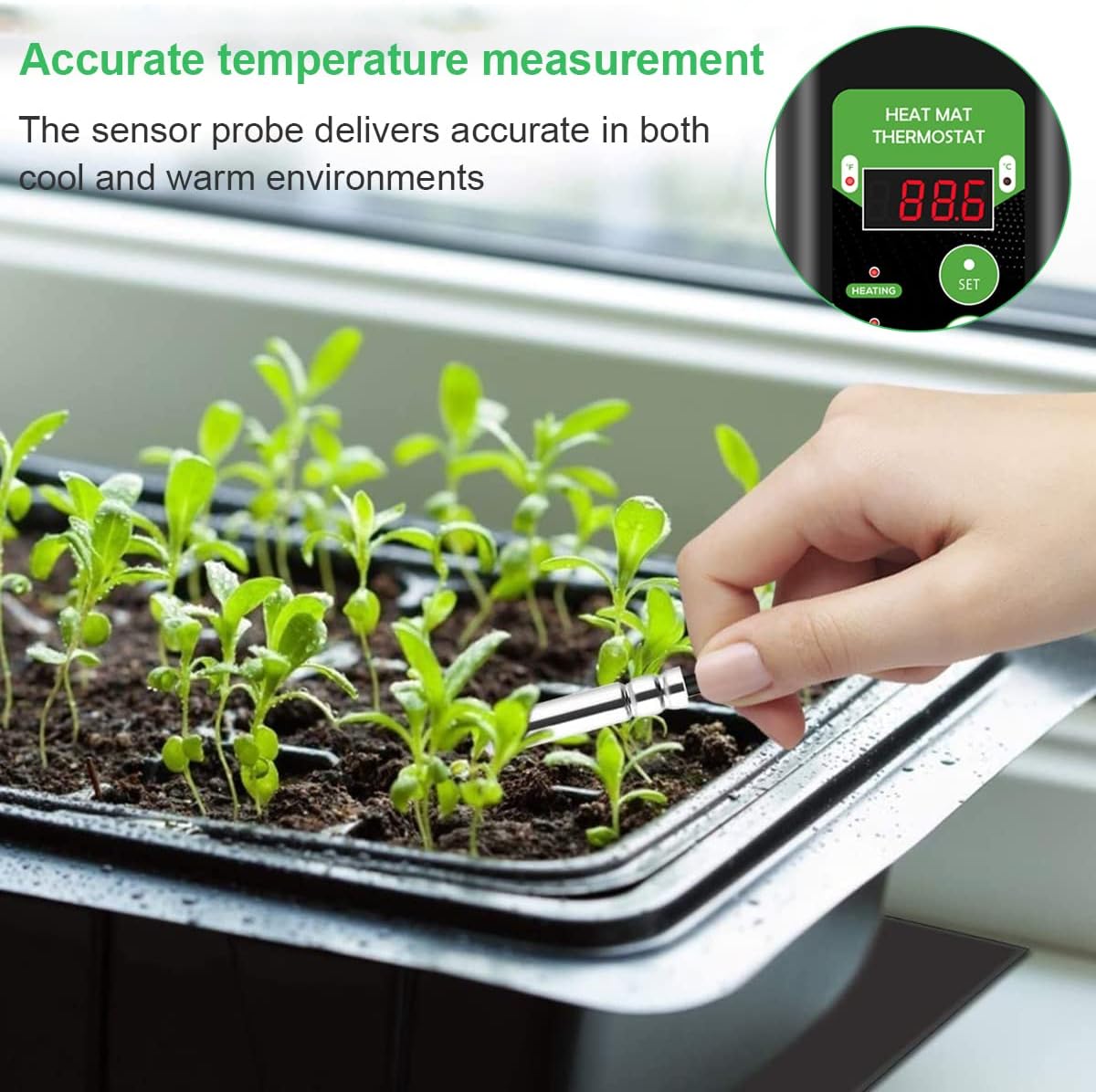
Image 5.2: A typical setup for seedlings, demonstrating the heat mat placed under a plant tray with the thermostat controller monitoring the temperature.
6. Operating Instructions
The digital thermostat controller allows you to set and maintain your desired temperature.

Image 6.1: Detailed view of the thermostat controller, labeling its components such as the Fahrenheit/Celsius LED display, output indicator, power indicator, SET button, and UP/DOWN adjustment buttons.
- Power On: Once plugged in, the thermostat's LED display will illuminate, showing the current temperature measured by the probe. The 'Power' indicator light will be on.
- Setting Temperature:
- Press the SET button once. The display will flash, indicating it's in setting mode.
- Use the UP and DOWN buttons to adjust the desired temperature.
- Press SET again to confirm your selection, or wait a few seconds for it to automatically save and exit setting mode.
- Temperature Unit Conversion: To switch between Fahrenheit (°F) and Celsius (°C), press and hold the UP button for approximately 3 seconds.
- Heating Indicator: The 'Heating' indicator light will illuminate when the mat is actively heating to reach the set temperature. It will turn off once the set temperature is achieved.
Image 6.2: A hand inserting the temperature probe into soil, demonstrating accurate temperature measurement in a seedling tray.
7. Applications
The RIOGOO Thermal Mat and Digital Thermostat Controller is a versatile tool for maintaining controlled temperatures in various environments:
- Plant Germination and Propagation: Provides ideal warmth for seeds to sprout and cuttings to root, accelerating growth.
- Home Brewing: Helps maintain consistent fermentation temperatures for beer, wine, and other fermented products.
- Pet Enclosures: Suitable for creating warm zones for reptiles, rodents, arachnids, and other small animals requiring specific ambient temperatures.

Image 7.1: An example of the heat mat providing a warm environment for a reptile enclosure, ensuring comfort for pets.
8. Maintenance
- Cleaning: Disconnect from power before cleaning. Wipe the heat mat and thermostat controller with a damp cloth. Do not use abrasive cleaners or immerse the thermostat in water.
- Storage: When not in use, ensure the mat is clean and dry. Roll up the mat gently and store it in a cool, dry place away from direct sunlight.
- Inspection: Periodically inspect the power cords and the mat for any signs of damage, fraying, or wear. Discontinue use if any damage is observed.
9. Troubleshooting
- Mat Not Heating:
- Check if the thermostat controller is plugged into a live power outlet.
- Ensure the heat mat is securely plugged into the thermostat controller's outlet.
- Verify that the set temperature is higher than the current ambient temperature. The 'Heating' indicator light should be on.
- Inaccurate Temperature Reading:
- Ensure the temperature probe is properly inserted into the desired measurement area and is not exposed to direct air currents or extreme external temperatures.
- Check for any damage to the probe cable.
- Thermostat Display Not Working:
- Confirm the thermostat is receiving power from the wall outlet.
- Try plugging the thermostat into a different outlet.
10. Specifications
| Feature | Specification |
|---|---|
| Brand | RIOGOO |
| Model Number | XHC-F044 |
| Mat Dimensions | 10 x 20.75 inches (25.4 x 52.7 cm) |
| Voltage | 220-240 VAC |
| Wattage | 20 Watts |
| Temperature Range | 68°F - 108°F (20°C - 42°C) |
| Controller Type | Digital Push Button |
| Waterproof Rating (Mat) | IP68 |
| Color | Blue (Thermostat) |
| Item Weight | 3.53 ounces (100 grams) |
11. Warranty and Support
RIOGOO provides a 1-year warranty for this product. If you encounter any problems or have questions regarding the use, setup, or maintenance of your Thermal Mat and Digital Thermostat Controller, please contact RIOGOO customer support. Refer to your purchase documentation for specific contact details.
For further assistance, please visit the official RIOGOO store or contact their customer service department.