1. Product Overview
The NineLeaf KS-SF31 is a versatile 5-in-1 bicycle taillight system designed to enhance cycling safety and security. It integrates a warning light, brake light, turn signals, electric bell, and an anti-theft vibration alarm into a single unit.

Image 1.1: Overview of the NineLeaf KS-SF31 Taillight features, including warning light, brake light, turn signal, electric bell, and anti-theft alarm, shown mounted on a bicycle.
Package Contents
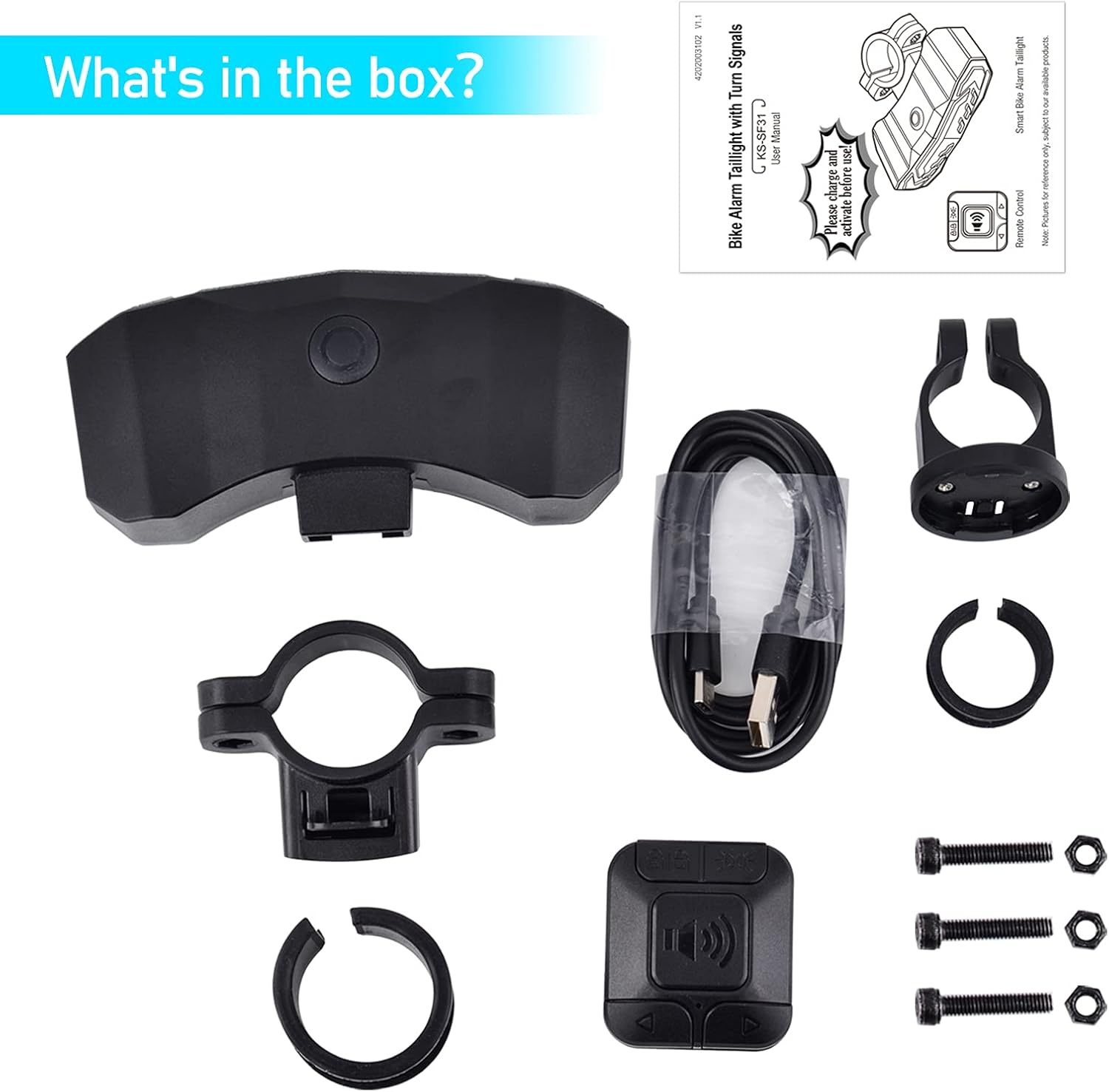
Image 1.2: The package includes the Smart Bike Alarm Taillight, Remote Control, mounting brackets, silicone rings, USB-C charging cable, and installation screws.
Please ensure all components are present before proceeding with installation.
2. Components Identification

Image 2.1: Detailed view of the remote control and the Smart Bike Alarm Taillight with key components labeled for easy identification.
Remote Control
- Arm/Disarm Button: Activates or deactivates the anti-theft alarm.
- Light Mode Button: Cycles through different lighting modes.
- Electric Bell Button: Activates the bicycle horn.
- Left Turn Light Button: Activates the left turn signal.
- Right Turn Light Button: Activates the right turn signal.
Smart Bike Alarm Taillight
- Light mode button/pair button
- Red taillight
- Yellow left/right turn signal
- Taillight bracket
- Hold lock part
- Alarm loudspeaker
- USB-C 5V charge port
3. Setup and Installation
Installing the Bike Alarm Taillight
- Place a silicone ring on the desired location of your bicycle's seat post.
- Insert the taillight bracket into the silicone ring, ensuring the contours align. Secure it firmly with the provided screw.
- Slide the bike alarm taillight into the taillight bracket until it locks into place.
Installing the Remote Control
- Place a silicone ring on the desired location of your bicycle's handlebar.
- Position the remote bracket around the silicone ring, aligning the contours. Secure it firmly with the provided screw.
- Press down and turn the remote control counter-clockwise onto the bracket until it locks into place.
4. Operating Instructions
4.1. Lighting Modes
The taillight offers 6 distinct lighting modes, selectable via the remote control's Light Mode button.
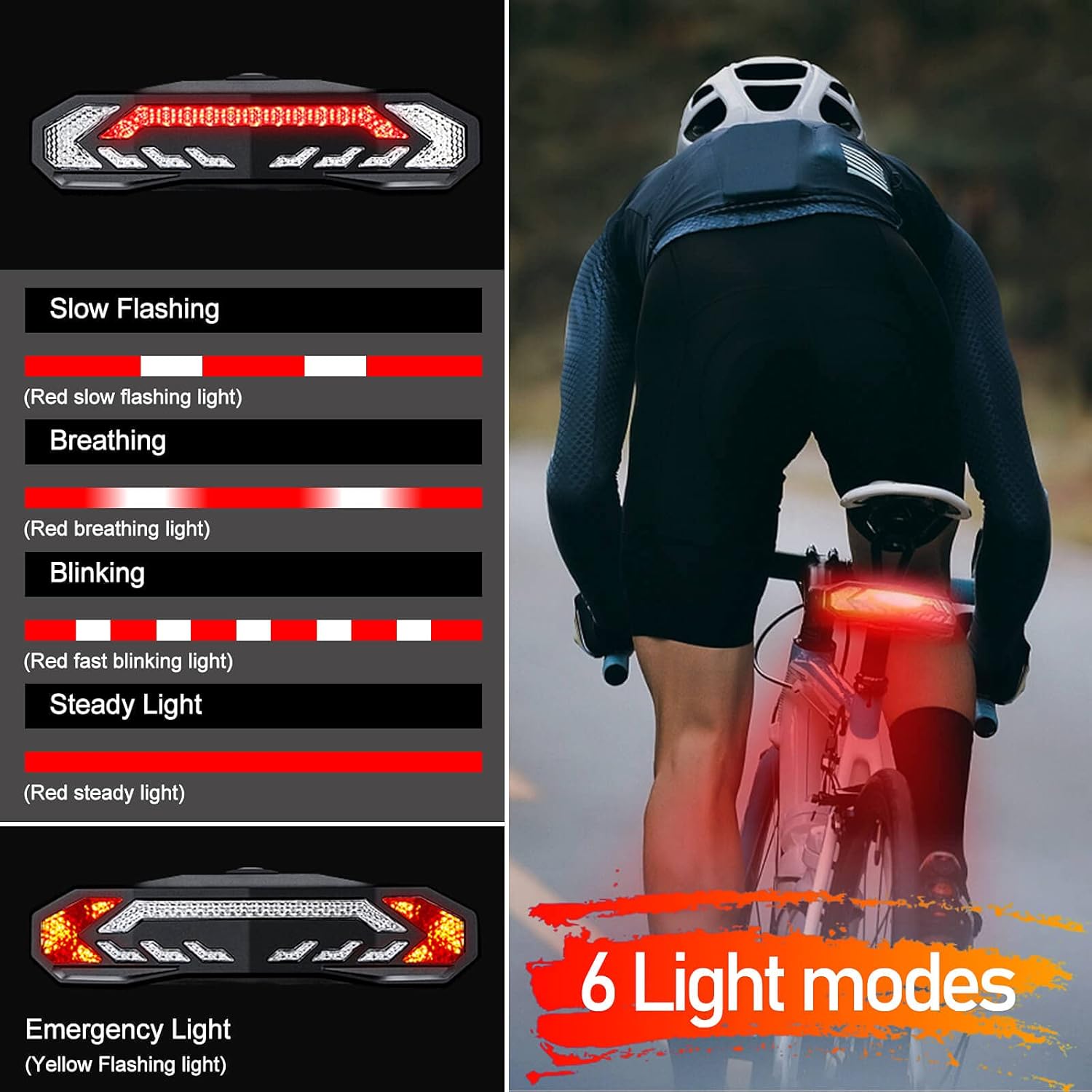
Image 4.1: Visual representation of the six available lighting modes for the taillight, including various flashing and steady options.
- Slow Flashing: Gentle, slow red flashes.
- Breathing: Light fades in and out smoothly.
- Blinking: Regular, rapid red flashes.
- Steady Light: Constant red illumination.
- Emergency Light: Yellow flashing for high visibility.
- OFF: Turns the taillight off.
4.2. Brake Light and Turn Signals

Image 4.2: Demonstration of the automatic brake light activation and the visual indication of left and right turn signals.
- Brake Light: When you brake or slow down, the taillight will automatically highlight for 2 seconds to alert following traffic.
- Turn Signals: Press the right or left turn signal button on the remote before turning or changing lanes. The corresponding signal light will activate with an audible clicking sound. Remember to turn off the signal after completing your maneuver.
4.3. Anti-Theft Alarm and Electric Bell
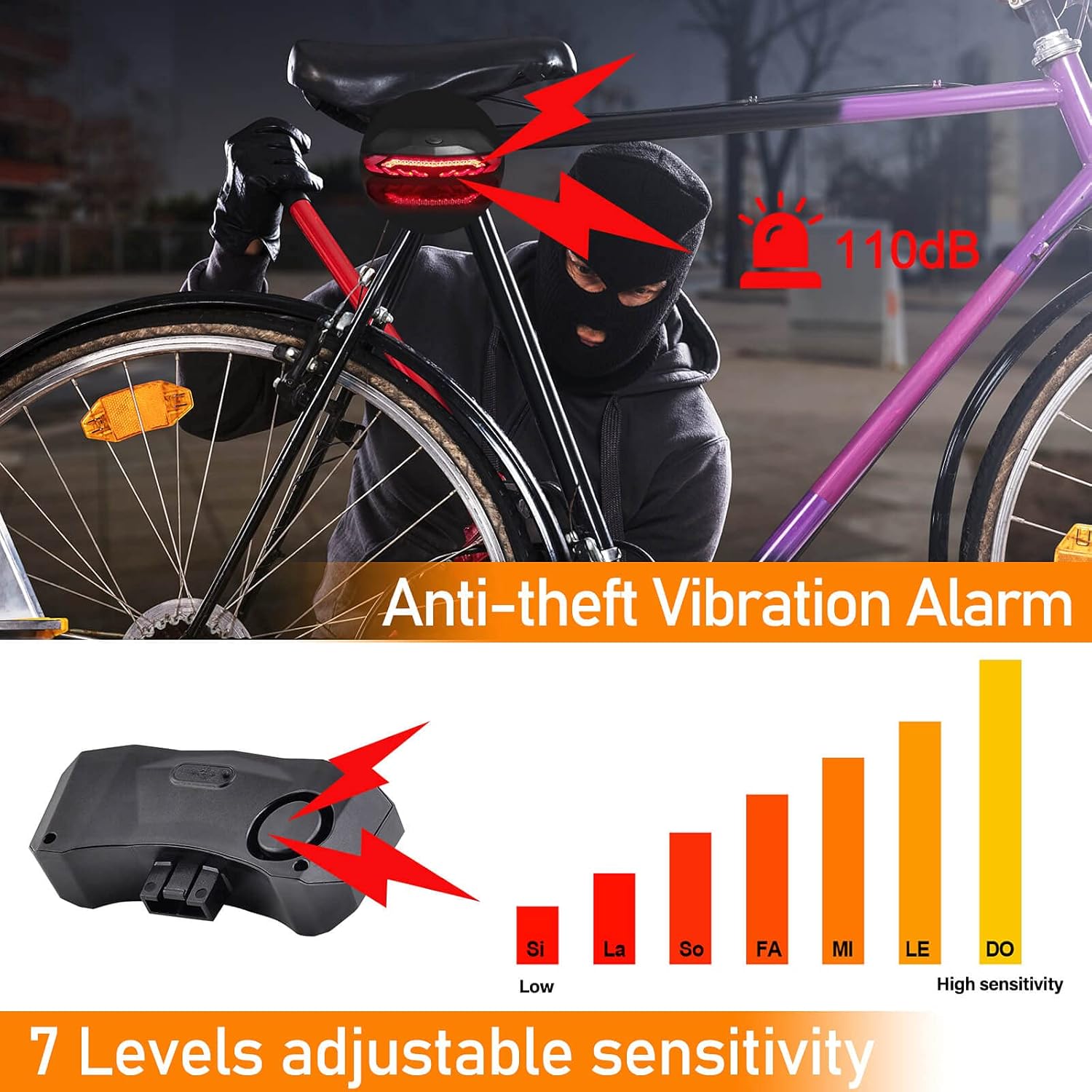
Image 4.3: Visual explanation of the anti-theft alarm system, highlighting its 110dB sound and adjustable sensitivity levels.
- Anti-Theft Alarm: Activate the alarm using the Arm/Disarm button on the remote. If the bicycle detects vibration, a loud 110dB alarm will sound to deter theft. The alarm has 7 adjustable sensitivity levels, from gentle touch to significant impact.
- Electric Bell (Horn): Press the Electric Bell button on the remote to activate a 110dB horn sound from the taillight. This can be used to alert pedestrians or other cyclists. Three different horn sounds are available.
- Search Function: The electric bell can also assist in locating your parked bicycle by activating the horn sound.
4.4. Smart Auto On/Off and Warning Light
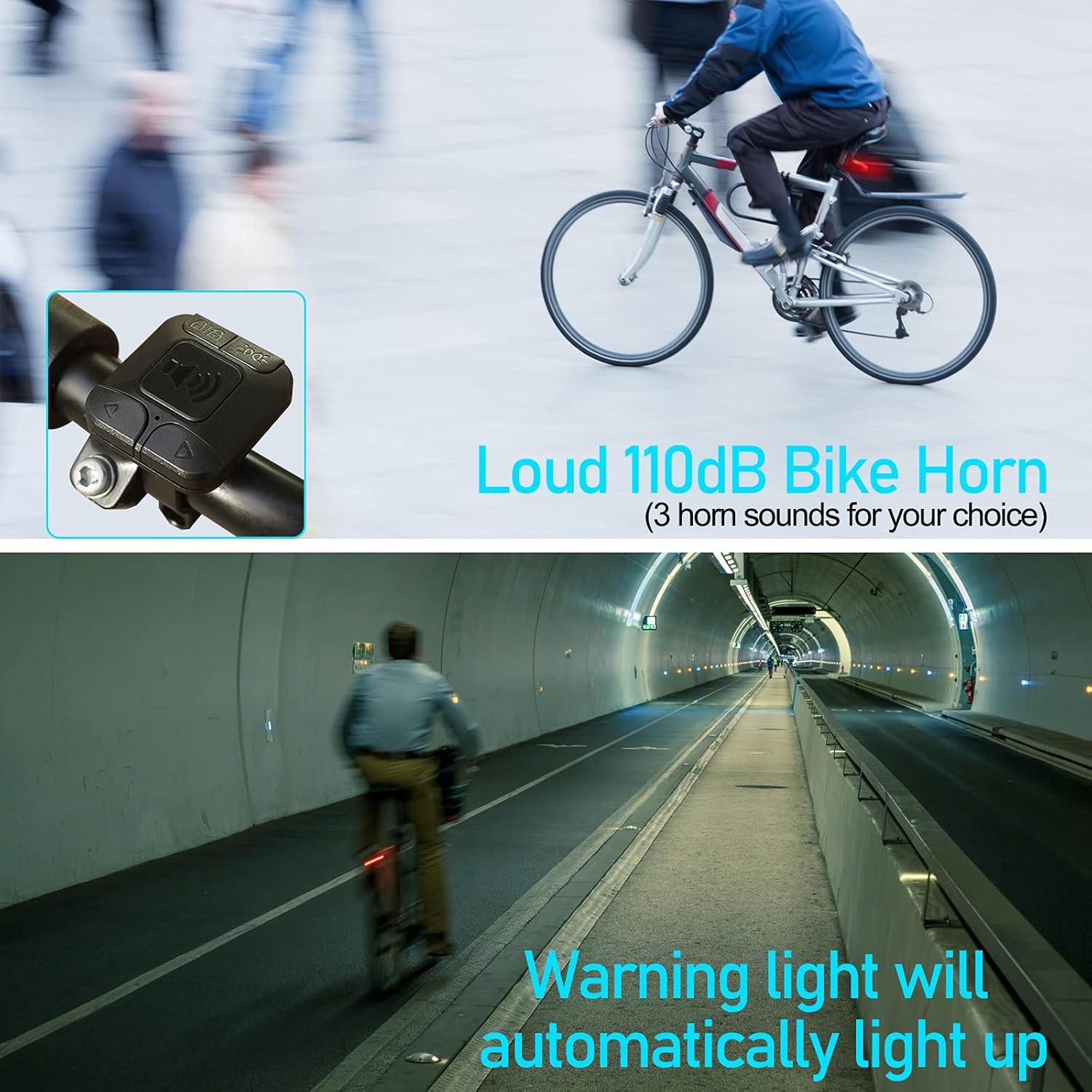
Image 4.4: Illustration of the loud bike horn in use and the automatic warning light feature activating in low-light conditions like a tunnel.
- Smart Auto On/Off: In intelligent modes (Slow Flashing/Breathing), the taillight automatically turns on or off based on ambient brightness and motion. If you stop for more than 30 seconds in a dark environment, it will turn off to conserve power. It will automatically reactivate when motion is detected.
- Automatic Warning Light: The warning light will automatically illuminate when passing through tunnels or during night rides, enhancing visibility.
5. Maintenance
Charging the Taillight
The taillight features a built-in 3.7V 2000mAh rechargeable battery. Use the provided USB-C 5V charging cable to charge the device. A full charge can provide up to 70 hours of operation in blinking light mode. A battery indicator is present during charging and when switching the taillight on/off.
Remote Control Battery Replacement
The remote control is powered by a replaceable CR2032 coin cell battery, which can last 3-5 years with typical use (30 activations per day). When the remote's performance diminishes, replace the CR2032 battery.
Water Resistance
The device has an IP64 waterproof rating, making it suitable for use in small to moderate rain. Avoid submerging the device in water.
Cleaning
Wipe the taillight and remote control with a soft, damp cloth. Do not use abrasive cleaners or solvents.
6. Troubleshooting
- Taillight not turning on: Ensure the battery is charged. Connect to a USB-C power source and check the battery indicator.
- Remote control not responding: Check the CR2032 battery in the remote and replace if necessary. Ensure the remote is within the wireless range (30-60m) of the taillight.
- Alarm not activating: Ensure the alarm is armed. Check the sensitivity settings; adjust to a higher level if needed.
- Turn signals not working: Verify the remote control battery. Ensure the taillight is powered on.
- Short battery life: Ensure the taillight is fully charged. Operating in steady light mode or frequent alarm activations will consume more power.
7. Specifications
| Model Name | KS-SF31 |
| Part Number | NLD-AMA01-SF31-4PK |
| Brand | NineLeaf |
| Material | Polycarbonate |
| Color | Black |
| Power Source | Battery Powered |
| Taillight Battery | 3.7V 2000mAh (Rechargeable) |
| Taillight Charging Port | Standard USB-C 5V |
| Remote Control Battery | CR2032 (Replaceable) |
| Wireless Range | 30-60m |
| Alarm Loudness | Up to 110dB |
| Number of Light Modes | 6 |
| Water Resistance Rating | IP64 |
| Mounting Type | On bike seat post / under bike saddle |
| Operating Temperature | -40°C to +60°C (-40°F to 140°F) |
8. Warranty and Support
For warranty information or technical support, please refer to the documentation included with your purchase or contact NineLeaf customer service. Keep your purchase receipt for warranty claims.
For further assistance, you may visit the official NineLeaf store: NineLeaf Store on Amazon.


